





hobbis
Members
-
Joined
-
Last visited
-
d I also use Restic. I installed "Nerd Tools" plugin from Community apps and enabled Restic from there. Restic is great, once you get the hang of it. //HoBBiS
-
Hi Thanks for the reply Yes, ran it for a week without Unmanic as well, but it did not have any impact, the errors still occured even without Unmanic I currently have all docker containers (including Umnanic) set to --memory=2G
-
Hi I have been fighting a Out of memory error on my server for a while now and I don't seem to figure it out. My system runs with 128GB of RAM. I have limited all dockers to max 2GB each. I have moved from RAM transcoding to disk encoding for Unmanic and also moved my temp folder for duplicacy to disk and I have even closed down my Windows VM. For some reason, I still get out of memory errors from somewhere. The message I find in the log is: Memory cgroup out of memory: Killed process 5722 (duplicacy_linux) total-vm:2802216kB, anon-rss:2048640kB, file-rss:0kB, shmem-rss:0kB, UID:99 pgtables:4188kB oom_score_adj:0 Now the process killed off is different every time. Sometime's it's duplicacy, sometime's it's Unmanic, sometime's it's something else. I seem to always end up with file-rss: 0kb and shmem-rss:0kb and oom_score adj:0. Not sure if that has anythign specific to do with the error. I have also tried running without several dockers just to see if the issue happens again, and it does. I can't seem to find the root cause. Any bright minds that can help? Diagnostics attached. Running 6.12.9 right now but the error has occured even in earlier versions. Planning to update to 6.12.10 shortly. Thanks! Regards HoBBiS
-
When configured correctly, Unraid really just goes, and goes, and goes. Well, guess it's time to upgrade and reboot... finally Thanks Unraid!

-
I solved my issue. It turned out I did not use the Nvidia Encoder at all. It was a space character before the gpu uuid in the template which did not work out well. Removed the space character and now all is good.
-
I also have the same issue. It skips (almost) all files with the same error message. Did you find a solution for this @Jurak
-
I must say I really like Overseerr. I have tried Ombi before but it was a bit to cluttered and a bit messy. The interface for Overseer even in Alpha stage is really great. Need to push this through a reverse proxy and test this outside as well.
-
Thank You Decto. I am intending to use these only for backup purposes, so I am not worried about CPU speed. You have a great point only to run stable versions and I will do just that in this case, also good idea about dividing between onboard and sata card. Ordering one now. Looking forward to fiddle with it
-
Thank you for this thread and really good information and suggestions. I have been focusing my interest on getting a few of these. One as backup Unraid at home, and one to be sent to a relative in another part of Sweden for remote backup, instead of buying Synology or Qnap. The configuration I have found available for purchase: CPU: AMD Athlon II Neo N36L 1.3Ghz Dualcore Memory: 5GB Would this hardware run latest Unraid versions? (6.9x?) Can anyone confirm? Thanks!
-
So far, so good. After following your recommendations and upgrading to the latest version, I have not yet encountered any hangups with Unassigned devices. I am working on getting my uptime a bit longer now to see if the errors re-occurs. Thanks for the assistance!
-
Thank You. I will try the steps You provided and report back on the results when tested properly. I don't use any other devices right now, but I will do some tests with USB attached devices as well. 🙂 Retirement donation incoming
-
Thank You for responding, I did not notice the notification, sorry for the delayed answer. My Unassigned devices in working situation Diagnostics attached. Thanks //HoBBiS PS. Thanks for a fantastic plugin BTW fullback-diagnostics-20190305-1948.zip

-
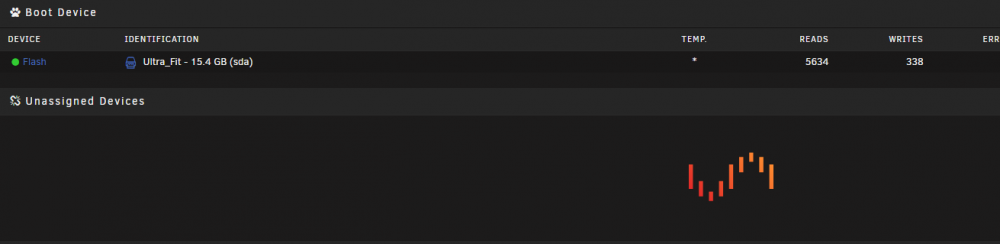
Hi! I am another newbie trying to get around a issue I have with my UNRAID server and the Unassigned Devices plugin I use UNRAID 6.7.0-rc2 and Unassigned Devices Plugin version 2019.02.12 The plugin GUI stops working after a while for me on both my servers. The area in the main tab just have the UNRAID logo looping endlessly... Here if from one of the servers MAIN tab The same loop appears if I try to open the plugins page for Unassigned Devices directly If I reboot the server, the Unassigned Devices plugin works as usual for a while, but then it starts with the above issue again. Clearly I have been messing around with something I should not have messed around with, but I am unable to figure out what. When checking the logs, I see this information, but I can't see why it would sink Unassigned devices LOG 192.168.168.214 = UNRAID Server 192.168.168.210 = The client I use to connect to UNRAID server using Chrome Is there a known standard fix for the Unassigned devices not showing up properly after a while without having to restart the server entirely to make it work for a while again, or are there several different areas to investigate? Anyone got any ideas what to check? Thank you! Regards HoBBiS

-
Thanks for this great plugin. Vill try it some more and buy you a beer later on :-) I have a request :-) Set up a possibility to exclude a specific sub folder within the specific dockers appdata folder. For example, I would like to exclude the "CACHE" folder from Plex docker, but ensure I have everything else backed up. Thank You!



