





sentein
Members
-
Joined
-
Last visited
Everything posted by sentein
-
Yes it is. Sorry i should have made that more clear.
-
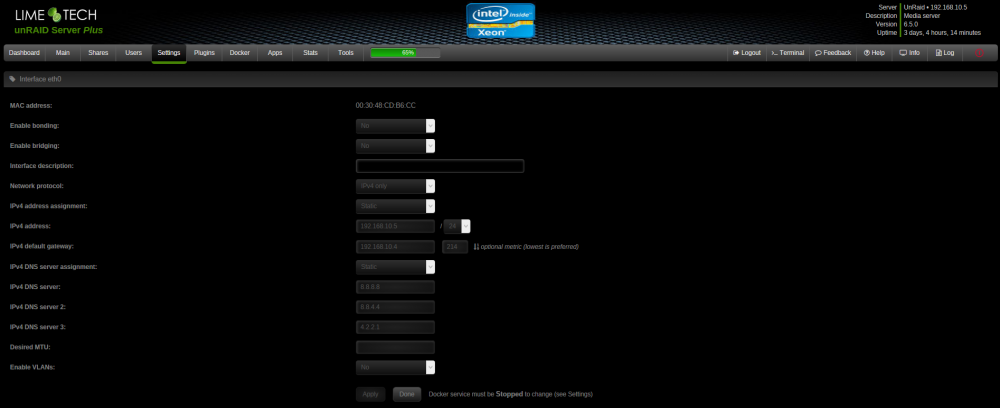
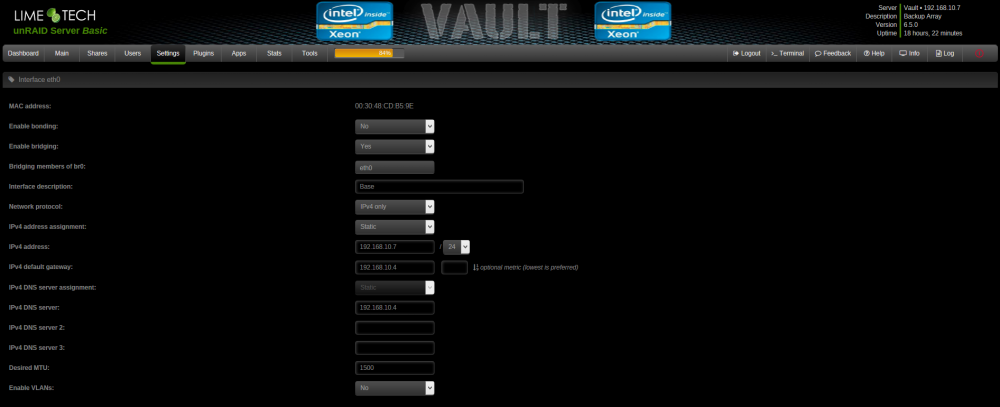
I have tested both servers and the Configs on both seem to not seem too make a difference.
-
Using Terminal i am still unable to Ping Github.com in unraid. and all the problems stated in the first post still seem to be there. But with your help pfsense can at least see github.com so it is a step in the right direction.
-
Results look Promising PING github.com (192.30.253.113): 56 data bytes 64 bytes from 192.30.253.113: icmp_seq=0 ttl=53 time=27.433 ms 64 bytes from 192.30.253.113: icmp_seq=1 ttl=53 time=28.330 ms 64 bytes from 192.30.253.113: icmp_seq=2 ttl=53 time=28.046 ms --- github.com ping statistics --- 3 packets transmitted, 3 packets received, 0.0% packet loss round-trip min/avg/max/stddev = 27.433/27.936/28.330/0.374 ms
-
Going to try the DNS Settings Next.
-
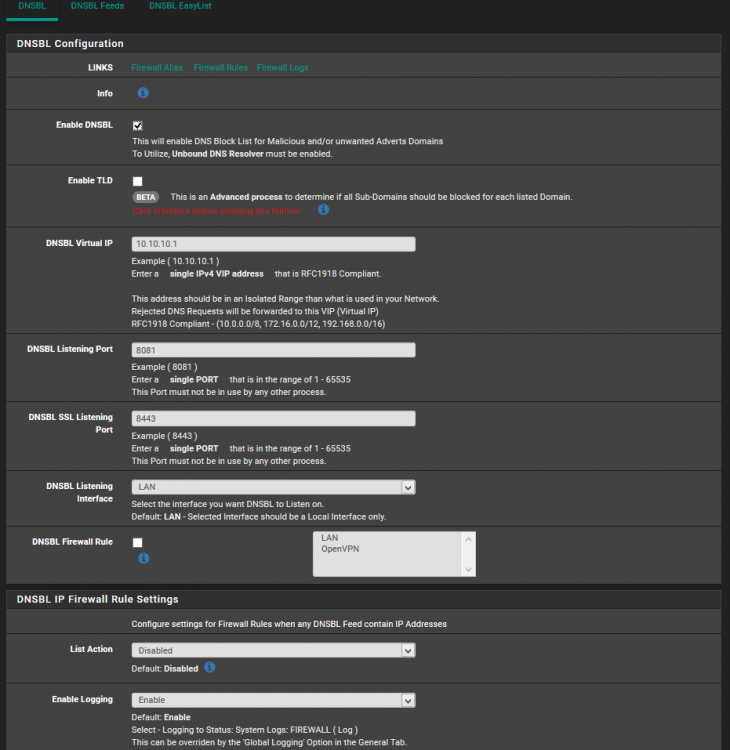
Originally that is exactly what i had. The only reason that unfortunate DNS is even in here is due to the "Reset your modem / router or try again later, or set your DNS Settings to 8.8.8.8 and 8.8.4.4 Also make sure that you have a Gateway address set up." message given at the fix common problems plugin. I was trying to give unRaid the most direct rout to the outside world. I have not checked the logs. Honestly i am not 100% sure where to find them yet.
-
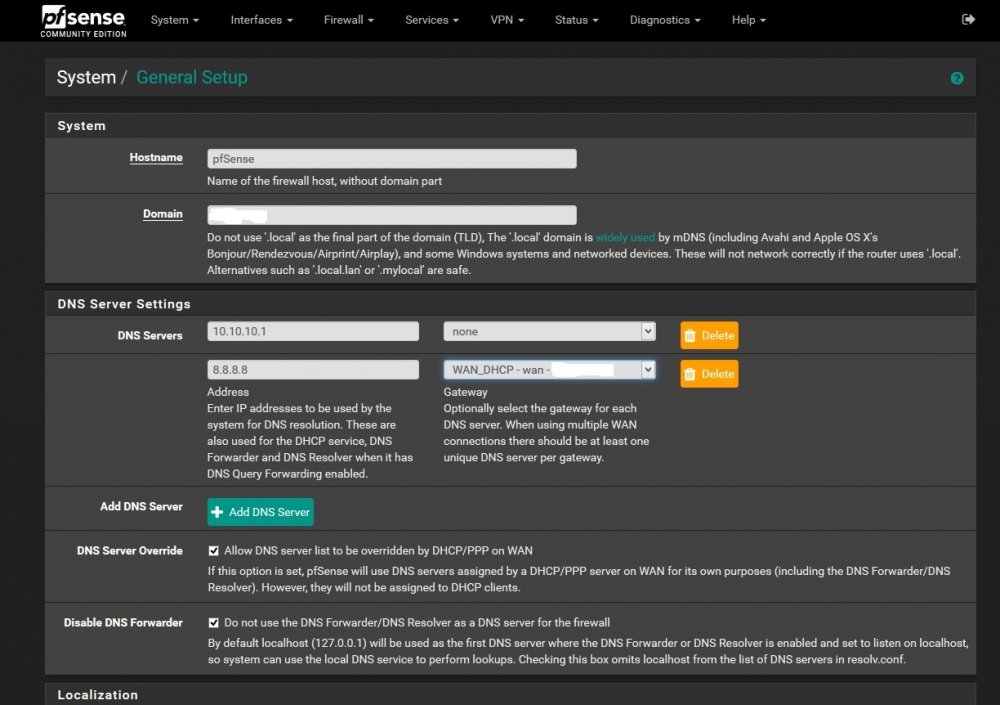
It is a dummy DNS = No one as is not pointing to a Wan. All DNS requests blocked by pfBlockerNG go here to die. pfBlockerNG is setup as a DNS based network AD blocker. So if it sees a request to or from a website on one of my lists it forwards those DNS queries to 10.10.10.1 which goes absolutely no where. Since the DNS queries cannot be resolved to a website the AD is effectively blocked.
-
This is what i am getting. The following input errors were detected: - Host "github.com" did not respond or could not be resolved. I have a feeling something might be screwed up in this region but i cannot put my finger on it. The first DNS is used with pfBlockerNG when active.
-
Just asked a friend to make this for my backup server. Bet you can't guess the name of the server.

-
About 2 months ago i created a pfSense router for my home setup This is a stand alone system that is bare metal and not a VM of any sort. Ever since then i cannot get the plugins to register there are updates needed, the plugins all have status - Unknown. The OSupdate area in tools is also non-functional. Is there anyone here that has a pfSense router working nicely with unraid that would be willing to give me some pointers? I also have this error in the Fix common problems section "Unable to communicate with GitHub.com" along with every Plugin that needs updated listed there as well. I understand why it is throwing that last error but i need a way to fix it and have not found a good solution as of yet. The reason is that pfSense stops all ping requests as far as i can tell from my readings. The error from github is due to pinging Github.com and not getting a response. I have a feeling this is my underlying issue with the plugin status and update. It could also quite possible be my main issue with the OSupdate tool not working as well. I have set the DNS in my router and both of my servers. I have also tried disabling the firewall and shutting down pfBlockerNG in different combinations to leave everything unprotected. I only have one port forwarded to the outside world and that is Plex@32400. Https is enabled and i have a VPN server setup and working. Any help is appreciated if you would like to know anything else just ask. I will give any information i can. I do apologize for having to ask this here, I have been at this for 2 months and admit defeat. I like my protection but if i cannot get pfSense to work 100% i may as well nuke it.
-
Please ignore my previous post. I got a few hours sleep and thought about it on the way to work. My allocated HDDs are full to the point of cut off which i set to have 750GB per Hdd free. This means when i went to add the folders they were non write storage due to acting full. i just added my downloads section which does not have an upper limit and it added properly. at least this is what i believe to be happening. My main is not accessible from work or i would try it from here.
-
Any help is appreciated. I have had deluge and sonarr working together for 3 weeks(straight). Without reboot or issue. I had a blonde moment this past week. The power went out so i took the opportunity to remove the cache drive i had planned to remove. Unbeknownst to me all of my configs were housed on this cache drive. I started the server and the array and all of my dockers were there but none of my info was present. figuring out what happened I reintroduced the missing cache drive and now sonarr will not work. all of the other dockers seemed to recover without issue. I am sure i corrupt something. My Problem is i have uninstalled, deleted the config folders reinstalled sonarr and now i cannot add Files/Folders to my watch list for sonarr. The docker itself seems to function like it did before i but when i import existing series folders i get this " Folder is not writable by user nobody". It seems to me the permissions inside the docker are screwy. Any thought on this? I have tried all i can think of right now to get this to work. Well short of SSH into sonarr and chown 777 everything on the server which seems a bit dumb. Also if no one has input on this could someone point me in the direction of importing all of my disks to a new Unraid? If so i will just start over.(extremely frustrated with myself)
-
I am using a cheap old Enterprise Server. Dual quad core Xeon L5420 64GB RAM DDR2 20TB Usable Storage Space Once done will be BackupPlan to a Raid 6 FreeNAS with the Same Specs other than 30TB of Storage Area. I plan to backup Multiple PCs. Server to Server connection will be a 10GBe connection. The Motherboard will be the only slowdown.


