





Llamrei
Members
-
Joined
Everything posted by Llamrei
-
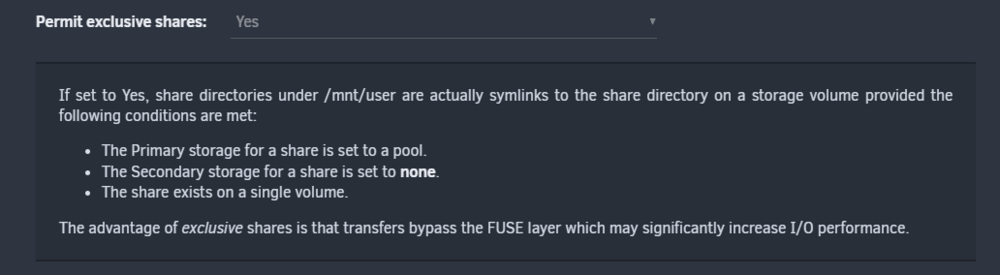
Hi, had the same problem but found a solution. Go to Settings -> Global Share Settings and set "Permit exclusive shares" to yes. My opencloud share was on the cache pool so the requirements were met.
-
Have the same issue. Running 6.12.4. Can edit the name and description but not the script itself. Tried 3 different browser.
-
Hello, since a few weeks i get a lot of: php-fpm[9434]: [WARNING] [pool www] child 844 exited on signal 9 (SIGKILL) in the syslog and the webui is incredibly slow and after a while doesn't respond at all. After a reboot it takes about 1,5-2 days till this starts and i've seen it on 6.12.2, 6.12.3, and 6.12.4-rc18 thevault-diagnostics-20230825-1456.zip
-
Hi, I got the same problem and after some trial and error I am now convinced that it's the ZFS Master plugin that causes the read and write issue. But after unistalling it i kept getting reads on the zfs disk in the array. When i diable the Folder Caching plugin those reads went away and the disk spins down. The curious part is that only the zfs formatted disk has a problem with the Folder Cache plugin, all other xfs formatted disks spin down like normal.
-
I, too can't replicate the problem now after a reboot.
-
Yes, I write to /mnt/user/Downloads
-
Hi, I've got the same problem with a Pool that is ZFS formated. Seems like it ignores the Minimum Free Space Setting and enforces 10% Free Space. That behaviour started for me with the Update to 6.12.2.
-
Yes it's PIA and it's always the same port every 15min. I used this Container for years and never noticed anything like it, startet a few weeks ago.
-
Hello, I got a problem with this container I can't figure out. Every 15 minutes the log shows that the outbound port is configured, but it's always the same port. 2021-10-25 09:43:45,023 DEBG 'watchdog-script' stdout output: [info] Starting Deluge Web UI... 2021-10-25 09:43:45,023 DEBG 'watchdog-script' stdout output: [info] Deluge Web UI started 2021-10-25 09:43:45,026 DEBG 'watchdog-script' stdout output: [info] Attempting to start Privoxy... 2021-10-25 09:43:46,035 DEBG 'watchdog-script' stdout output: [info] Privoxy process started 2021-10-25 09:43:46,036 DEBG 'watchdog-script' stdout output: [info] Waiting for Privoxy process to start listening on port 8118... 2021-10-25 09:43:46,043 DEBG 'watchdog-script' stdout output: [info] Privoxy process listening on port 8118 2021-10-25 09:58:31,237 DEBG 'start-script' stdout output: [info] Successfully assigned and bound incoming port '32917' 2021-10-25 10:13:31,405 DEBG 'start-script' stdout output: [info] Successfully assigned and bound incoming port '32917' 2021-10-25 10:28:31,585 DEBG 'start-script' stdout output: [info] Successfully assigned and bound incoming port '32917' Result is that Torrents are not connectable and the RSS Plugin doesn't fetch the Feed. Tested it with binhex-rtorrent and shows the same behaviour. Any idea what's causing this?
-
Got this Email too, 2 days in a row since I installed Version 2018.11.01-1
-
Hi, could you please build a new Container with the new Emby 3.5? Thanks
-
Hi, yes both Endpoints support Port Forwarding, tested it on my PC. Ok, deleted all Forwards in the Router, looks like it Torrent works now.
-
Hello, I got 2 Problems with this Container: 1. PIA splitted the endpoint Germany in 2 (DE Frankfurt and DE Berlin) unfortunately your script does not recognize those so there is no port forwarding enabled. Please change that. Thanks. 2. Don't know if this is a problem with the Container or with unRaid or my Router: I activated UPnP everywhere I found an option to do so but Deluge does not create a forward in the Router. Does anyone have an idea how I can get that to work? My Router is a AVM fritz.box 6490 and I run unRAID 6.5.3 on the Server. Thanks


