FoxxMD
Members
-
Joined
-
Last visited
Everything posted by FoxxMD
-
@buzzra are you sure you read any of the docs? The entry for enabling new registration, in the docs The entry for creating a superuser as well as accessing admin panel where you can manage users, in the docs Support here is for supporting the docker template on unraid or other specifics about running on unraid -- not for reading the manual for you.
-
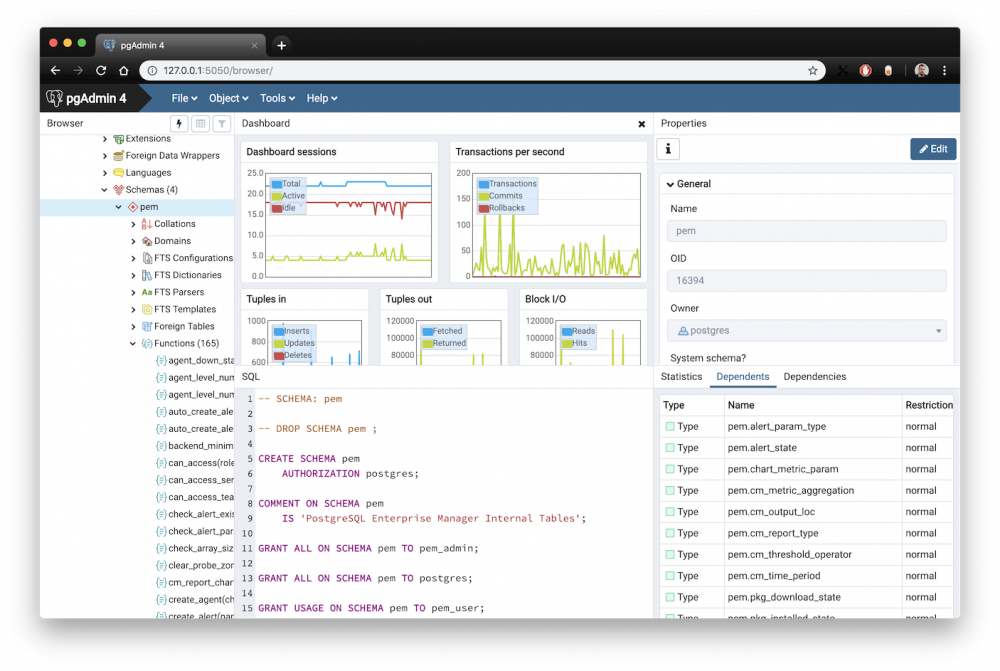
Application Name: pgadmin4 Application Site: https://www.pgadmin.org/ Github Repo: https://github.com/postgres/pgadmin4 Docker Hub: https://hub.docker.com/r/dpage/pgadmin4/ Template Repo: https://github.com/FoxxMD/unraid-docker-templates Overview pgAdmin is the most popular and feature rich Open Source administration and development platform for PostgreSQL, the most advanced Open Source database in the world. Some features: Designed for PostgreSQL 9.5 and above Access and manage multiple databases CRUD for all the things and raw SQL execution Wizards and graphic tools for many administrative tasks (ACL, backup/restore, etc.) Monitoring dashboard How is this different than the existing CA template for pgAdmin4? The dockerhub repo (fenglc) used for that template has not been updated in 2 years and is now archived This dockerhub repo (dpage) is the official image for pgAdmin4 and is up to date fenglc only supports utilities (pg_restore, etc.) for postgres 9 while dpage contains utilities for postgres 9.5, 9.6, 10, 11, and 12 fenglc has hardcoded default credentials while dpage supports supplying your own default user/pass for new installations dpage supports many more environmental variables for configuration Initial Setup Regardless of existing or new installation you MUST configure ownership for the directory mapped to appdata under the Config setting in the template. This is due to pgadmin using a non-root user inside the container for operations. Either create the directory manually (defaults to /mnt/user/appdata/pgadmin4) or wait for the container to create it on initial start. Then run this command from the unraid cli (terminal window) to configure ownership: chown -R 5050:5050 /mnt/user/appdata/pgadmin4 Thanks @dreadu and @SOULV1CE for figuring this out Usage NOTE: On initial container build there may be a noticeable delay (10-20 seconds) between when the container starts and when the UI becomes available. === Migrating from fenglc or bringing your own data === Use the Config path (under "Show More Settings") in the template to map your working directory. If you are migrating from fenglc just use the same folder from appdata. If you use this approach you can safely ignore or remove the Email/Password variables from the template. === New Installations === You must provide values for Default Email and Default Password in the template or the container will not start. The email is not actually used, it's just a username. After the container has been started for the first time these variables can be removed from the template. Configuration All other configuration for the container can be found in the pgAdmin docs.
-
For current users: After v2.2 Elasticsearch is no longer needed. You do not have to take any action in order to upgrade but it is still recommended to backup your postgres DB and data folders beforehand. Once you have started the new (upgraded) container do not stop/update the container until post data has been rehashed -- progress can be checked by viewing the logs. After hashing is complete you can safely remove the Elasticsearch Host variable from your unraid template and restart the the container.
-
+1 thank you for this script. It would be great if this plugin would work like the rest of the dashboard modules so it could be moved around/move to one column/collapsed
-
@steffenk you're right it doesn't look like it supports multiple uploads. You might want to check out this other CA app that I use for image archival, Szurubooru, it might be what you are looking for.
-
@milfer322 you can update your unraid template to get the ready-made configuration (may require removing and re-installing app from CA?) Or you can add the variables yourself to your template: HTTPS_ONLY as false or true EXPOSE_PORT will specify what port whoogle will start on inside the container
-
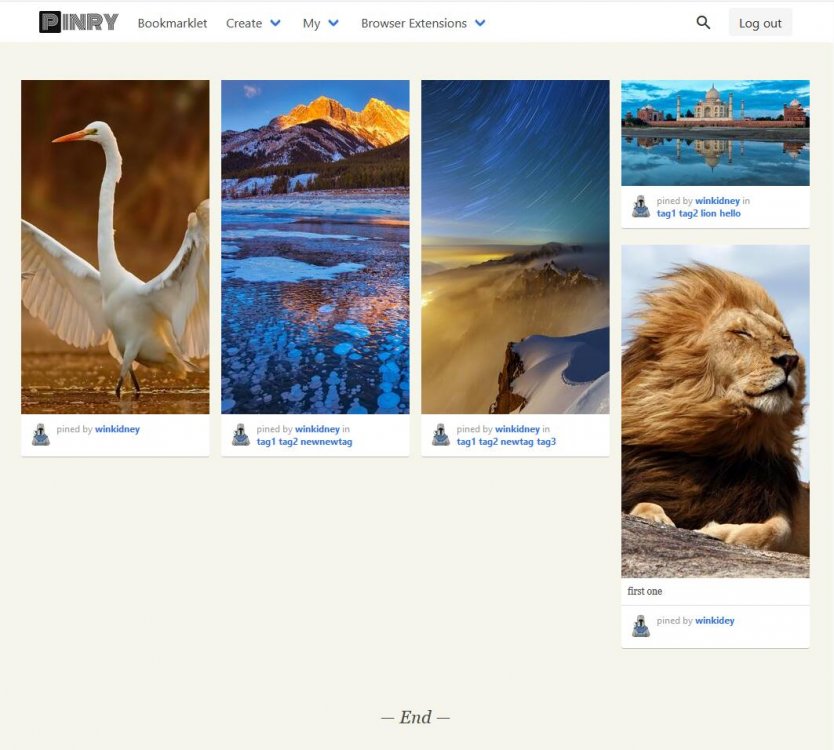
Application Name: pinry Application Site: https://docs.getpinry.com/ Github Repo: https://github.com/pinry/pinry/ Docker Hub: https://hub.docker.com/r/getpinry/pinry Template Repo: https://github.com/FoxxMD/unraid-docker-templates Overview pinry is a tiling image board system for people who want to save, tag, and share images, videos and webpages in an easy to skim through format -- basically an open-source Pinterest clone. Some of its features: Image fetch and online preview Tagging system for Pins Browser Extensions Multi-user support Both public and private boards Search by tags / Search boards with name Some demo sites: https://pin.37soloist.com/ https://pinry-demo.lapo.it/ more screenshots here Usage Initial setup only requires adding the template from CA. Additional settings can be accessed by modifying the configuration file at /mnt/user/appdata/pinry/local_settings.py Ensure new users can register by setting ALLOW_NEW_REGISTRATIONS = True in local_settings.py To create a superuser for administration: exec into the container (click the app -> console) run this command: python manage.py createsuperuser --settings=pinry.settings.docker Pinry docker instructions Pinry documentation Additional Configuration This is very specific -- if you are accessing behind an nginx reverse proxy you must make sure you have not set HTTPOnly for cookies as the application gets CSRF tokens from a Cookie header.
-
@FFV maloja has a super simple endpoint for scrobbling in a DIY manner by using "/api/newscrobble with the keys artist, title and key - either as form-data or json." Might be able to do a loop with applescript and submit the track info from itunes using that? IDK sounds like a bit of an en devour but it's definitely doable!
-
@milfer322 the author has updated the dockerfile for this app. It is now possible to do what you want by setting these variables in the template: Container Port to 443 Additionally, you may want to set Application HTTPS Only to true.
-
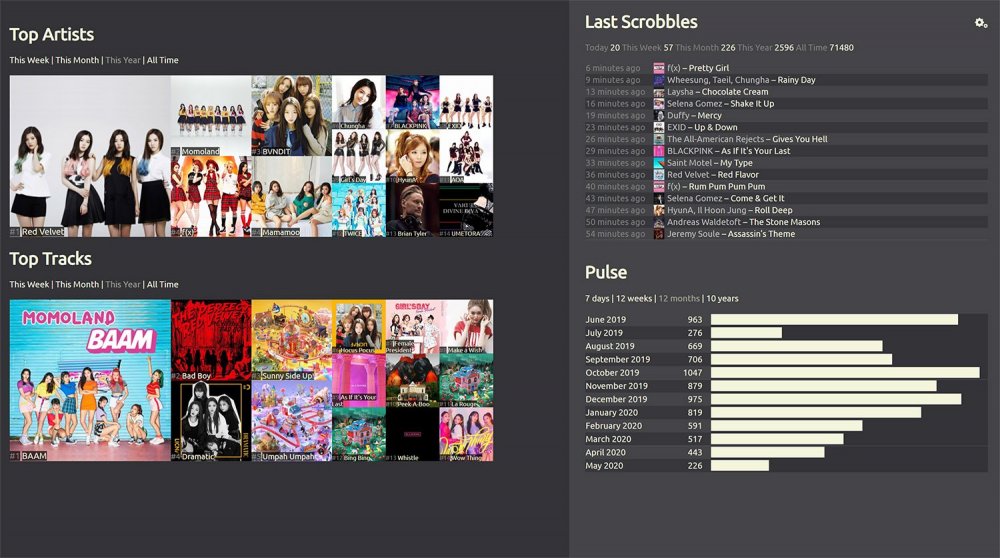
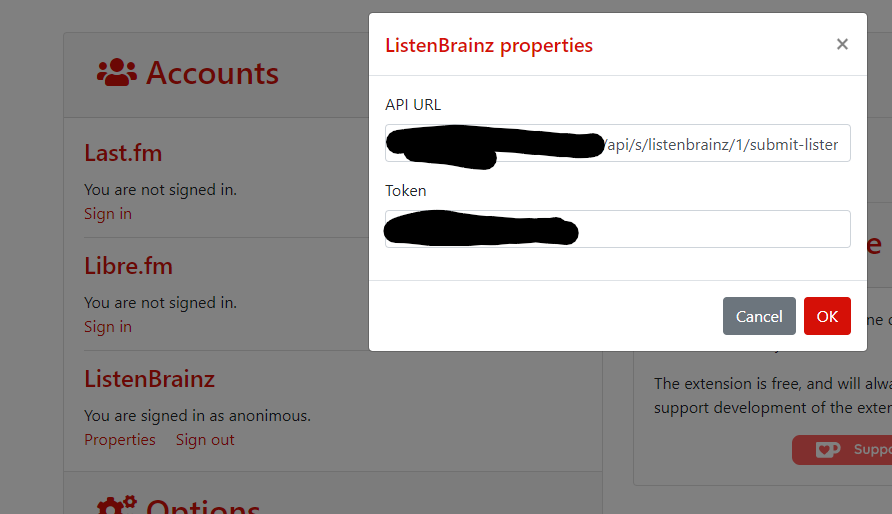
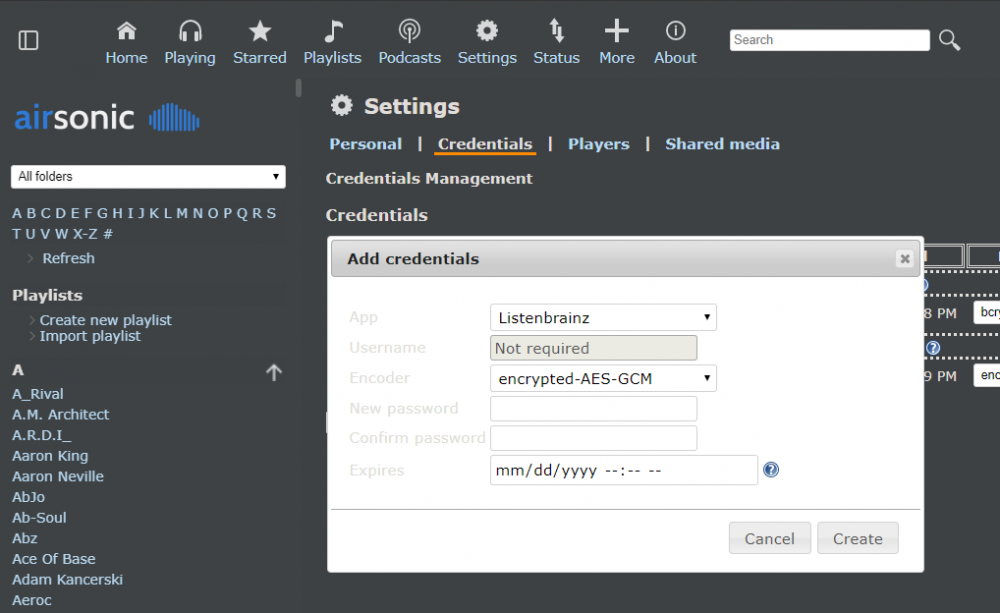
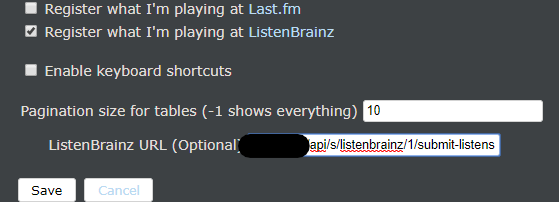
Application Name: maloja Application Site: https://maloja.krateng.ch/ Github Repo: https://github.com/krateng/maloja Docker Hub: https://hub.docker.com/r/krateng/maloja Template Repo: https://github.com/FoxxMD/unraid-docker-templates Overview maloja is self-hosted music scrobble server to create personal listening statistics and charts as a substitute for Last.fm / Libre.fm / GNU FM (scrobbling is the act of recording the music you listen to a database.) maloja has many features that make it suitable as a replacement for last.fm, etc. including: Easy import of existing scrobble data in CSV format (from last.fm, etc.) Custom rules for importing/scrobbling Custom and 3rd party integrations for album/artist artwork& Insightful charting to display time-sliced "top charts" for tracks and artists Full listening history and track lookup using multiple sources (youtube, gmusic, spotify..) A first-party chrome extension for scrobbling from the web as well as third-party scrobble-compliant endpoints for use with other extensions and applications Usage Initial setup only requires adding the template from CA. A randomly generated API key to use with your preferred scrobbling client can be found in mnt/user/appdata/maloja/clients/authenticated_machines.tsv A default setting file is generated at /mnt/user/appdata/maloja/settings/default.ini If you want to override any default settings then add them to another file, settings.ini, in the same folder. You may have to create the file first. Additional Configuration/Usage I will only be covering what is not already included in the readme so check that out first for info on how to import from last.fm, make backups, update db rules, and set general configuration. Setting up Artist/Album Image Fetching Three 3rd party APIs can be integrated to fetch artwork. Of these Last.fm only fetches track artwork. So I would recommend integrating each of these one at a time and only setting up the next on the list if not all of your images are fetched: Spotify - go through the Create A Client ID process. You will need the client ID and Secret. Last.fm - Will also need client ID and Secret Fanart.tv - Only need the API Key Add each (as necessary) to your settings.ini file and then restart the container. Scrobble Clients These are my personal preferences for scrobble clients and are definitely not exhaustive. I have developed a CA application for scrobbling plays from Spotify and Plex/Tautulli to Maloja, check it out! Web-based -- https://web-scrobbler.github.io/ has extension for chrome and firefox that work on almost any website. Setup: Open extension options Under Account choose Properties for ListenBrainz API URL: Using Maloja version >= 2.9 (latest version) http://yourMalojaUrl/apis/listenbrainz/1/submit-listens Using Maloja version < 2.9 http://yourMalojaUrl/api/s/listenbrainz/1/submit-listens Or see the API section in the maloja readme if you need help Token: Any of the tokens you have registered for maloja Local-based -- I don't have any native applications for listening to music but instead use https://github.com/airsonic-advanced/airsonic-advanced which has ListenBrainz integration Setup: Open settings -> credentials Add credentials with app Listenbrainz Password is any maloja token Open settings -> personal Check "Register what I'm playing at ListenBrainz" In the ListenBrainz URL field that appears enter the same URL as used for web-scrobbler For more scrobble client options check out this issue
-
My apologies I am not too familiar with unraid using a custom network. unraid cannot use port mappings when the network type is not bridge because you have manually setup a different network to attach the container to. You can either use the bridge network and let unraid map the internal port (5000) to the host port (443) on your IP, do your own mapping (externally) somehow, or you can take some step to modify the port whoogle starts on such as: Fork the project and modify Dockerfile to hardcode a specified port in the entrypoint command, then use your own build as the repo Open an issue to request specifying port using an environmental variable in the Dockerfile
-
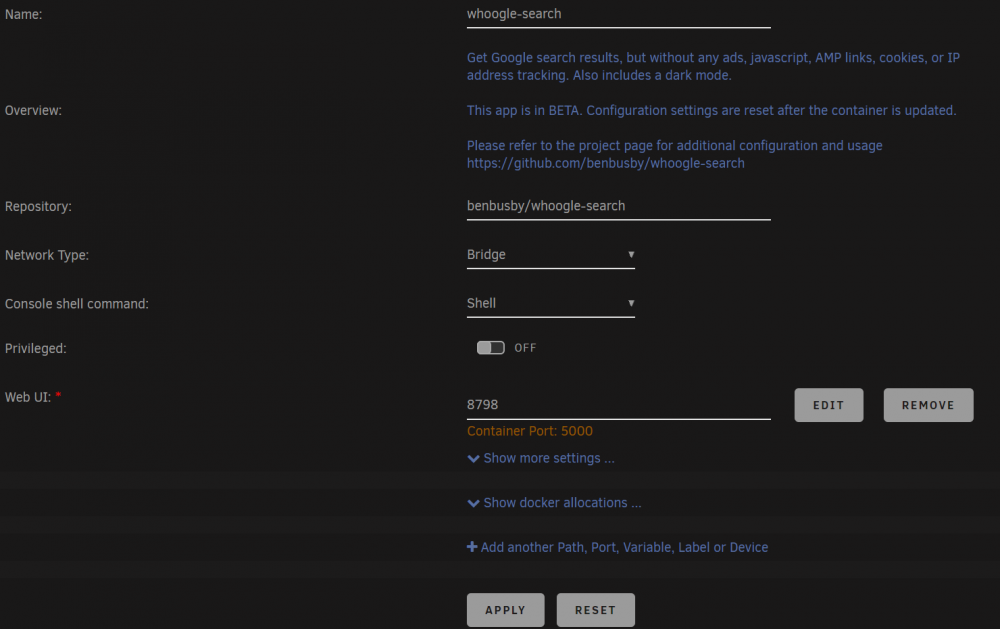
There should be a Web UI entry in your container settings. Click Show More Settings (but it shouldn't be hidden). If you don't have it for some reason use Add Path, Port, variable, etc. action at the bottom to add it with Container Port 5000 Host Port 443
-
@milfer322 I think you are asking how to access it at 192.168.1.6? The root URL can stay the same, you just need to change the Web UI port to 443.
-
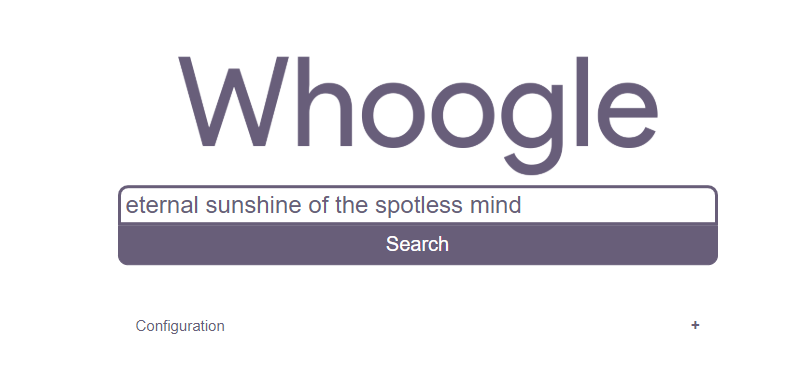
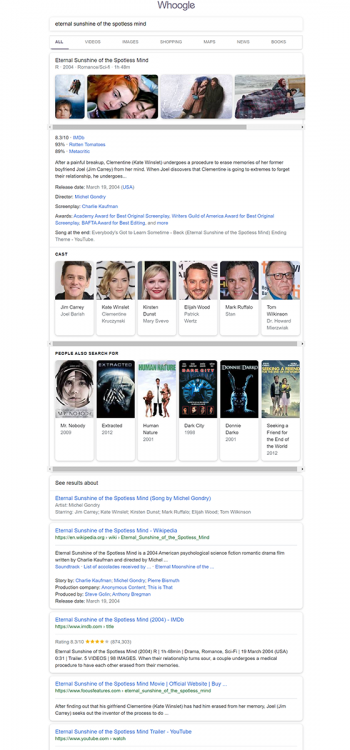
Application Name: whoogle-search Application Site: https://github.com/benbusby/whoogle-search Github Repo: https://github.com/benbusby/whoogle-search Docker Hub: https://hub.docker.com/r/benbusby/whoogle-search Template Repo: https://github.com/FoxxMD/unraid-docker-templates Overview whoogle-search is a self-hosted Google search proxy with built in privacy enhancements and protections against tracking and data collection, intended as a replacement for both desktop and mobile. whoogle-search is in active development! Please check the project page (github) if you have non-docker/unraid related questions Some features: No ads or sponsored content No javascript No cookies No tracking/linking of your personal IP address No AMP links No URL tracking tags (i.e. utm=%s) No referrer header POST request search queries (when possible) View images at full res without site redirect (currently mobile only) Dark mode Randomly generated User Agent Optional location-based searching (i.e. results near <city>) Optional NoJS mode to disable all Javascript in results Configurable "always open links in new tabs" Some screenshots: Usage Minimal setup requires only adding the app through CA Template variables/config in unraid Config - mapping to a folder where user settings, in app, will be persisted Application HTTPS Only - setting to true will make the whoogle-search application enforce https (redirect http to https), inside the container Container Port - the port whoogle-search will start on, inside the container Additional settings such as authentication, proxy, config defaults can be set via environmental variables (Variable config type in unraid template). Refer to the Environmental Variables section in the project's documentation. Use the whoogle variable as the Key in the unraid template with the value as-is. If the variable is for a true/false value then use 1 for true and 0 for false (thanks jmztaylor) EX Key: WHOOGLE_CONFIG_DISABLE Value: 1 In App Root Url in the web configuration can be set to the same as the url:port as you use to access the UI if you want post-configuration actions to redirect to the same page. Or configure with your external URL if using whoogle-search behind a reverse proxy.
-
You can arbitrarily add path mappings to any container in unraid by Go to the docker container Edit page Click Add another Path, Port, Variable, Label or Device Choose Path as the Config Type Specify what path you want in the container (inside rutorrent's system) in Container Path Specify the path that corresponds to in your unraid system with Host Path Choose the appropriate Access Mode for how you will use it (Read/Write)
-
I'm getting 504 [error,getplugins]) Gateway Time-out
-
Same here. scheduler did not fix it. It's reassuring to know I'm not the only one with these problems though.
-
@timmo I would suggest migrating to shoginn-dump1090 and related containers as they are better maintained (maintainer is an unraid user here!) and have more options for usage of your receiver data.
-
Fork was a poor choice of words but you know what I mean. If the way statping is staged in the author's dockerfile changes in a way that is incompatible with what you have done (new volumes? exposes new ports? requires changed/new dependencies?) then you're a link in the chain that needs to respond before updates to containers on unraid aren't broken. Are you volunteering to take on that responsibility? I will make a PR to the author with your changes to see if there is a compromise to be had first.
-
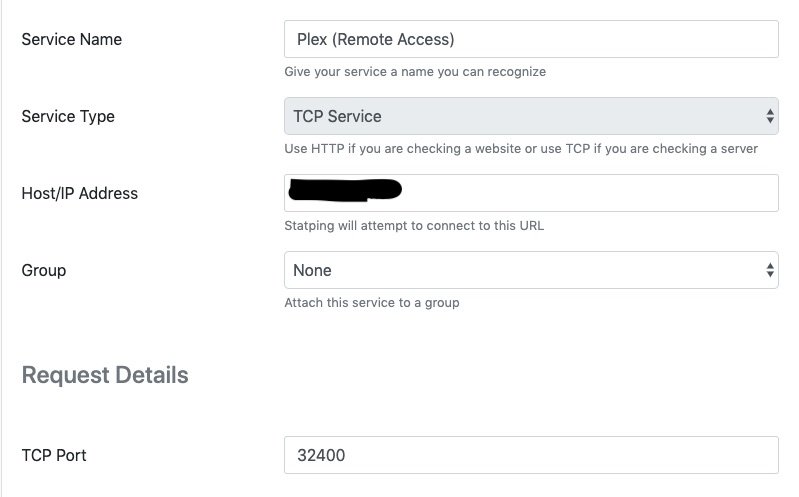
If you're talking about the Remote Access setting in Plex the way I do it is by setting the port manually (in plex). Then you can the Service Type TCP in statping on that port.
-
This is awesome! Could I convince you to PR your changes to the original repository though? Or I can do it. I'd rather not have to use a fork if possible, for simplicity's sake.
-
Thanks @Ding Dong Del I have added the extra parameters advice to the OP. If more users comment saying that works for them then I will update the template to add it as a default -- @DarkstarLux @waveworm @Fpsware @mikeydk And thanks everyone else for feedback on DB connections. I've personally only used it with postgres so wasn't aware there was an issue with mysql. Glad sqlite is working! P.S. I am not the maintainer of this docker (just the unraid template! 😬) so I can't do anything about PUID/PGID and TZ as variables but I will open an issue on the author's repo asking about it!
-
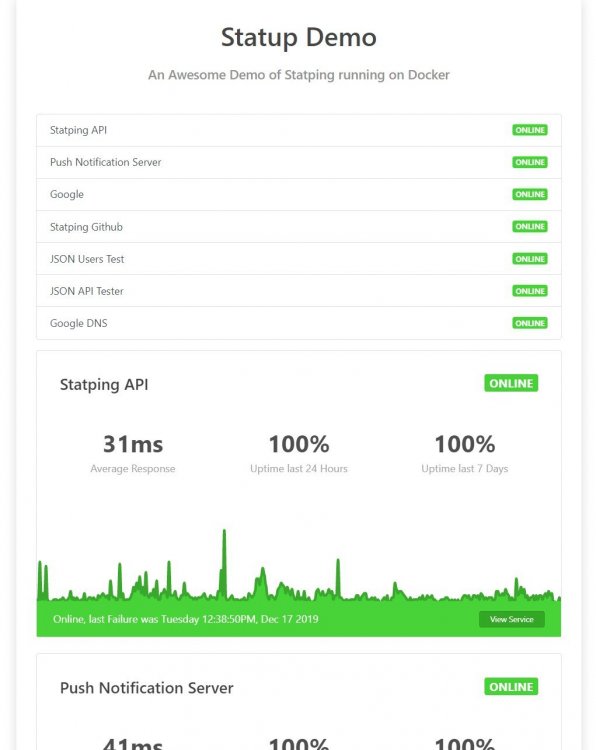
Application Name: statping Application Site: https://demo.statping.com Github Repo: https://github.com/hunterlong/statping Docker Hub: https://hub.docker.com/r/statping/statping Template Repo: https://github.com/FoxxMD/unraid-docker-templates Overview Statping is an easy to use Status Page for your websites and applications. Statping will automatically fetch the application and render a beautiful status page with tons of features for you to build an even better status page. This Status Page generator allows you to use MySQL, Postgres, or SQLite on multiple operating systems. There are also statping client apps available for iphone/android. Requirements A database (mysql/postgres/sqlite) connection Some users report mysql does not currently work Usage On startup save your database connection through the Web UI. You're done! Refer to the project site for more info on setting up plugins, etc. Troubleshooting user doesn't have permission to write to this directory In the Advanced View of the app edit page add the following the extra parameters field --user 99:100 Error 1298: Unknown or incorrect time zone: 'UTC' Ensure the timezone is properly set and passed to the container as a variable using the key TZ
-
Application Name: shoginn-flightaware Application Site: https://uk.flightaware.com/adsb/flightfeeder/ Github Repo: https://github.com/ShoGinn/flightaware Docker Hub: https://hub.docker.com/r/shoginn/flightaware @ShoGinn <3 Template Repo: https://github.com/FoxxMD/unraid-docker-templates Overview FlightAware is a digital aviation company that operates a flight tracking and data platform. This docker contains the binary for FlightAware's FlightFeeder application, which consumes an ADSB feed and uploads the parsed data to FA. Usage To properly use this docker you must have: A sharing key received by registering an account on FA and then claiming a new receiver. An ADSB feed for the application to consume. If you have a radio device, like an RTL-SDR, you can use shoginn-dump1090 to create this feed. (Additional instructions on how to passthrough your RTL-SDR usb device are in the linked thread
-
@PSYCHOPATHiO I'd wager the change was an update to an intermediate layer in the build. I'm a little behind my expected time for working on getting @ShoGinn's repos written up as templates 😅 but I finally have some free time! Should probably have these up on CA in the next weekish. Hopefully their more up to date/modular approach will help solve some of the issues people have been having this thread.