





FlamongOle
Community Developer
-
Joined
-
Last visited
Everything posted by FlamongOle
-
Yes, this will indeed fix it. Looks like I have overrun the check for existing locations and gotten rid of the "add" button when there's nothing available. Hopefully will be able to check this tomorrow, or at least during the weekend.
-
Can you please give me the PHP log for the system page problem? Tools -> PHP -> enable log and set logging to "all" or something. Then give me everything related to "disklocation", sounds like a parse/syntax issue somewhere in a specific situation.
-
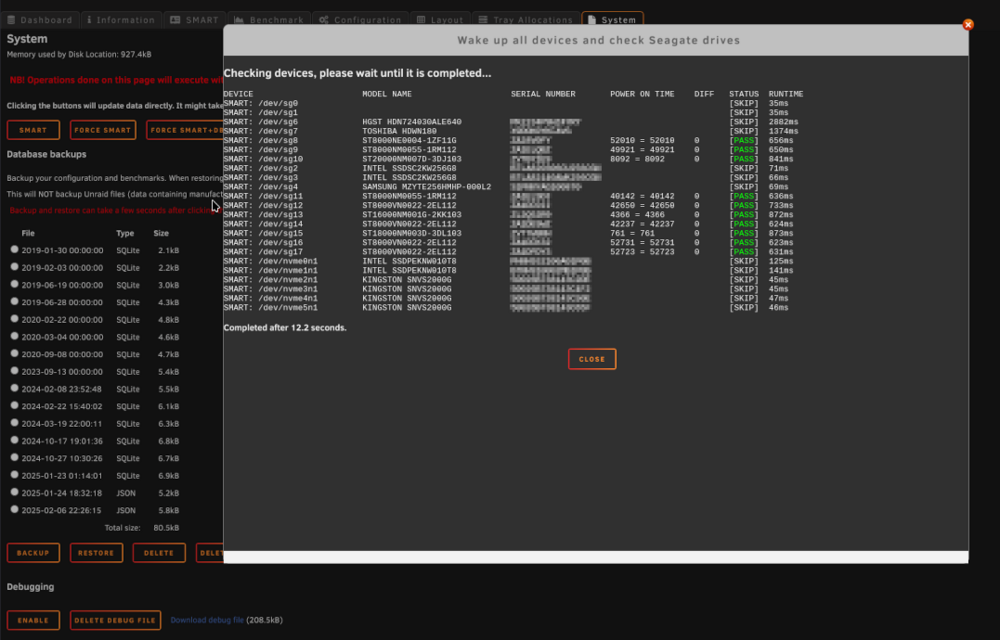
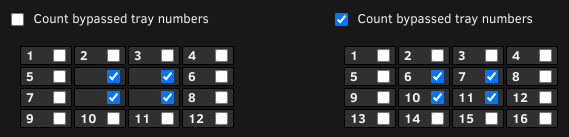
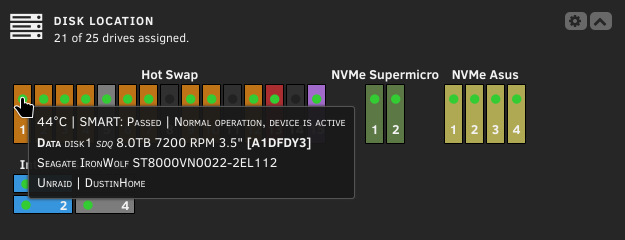
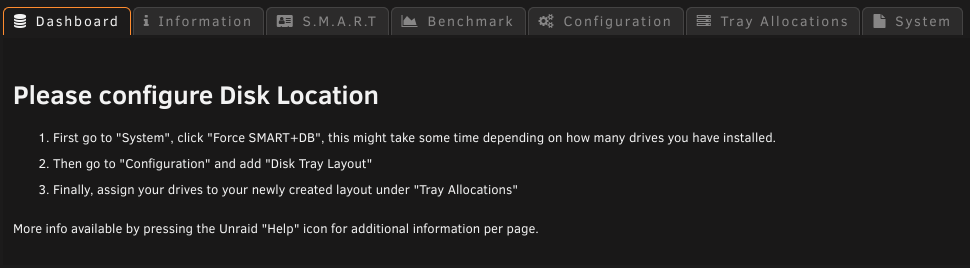
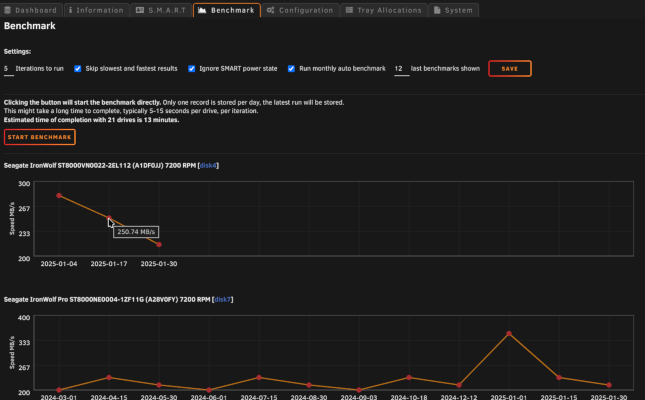
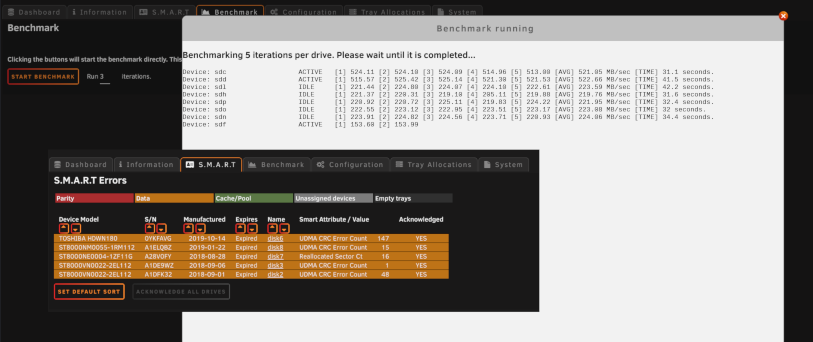
Update 2025.02.14 - Overhaul '25 released! 12490 changes has been made for Overhaul '25, around 300 hours of work. Special thanks to @SShadow, also thanks to @mr2toyou and @PeterHS for testing out the beta and finding some bugs. The plugin loading time has been reduced drastically, and more stuff is now cached to memory instead. Some things might take up to 5 minutes until it's updated because of it, but it's worth it. More stuff is now using Unraid config directly. If "Allow editing of Unraid config" enabled, it's possible to store configuration updates via the plugin directly to Unraid config, like manufacturer, purchase and warranty date in bulk. Also bulk acknowledgment is possible. Some bigger changes: Disk Tray Layout is now in a separate tab, not below the Configuration. SMART info is now in a separate tab, and not included in the "devices", this will also show all errors found for all drives displayed in one table. Benchmark is a new feature, not the most accurate, but it might give an idea of the drive performance over time. This is disabled by default, but can be scheduled to run monthly or by custom configuration you can run it whenever you want. By running the script manually via eg. "User Scripts", disable the "Run monthly auto benchmark" under Benchmark. Clicking the LED in the Unraid Dashboard will take you to the drive tab in Unraid directly, it's also accessible from Information tab if "name" is selected to be displayed. Dashboard layout is shown on "hover" in the Unraid Dashboard same as the Plugin Dashboard, same config apply, except from some formatting not possible on "hover" tooltips. The main ChangeLog: Commit #378 - FEATURE: Added a cleanup function in System. If obsolete files are found, it will show a list of files and a button to delete the files shown. These are only files that are not in use. Commit #372 - FEATURE: Seagate SMART vs FARM LOG check in System tab added for checking fraudulent drives. Commit #369 - IMPROVEMENT: Use syslog to detect SMART read events. Commit #365 - FEATURE: Added selected dashboard info to LED "hover" info on Unraid dashboard. Commit #362 - FEATURE: Created a possibility to hide/bypass trays in a group. Commit #361 - IMPROVEMENT: Performance tweak, cleaned up functions and system to improve loading speed. Commit #360 - IMPROVEMENT: Debug function overhauled and made a bit more useful in some cases. Commit #352 - FEATURE: Disk Location plugin time benchmark added, but must be executed manually by entering ?benchmark=1 in the address field. Value is visible in the "System" tab. Commit #351 - FEATURE: Collect SMART errors in an own separate list. Also added possibility to acknowledge all drives at once, but only if plugin is set to allow Unraid config. Commit #349 - MINOR: A few CSS fixes regarding the LEDs. Mostly changes with the dynamic LEDs. Commit #348 - MINOR: Fixed color codes, make sure "empty" color will reset or delete the color of devices. Added a group color for default color for specific groups. Also changed default colors, must be reset manually after the plugin update for current users. Commit #347 - IMPROVEMENT: SAVE button on all Disk Tray Layouts. Deleted the individual Save button on the Disk Tray Layouts, one button to rule them all.. finally. Commit #346 - IMPROVEMENT: SQLite is removed! It will be automatically converted to multiple json files. This will also prevent sudden database corruptions, obviously. But maybe other type of corruptions? However, the backup/restore will still work on older SQLite database backups, they will be automagically converted. Commit #345 - MINOR: Installation script cleaned up and fixed some bugs. Commit #344 - IMPROVEMENT: Configuration cleanup. All supported dates can be stored in bulk, if Unraid config edit is enabled. Commit #343 - IMPROVEMENT: Removed most SMART from the DB, running it in memory instead. Some data will be stored for History purposes. Commit #342 - FEATURE: Added a customizable plugin dashboard (not to be confused with Unraid dashboard). Formatting of text and positioning possible. Commit #277 - FEATURE: Added a small simple benchmark for read test (hdparm) with SVG graphs. Can be exported as CSV too. Stay on or revert to 2024-edition, manual installation and update only. Should only be used for specific purpose. It is not part of Community Apps and won't be it either: If you want to (for whatever reason) remain on the 2024 edition, follow instruction above and replace the URL to: https://raw.githubusercontent.com/olehj/disklocation/2024-edition/disklocation-2024-edition.plg This version will not be maintained long in the future, but will exists for history purposes and special use cases. Some screenshots of Overhaul '25 (some are taken during development, slight differences might occur): During new configurations, you will now be greeted with a screen telling you what you should do: Hover over LED on the Unraid Dashboard: Disk Location Disk Tray Layout configuration, now possible to select specific trays to exclude. Override is now deprecated (but still works): Benchmark and SMART tab added Benchmark graphs added Seagate check added to check for fraudulent drives Happy valentines day ❤️
-
Overhaul '25 update: 2025.02.14-1006 RC3 - ready for release. Fixed so that default values are displayed in column and sort if the files has been reset. Added a check if the file exists before trying to delete it. Added a touch with new atime to CSS files in use after migration from SQLite to JSON, also added it after restoring old database. This should keep CSS up to date. Also delete the SQLite database when conversion has succeeded, the file is anyway backed up. Otherwise the file will be converted again if "reset all/wipe" is initiated. Thanks again @SShadow for incredible support!
-
Overhaul '25 update: 2025.02.13-2205 RC3 Added a button in System to delete obsolete files and/or folders if found. No button, nothing found, otherwise a list of files and folders are shown. Hopefully the last RC, if nothing else is found during the next 10 hours, Overhaul '25 will be released as planned.
-
Overhaul '25 update: 2025.02.13-1433 RC2 Fixed dashboard to display correct values, wrong variable were used. Added a check to prevent backup from failing if there's no benchmark files available. Fixed an issue with the warning temp, wrong variable used. @SShadow hopefully this will resolve both problems. I have not tested it myself yet, but it was minor fixes.
-
Thanks, the logs will be very useful. I suspected something like this, just didn't know where to look. The front dashboard wasn't updated as I forgot it, should be a quick fix once I get time to fix it. I expect later today.
-
Overhaul '25 update: 2025.02.12-2205 RC2 Dashboard selection is fixed and tested, actual selectors are now visible via Help function. Changed some operations in cronjob to prevent powermode-function to not operate as expected. @SShadow I could not find any issue with the Backup function here. Try this version and see if it's still an issue. Also check if you have /boot/config/plugins/disklocation/backup folder existing. If it is, try to create a file in it: "touch testfile" or something. Also check if you have any other files or folder other than dates and if they contain anything else than disklocation.*.gz files: ls -la /boot/config/plugins/disklocation/backup/* I have some old obsolete folder in there, and it still works. But I would like to know if there might be something conflicting there. There should only be one file per date-folder. I am grateful for your testing involvement! Thanks @SShadow @mr2toyou @PeterHS
-
Currently investigating this, there's things here which was parsed wrong. There should be more available, and also listed. Working on it!
-
Thanks, I have adjusted something in the cronjob, maybe it will solve it.
-
was that after coming from 2024-edition or after devel-upgrade? SMART(+DB) should regenerate the powermode file, hard to say what really happened there. It's also executed by crontab every 5 minutes and should update itself, and as long as you did SMART+DB it should also match each other. I'm gonna have a look if I find anything
-
Overhaul '25 update: 2025.02.11-2218 RC2 Fixed "heat map" to be working again, it used an old variable. Also fixed so that N/A temp is colored as N/A.
-
On other hand, you use "Heat map" and not "Disk Type"? Looks like "Heat map" does not work at all. Gonna look into that.
-
No, the SMART errors are now just moved in the SMART section of the plugin instead. This will make it use SMART settings defined in Unraid config. I decided to not include it this time as it's more of a clutter anyway. (these: Reallocated Sector, Reported Uncorrectable, Command Timeout, Current Pending Sectors, Offline Uncorrectable incl. whatever you might have included from Unraid config). But, "nvme_used" (Percentage used) still exists, just under another tag called "endurance" which is valid for both SSD and NVMe. Power On Time still exists, but two different formats: powerontime which gives you a calculated time "4 years 3 months" etc.. and powerontime_hours which gives you raw hours. Load Cycles still exists, but not included by default (loadcycle). Press "help" button, and entire list will show up of what you can choose per table.
-
I just tested them, they work here. But it might take up to 5 minutes before you'll see if it's in standby or not, it's background-caching. You can double check when you hover the LED if it says "device spun down" or "device is active" or something similar. Server-side cache (nothing you can change)
-
Are the temps below the warning threshold? There's two settings, warning and critical. Ideally you would be below both. The settings are adjusted in per disk settings, or globally under Settings -> Disk Settings I just tested both, and they work here. Make sure the settings are adjusted correctly and report back.
-
Overhaul '25 update: 2025.02.11-1751 RC2 Same as previous, just git merge fixed. @SShadow @PeterHS @mr2toyou If this release seems fine, then the I will likely pull request it to master branch on 14.02 and release it as stable then.
-
Ah, I see the merge resolve is in the way. I'll see if I can fix it soon
-
I notice you use devel, anything bugged so far, or did everything go smooth?
-
Yes, they can be individual or global. I just grab the data, nothing else for temps
-
Unraid disk config
-
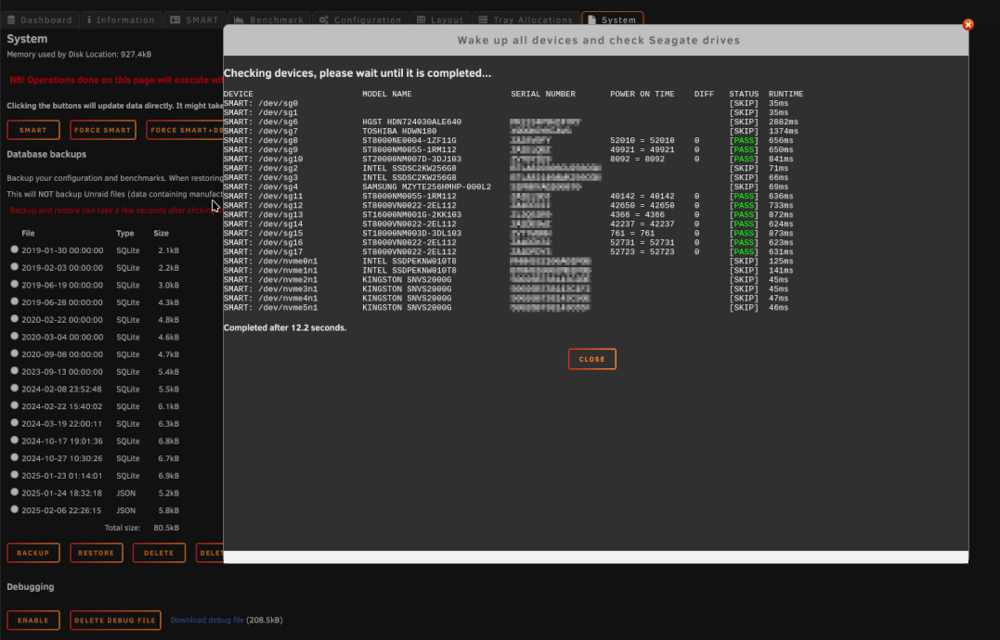
Overhaul '25 update: 2025.02.10-2201 RC2! See main post about additional changes. The previous warning about crashing with devel-release is now invalid. It will fallback to default if something is wrong, and it will also tell you what's wrong. As this is Release Candidate 2, I would like to have a few more testers. Mostly from stable users, but also devel users. This would normally be released as stable, but I don't want to rush anything, just in case. Please go to the post below for instructions. Please post here about the experience and how it went, both good and bad! Added a Seagate HDD check in System tab due to a fraud likely caused by some miners. https://www.heise.de/en/news/Fraud-with-Seagate-hard-disks-Dozens-of-readers-report-suspected-cases-10259237.html https://www.tomshardware.com/pc-components/hdds/seagates-fraudulent-hard-drives-scandal-deepens-as-clues-point-at-chinese-chia-mining-farms https://www.techspot.com/news/106706-used-seagate-drives-sold-new-traced-back-crypto.html
-
This will allow or disallow editing of Unraid config files via this plugin. E.g. acknowledgement of all drives at once, or editing warranty dates etc. When setting this to "NO", the options are not editable via the plugin.
-
Overhaul '25 update: 2025.02.08-1936! See main post about additional changes. IMPORTANT! For current devel-testers: This update might crash current devel installs (won't affect real upgrades later), fix: edit file /boot/config/plugins/disklocation/settings.json then search and replace all "nvme_used" to "endurance", or just remove "nvme_used"
-
Yes, unraid/server boot. It was several things involved which is now fixed and forced. Good to hear!




