





Everything posted by FlamongOle
-
Have you earlier installed 2024-edition manually, then it might be that. Regardless, go to plugins, uninstall Disk Location, then install it via CA again.
-
Update 2025.02.17 a-e Commit #393 - e) MINOR: Changed old text "Force scan all" to "Force SMART+DB" in Tray Allocations. Remove an unsused section from cronjob. Commit #391 - d) IMPROVEMENT: Added global SSD temp variables. Also fixed a minor variable bug related to SMART status. Commit #389 - c) FEATURE: Added tray layout orientation. Made it possible to modify the dashboard float. Choices: left, right and "stack" (none). Commit #387 - b) BUG: LEDs not always in standby. Altered how they are displayed without losing the ZFS state display priority. Also added separate Disk Location Recovery page under Tools -> Disk Utilities. Commit #385 - a) BUG: Fixed a bug that could cause page to not load. Added System tab to be able to be used as standalone, using this address: http://[serveraddr]/plugins/disklocation/pages/page_system.php
-
Ah ye, a bit outdated text. It's the Force SMART+DB button
-
There's no (visible) global for NVMe specific devices, but I saw that NVMe does not grab the SSD temps as default from Disk Settings (maybe an Unraid bug). However, while testing this, the plugin uses global SSD for NVMe as well, except if NVMe is defined per device. Seems like the NVMe temps from dynamix source merges into the same value.
-
Update 2025.02.17 a-d Commit #391 - d) IMPROVEMENT: Added global SSD temp variables. Also fixed a minor variable bug related to SMART status. Commit #389 - c) FEATURE: Added tray layout orientation. Made it possible to modify the dashboard float. Choices: left, right and "stack" (none). Commit #387 - b) BUG: LEDs not always in standby. Altered how they are displayed without losing the ZFS state display priority. Also added separate Disk Location Recovery page under Tools -> Disk Utilities. Commit #385 - a) BUG: Fixed a bug that could cause page to not load. Added System tab to be able to be used as standalone, using this address: http://[serveraddr]/plugins/disklocation/pages/page_system.php
-
Also, you could provide me with the SQLite database that was failing (should be the latest from from "backup") This file might help me investigate it, but not 100% as you can restore it manually. But it might be worth a shot. Yes, it contains serial numbers and whatever you wrote in the comments etc.
-
I was actually not aware that it exists a global default SSD setting until now. Plugin uses the old regular default and drive specific now. Thanks for the heads-up. Looking into it tomorrow.
-
I have tried to replicate this issue, but whatever I try, even by refreshing the page during the install converts the SQLite database correctly to JSON. I start from scratch by SQLite file, I pull one and one file away etc. Can't find it with current info. I need PHP log from this, and also likely the content of the JSON files and the Disk Location debug log if possible (can be enabled in the recovery page of Disk Location).
-
Update 2025.02.17c Commit #389 - FEATURE: Added tray layout orientation. Made it possible to modify the dashboard float. Choices: left, right and "stack" (none). @ban at least closer to what you asked, set it to "stack" and you will get the tray layouts stacked on top of each other instead of side by side.
-
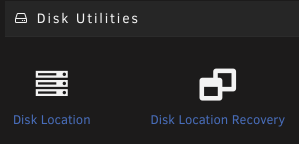
Update 2025.02.17b Commit #387 - BUG: LEDs not always in standby. Altered how they are displayed without losing the ZFS state display priority. Also added separate Disk Location Recovery page under Tools -> Disk Utilities.
-
It uses that info for not updating too much at once and limiting execution time of scripts. However, it sort of do pull directly from Unraid, but due to earlier incompatibilities before ZFS was really an official thing, Disk Location had to grab it manually. Earlier it got everything from Unraid (and it still do), but for ZFS devices, it will grab to old way as that was not supported pre-ZFS era. Looks like this is the default now, and this might be overridden by the cached status rather than direct. Added: I have altered the ways the LED's gets their data, and will prioritize different. Disk Location has since its supported ZFS gathered the pool state, and this is displayed as LED's over Unraid's own priority. This is still the case, but it should gather standby LED's more directly by default in next update.
-
Update 2025.02.17 Fixed a bug that could cause page to not load. Also made it possible to use System tab directly outside of Unraid to create a backup and restore database (among some other things): accessible via URL: http(s)://<your server>:<your port>/plugins/disklocation/pages/page_system.php
-
It takes up to 5 minutes before you'll see the standby LED turn on. Things are cached, and that info is not super crucial for anything, I would assume. Wait 5 minutes and see if it changes (also make sure it's actually in standby after checking it). There's a new bugfix coming up that maybe fixes the issue you had first.
-
Update 2025.02.16 Commit #383 - BUG: System tab not loading because of array tried to merge with nothing. the brownie's kicking in, so no more debugging tnoite
-
That's just auto-position, no settings between group elements. Maybe I have a look into it in the future if it's easy enough.
-
Please go to Tools -> PHP Settings. Then enable "all categories", press apply. Go to Disk Location and System tab, then go back to PHP Settings again and look at the log file. Paste me everything related to "disk location" please
-
No worries, we've all been there
-
Update 2025.02.15 Commit #381 - BUG: SMART detected as failed when the drives are OK. I found a problem where the SMART status did not change. Adjusted some variables and defined them differently. Hopefully this is now fixed. Commit #380 - BUG: Unexpected files causes System tab to fail. Added a check for unexpected files and also possibility to delete them via System. Commit #379 - BUG: Disk Tray Layout missing add button has been fixed when a Disk Location is in a clean state.
-
I don't blame anyone I don't know what happened here, but I see when and there was a lot going on at that time. That backup is for some reason just a file, you can safely delete it. However, I will try to bypass unexpected files in the backup folder so the System page does not crash. Delete: rm /boot/config/plugins/disklocation/backup/._20240328-204958 Next version will enable System tab again if faulty files exists, and then it will search for unexpected files which then can be deleted via the plugins System tab. They will be listed.
-
You SHOULD press the Help button.. you must format things manually, this way you can choose what to display where with formatted style too. The dates are now only using date config from Unraid directly. If you stored them via the plugin only, then yes, they are gone. However, they are still in the SQLite file as a backup, so not lost unless you deleted it. You can activate the "Allow editing of Unraid config" under Configuration to be able to store these dates in the plugin itself, so you don't need to go into single drive manually. But the job has to be completed once. You can retrieve it by using terminal: Find and verify your latest backup with file called disklocation.sqlite.gz: ls -r /boot/config/plugins/disklocation/backup/*/*.sqlite.gz | head -n 1 Then copy it to /tmp: cp $(ls -r /boot/config/plugins/disklocation/backup/*/*.sqlite.gz | head -n 1) /tmp/ Extract it: gunzip /tmp/disklocation.sqlite.gz Run this to retrieve your dates: sqlite3 /tmp/disklocation.sqlite "select model_name,smart_serialnumber,manufactured,purchased,installed,removed,warranty,warranty_date from disks;" One liner: cp $(ls -r /boot/config/plugins/disklocation/backup/*/*.sqlite.gz | head -n 1) /tmp/ ; gunzip /tmp/disklocation.sqlite.gz ; sqlite3 /tmp/disklocation.sqlite "select model_name,smart_serialnumber,manufactured,purchased,installed,removed,warranty,warranty_date from disks;"
-
This path is strange: /boot/config/plugins/disklocation/backup/._20240328-204958 Can you do this in terminal and give me the output of this: ls -la /boot/config/plugins/disklocation/backup/
-
Can you go to "System" tab, click enable "debugging", then right away click disable. Download the log that appears, then give it to me? It do consist of serial numbers and comments etc. (everything store din Disk Location). Feel free to send me as private message. Also, can you give me the contents of, in terminal: ls -la /tmp/disklocation/* ls -la /tmp/disklocation/smart/* Won't have time to look at it now, but tomorrow/sunday or so. Thanks
-
No, that should have resolved it. But as others report, doing just a SMART update might work. Can you try that and report back? I don't know why that is the case yet, but it's obviously a bug
-
Normally, this should give you a text telling you to do a "SMART" update, I don't know why this happen yet. I haven't been able to reproduce this issue myself yet. But if you do a SMART update, (not SMART+DB), does it help? I don't know why yet it should make a difference between SMART and SMART+DB as SMART+DB should be SMART and +DB .. sorry for the confusing text hihi
-
Same as above message. It's a glitch creating a manual layout with the one above will make it possible to use it. Restoring a backup should also be sufficient. Worse for new users.



