psycmos
Members
-
Joined
-
Last visited
-
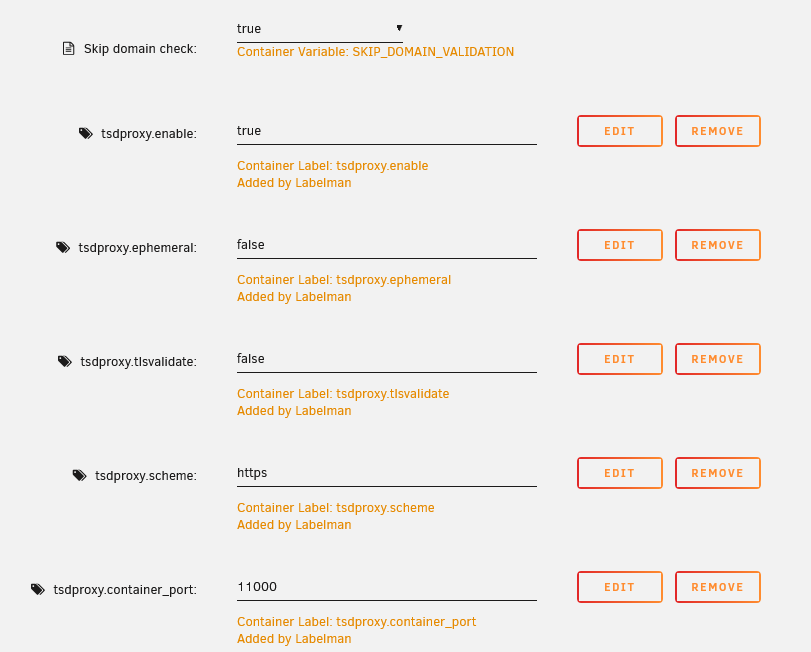
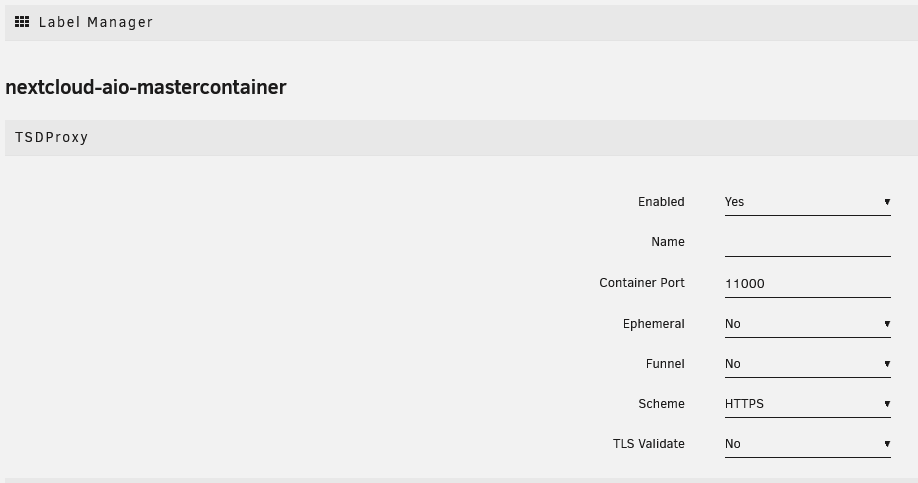
TsdProxy + Tailscale + Nextcloud-AIO Hi Spaceinvader The TSDProxy is a very good solution for Tailscale + Docker. I get it running! First you need install from docker app: Label Manager by Derek Kaser use that configs for NEXTCLOUD AIO 2) Docker Repository: almeidapaulopt/tsdproxy:next From LOG window of TSDProxy, you get the URLS to connect dockers enabled to your TAILSCLAE NETWORK Use the urls from the log windows and Add the NEXTCLOUD AIO DOCKER to your TAILSCALE NETWORK. My Docker NEXTCLOUD AIO use the default template ( Skip Domain Checked) It will Work!
-
Thanks a lot for your work ;)
-
I have the same error
-
Yes for now i can acess to server IP, but in some hour/ or 1 ou 2 days i will lost the access, until force shutdown. Thar are any way to get the register log about this event?
-
Hello. I'm getting the same issue. Somebody can give me the issue? contimaciva-diagnostics-20230818-1017.zip
-
Hi. I edited my conteiner variables and when i start it again i receive that error message: docker: Error response from daemon: endpoint with name DOCKER_NAME already exists in network NETWORK_NAME It not start, because they see that are other conteiner using the same name on my docker network. It only happens from >6.12, in older version that's not happens. i need manually remove my docker_name from my from Docker_network for start docker, at same docker_network. Or change the name of docker. Using the command: docker network inspect DOCKER_NAME I see many containers names deleted and keep in docker_nemwork data list
-
me too!
-
I have the same issue... The solution is replace 755 from folder to 777 mkdir -p /mnt/user/appdata/cloudflared/ && chmod -R 777 /mnt/user/appdata/cloudflared/ After that you can keep sending the other commands, it will work
-
Thanks a lot Squid You save my day! Now i understand the behavior of mover! Thanks a lot for this big community ;)
-
Thanks a lot Squid. There are any way to invert that process? tower-diagnostics-20211030-2149.zip
-
Hi. Move function are not working and my cache drive are full. I uninstall the move plugin and keep with same error. So maybe somebody can help m what are causing it? tower-syslog-20211030-2000.zip
-
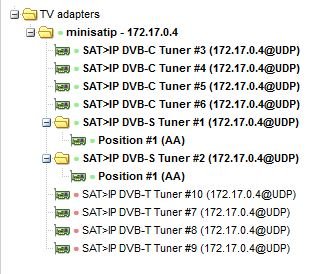
Libreelec drivers, for my setup works very good! -HAUPPAUGE WinTV-quadHD -DVBSKy S952 I installed Mini SAT IP and added "--device=/dev/dvb/" to this container. After i used SAT>IP tuners in TVH, because it works better to me! Thanks a lot ICH777. Donation is on the way!
-
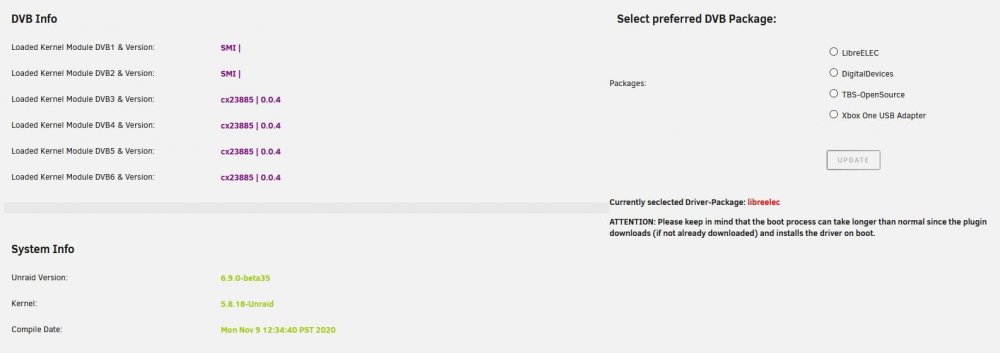
Hi ich777! Thanks a lot for your work! It works perfect! how can o pay you some beers? Thanks a lot one more time for supporting UNRAID COMMUNITY! maybe help somebody: For HAUPPAUGE WinTV-quadHD i recommend:
-
psycmos changed their profile photo
-
I Unraid Devs. After update 6.6.6 to 6.7.X many user lose the IGPU transcoding ability. I tested it at 6.7.2 and it are not working too. Were i can report this for Unraid Dev Team? Best Regards, Nuno
-
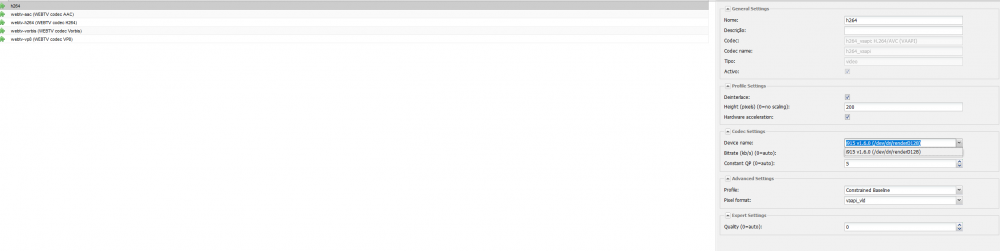
I can confirm that's an Unraid issue because other topics that's are opened at this forum. My setup is J4105M (Board with processor). _______________________________________________________________________________ My Configs for transcoding at TVheadend: syslinux.cfg: label unRAID OS menu default kernel /bzimage append pci=realloc=off initrd=/bzroot At file Flash/Config/GO i used #Setup drivers for hardware transcoding modprobe i915 chown -R nobody:users /dev/dri chmod -R 777 /dev/dri #!/bin/bash # Start the Management Utility /usr/local/sbin/emhttp & In DOCKER TVHEADEND use [ --device=/dev/dvb --device=/dev/dri:/dev/dri] under extra parameters _______________________________________________________________________________________ I can see the device i915 v1.6.0 (/dev/dri/renderD128). I think i will move this issue to General support because other users report this too in Unraid 6.7 About unraid logs, how can i get it?