






Marshalleq
Members
-
Joined
-
Last visited
Everything posted by Marshalleq
-
It was on 1.35 so I've dropped it to 2666Mhz. It doesn't have straight 2600. Also I left it on DOCP and just changed that part. Hopefully that's good? I don't know much about the memory side obviously!
-
OK good idea. I'll check the voltage and increase if it's not correct it. If it is, I'll try dropping the speed to standard rating (not DOCP). Why do you say 4sticks at 3200MHz may have a problem? Is it a common thing?
-
I have on the first set and a lesser amount of the second set - but I guess I could try it again with the whole lot. I've added more drives and things - it's a great power supply, but maybe it will all amount to something. Do you know, do I have to run it for a whole 24 hours or can I run it for 12, watch some files, then run it for 12 again? This is the downside of migrating from my QNAP, a lot more effort and downtime when I have to mess with things...
-
Hello, thanks for your input, I have thought about RAM a few times, but haven't yet been able to fault it as far as I know. I have enabled the USB logging for the interim and have attached output of dmidecode thanks. The RAM is https://www.gskill.com/en/product/f4-3200c14d-16gfx The RAM sticks were purchased at two different times with the second lot bought just because I started running UNRAID and figured I could use it. It's MEANT to be the same and as far as I can tell it is, but could be wrong. Thanks again for your help - this is driving me mad. dmidecode.txt
-
Thanks for the (lonely) reply in this thread - I think I'm beginning to talk to myself.... OK, so I will pull the USB like was suggested in another post which actually doesn't really sound like they're in memory though.... Syslog might get close to covering it if I could enable that (think I saw that somewhere) but I don't trust it for a crash really - will probably miss the important last entires due to network being down I'd guess. Any advice? In the mean time I'll do a search to see if I can put them on a drive.
-
Seems the logs are wiped at every reboot. Surely not, but that's what they're telling me.
-
Diagnostics attached. The crash happened somewhere between 10pm last night and 7.15 this morning. obi-wan-diagnostics-20190209-0711-2.zip
-
I also removed the 2nd NIC a few days ago. However, I woke up this morning and it had crashed. Maybe it's running on bitcoin lol. I'm really struggling to get good logs on this one. It lasted for a few days longer, however as I had seen before this seems to happen more quickly at times of high I/O which has not been happening lately. Hmmm, I wonder if I have one of those Marvell controllers.
-
So h265ize is supposed to be a set and forget tool - however, once it's process whatever is in the input folder, the docker container stops. Is this by design? I'm wanting it to keep tabs on a directory for incoming files and it won't work in it's current form - I might have to use a VM instead which would be a shame. Thanks.
-
I think the maintainer of the docker CAN update the version of h265ize that is currently available inside the docker if that's what you're asking and I think you are....
-
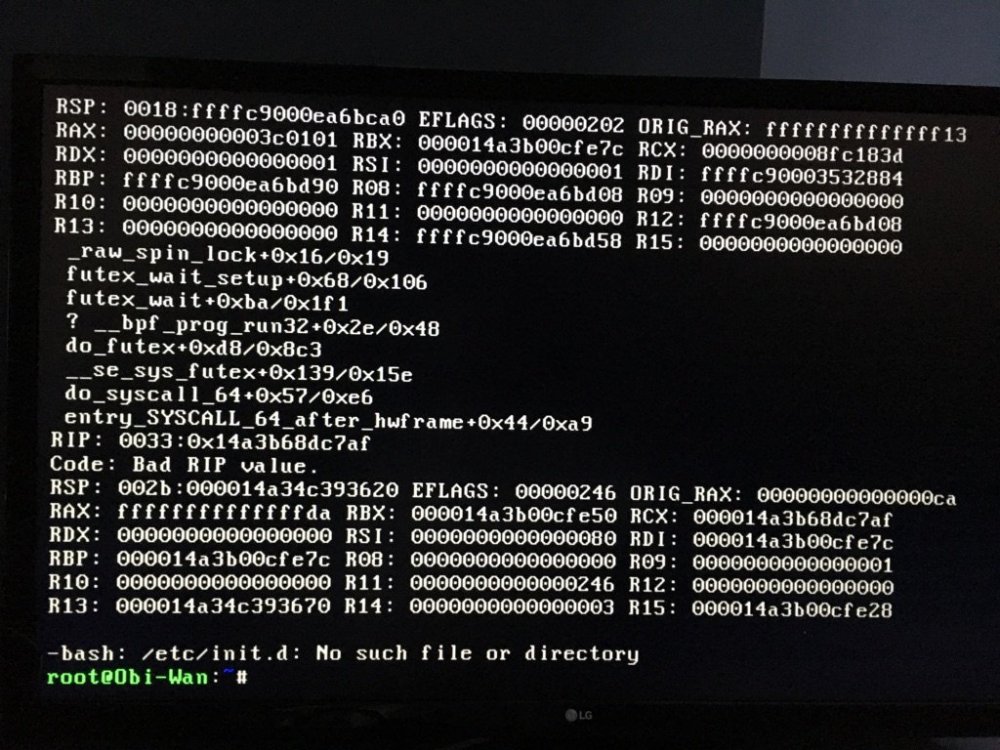
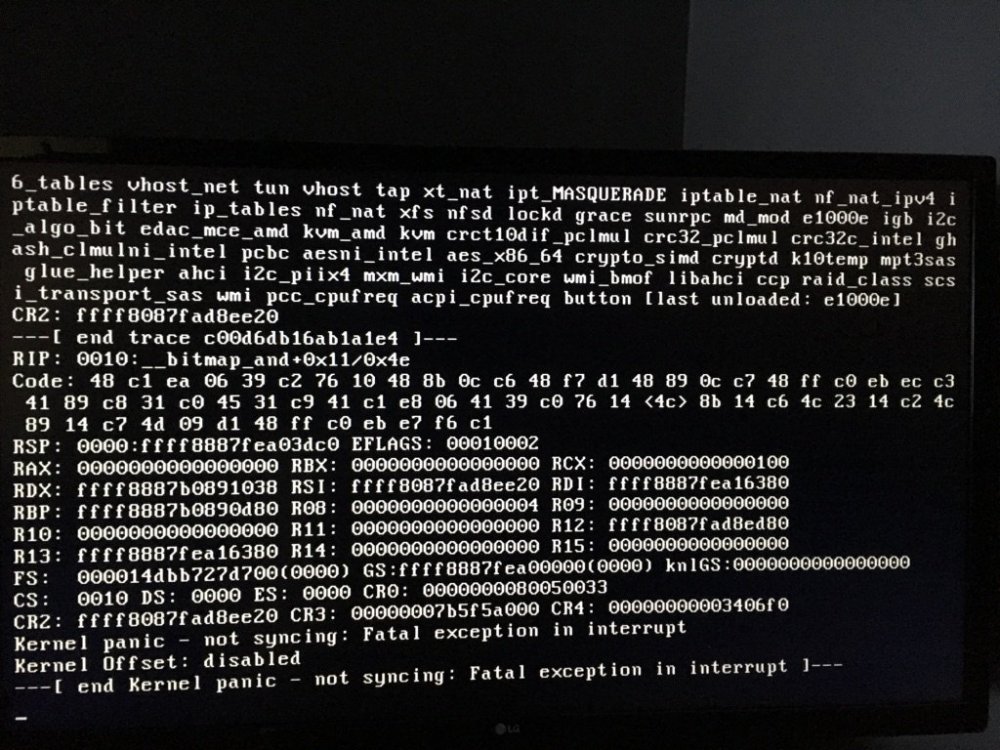
Sadly, two more. It always happens when I'm doing high IO. Maybe it's network. Guess I'm going to have to properly figure out how to read kernel exceptions.
-
Found it - put cache on XFS now.
-
Yes, I formatted XFS first (confirmed that), but then it reformatted to Btrfs as soon as it was added. I recall last time I could bury into the settings and change it - but didn't seem to find it this time - not as simple as I would have thought. And I AM on the RC. Not sure if it's still in the latest release candidate.
-
Yeah, even in single device, reformatted as nfs, it changed it to BTRFS. Even with the pool previously removed. I did see something about Btrfs caches being a problem before and one of those errors took me to an XFS issue which sounded similar. Stopping some large writes I was doing, it is now not crashing. Therefore I have removed the cache and restarted the writes. Will see what happens. If it goes away, I'll try to recreate it again I guess. I'd rather it was cache than something hardware related.
-
Call me suspicious, but have disabled the BTRFS cache. Will see how that goes. I thought there was a way to use XFS in the cache, however it doesn't seem to be available in RC2 - not that I saw anyway.
-
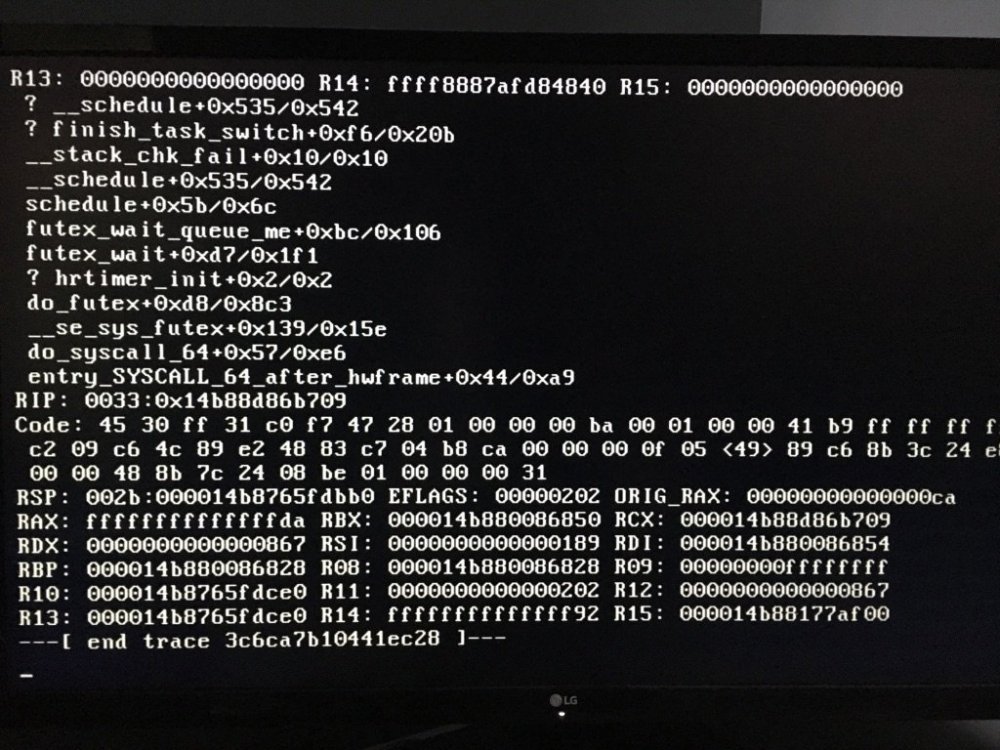
Updated to 6.7.0-rc2 and it has already crashed again. That's probably going to make it easier to track down - I'm suspicious about disk io now.... this can't be specific to Ryzen or it would have always been happening. I have added a Dell Perc H310 card though and probably now I'm actually beginning to write to those disks. Hmmm
-
So since it didn't work anyway, and it appears to be unnecessary with my BIOS settings, I've removed the rcp_nocbs=0-15 from my kernel boot params. https://utcc.utoronto.ca/~cks/space/blog/linux/KernelRcuNocbsMeaning This didn't happen when I was running Proxmox - and actually I didn't even have the BIOS settings set on that.... Think I'll try the RC for a few days.
-
Maybe I should run the new Unraid RC - I think I read it has some AMD stuff in it and definitely newer kernels...
-
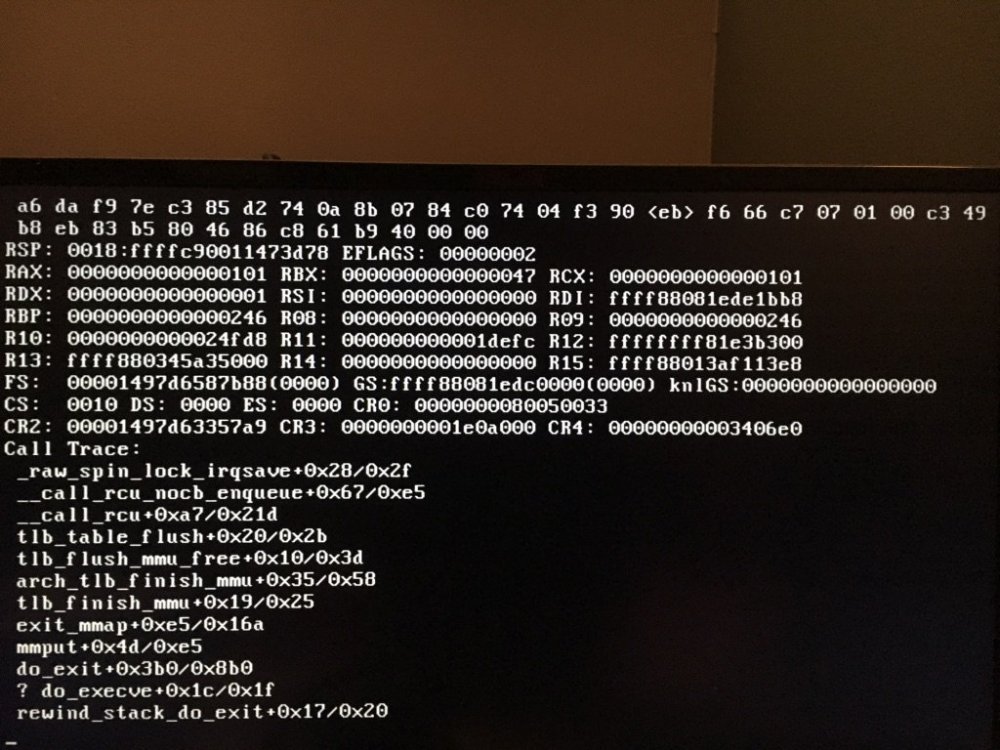
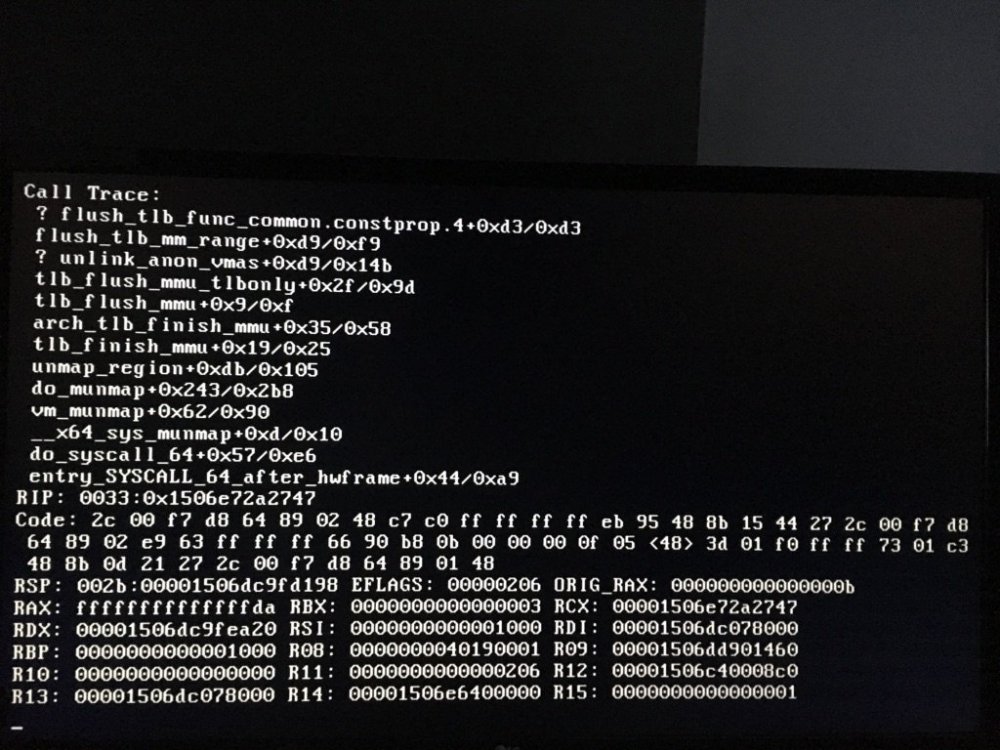
Thanks, I have mine on Auto too - And it's been running fine since my last post. However yesterday and today I have again had lockups. Haven't started googling yet, in case it's something new - though I don't see why it would be - any ideas? These Ryzens are seemingly quite a hassle. To recap, I've set the power supply idle state and set the c-states and added the rcu_nocbs=0-15 (15 in my case) to the kernel. Getting tired of having to do parity checks, which then find errors
-
So I added the rcu_nocbs=0-15 parameter slightly wrong I think, which was causing the crash. Fixed now. Will see how that goes.
-
It just happened again overnight - where I suspect it was near idle. I've added the rcu_nocbs=0-15 because I read this was still required and rebooted and now it crashes before it even boots up. So will have to remove that. But the question remains, what's crashing the system and how do I fix it. Any other options you can think of?
-
Given QNAP IS Linux, it can definitely be done. It's probably beyond my abilities but someone 'should' be able to help you out. I doubt it's completely proprietary. Some googling finds some linux drivers here. Also, if you sign up on their site maybe? Apparently it's the same as the 4xxx drivers which are definitely available in linux. I'm very new to Unraid so don't yet know how you might add them. Kernel module maybe?
-
Nice idea - software for this might be available via the raspberry pi forums - then you'd just need to get some kind of hardware card I assume. Unless it could be connected via internal usb?
-
I don't care if it's ZFS or not. What people like though is the self-repairing file system. That's the point of this thread. We can choose where we put it (cache or array), but an option would be great. I don't know of a self-repairing option for any other file-system, but it seems to me, a company like lime could put pressure on to get it in the roadmap for one of the file systems, even if it is a 5-10 year plan. Maybe it already is, I haven't actually looked. ECC is just if you're a purist or not. You get incremental improvements with various additions and implications when you leave bits out. Up to the end-user to figure out if they're important. ZFS does have a huge hardware penalty though, it's why I moved to Unraid - FreeNAS / TrueNAS and Proxmox performance was absolutely abysmal. And all for the idea that your data is somehow randomly falling out of your drives while you sleep. Absolutely not true. But peace of mind does have a lot of value doesn't it.
-
32GB. I don't think I'll need any more than that currently. For NAS storage, a few dockers and a few VM's. The worst VM which is now a docker is the Crashplan one, which eats RAM. Think I'll turn that into a schedule rather than having it watch the file system live - should help. I have a Ryzen 1800x which is plenty of grunt. I did it this way because the QNAP equivalent was about 6k vs this at about 2-3k $NZD


