





Ladrek
Members
-
Joined
-
Last visited
Everything posted by Ladrek
-
Updating it to the latest plugin worked.
-
It should have its own column like these, shouldn't it? LXC Version: LXC Version: 6.0.1
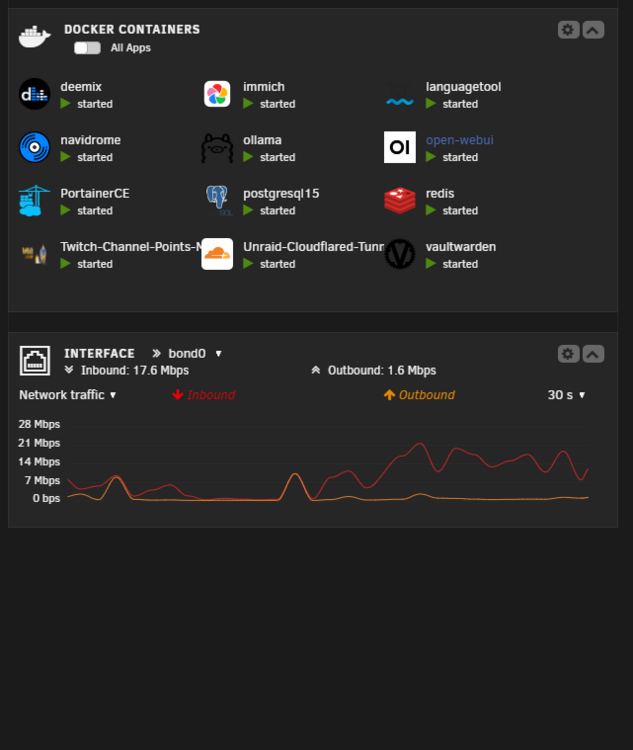 Unraid 7.0 doesn't have LXC on the dashboardSome indexes for collection 'rocketchat_livechat_visitor' could not be created: Index key contains an illegal field name: field name starts with '$'. Error creating index: rocketchat_room -> { 'livechatData.$**': 1 } MongoServerError: Index key contains an illegal field name: field name starts with '$'. at MessageStream.messageHandler (/app/bundle/programs/server/npm/node_modules/meteor/npm-mongo/node_modules/mongodb/lib/cmap/connection.js:462:30) at MessageStream.emit (events.js:400:28) at MessageStream.emit (domain.js:475:12) at processIncomingData (/app/bundle/programs/server/npm/node_modules/meteor/npm-mongo/node_modules/mongodb/lib/cmap/message_stream.js:108:16) at MessageStream._write (/app/bundle/programs/server/npm/node_modules/meteor/npm-mongo/node_modules/mongodb/lib/cmap/message_stream.js:28:9) at writeOrBuffer (internal/streams/writable.js:358:12) at MessageStream.Writable.write (internal/streams/writable.js:303:10) at Socket.ondata (internal/streams/readable.js:731:22) at Socket.emit (events.js:400:28) at Socket.emit (domain.js:475:12) at addChunk (internal/streams/readable.js:293:12) at readableAddChunk (internal/streams/readable.js:267:9) at Socket.Readable.push (internal/streams/readable.js:206:10) at TCP.onStreamRead (internal/stream_base_commons.js:188:23) at TCP.callbackTrampoline (internal/async_hooks.js:130:17) { operationTime: new Timestamp({ t: 1675142601, i: 1 }), ok: 0, code: 67, codeName: 'CannotCreateIndex', '$clusterTime': { clusterTime: new Timestamp({ t: 1675142601, i: 1 }), signature: { hash: new Binary(Buffer.from("ddd687851700cd15d41c6a1f51be5c2a55b32f8d", "hex"), 0), keyId: new Long("7194681051048837124") } } } strict mode: use allowUnionTypes to allow union type keyword at "#/properties/value" (strictTypes) LocalStore: store created at LocalStore: store created at LocalStore: store created at MessageType.render is deprecated. Use MessageType.message instead. livechat_webrtc_video_call {"level":40,"time":"2023-01-31T05:23:27.170Z","pid":1,"hostname":"b4d3cd82f168","name":"VoIPService","msg":"Voip is not enabled. Cant start the service"} {"level":40,"time":"2023-01-31T05:23:28.752Z","pid":1,"hostname":"b4d3cd82f168","name":"VoIPService","msg":"VoIP service already stopped"} {"level":51,"time":"2023-01-31T05:23:28.954Z","pid":1,"hostname":"b4d3cd82f168","name":"Migrations","msg":"Not migrating, already at version 281"} {"level":51,"time":"2023-01-31T05:23:28.977Z","pid":1,"hostname":"b4d3cd82f168","name":"DatabaseWatcher","msg":"Using change streams"} Loaded the Apps Framework and loaded a total of 0 Apps! +--------------------------------------------------+ | SERVER ERROR | +--------------------------------------------------+ | | | Rocket.Chat Version: 5.4.0 | | NodeJS Version: 14.19.3 - x64 | | MongoDB Version: 4.0.28 | | MongoDB Engine: unknown | | Platform: linux | | Process Port: 3000 | | Site URL: https://r.xxxx.us | | ReplicaSet OpLog: Enabled | | Commit Hash: 51f456a544 | | Commit Branch: HEAD | | | | YOUR CURRENT MONGODB VERSION IS NOT SUPPORTED, | | PLEASE UPGRADE TO VERSION 4.4 OR LATER | | | +--------------------------------------------------+ What am i doing wrong?Is it me or does MongoDB break easily?The user script command would be "docker exec -it GooglePhotosSync gphotos-sync /storage" wouldn't it?I keep getting this error message below but nothing delete's itself. Traceback (most recent call last): File "/main.py", line 9, in <module> with open("/appdata/hashes.json", "a+") as myfile: FileNotFoundError: [Errno 2] No such file or directory: '/appdata/hashes.json' [app] starting Deduper...Glad to know i'm not the only one lolI'm trying to setup GPhotos-Sync I run the command docker exec -it GooglePhotosSync gphotos-sync /storage and get prompted for "Please visit this URL to authorize this application" I click allow on google it then sends me to a new page "This site can’t be reached" I've gone on the machine locally as well and get same message.
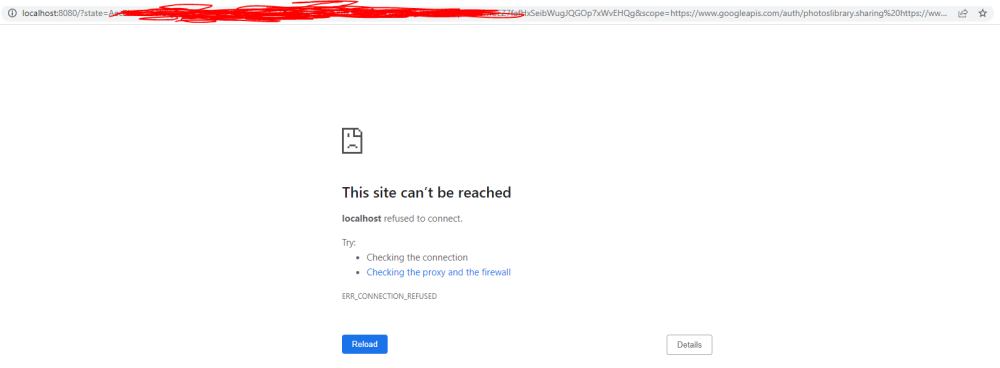 I lost my unraid USB during my move how'd I reset my key so I can put it on another one?love the app ❤️ amazing workScreenshot of linux
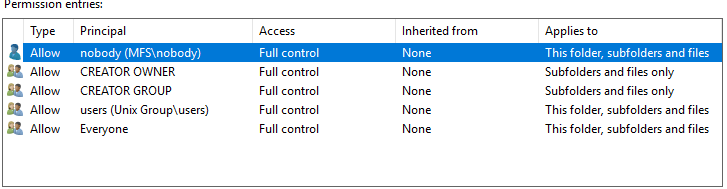
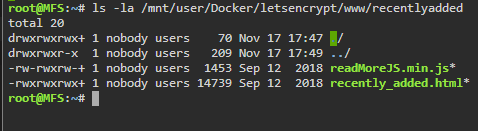 Everything has full access - i even changed the permission via unraid terminal and terminal on the container as well
 Found this in the error log
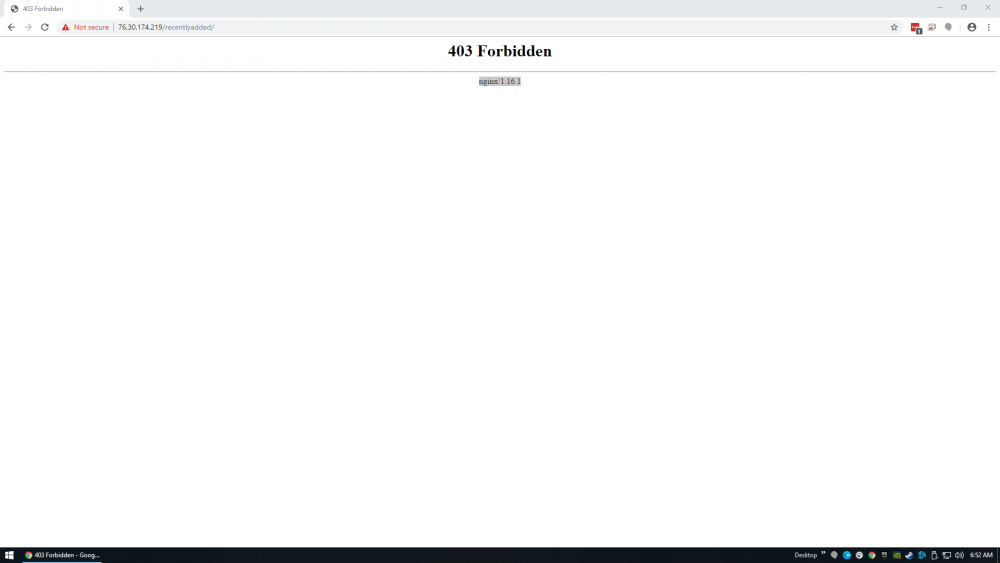
 I keep getting 403 Forbidden ive changed folder permission then restart the container and still get 403
 thats it lol selected the wrong onethats what i followedim using pia with certs and everythingworks with the vpn offCan anyone help me here i just get stuck at - it wont load the webui 2019-09-22 16:20:17,264 DEBG 'watchdog-script' stdout output: [info] Starting Deluge Web UI... [info] Deluge Web UI started delugevpn.txti'm having a odd issue.... i make any changes to radarr and restart the container the web page wont load. Log ErrorWarningSystemArrayLogin Created by... ___. .__ .__ \_ |__ |__| ____ | |__ ____ ___ ___ | __ \| |/ \| | \_/ __ \\ \/ / | \_\ \ | | \ Y \ ___/ > < |___ /__|___| /___| /\___ >__/\_ \ \/ \/ \/ \/ \/ https://hub.docker.com/u/binhex/ 2019-05-13 12:40:50.183010 [info] System information Linux 4fda30bfadbb 4.19.37-Unraid #1 SMP Tue Apr 30 12:20:22 PDT 2019 x86_64 GNU/Linux 2019-05-13 12:40:50.200445 [info] PUID defined as '99' 2019-05-13 12:40:50.232698 [info] PGID defined as '100' 2019-05-13 12:40:50.265949 [info] UMASK defined as '000' 2019-05-13 12:40:50.282485 [info] Permissions already set for volume mappings 2019-05-13 12:40:50.306114 [info] Starting Supervisor... 2019-05-13 12:40:50,540 INFO Included extra file "/etc/supervisor/conf.d/radarr.conf" during parsing 2019-05-13 12:40:50,540 INFO Set uid to user 0 succeeded 2019-05-13 12:40:50,541 INFO supervisord started with pid 6 2019-05-13 12:40:51,543 INFO spawned: 'radarr' with pid 46 2019-05-13 12:40:51,543 INFO reaped unknown pid 7 2019-05-13 12:40:51,735 DEBG 'radarr' stdout output: [Info] Bootstrap: Starting Radarr - /usr/lib/radarr/Radarr.exe - Version 0.2.0.1344 2019-05-13 12:40:52,110 DEBG 'radarr' stdout output: [Info] AppFolderInfo: Data directory is being overridden to [/config] 2019-05-13 12:40:52,175 DEBG 'radarr' stdout output: [Info] Router: Application mode: Interactive 2019-05-13 12:40:52,270 DEBG 'radarr' stdout output: [Info] MigrationLogger: *** Migrating data source=/config/nzbdrone.db;cache size=-20000;datetimekind=Utc;journal mode=Wal;pooling=True;version=3 *** 2019-05-13 12:40:52,364 DEBG 'radarr' stdout output: [Info] MigrationLogger: *** Migrating data source=/config/logs.db;cache size=-20000;datetimekind=Utc;journal mode=Wal;pooling=True;version=3 *** 2019-05-13 12:40:52,386 DEBG 'radarr' stdout output: [Info] OwinHostController: Listening on the following URLs: 2019-05-13 12:40:52,387 DEBG 'radarr' stdout output: [Info] OwinHostController: http://*:6697/ 2019-05-13 12:40:52,464 DEBG 'radarr' stdout output: [Info] NancyBootstrapper: Starting NzbDrone API 2019-05-13 12:40:52,927 DEBG 'radarr' stdout output: [Info] CommandExecutor: Starting 2 threads for tasks. 2019-05-13 12:40:52,927 INFO success: radarr entered RUNNING state, process has stayed up for > than 1 seconds (startsecs)isnt that what i have set up already?



