Everything posted by LoudRex
-
Ah okay, thank you very much. I'm gonna do that! EDIT: Yep after setting everthing to no on shares page and then turning nfs completely off, restarted the array and it is now all exclusively cache, thanks again!
-
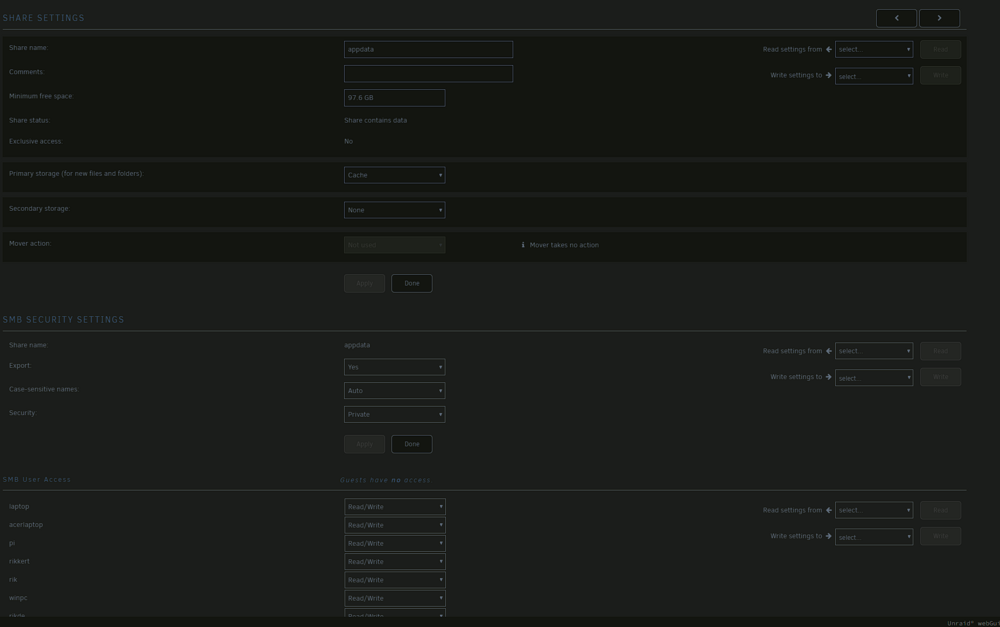
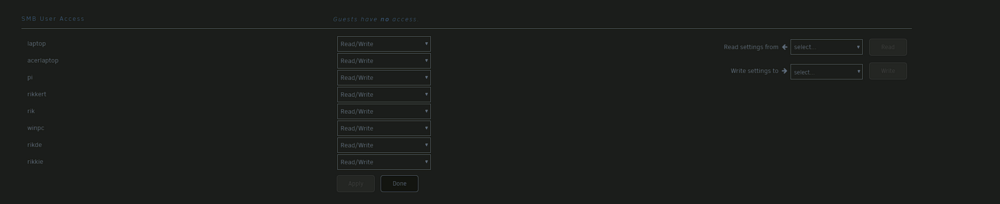
No, they are not using nfs AFAIK. Check my screenshots. How do I disable that then?

-
"appdata" for example. And all the other in the screenshot, I want those all on cache exclusive if possible.
-
Nope, NFS is off for the whole server.
-
Yes I have that enabled for a year now. But that still solves nothing...
-
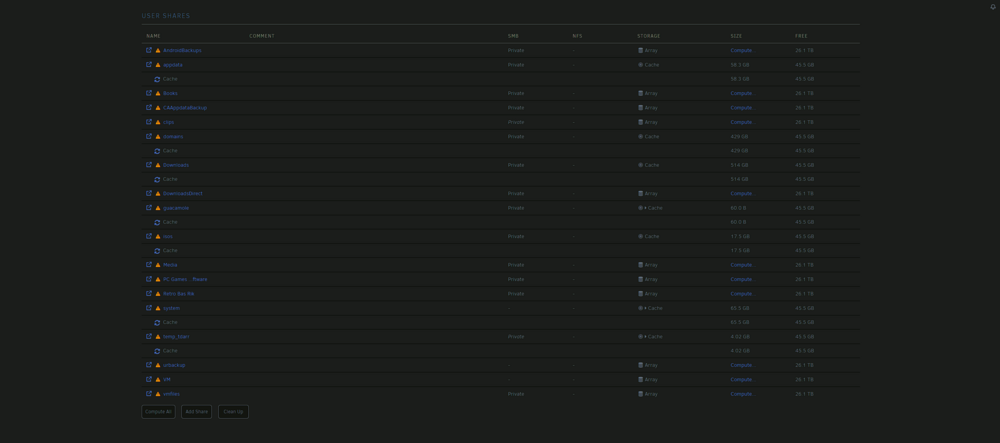
Hi all, This is driving me crazy right now. I have some shares on cache only, and when I calculate them at the Shares screen, they only appear on the cache disk. Even in MC they are only showing up on the cache disk and not on any array disks. But still I don't find them as exclusive share. Some do, but the most don't. I cannot figure out why they don't appear as cache only... Can someone help me out, with this matter? I hope so. Kind regards, Rik PS. All shares give me the exclamation mark, but that is because I am still running a new parity check, so that's why nothing is protected. rik-tower-diagnostics-20240702-1705.zip
-
It is working now. Updated the CNAME record on Cloudflare and its working now locally and on the WWW. Thanks for all the effort and support, @binhex!!!
-
The folders and ports exist only on the VPN container. I followed all the steps in your link Q24. But that didn't help at all. Here an overview of those dockers. EDIT: I have removed the cloudflare options, so it is only accessible from inside the home network. And I've edited LAN_NETWORK to the right ip address, now it gives me "RFB 003.008" in plain text.

-
I forwarded it through my binhex-qBittorrentVPN container, and when opening local url 192.168.x.x:5900/6080, or cloudflare url it gives me now the following error: The connection has timed out. In the log now the warning: 2024-06-12 15:26:48,276 DEBG 'start' stdout output: [12/06/24 15:26:48] You need to specify a username and password before connecting… 2024-06-12 15:33:58,760 DEBG 'start' stderr output: Wed Jun 12 15:33:58 2024 Connections: accepted: 172.17.0.1::46436 2024-06-12 15:33:58,788 DEBG 'start' stderr output: VNCSConnST: closing 172.17.0.1::46436: reading version failed: not an RFB client? EncodeManager: Framebuffer updates: 0 EncodeManager: Total: 0 rects, 0 pixels EncodeManager: 0 B (1:-nan ratio) Connections: closed: 172.17.0.1::46436 ComparingUpdateTracker: 0 pixels in / 0 pixels out ComparingUpdateTracker: (1:-nan ratio) 2024-06-12 15:33:59,281 DEBG 'start' stderr output: Wed Jun 12 15:33:59 2024 Connections: accepted: 172.17.0.1::46442 2024-06-12 15:33:59,317 DEBG 'start' stderr output: VNCSConnST: closing 172.17.0.1::46442: reading version failed: not an RFB client? EncodeManager: Framebuffer updates: 0 EncodeManager: Total: 0 rects, 0 pixels EncodeManager: 0 B (1:-nan ratio) Connections: 2024-06-12 15:33:59,317 DEBG 'start' stderr output: closed: 172.17.0.1::46442 ComparingUpdateTracker: 0 pixels in / 0 pixels out ComparingUpdateTracker: (1:-nan ratio)
-
Okay what VPN container do you support?
-
I have it running with networking through GluetunVPN container, and when I open the web ui I get the following in plain text. RFB 003.003 �������Too many security failures Nothing more nothing less. I also added the 5900 port through GluetunVPN. But still get the error as stated above...
-
@binhex, I get the following error/note/warning from N+, and it doesn't start. It stays at the following message: You need to specify a username and password before connecting… What can I do? I don't see in the template any username password field. Thanks in advance!
-
Yes I started the array, before rebooting it. It is still unclear to me why this time it worked... It also didn't trigger a Parity Check, because it was a clean shutdown. But I am happy it would restart, because unclean shutdowns are not good in my eyes, only when you need to they are better.
-
I've timed it and calculated 10% to it. I came out on 127 secs, so replaced that to my Shutdown time-out value. Now I go to main and reboot, and I get immediately System is going down for reboot. Could it be that that new value fixed it?
-
Yes, I can. It takes a while imho, but finally the array stops.
-
No I dont get any errors. Unraid also doesn't get stuck, I reload the webUI and can continue working. It just never executes the reboot command. This also happens when I directly type it in the CLI.
-
Hello everyone, I have a problem with my unraid server. I cannot give it the order to restart. Not via the webUI, nor via terminal or SSH. Terminal and SSH are using the command sudo reboot -n . Currently I restart the server by holding the power button for 5 seconds and turn it on again. But that can't be good for the hard drives and so on. What can I do to restore the "normal" reboot sequence...? I don't know what is causing this problem, but I'll be grateful to get this solved. I added my diagnostics for further error solving. Kind regards, Rik rik-tower-diagnostics-20240520-1951.zip
-
Thanks for the information. This is solved now. Kind Regards!
-
Hello all, I have a little question about my server combined with setting it to sleep. So I’ve got my unraid server to go to sleep without issue. Dockers run on cache, array is spun down, my server goes to sleep. What I would like to know is if I can keep the dockers running while the server is asleep? I know that it sounds like it shouldn’t be possible but maybe I just haven’t found out how to make it work. Thanks in advance. PS. If this isn't the right category, I hope the mods/admins will move it to the right one.
-
Solution was that the cable plugged in from the Fritzbox wasn't properly connected to the first switch. I jerked a little at the cable because I saw it was plugged in but the port was not blinking. Then it blinked again, seemed that the connection wasn't good. Though tested the LAN cable with my new apparatus, and the cable was ok. Thanks for helping me through this one!
-
Thanks guys, when it is delivered I am going to test with it. Hope that I can see quickly which cable it is, because we have a lot of LAN cables here connected...
-
Okay, thanks: Then I am going to try that. Luckily I already had one cable tester underway. Something like this, right?
-
First I think that one of the cables is broken cause most of the switches their port give me 100 Mbps speed in my router. But how do I find out which cable is broken? Is there any quick way to tell? Because we have here 4 switches between the router and the unRAID server (3* 5-port and 1* 8 port swtches). That is because I have a lot of LAN devices here.
-
Yup, multiple. But they are all gigabit switches.
-
Sorry but what do you mean with Must be something further along? I am a little autistic, so I do not understand your message... It is too comprehensive for me to understand right away what you are saying.