





kurai
Members
-
Joined
-
Last visited
-
@molasses2 For what it's worth - I finally got around to trying to actually use the new Selfhosters - Backblaze_Personal_Backup container with the v10.x client, instead of stumbling along with my old v9.x setup, and ran into much the same issue. After futzing with it for a while I gave up and installed the iamfoz - Backblaze64 container instead. This seemed to have the same issue, but while I was poking around in its logs I retried the Inherit process and this time it succeeded. 🤯 I never got to this point with the updated Selfhosters - Backblaze_Personal_Backupinstall even after several hours of tinkering. The iamfoz - Backblaze64 install now appears to be operating correctly and uploading new data to the extant backup state. Write-up here: https://forums.unraid.net/topic/199284-support-backblaze-64-backblaze-personal-backup-10x-64-bit-under-wine/#findComment-1628631
-
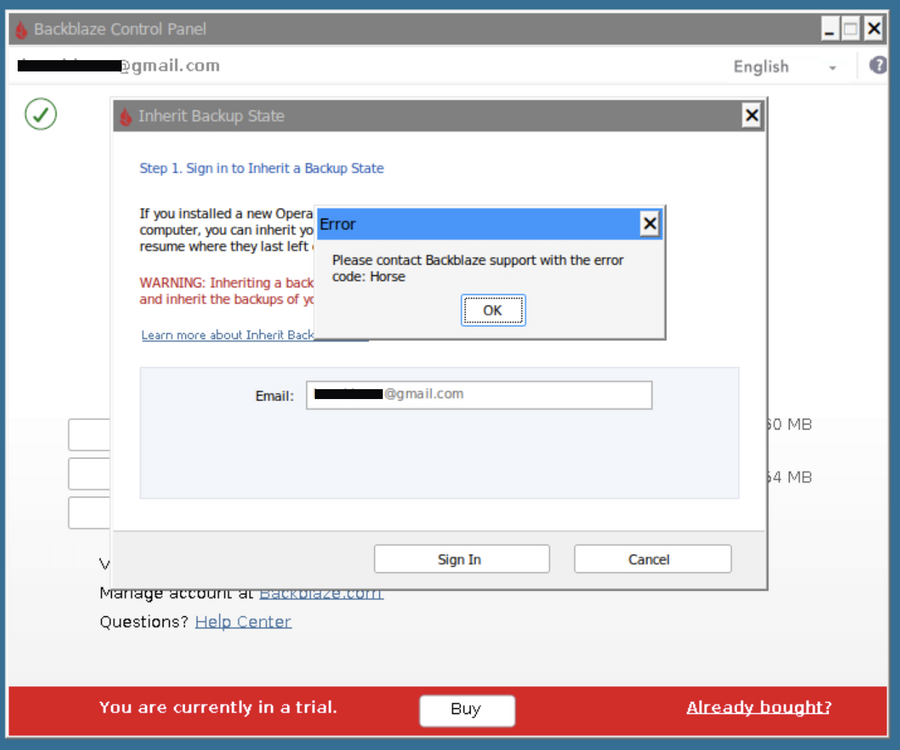
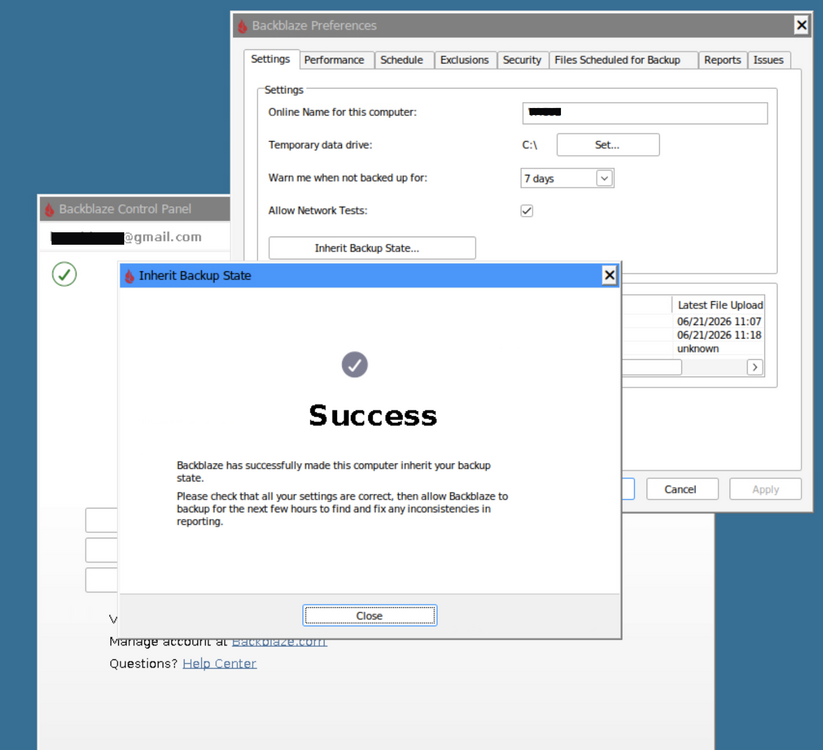
Update: Problem seems to have resolved itself - post left in place for informational purposes Hi @foz I'm trying to inherit a backup state from a previous install. The Inherit Backup State popup window contains an Email: field (which can't be ineracted with/edited ... fine - it's the right email 😉) Clicking Sign In fails with an error popup: Error Please contact Backblaze support with the error code: Horse Any suggestions on getting the Inherit process to work ? It's a large backup set, and I'd really rather not have to go through the whole rigmarole of transferring client licence to the new "trial" instance, away from the old backup-state/client, delete the existing state and redo the whole lengthy upload from scratch all over again. EDIT: Issue has maybe/possibly resolved itself. I was poking around in .\wine\drive_c\ProgramData\Backblaze\bzdata\bzlogs\bzbui\ logs and found: 2026-06-21 09:59:57 576 - bzbui_win32.cpp:3012 [TransferBackupStateDialogCallback()] ERROR: Cannot retrieve IBS Authentication Helper context I went back to Backblaze window to retry the Inherit process to see if the error could be duplicated, and this time it let me sign in, and seems to have completed succesfully... Logging into the Backblaze website Overview now shows the extant backup being currently used again, and the new "trial" instance being renamed to "old_inactive_MYCOMPUTERNAME (Divorced)" The container client has now generated a correct looking filelist of only things new/updated since last backup state of ~2 week ago and seems to be uploading at a reasonable pace. Rather than delete this post, I'll leave it in case anyone else has the problem, and just waiting/retrying automagically fixes the issue for them too. 😊
-
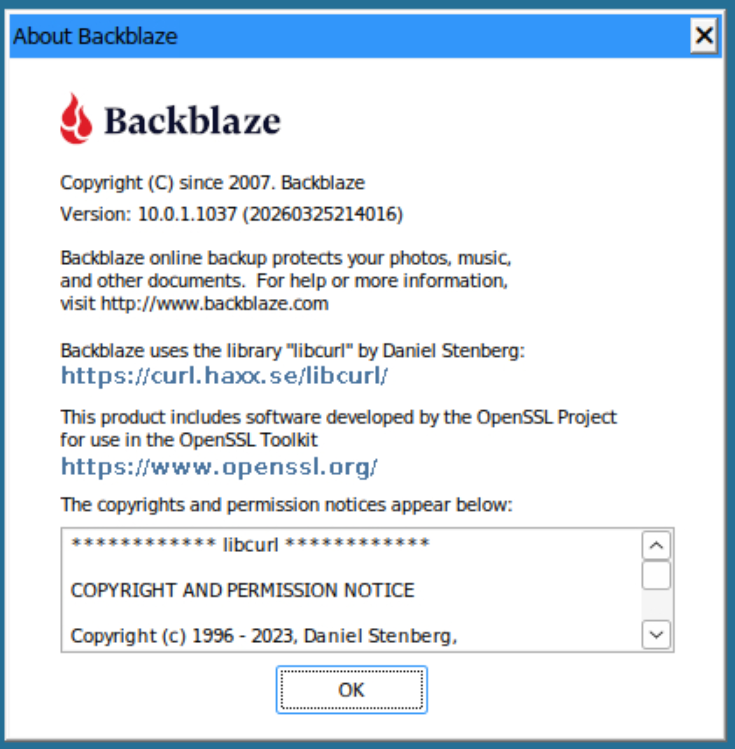
re: Backblaze Docker New version 2.0.1 has been published Jonathan Treffler has undertaken a major refactor which results in the succesful implementation of Backblaze client v10.0.1.1037 (x64) It also includes some nifty features for accessing network drives directly, which means some of the old workarounds are no longer neccessary. (Several container options have changed, so read the release notes at https://github.com/JonathanTreffler/backblaze-personal-wine-container/releases) Along the way he addressed the root causes of the majority of "black screen" errors we have been experiencing. 😜 I tested the new v2.0.1 release with a fresh container and it downloaded and installed the current v10 client from Backblaze and installed/ran it succesfully. ( I spun up a new container beause I couldn't get my ancient docker install to upgrade client succesfully - probably because of some of the crufty old nonsense I've got laying about in my Backblaze /appdata after a years-worth of tinkering. However ... there's now a graceful fallback to just run the pre-existing old client version upon upgrade-failure, instead of crashing & causing the black screen 👍 No need for my kludgy permissions fix to the updater .exe any more - my backups with the old client continue to run fine. )
-
It's been running uninterrupted since I posted that, so over 10 days now. Hope it works for your install too 😄
-
Further steps for Backblaze docker The previous steps got Backblaze started and running ... for a while. The Backblaze binaries seem to have some inbuilt mechanism for triggering detection of old executable versions and downloading of an update, despite the docker parameters 'Force Latest Update: False' and 'Disable Autoupdate: true' being applied. Two hours after container start it would download a new .exe binary (interestingly, not the current version v.10.0.1.1037 but v.9.2.2.897). This would unpack and run an .msi installer, which would then abort after failing to satisfy a .NET dependency. This seems to have a greater than even chance of causing the main bzserv.exe service and/or bzbui.exe application to crash out. It would continue to retry this update process every 2 hours until the inevitable crash & black-screen. The solution (that's been working for over 24 hours now) seems to be to replace the downloaded binary with an empty zero byte file and set it to root read-only (-r-------- [400]) so that it can't be replaced by the updater. /appdata/Backblaze_Personal_Backup/wine/drive_c/Program Files (x86)/Backblaze/bzupdates/bzinstall-win32-9.2.2.897.exe [root -r-------- 0 B] This seems to sidestep the issue by not allowing the installer process to begin at all. Of course, this may not work forever ... the application does do a version check call-in at startup, and logs that it recieved a version obsolescence notice. Backblaze seem to be making definite steps to move forward with client versioning and may eventually reject connections from old enough clients rather than simply warning and trying to force an update.
-
This is (possibly) two problems being encountered independently. Regarding the black screen issue : In the Backblaze docker settings, instead of the default value of 99 set :- User ID: 0 Group ID: 0 Explanation: The Docker container may have insufficient permissions to download and install Backblaze." Context: This is an old problem which several people in this thread (including me) have encountered. I've just lived with for about a year since my backups succed anyway, I just can't see it ;) I relooked at the problem recently because of an unrelated issue with my setup, and found that there has been some additional discussion on the Github repo. Github repo page This resulted in additional troubleshooting info being added to the Docker Hub page for the project . Docker Hub page It worked for me, and now I can see the Backblaze application in the VNC viewer (which allowed me to fix the unrelated issue I mentioned) Further the to the not uploading part - it may also be kinda-sorta related. With later client versions Backblaze have stopped supporting older "legacy" operating systems ... which is a problem for the containerised Wine approach. New container installs, or automatic updates within existing ones will fail with an "Operating System Not Supported" message (which you may not currently be absle to see, what with black screen :) This can be worked around with some messing about with manually downloading an older, supported, client version from a 3rd party mirror and installing it as per user danvctr's posts on Github. Github issue: Backblaze 10 - x64 only Make sure to set the docker option of: Force Latest Update: false
-
Re: Backblaze Same blank blue desktop here, for the last couple of updates. The pre-existing backup config is still working however - I can see upload activity from the docker, and Backblaze web account shows new data appearing as normal. So - just a UI/VNC error it seems. UPDATE: Half-assed workaround - I found opening the *non* HTTP VNC address (usually port :5901) in a 3rd party VNC viewer caused the Backblaze app window to display. After this has been done once, the `standard` Unraid HTTP web VNC (usually port :5801) will work thereafter. The taskbar is still absent however. Hopefully someone with more VNC-fu than me can work out whatever weird resolution/scaling/render hangup is causing the base issue.
-
Just rename it, no conversion necessary.
-
I'm leaning towards the process/functionality being one of those "works for some people but not others" things at this stage. I banged my head against a series of brick walls for an unreasonable amount of time trying all the many and varied approaches I found during the research phase. At the moment I've given up and left it alone, checking back on the few worthwhile information sources now and again to see if anything has substantially improved.
-
kurai changed their profile photo
-
That did the job nicely - all behaving now. Thank you. 👍
-
Hi Djoss. Thanks for keeping on with the client updates. An issue this time though ... the Tools->History menu opens the activity log in a window 100% of the size of the browser viewport, and has no modal window controls. i.e. No way to go back to the main app interface 'window', and because of the canvas style implementation there's no browser back/history/right-click functionality to exit out of it either. Necessitates a restart of the container to get back to normal. (All the other top menu bar entries and other modal window elements still work as expected).
-
Overview webGUI can set out of spec large cookies that are breaking some functionality (notably docker VNC connectivity) Problem source https://wiki.unraid.net/Manual/Release_Notes/Unraid_OS_6.10.0#Other_Improvements The optional Network traffic graph [introduced with 6.10.0] in the INTERFACE dashboard panel stores the rolling history in two cookies: rxd-init & txd-init. The value is recorded at 1 second intervals for a history of 10s | 30s | 1min | 2min With the traffic value recorded in 14 digit precision this gives rise to cookie sizes below:- 10 sec: 2 x ~185 bytes 30 sec: 2 x ~540 bytes 1 min : 2 x ~1085 bytes 2 min : 2 x ~2155 bytes Relevance RFC 6265bis has long recommended limits on cookie sizes, which ended up as a requirement to limit the sum of the lengths of the cookie's name and value to 4096 bytes. Pretty much all browser engines complied with this. Because each engine went about managing this limit in subtly different ways a further refinement was added that also specified a limit for the length of each cookie attribute value to 1024 bytes. Any attempt to set a cookie exceeding the name+value limit should be rejected, and any cookie attribute exceeding the attribute length limit should be ignored. Unraid issue Most of the webGUI functionality seems to deal with this out-of-spec condition OK, but it definitely breaks some VM & docker VNC connectivity. e.g. It's possible that this might be a root cause of a variety of other reported bugs - the only one that I can personally confirm is with a CrashPlan docker that fails to connect if the webGUI Network graph is set to 2 minute history and allowed to sample traffic for longer than 1 minute or so. Some other dockers with VNC interfaces, such as Krusader, seem unaffected. Suggested solutions Reduce recorded value to ~7 digit precision from 14 ? Limit recorded intervals to 60 seconds instead of 120 ? Use some other sort of variable state mechanism other than cookies ? Investigate what is happening with some VNC implementations that cause them to mishandle out-of-spec cookies ? Sources https://datatracker.ietf.org/doc/html/draft-ietf-httpbis-rfc6265bis/ https://github.com/httpwg/http-extensions/blob/main/draft-ietf-httpbis-rfc6265bis.md#the-set-cookie-header-field-set-cookie
-
[Note: I originally added this as as reply to [6.7.2] DOCKER IMAGE HUGE AMOUNT OF UNNECESSARY WRITES ON CACHE Didn't notice it was raised against 6.7.2, not 6.8.0. Sorry] For what it's worth:- Is this perhaps an issue with sparse files ? I'm having a somewhat similar problem when writing a torrent of an ISO to a share on a mirrored cache pool. (2 x Crucial MX500 SSDs, BTRFS, Raid 1) 6.7.2 was fine, on 6.8.0 there's huge write amplification whenever the torrent client tries to write out a chunk. e.g. Torrent client creates a 3.5GB sparse file, then starts downloading chunks to it's internal RAM cache. When a chunk (4MB) part is completely received it writes it to disk into the pre-allocated ISO sparse file. However - instead of the expected 4MB disk write it seems to be rewriting the *entire* 3.5GB file every time it sends a new chunk to the disk file. This leads to the SSDs writing continuously for hours, for what *should* take less than a second (and also getting very hot). Other types of disk write activity (copying, moving, file creation etc) behave normally, at expected speeds and levels of SSD activity. i.e. Copying a regular 3.5GB file to the share takes < 10 seconds. Also - I reverted from 6.8.0 to 6.7.2 and the problem disappeared, so it's not related to a bad Unraid cache pool config, or anything in the, unchanged, torrent client config. I found this bug report before I raised one of my own and I wonder if it was the same root cause as (I believe) the Docker IMG files are also created as sparse files. If I'm way off base, and my issue is unrelated issue please let me know and I'll raise mine as a separate bug report. -- kurai
-
All the 10Gbit NIC chipsets I've seen run really hot - hence they generally have big heatsinks nailed on top. My Intel X540's can easily reach 70 C if they aren't in direct, fast, airflow from fans.
-
That... sounds horribly plausible. I *did* have two Chrome tabs open to different pages of the Unraid webUI. When I initially opened WebUI page, Main tab, I had the updates available notification from Fix Common Problems appear and I opened the Plugins page into a new tab and did the updates. I was also doing stuff in other unrelated tabs, and it's entirely possible that when I went back to Unraid a few minutes later I used the original, unrefreshed, tab and went to Empty Trash from there (I have your plugin in main menu bar via Add Custom Tab) instead of the 2nd tab that the updating procedure was done in. I'm not sure if the diag logs will be able to confirm that one way or another, but I'll post them anyway ... eventually. They are saved to the boot thumbdrive and the server is currently shutdown while I am wrestling with XFS undelete/recovery tools, which are proving to be massively time consuming and erratic :/



