





rpj2
Members
-
Joined
-
Last visited
Everything posted by rpj2
-
Is this still an issue? I was looking to use it for transcoding to ram+ssd, but your post has given me pause.
-
The requirement on the root user would be a good start. Still amazed about it.
-
I guess I don't use anything else that shows a banner. No worries, I took it out.
-
Nothing else puts up a banner. Especially something that is updated so frequently. Will grab source and take out.
-
Is there a way to disable the update check? If not, a way to at least suppress the banner?
-
So in the future, we just need to edit these files manually versus having it on the web page? What is the reason for removing this?
-
+1 for multiple arrays - even if it was just a second one.
-
It sounds like you are burned out working on this. If something pops up saying an update available, then people are going to think it is available. If you don't want them to think that, then suppress it and put text saying subscribe for email alerts from a support thread.
-
After upgrading to 6.7.0, I had lost connectivity. I checked in network settings, and there was no default route. You may want to check there and add one if it is missing.
-
Thanks, that was it.
-
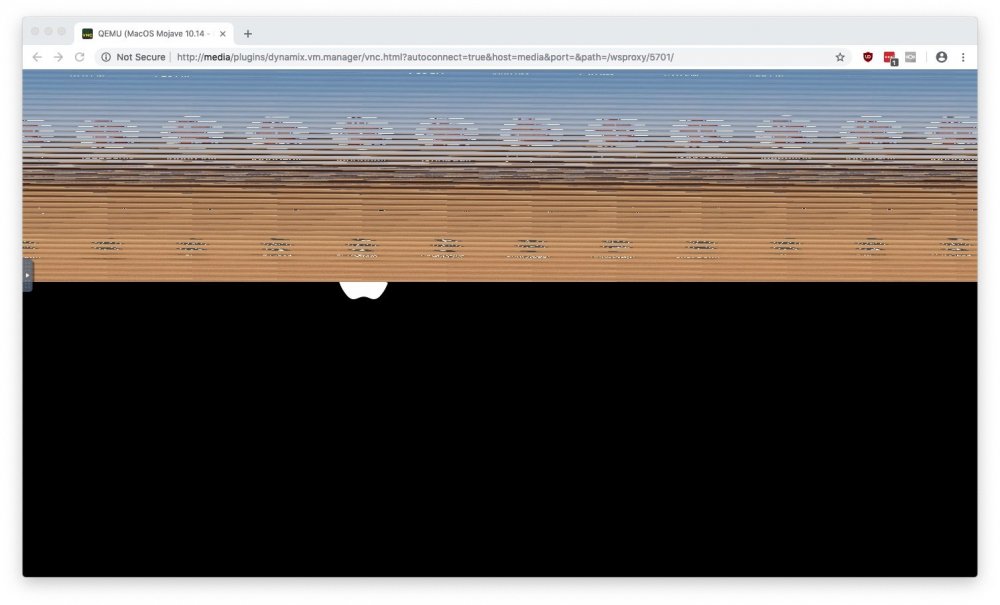
I followed the video and had Mojave working fine. I've since upgraded to 6.7.0 and tried to start the VM today. When I connect to it, I see like 10 copies of it. I'm not sure what caused this or how to fix it.
-
I've temporarily disabled VT-d until I get a new card. I had a couple of issues on the 6.7 upgrade. 1. The Global Share Settings icon is missing. Or, does it simply not have an icon? 2. I had no Internet access. I had to add a default route.
-
Fix Common problems was one of the first things I installed. I've never seen a warning about the marvel controller from it. Edit: I checked /boot/config/plugins/fix.common.problems/ignoreList.json and I am only ignoring the OS update (for now). Edit2: It looks like the logic for detecting Marvell controllers needs to be updated. It is showing ahci driver on my system and not mvsas. exec("lspci -k",$testResults); foreach ($testResults as $line) { if (strpos($line,"Kernel driver in use: mvsas") ) { 04:00.0 SATA controller: Marvell Technology Group Ltd. 88SE9230 PCIe SATA 6Gb/s Controller (rev 11) Subsystem: Marvell Technology Group Ltd. 88SE9230 PCIe SATA 6Gb/s Controller Kernel driver in use: ahci Kernel modules: ahci 05:00.0 SATA controller: Marvell Technology Group Ltd. 88SE9230 PCIe SATA 6Gb/s Controller (rev 10) Subsystem: ASUSTeK Computer Inc. 88SE9230 PCIe SATA 6Gb/s Controller Kernel driver in use: ahci Kernel modules: ahci
-
I guess I was just surprised that the disks disappeared after upgrading, and this is a known issue. A popup when I hit upgrade saying "Your hardware has a known issue." or something similar with a link to the forum thread about it would have been appreciated. I scrolled through the notes real quick and saw all the things added and upgraded, but there was no mention of the problems people encountered in the RC. I'm not the only that got bit by this. Can you recommend a replacement card that is supported/will be supported in the future?
-
A software update broke a previously working system is my point. I rolled back and will try a future update. Throwing out working hardware is wasteful. A software update could break another card also. Blame the user? 🤷♂️
-
The card worked fine in 6.6.7. The card still works fine. Throwing the card out is extremely wasteful and a silly suggestion.
-
I am in the same position. Disabling VTd is not an option.
-
I upgraded from 6.6.7 to 6.7.0. After the reboot, it only finds my parity and cache disks. All of my data disks are now missing. I attached diagnostics. media-diagnostics-20190511-0700.zip
-
I went and got the diagnostics. Figured I'd look - found my USB drive had died. I overlooked the email about a week ago. Anyways, I switched to a new USB drive and it updated fine.
-
I had the previous version and it wouldn't update. It said: plugin: run failed: /bin/bash retval: 1 I decided to remove CA Auto Update and install it again. Now, I can't install it. I am on version 6.6.7 Here is the output when trying to install: plugin: installing: https://raw.githubusercontent.com/Squidly271/ca.update.applications/master/plugins/ca.update.applications.plg plugin: downloading https://raw.githubusercontent.com/Squidly271/ca.update.applications/master/plugins/ca.update.applications.plg plugin: downloading: https://raw.githubusercontent.com/Squidly271/ca.update.applications/master/plugins/ca.update.applications.plg ... done plugin: run failed: /bin/bash retval: 1 Updating Support Links ca.turbo --> https://forums.lime-technology.com/topic/55671-plugin-ca-auto-turbo-write-mode/#comment-544485 ca.update.applications --> http://lime-technology.com/forum/index.php?topic=53693.0 dynamix.cache.dirs --> http://lime-technology.com/forum/index.php?topic=36543.0


