





peter76
Members
-
Joined
-
Last visited
Everything posted by peter76
-
after update from 6.8 to 6.9 there is no button "CHECK FOR UPDATES" on plugins-page. (available updates are shown anyway) on my second rig I updated from 6.9 RC2 to 6.9. Here the button is visible:
-
today I installed Unraid Version: 6.9.0-beta35 and I can tell you: my USB-2,5GBit NIC with RTL8156 Chipset is running now. Speedtest: Win-VM copy over network at 260MB/s - seems to be running on fullspeed 🙂 ** yeah **
-
thanx for analyzing!! YES - the same USB-NIC works prober in a Win10-VM. What can I do? Wait for a better driver??
-
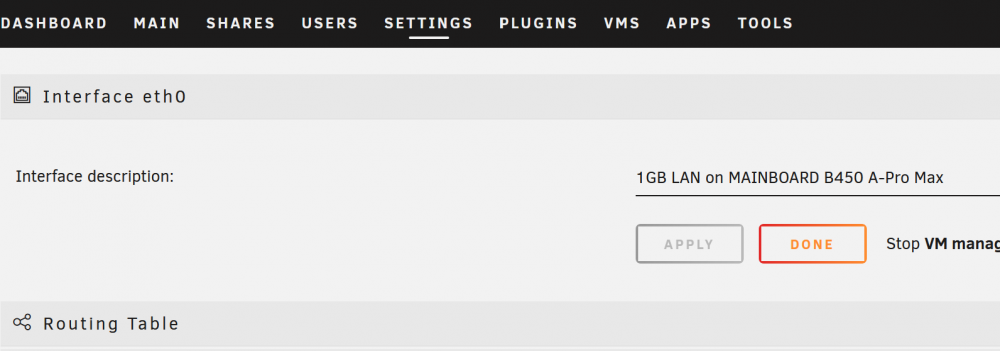
here are my diagostics. - USB-NIC is regognized in TOOLS - SYSTEM DEVICES - USB-NIC is not available in SETTINGS - NETWORK SETTINGS (the only NIC listed is the Onboard-NIC) ryzen3700x-diagnostics-20201011-1748.zip

-
I'm also waiting for Unraid-Support for USB-2,5GBit NIC with RTL8156 Chipset. My Server runs at 10GBit, and I would love to connect my 3-VM-Workstation using this USB-NIC, since all PCIe Slots are occupied by 3xGPU, 2xUSB, 1xSAT 🙂 Tried 6.9.0-beta29 - no luck, RTL8156 is still not recognized...
-
I have the same issue since update to 6.8 stable. I discovered 100% usage on 1 core of "wsdd" process after synching a Nextcloud Client to DockerNextcloudServer.
-
I am running my Firewall (OPNsense, based on FreeBSD) in a VM on UNRAID using Network Bridges as virtual NICs. Using previous versions of OPNsense (versions <= 19.1.10_1), NICs were recognized correctly, if and only if I set machine to Q35-2.6. Problem: Using latest Version of OPNsense (Version 19.7), NICs aren't recognized any more, so I had to set my Firewall back to older Version to run (using a Backup of vdisk1.img). some testing I did: Creating a new VM using OPNsense-19.7-OpenSSL-dvd-amd64.iso, two existing Bridges as virtual NICs results in same behavior: NICs aren't recognized in VM. Testing different types of machine (Q35-2.6, Q35-2.11, Q35-3.1) always results in having no NICs in VM. Atteched there are Screeshots of my Testing-VM and the diagnostics.zip. tower-diagnostics-20190728-2149.zip


