





peter76
Members
-
Joined
-
Last visited
Everything posted by peter76
-
same issue... Log file is 350MB now.
-
updated from 1.2.1 to 2.0 Printer shows up on Linux Client correctly, but when I try to print something error "cups-pki-invalid" appears. Printing is not possible. Whats wrong?
-
Ran into the same issue today, also on Unraid 7.3.0-rc.1. I was unable to start up libvirt until I had shut down docker. Once docker was disabled, libvirt started up fine, and I re-enabled docker.
-
My ZFS-HDD Pool containing 3 HDDs works well and HDDs sleep correctly. Problem: When I open the Unraid-Dashboard in Browser, all HDDs wake up instantly. => they should stay sleeping!! HOW TO REPRODUCE: - Close Browser - Wait until HDDs sleep - Open WEB UI Dashboard in Browser - HDDs wake up instantly now How I found the reason for HDDs waking up: - reboot Server in SAFE MODE => no problem, HDDs stay spun down, even when loading Web-UI - reboot Server to normal mode - remove Plugins, one by one ===>>> ZFS MASTER and Dynamix File Manager Plugins were the reason for spinning up HDDs (every time loading MAIN tab of Web-UI) <<<=== tower-diagnostics-20231214-0951.zip
-
Limiting a Share size should be a basic feature on a Data Server. please!! make this (simple) feature available asap
-
I have a share "SysLog", shared via samba and used for Syslog-Server. I accidentialy created a Folder "Syslog/backups" (with "l" and not "L" !) calling "mkdir -p /mnt/user/Syslog/backups" now the were two folders: "/mnt/user/SysLog" and "/mnt/user/Syslog" on disk and showen in shares-tab. Samba Server now used the new (wrong) folder "Syslog" instead of "SysLog". This seems to be a bug and should be prevented in some way. My solution was stopping all Services (Docker, VM), the I was able to delete "/mnt/user/Syslog" via shares-tab (deleting in cli was not possible for me). After restarting Services everything was fine again 🙂 tower-diagnostics-20230716-1734.zip
-
hello, I'm having this issue now on Unraid 6.10.0-rc2 and UD 2022.01.02a. After 5 Minutes WebUI is accessible. ryzen7-x5750g-diagnostics-20220102-2332.zip

-
Bug Report: on Unraid 6.9.2 the Array doesn't start after replacing a (pre-attached) disk while preclear is running on another disk (I was waiting about 3 minutes). Server was not shut down, only Array was stopped while preclear was running on a non-array-disk. After stopping preclear (killing process via CLI) the array startet correctly and data-rebuild started correctly. A manual restart of preclear also was successfull. Solution suggestion: Unraid: Unraid should start the array even when a non-array disk is preclearing AND/OR Preclear Plugin: should stop work, when array is stopped (or started) tower-diagnostics-20210819-0926.zip
-
For me it's workin now - all Dockers are listed. Thank you for fixing!
-
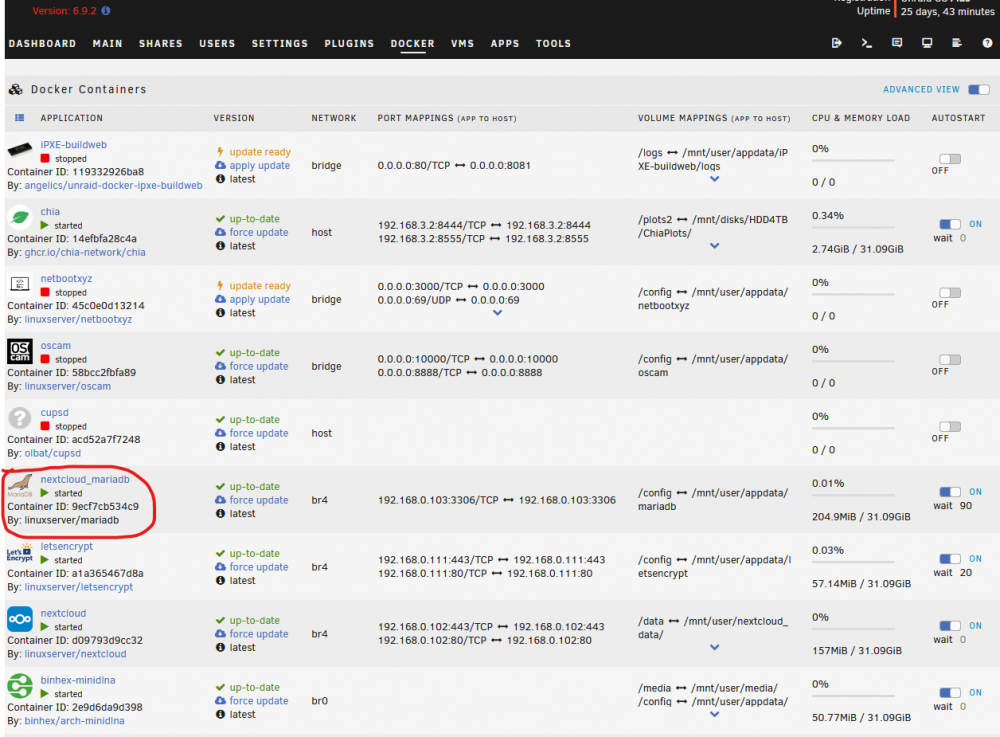
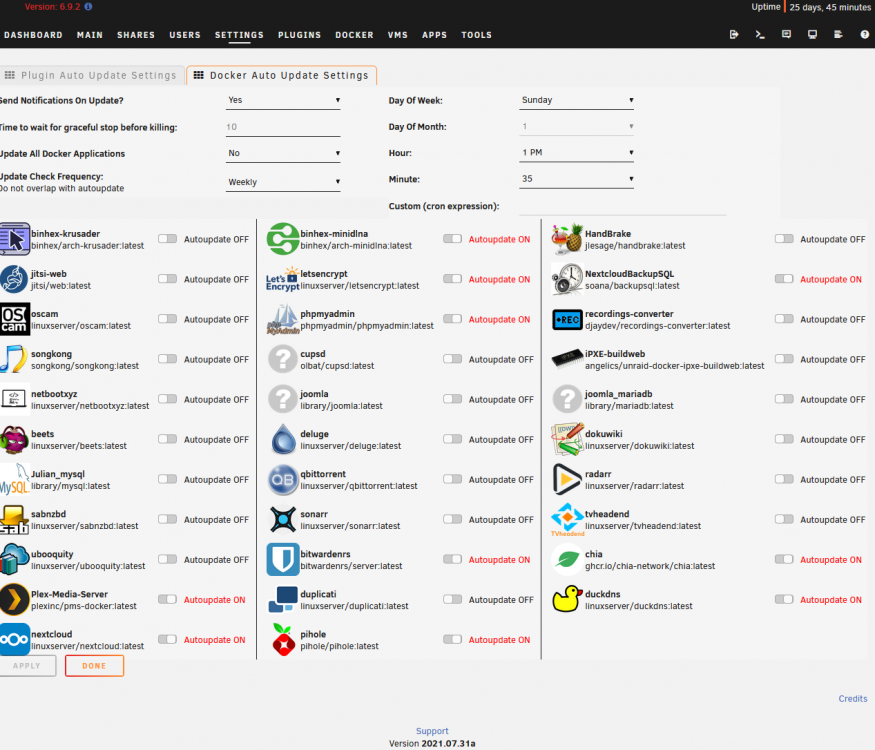
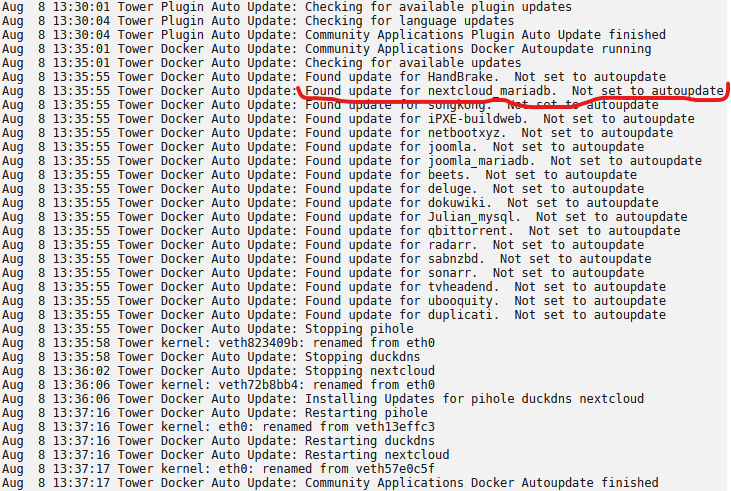
I'm having an issue where some Docker Containers are not listed in "Docker Auto Update Settings" - looking at "nextcloud_mariadb" which I had to update manually: => Why is "nextcloud_mariadb" not available in the list of "Docker Auto Update Settings" in the Plugin ?? => For me it seems to be a bug tower-diagnostics-20210808-1427.zip
-
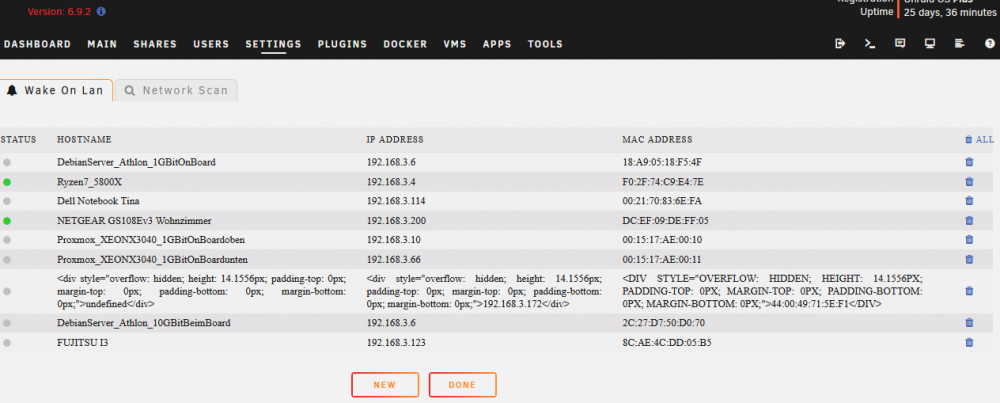
I looks like I'm having the same bug - can't delete the "ugly" entrys:
-
hello JTok, I'm wondering if it would be possible to add a function to split the resulting *.img.zst file into parts of lets say 4GB. In my case I run an automated backup-job wih rsnapshot to a remote server build with multiple harddrives using mergerfs - and smaller *.img.zst files would help me fill up those harddrives. (now I have to set a minfreespace=520G to handle those big *.img.zst files). thanks a lot for your answer, peter76
-
thanks a lot to dlandon, you brought me on the right path to search. A few days ago, I did some changes on my firewall, and now pinging the gateway was not possible any more. I solved the problem by allowing pinging the gateway. Just one thing to think about: Unraid GUI (without UD Plugin) starts without beeing able to ping the Gateway. When installing UD Plugin AND pinging the Gateway is not possible, user gets problems (as I got..). In my "dummy user"-opinion pinging the Gateway is maybe not the best solution for checking the network.
-
I can ping the Unraid server that is trying to mount the remote shares.
-
I have a problem since last Plugin Update to 2021.04.03 on Unraid 6.9.1: Unassigned devices gets a timeout when starting the Unraid-Server, Server LOG: Apr 5 17:35:40 Ryzen7-5800X unassigned.devices: Mounting 'Auto Mount' Remote Shares... Apr 5 17:41:10 Ryzen7-5800X unassigned.devices: Cannot 'Auto Mount' Remote Shares. Network not available! Pinging the Server is possible the whole time, and Unraid GUI is not reachable. After this 5min 30sec the Unraid GUI is reachable, and I can manually (by hitting MOUNT-Button) mount my SMB Shares. For testing I deleted my all my SMB Shares: Same Timeout-Behaviour when rebooting Server. ryzen7-5800x-diagnostics-20210405-1815.zip
-
now with VM BACKUP 2021.03.11 the installation runs smooth 🙂 THANK YOU
-
THANX JTOK - now I can run ... */3 ... PS: it's only "Disable custom cron validation?" which has to be set to YES
-
Bug report: in "settings" => "custom cron" it's not possible to enter "/" symbol. => possible to enter i.e.: "0 3 1 3,9 *" (run at 3:00h 1.3. and 1.9.) => not possible to enter i.e.: "0 3 1 */2 *" (run at 3:00h every second month)
-
A Button to start mover - independent of Mover Tuning restrictions - would be a very nice feature. great work hugenbdd, thanx for it 🙂
-
Tested and works fine for me. Thanx a lot! Different behavior to older versions: Now it's not possible to start mover via button, if percentage not reached.
-
my Permissions look the same, and .cfg file looks okay for me: root@Tower:~# ls /boot/config/plugins/ca.mover.tuning/ca.mover.tuning.cfg -lisah 5360 4.0K -rw------- 1 root root 281 Mar 7 21:30 /boot/config/plugins/ca.mover.tuning/ca.mover.tuning.cfg root@Tower:~# cat /boot/config/plugins/ca.mover.tuning/ca.mover.tuning.cfg moverDisabled="no" moverNice="0" moverIO="-c 2 -n 0" threshold="75" age="no" daysold="1" sizef="no" sizeinM="1" sparsnessf="no" sparsnessv="1" filelistf="no" filelistv="" filetypesf="no" filetypesv="" parity="no" enableTurbo="yes" logging="no" force="no" cron="" forceParity="yes" Tried to change some settings and pressed APPLY ==> Mover still runs without recognizing percentage-threshold. Your IF-Statement seems to be the reason for this Issue. I will wait for your update. The one open question for me is: why do I have this issue since update to Unraid 6.9 ...
-
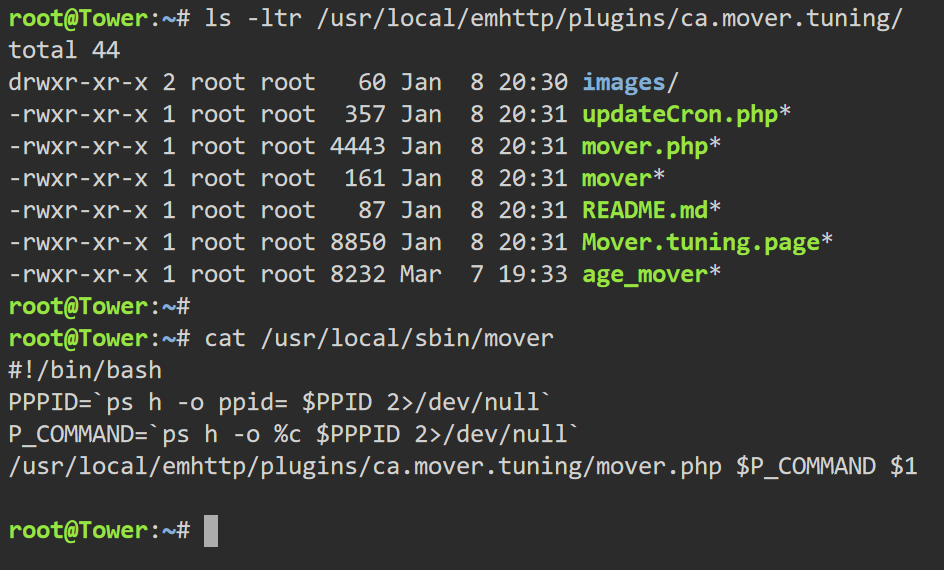
done. here the results:
-
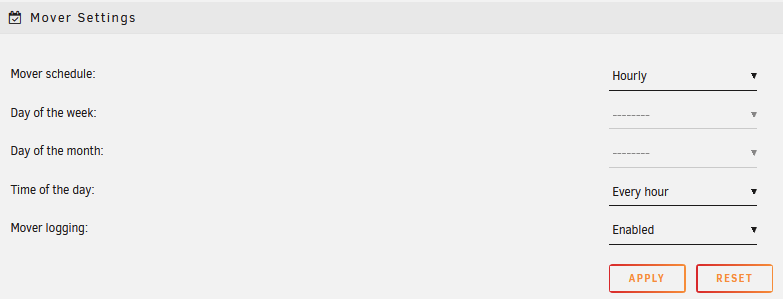
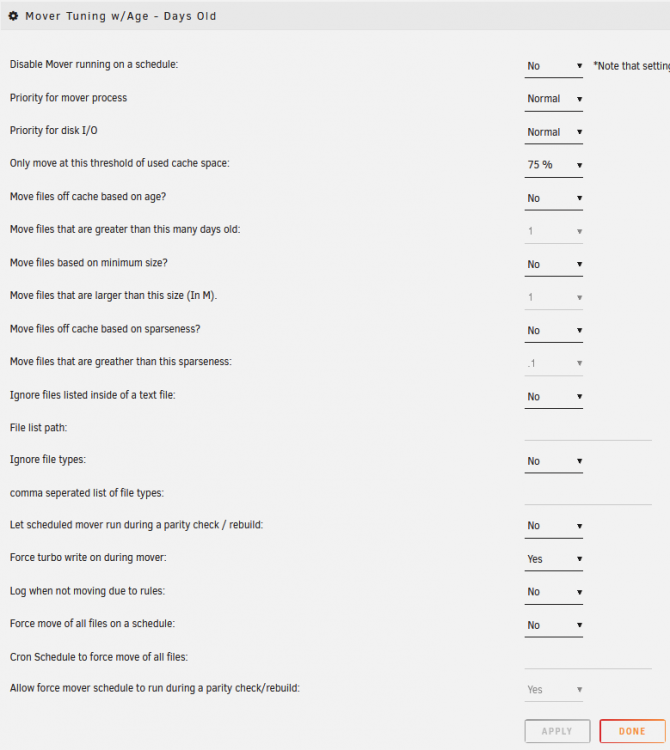
these are my settings and full diagnostic-file tower-diagnostics-20210309-1632.zip
-
I get the same error when installing VM BACKUP - on Unraid 6.9 and now on 6.9.1
-
I'm having the same issue since update to 6.9 (and now on 6.9.1). On Unraid Version 6.8 the Mover Tuning was working well (with threshold set to 75% ), now Mover starts every hour independent of threshold reached or not.


