





Everything posted by [email protected]
-
Replacing the docker image fixed the network issues.
-
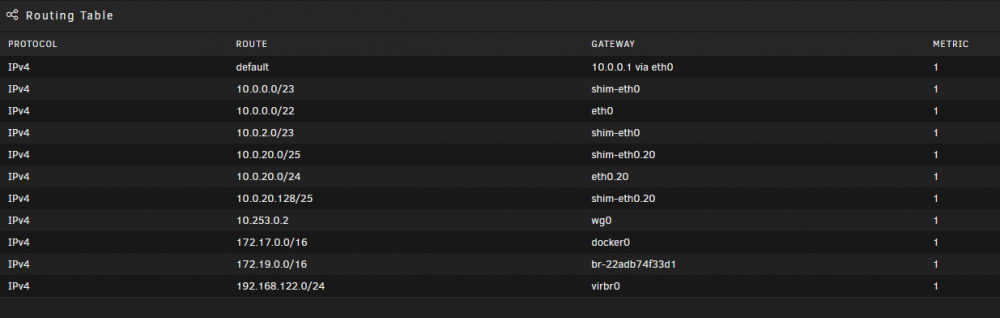
So I replaced the flashdrive and ported over my config folder and key, but none of my network settings stayed, There are no custom: br0 type network options available either. I basically want my default lan and my IOT vlan (20) available with custom br0 and br0.20 to appear. Nothing else. Added a screenshot of what I see when configuring a docker and a screenshot of my routing table, which clearly do not seem to match I can't ssh into my server either right now. mnemosyne-diagnostics-20221013-1137.zip

-
It is a relatively new one but yeah. Definitely going to switch it out.
-
Like an hour? something is going on with the boot usb too. Like I can’t use the CLI to manually grab the logs either. It won’t let me navigate to /boot/logs. The WebUI is now down entirely and the poweroff CLI command isn’t working. So I will probably do an unclean shutdown, update the USB and cross my fingers and hope for the best. But the whole thing is really making me nervous about my system.
-
I will. I guess. But I am unhappy that the functionality for both updates and logs are broken.
-
I want the new kernel so I can have hardware transcoding work with my Gen 12 Intel processor, so bit the bullet to do an upgrade. But no matter what I get stuck here: plugin: updating: unRAIDServer.plg plugin: downloading: https://unraid-dl.sfo2.cdn.digitaloceanspaces.com/stable/unRAIDServer-6.11.1-x86_64.zip ... done plugin: downloading: https://unraid-dl.sfo2.cdn.digitaloceanspaces.com/stable/unRAIDServer-6.11.1-x86_64.md5 ... done writing flash device - please wait... Archive: /tmp/unRAIDServer.zip I am unable to download diagnostic logs either, so I am unsure if it is flash drive related or something else.
-
So I want to setup Wireguard as tunneled access to my various VLANs (10.0.0.0/22; 10.0.20.0/24; etc.) I can get the Wireguard tunnel to access anything in my main LAN which is the 10.0.0.0 one where the Unraid server lives, but nothing on the 10.0.20.0 (vlan ID 20) one. Settings are here for my Unifi router and Unraid WG: https://imgur.com/a/77uP7pT
-
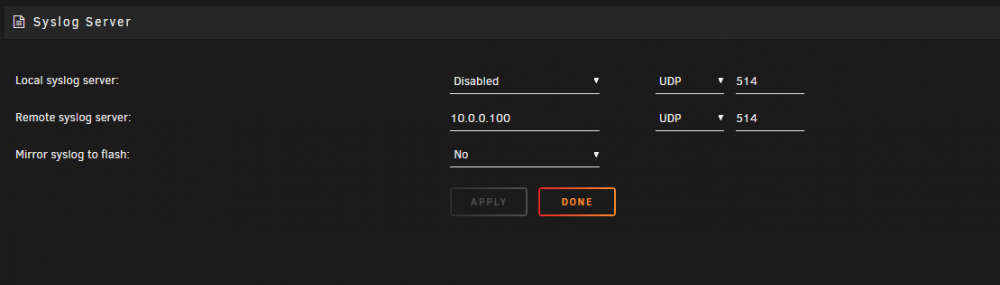
OK, test messages worked. So it is most likely Unraid that isn't sending remote logs.
-
Switching to VAAPI seemed to fix it. Let me do some more experimenting to see what is going on
-
So I switched to the official docker but can't get intel quicksync working. Whenever I try and use hardware transcoding it fails to do it and says the format is unsupported. Set it following the directions from the original docker (install intel_gpu_top and /dev/dri in config)
-
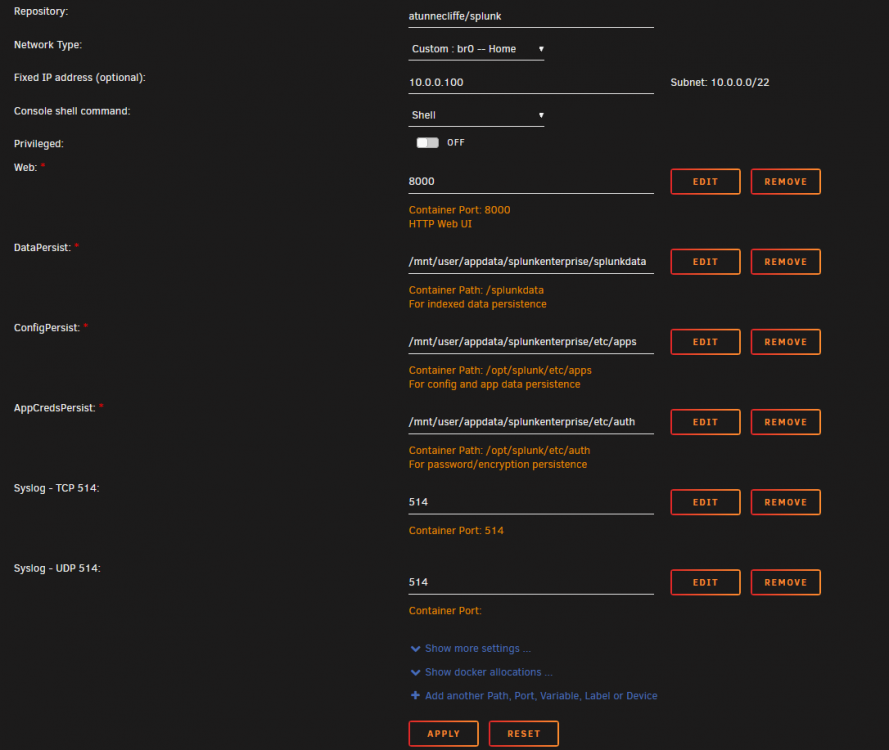
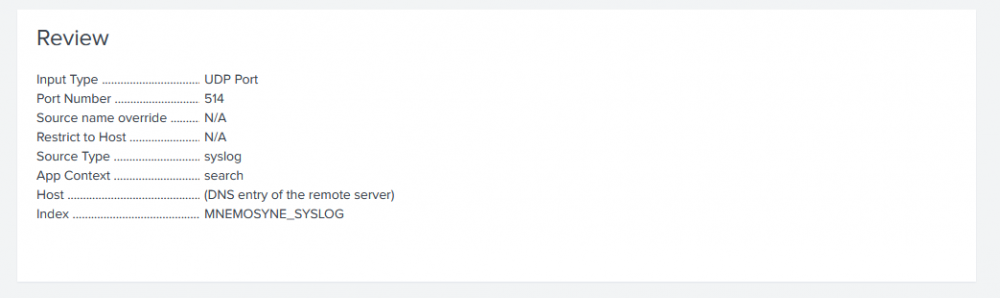
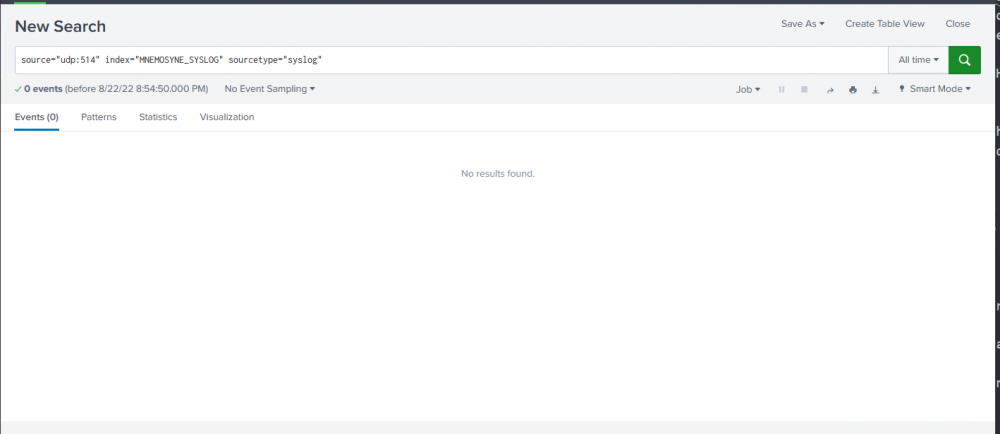
Hi Andrew, Here is an example pics of my config for the container and my config on the Splunk file. Nothing coming through on either UDP or TCP when I try either.
-
Trying to do this finally -, and of course that is its own project...
-
Hi I just set it up and am trying to send my unraid remote syslog to it, but no messages are coming through. I set it for a br:0 address, opened up port 514 TCP which is what I am sending from unraid on. Anything I am missing?
-
No UI elements were working, couldn't figure out what was going on and had to do an unclean shutdown. Rebooted the system at 11:05am PT Anyone able to tell why from the attached diagnostics? mnemosyne-diagnostics-20220716-1107.zip
-
So how do I get back to a default network config?
-
OK - I have no idea where the virbr network comes from. In all transparency, besides eth0, eth0.20, and wg, I have no idea what the rest of these are or what they do. This image worked fine until I stopped bridging my SFP+ ethernet with the not plugged in onboard ethernet. So do I have to modify each and every VM i installed and that was working? Why? My table looks like this:
-
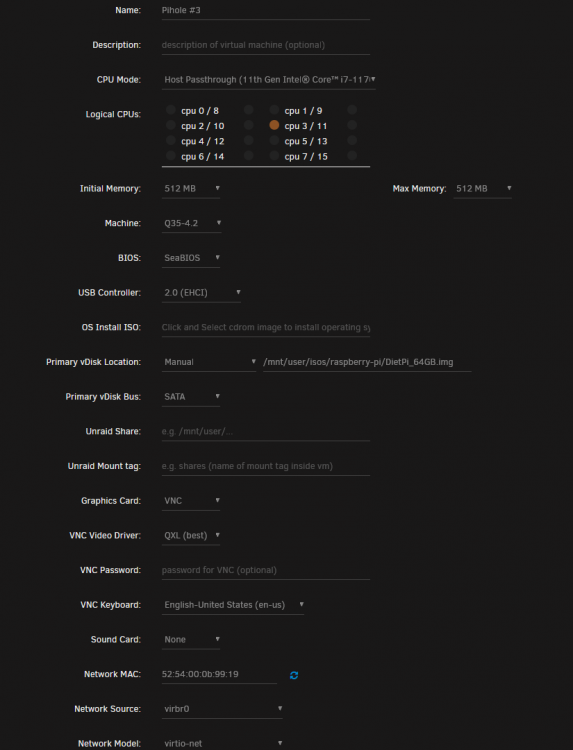
I have several VMs and since I switched off of bridge to a single ethernet connection, they just don't seem to want to get an IP. Before I switch back to the bridge setting, I want to make sure I understand what is going on. Attached logs and some screenshots of one of them. mnemosyne-diagnostics-20220622-1110.zip

-
I updated the OS manually because the update would fail through the UI - but I think those were the same issues. I think I'll use this opportunity to recreate my dockers on xfs and hope that is it. I noticed that docker is not using the right runtime for one of the errors. I think I fixed the br0.20 errors which happened from when I switched over to my SFP+ card. I'll see if I can catch a video of it happening again.
-
Here they are! Also just noticed that half my dockers say no container after reboot. I feel like my system is just falling apart! mnemosyne-diagnostics-20220617-1254.zip
-
I was having a weird issue before which I thought I had managed to fix, but apparently not. I manually upgraded my system to 6.10.3 and now the UI crashes and other functions don't work correctly. Even to get diagnostics to download, I have to do an unclean reboot since the reboot crashes. I have no idea what is wrong. Diagnostics are attached. mnemosyne-diagnostics-20220617-1246.zip
-
After attempting the update, I went back to download diagnostics and back to post 1. So definitely no idea what is going on here.
-
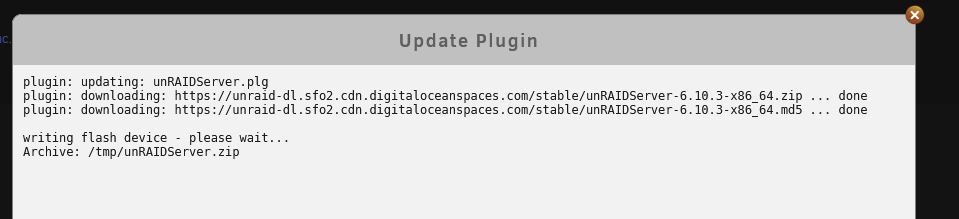
But now it still seems to get stuck here:
-
OK, had to do an unclean reboot and got diagnostics, but then it failed as indicated below! mnemosyne-diagnostics-20220615-1503.zip
-
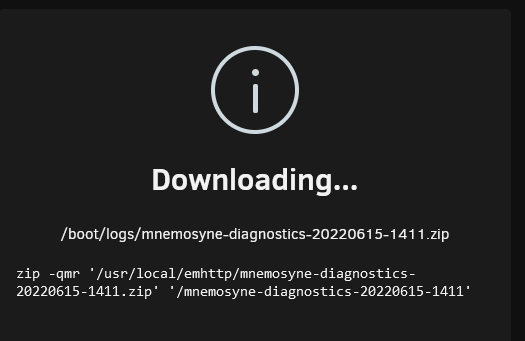
I went to update my array and it wouldn't load the screen from the Update Assistant, showed a 520 Bad Gateway. So I thought, okay,s something flaked and I'll just reboot and hope for the best. Well I can't stop the array or reboot from the interface either. I tried poweroff from the command line. No joy. I tried downloading diagnostics and it gets to the following image and gets stuck here:
-
Yeah - I will change it. I believe the last time I just upped it since I didn't have time to deal with the log issue and then fixed the log issue and didn't downsize. But I guess I'll reduce it back. Thanks!





