





digitalfixer
Members
-
Joined
-
Last visited
Everything posted by digitalfixer
-
Using 6.0.4rc3 with the Gray theme I see some alignment issues from about half way across the screen. This is on 1440x900 laptop. Screen shot included. Kevin.

-
All good now. Thank you. Now if there was a way to figure out what was accessing the files listed. Kevin.
-
This file now shows 14 disks but the activity log only ever goes up to disk 9. Nothing is shown for anything higher. Kevin
-
The file /tmp/file.activity/file.activity.disks is only picking up the first 9 disks. I have 14 in my array. Kevin
-
I don't have a screen attached to my server so no console. I have theses 2 lines twice in my syslog Feb 19 13:05:34 Tower inotifywait[22253]: Failed to watch /mnt/disk3; upper limit on inotify watches reached! Feb 19 13:05:34 Tower inotifywait[22253]: Please increase the amount of inotify watches allowed per user via `/proc/sys/fs/inotify/max_user_watches'. Stop and start made no difference. Kevin Solved. Doubled the number of inotifywait max_user_watches and it is now running properly.
-
I have no line like that in Tools->Processes. Plugin is showing as running. Array has 16 drives including 2 parity. I have also tried stopping and restarting it. Still no inotifywait line. Kevin.

-
I have the same problem. I've tried different browsers but nothing is showing on the array for file activity I'm not using the cache for any shares. Kevin.
-
Thank you for that. Kevin.
-
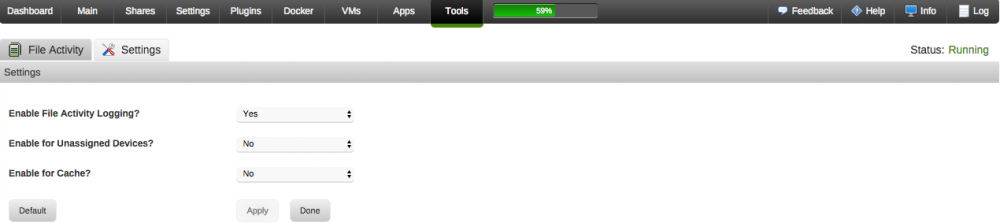
I'm not sure I'd automatically exclude SSD media but being able to exclude UD and/or Cache would be perfect. Kevin.
-
Is it possible to have settings for this so that each part of the array can be unselected. My reasoning for this is that compared to Plex appdata on the cache drive and mv vm's on an unassigned device the main array gets very few read and write requests and I've found that they can get lost in the noise produced by the other two. Kevin.
-
I have version set to plexpass. Kevin.
-
All good now. Kevin.
-
Version 2016.10.15 of Bleeding Edge is giving me a bad md5 error when I try to update. Kevin.
-
Thank you. Kevin.
-
I'm using this plugin just to get a display of my fan speeds and cpu temps. On the dashboard display it causes a shift in the ups status part. See this post. http://lime-technology.com/forum/index.php?topic=36543.1425 When I remove the IPMI plugin the display is correct again. Kevin.
-
I figured it out. It was caused by the IPMI plugin. Removing that fixed it. I'll pass this on to the IPMI topic. Kevin.
-
I think I'll wait for bonienl to answer that one. Kevin.
-
I don't know if this is happening to anybody else but the text for the ups display on the dashboard is offset to the right. It's been like this for a while now. I have the latest bleeding edge installed. Kevin.

-
After going through the manual and the Motherboard manual + a search online it seems that the fans can only be controlled by the bios. Kevin.
-
I have the plugin installed. This is the output from ipmisensors ID | Name | Type | Reading | Units | Event 1 | CPU1 Temperature | Temperature | 40.00 | C | 'OK' 2 | CPU2 Temperature | Temperature | 53.00 | C | 'OK' 3 | TR1 Temperature | Temperature | 58.00 | C | 'OK' 4 | TR2 Temperature | Temperature | 58.00 | C | 'OK' 12 | +12V | Voltage | 11.71 | V | 'OK' 13 | +5V | Voltage | 4.99 | V | 'OK' 14 | +5VSB | Voltage | 4.99 | V | 'OK' 15 | +3.3V | Voltage | 3.31 | V | 'OK' 18 | CPU_FAN1 | Fan | 640.00 | RPM | 'At or Below (<=) Lower Non-Recoverable Threshold' 19 | CPU_FAN2 | Fan | 640.00 | RPM | 'At or Below (<=) Lower Non-Recoverable Threshold' 20 | FRNT_FAN1 | Fan | 640.00 | RPM | 'At or Below (<=) Lower Non-Recoverable Threshold' 21 | FRNT_FAN2 | Fan | 640.00 | RPM | 'At or Below (<=) Lower Non-Recoverable Threshold' 23 | FRNT_FAN4 | Fan | 640.00 | RPM | 'At or Below (<=) Lower Non-Recoverable Threshold' 24 | REAR_FAN1 | Fan | 640.00 | RPM | 'At or Below (<=) Lower Non-Recoverable Threshold' Under Settings/Fan Control Fan Settings says Your board is not currently supported Kevin
-
What information would you need to add an Asus Z9PA-D8 with a ASMB6 iKVM module installed. I have a manual with what I assume is a complete sensor table list. Kevin.
-
This is a simple shell script that I use. #!/bin/bash # ========================================================================== # # Program Body # # ========================================================================== # ((!$#)) && echo No Directory supplied! && exit 1 dir="$@" echo $dir echo "Removing .DS_Store files" find "$dir" -name ".DS_Store" -exec rm '{}' \; -print echo "=======================" echo "Removing ._ files" find "$dir" -name "._*" -exec rm '{}' \; -print I run it as ./rmdotstore.sh /mnt/user/directoryname I don't run it against the whole tree because I've seen ._ filenames inside plex and there may be others as well. Kevin.
-
Thank you. /plexwatchdb is mapped to /mnt/cache/DockerAppData/plexWatch/ When I try to import using the following location and file it tells me it's invalid. /plexwatchdb/plexWatch.db How do I find out if the db version is correct. Kevin.
-
I have plexWatch installed and running. How would I specify the path to the database to import it into plexpy. Kevin.
-
Thanks for reporting, I have made an update which corrects the wrong display. All good now. Thank you. Kevin.


