





loady
Members
-
Joined
-
Last visited
Everything posted by loady
-
Yes...where did that come from !!....seems to be fine now...thanks. I got 2 mo4re drives trying to pass pre clear..lets see if i can add them properly
-
Sorry if i wasnt clear. i had the drives in UD initially and was using the pre clear whilst they were mounted there, after they finished pre clear i formatted them whilst still in UD, i then stopped the array and assigned them to the slots i wanted, then i started the array and they started pre clearing again, i was under the impression that once they are pre cleared they have a special signature on them so they dont get pre cleared again, anyway i let it carry on and after finish they were part of the array and saying unmountable, as i said, these disk have nothing on them.
-
i got some second hand drives, they were pre cleared successfully, i put assigned them to the next available slots and they started to rpe clear again so i left it to finish, after that they were showing in the array but they say unmountable, they were formatted with XFS, there is nothing on them so i am not worried about trashing them again...when i went to format them i was prompted to install destructive mode on UD which i did, they seemed to format fine....how do i get these drives added into the array, currently they show as missing drives if i unassign them. diags attached. warptower-diagnostics-20211016-1048.zip
-
so 3 of the drives have passed pre clear, i assigned them to slots and started the array, they are showing as new devices and unraid is pre clearing them again...i thought once they were pre cleared unraid would know and not do it again ?
-
and this drive seems to have finished but not sure if theres anything wrong with it persay or its ready to go in, theres no log available to download anymore so i copied it.. ############################################################################################################################ # # # unRAID Server Preclear of disk WD-WCC4N1HHRPPY # # Cycle 1 of 1, partition start on sector 64. # # # # # # Step 1 of 5 - Pre-read verification: [7:45:49 @ 107 MB/s] SUCCESS # # Step 2 of 5 - Zeroing the disk: FAIL # # # # # # # # # # # # # # # # # # # # # ############################################################################################################################ # Cycle elapsed time: 13:59:46 | Total elapsed time: 13:59:46 # ############################################################################################################################ ############################################################################################################################ # # # S.M.A.R.T. Status (device type: default) # # # # # # ATTRIBUTE INITIAL STATUS # # Reallocated_Sector_Ct 54 - # # Power_On_Hours 4677 - # # Temperature_Celsius 31 - # # Reallocated_Event_Count 2 - # # Current_Pending_Sector 0 - # # Offline_Uncorrectable 0 - # # UDMA_CRC_Error_Count 1 - # # # # # # # # # # # ############################################################################################################################ # SMART overall-health self-assessment test result: PASSED # ############################################################################################################################
-
i bought a few drives and a RAID card second hand, the card gets power but doesnt show nor detect any drives, i was told it was in IT mode but they showed me the link to it from aliexpress and i dont think it is, it actually states it on the listing, i think theres a bit of confusion to what IT mode is, heres a link to the actual card he bought originally... https://www.aliexpress.com/item/4000065128684.html?spm=a2g0s.9042311.0.0.10ad4c4dETZLat Now i was warned about buying these cards from china as they are usually fake, thats not an issue for me as long as its working, he told me that it worked in his system.... https://gyazo.com/409d7a818b1ddd247874a78f0a63625e He is happy to take it back but i would prefer to use it as the SAS ports are on the back of the card, a spare one i am using right now has the ports on the top and cable doest quite reach without stressing it. If it is the fact that it isnt in IT mode or the correct IT mode for unraid, is it easy to flash ?
-
Couldnt get on with the docker but the plugin is fantastic. i have all drives pre-clearing since yesterday, however i have an error on one drive, i bought 4 second hand 3TB drives, i have the log but i cant decipher the problem, is unraid saying its no good for use in unraid or is it saying its bad and going to die ? its stopped the pre clear for that drive. i didnt format these drives or do anything with them, i just put them in and let preclear get on with it. preclear_disk_Z5022JYN_32369.txt
-
https://gyazo.com/12660b2d87400a0447afad5e74c1b7c8 That being the plugin, bottom left ?...ill try the docker, but do i still have to use screen or will the docker or plugin do all that ?
-
I just put 5 3tb drives into my server, its been a while since i did this and last time i was using screen so i could carry on using the array, i noticed that there is a preclear tool built into unraid now...do i just use that and can i do all 5 drives at once...i think i have the horse power, i could do 4 as i know one of them was spat out by the server when i was having power issues but i want to double check it is ok.
-
The array is anting to perform a parity chaeck, i let it start but by the morning i cant access the array so not sure evgen if its finished, i have to hard shutdown the array which envokes another parity check... diags attached after hard restart warptower-diagnostics-20210815-1320.zip
-
when i log in to the webUI from within unraid, it is saying in the browser that is not secure, i have setup ssl on unraid. if i log into plex.tv it is secure, whstndo i need to do to make access via the dowcker webUI secure as well
-
i have this up and running, its seems to be doing its job, i hope i set it to set tag and rename tracks/albums in my /mnt/user/music directory, its letting me apply changes but it seems to be removing the tracks from thier folders but they are not being placed anywhere i can see...any idea what i am doing wrong ? i did ....... beet import /music
-
Can anyone help me with this, or point me to where i should be looking, i can only get servers to show after changing permissions but after reboot permissions are getting reset for the folder, i know its something with my unraid setup now
-
I have been playing about, i can get the servers to show up after a reboot now, but i have to change the group/user properties to 1000:1000, however, after a reboot they are going back to nobody:99 and group:users100
-
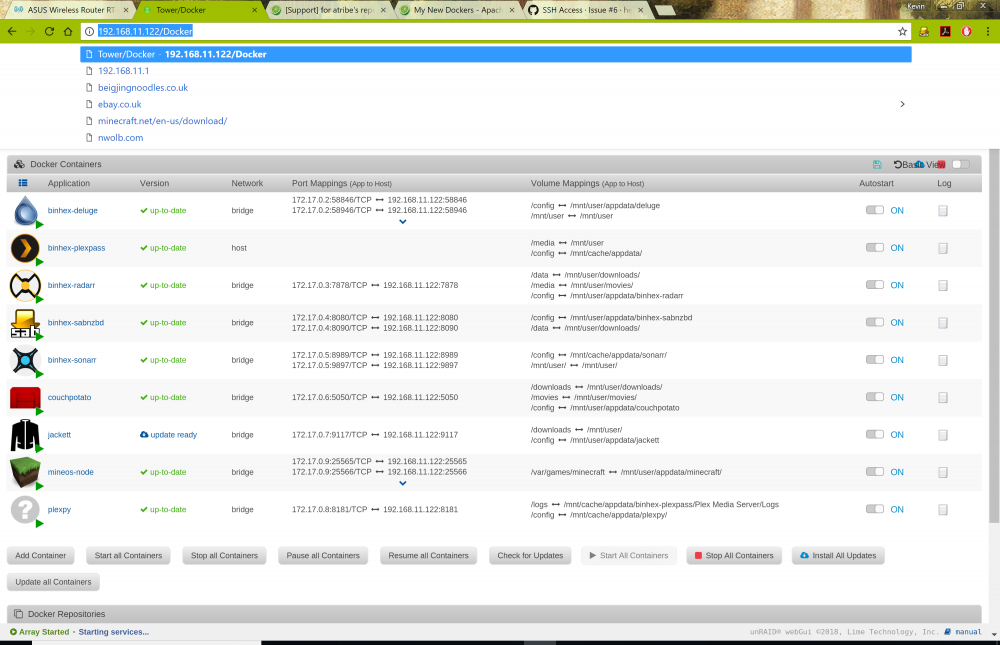
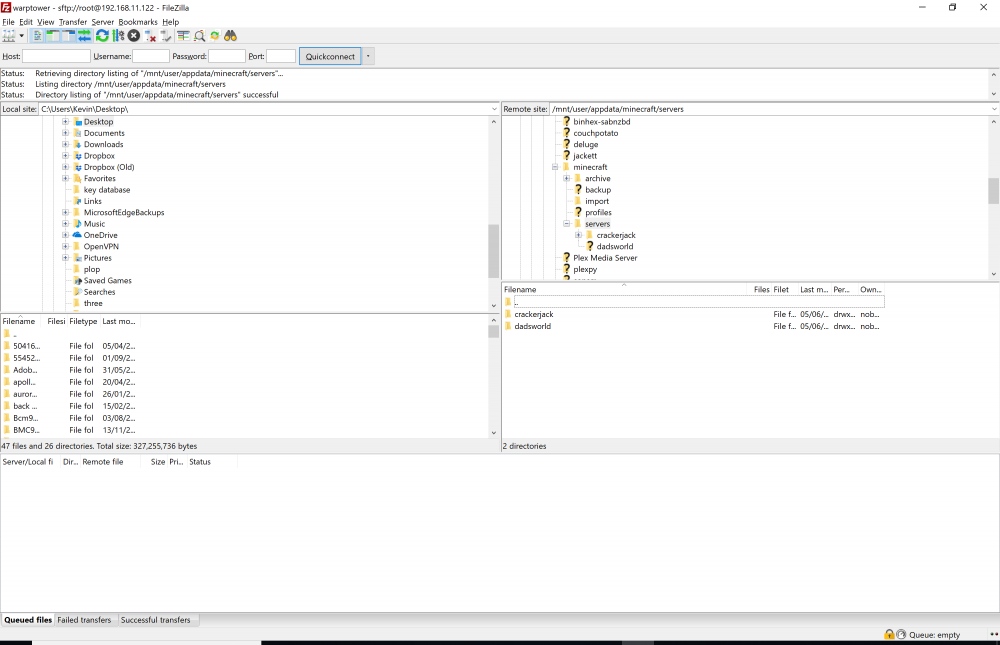
all my docker container persist (i believe) as i have no issues with any other dockers. You can see the servers i created in the servers folder, they just dissapear from the GUI
-
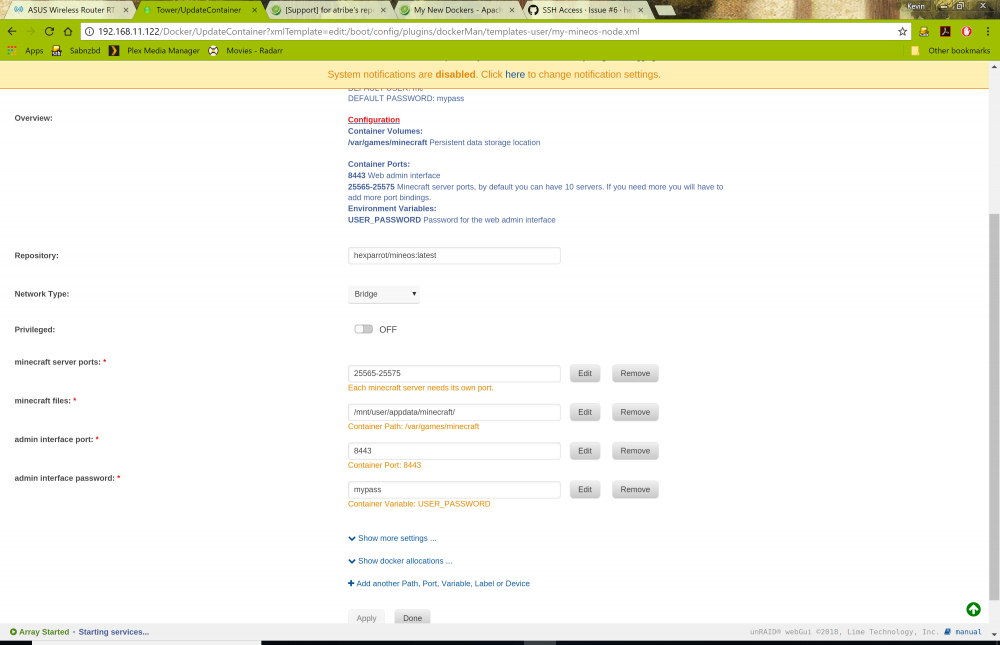
well i installed hexparrot docker, alas, i have the same issues, can create servers and the files persist in /mnt/user/appdata/minecraft/servers but they do not show up in GUI after a reboot...wtf !
-
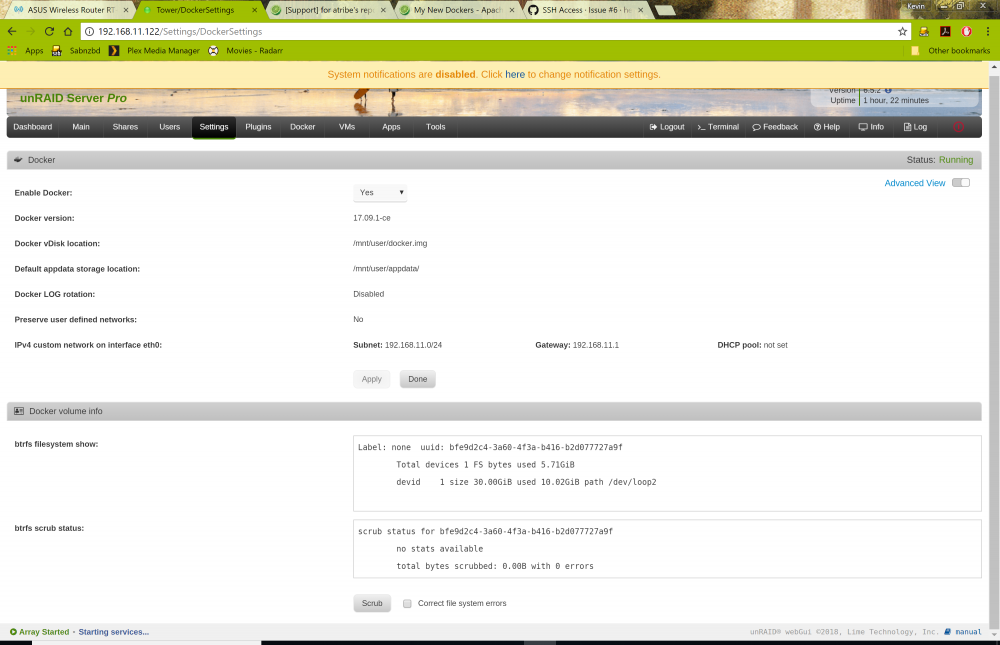
hi, i have installed the minecraft docker, i noticed its very similar to another minecraft docker i tried, i am having the same issues as i had previously with other dockers, any minecraft servers i create and not surviving a reboot of unraid, i can see the servers if i FTP to server folders and they persist, just not in the GUI, its clearly something with my setup but i cant see it... i have it set to /mnt/user/appdata/minecraft and my appdata folder is set to cache only
-
i shall give that one a try, i did try the mcmyadmin docker which seemed to work as far as the docker is concerned, i could create a server and it was running but i couldnt connect to it with MC, i am using a modded MC, hacked, if you prefer, and when i was using minecraftOS i had to set online mode to false to be able to connect to it, i cant see that option on mcmyadmin and i got mo help from mcmyadmin forum as they said they dont support piracy, i tried to explain i have paid for it on most platforms and wasnt forking out for PC version unless i knew it worked.
-
I dont have permissions set on mine, post up a log for one of the other guys to look at. What is radarr doing if its not renaming them how you want ?
-
Missed this reply. I looked for other minecraft dockers but only found pocket edition and nodes. would i need to add a different repository
-
have updated unraid, i rechecked permissions again and they are set to 0777 now but still showing as group: users [100] and owner: nobody [99], albeit 0777, im also performing it again and see what happens. EDIT: Ok, tried again and again its gone back to group: users [100] and owner: nobody [99] but permissions for that are now 0777, its weird, for every server i created they appear in server folder and have files inside them
-
not sure where to find "show more settings". setting owner and group to to root seemed to complete and upon refreshing properties they show as root and 0777 permission, but alas upon unraid reboot the have gone again and server properties/permissions are back to group: users [100] and owner: nobody [99],
-
As i mentioned, im doing this remotely, my estranged wife has switch off the server, i will do this tomorrow and post up, thanks for your help thus far.
-
Oh well, permissions set but the servers are not surviving a reboot of unraid EDIT: I think i was setting permissions to server folder only DOH! now doing it on /minecrasftos folder, im performing this remotely over VPN, think it might be a while ...maybe i should do it locally when i can get there
-
hmmmm....i using winscp to try and set permissions again, im trying to change group and owner to root0, currently they show as group: users [100] and owner: nobody [99], when i type in root0 i get this error... "current session allows changing ownership by UID only. It was not possible to resolve UID from account name "root0". Specify UID explicitly instead" As they stand originally i can see they are set to 0777, not really sure what im doing here.


