





Wetterchen
Members
-
Joined
-
Last visited
-
can confirm.
-
I have that problem too and it caused my log to fill up.
-
It might be a coincidence but PIA recently changed many of its server URLs; in my case the specific URL was no longer listed. Perhaps the old URL continued to work until the upgrade because the session was still active, and the connection was dropped during the upgrade. In the "old" configuration the server was specified including the :1337 port—this is no longer necessary.
-
I have the same problem. After change the Endpoint Server to a new one without Port in my wg0.conf its running again. https://forums.unraid.net/topic/75539-support-binhex-qbittorrentvpn/page/202/#findComment-1622597
-
Uninstall the plugins first and then reinstall them via CA. This will resolve the pending issue.
-
It seems that the Unraid API RE Docker with the new Unraid 6.12.11 Version triggers a shutdown if the Dynamix System Buttons plugin is also installed. It causes the system to simply reboot or shut down as soon as the array is running. I had to go back to 6.12.10 to get the system running normally again IP 172.17.0.2 is the Unraid-API RE Docker. The Error triggert on 00:37:44.
-
Thank you very much SimonF 👍
-
Confirm thats plugin is not working on 6.12 anymore. So i hope somewhere can update this plugin.
-
Ah, okay, danke. Sofern Unraid das beim Update in der nächsten Final sauber übernimmt, bin ich da wieder beruhigt. Ich hatte jetzt nicht das Gefühl das die bisherige Umsetzung für Anfänger unnötig kompliziert war. Es ist ja immer die Frage welchen Weg man nehmen muss, um "seine" Präferenzen für den Unraid Betrieb einzustellen. Da ist es vielleicht Anfangs schwer durchzusteigen, besonders wenn man nur die Windows oder Mac Welt kennt, aber wenn man z.B. noch nie was von den ZFS Pools gehört an, dann dürfte die Lernkurve in Etwas gleich sein.
-
Brr. Liest sich für mich komplizierter als es ist. Warum heißt sowas "Prime" und "Second". Hä? Ich hab Platten, das soll mit Parity geschütz werden und jut. Die Cache hilft mir um die genannten Beispiele flüssig laufen zu lassen und ohne die Platten die ganze Zeit drehen zu lassen. Nun muss ich erstmal nen halbes Diagramm entwerfen um zu schauen was ich dann alles anpassen darf Ich sehe schon die Unraid Facebook Gruppe mit noch mehr Fragen/Missverständnissen diesbezüglich explodieren.
-
Thanks, the new version fix the blank page!
-
Maybe does that help you? I try to make a CA Log but i cant find any ca log in Logs Folder. so we can try a Teamviewer Session.
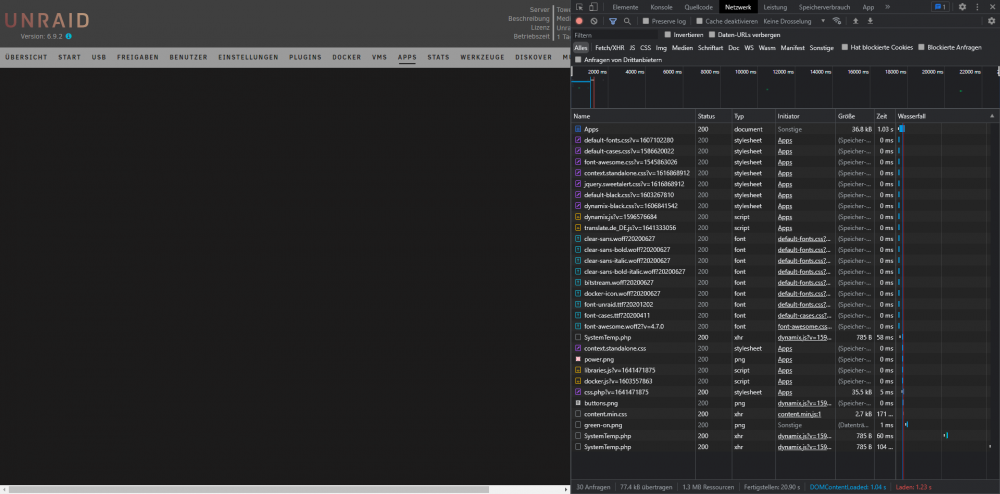 I did this allready but no change. I test [code] wget -O /tmp/community.applications-2022.01.06-x86_64-1.txz https://github.com/Squidly271/community.applications/raw/master/archive/community.applications-2022.01.06-x86_64-1.txz installpkg /tmp/community.applications-2022.01.06-x86_64-1.txz [/code] but nope its still blank page. Only a older Version of CA is working.No its not spinning after load the blank page in 1sec.


