





OsoPolar
Members
-
Joined
-
Last visited
Everything posted by OsoPolar
-
I have now cheers i don’t tend to look at text above graphics. But good point
-
Is the script on page 1 still valid? I have not got the time to go through 104 pages sorry
-
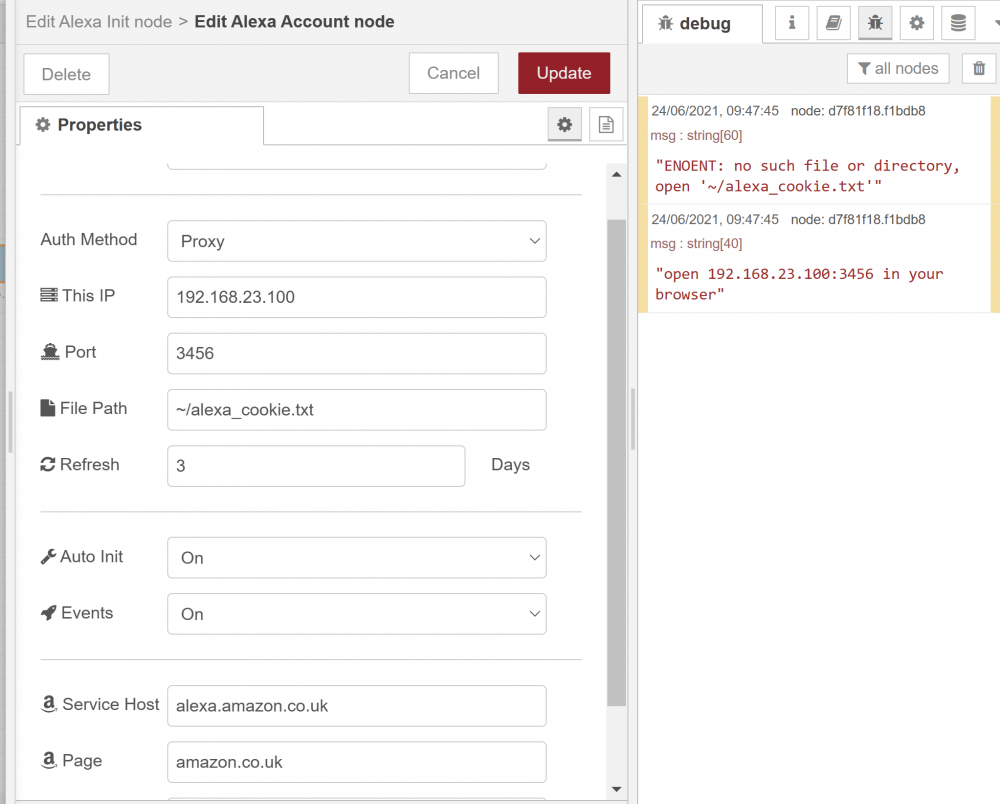
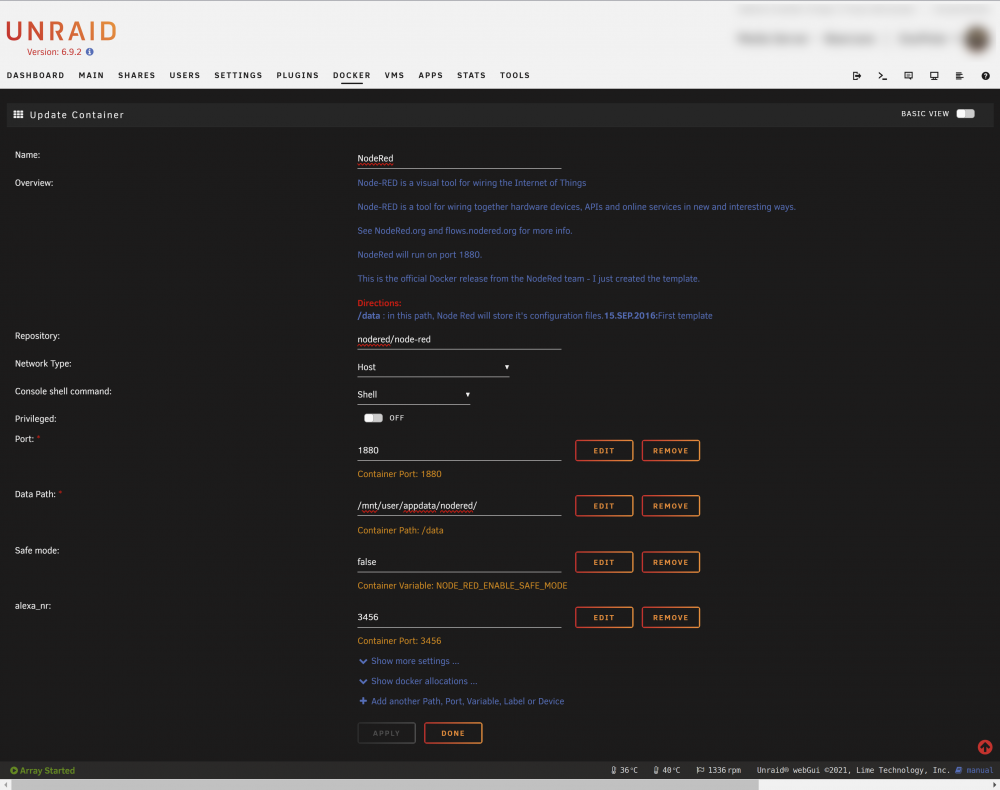
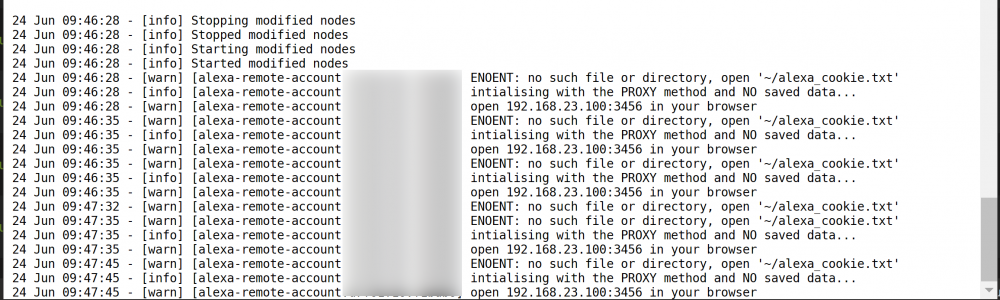
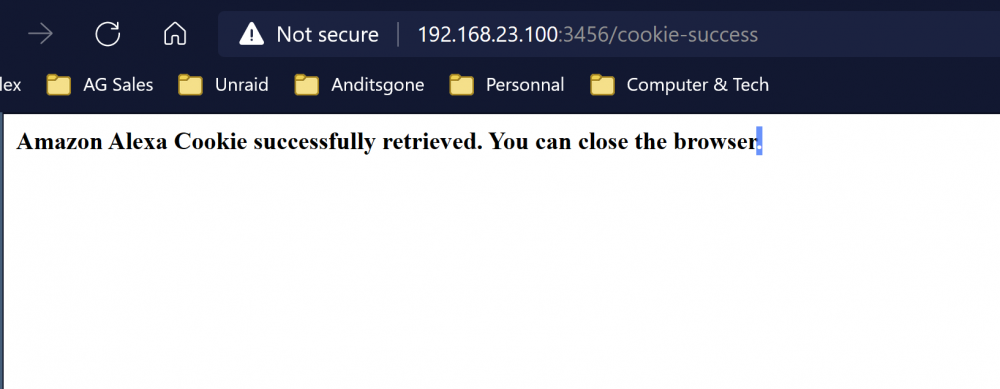
HI Guys i setup a Node Red Docker last night on main PC and added an additional port to get access for my Alexa Pluging with a local IP http://192.168.23.100:3456/ and i could get to page and login to authenticate alexa cookie It keeps kept confirming with Alexa the cookie was saved. But NR kept reporting i needed to do it again it would not connect?
-
Did you get chance to read my reply
-
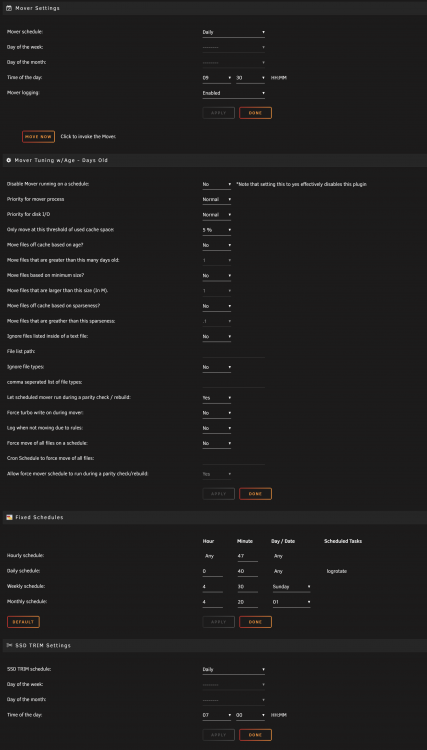
HI I changed from 0% to 5% and this kicked it moving but still not sure it is actually working properly. It keeps filling up and stopping please see my settings attached. It had been running 30 hours i had to reboot it because it was moving nothing but Move remained greyed out. You can see i already have 1 day set! Note even though changing the % or time get it moving. When it finishes if i go back and hit move again it fails! Whatever i change now it makes no difference will not manually move New log
-
HI Back to having major issues with plugin updated and now keeps screwing up system I cannot get Mover to work from button i get Apr 8 13:46:40 Bearcave root: cat: /boot/config/plugins/ca.mover.tuning/ca.mover.tuning.cfg: No such file or directory Apr 8 13:46:40 Bearcave root: cat: /boot/config/plugins/ca.mover.tuning/ca.mover.tuning.cfg: No such file or directory Apr 8 13:46:40 Bearcave root: /usr/local/emhttp/plugins/ca.mover.tuning/age_mover: line 181: [: 26: unary operator expected Apr 8 13:46:40 Bearcave root: cat: /boot/config/plugins/ca.mover.tuning/ca.mover.tuning.cfg: No such file or directory Apr 8 13:46:40 Bearcave root: cat: /boot/config/plugins/ca.mover.tuning/ca.mover.tuning.cfg: No such file or directory Apr 8 13:46:40 Bearcave root: /usr/local/emhttp/plugins/ca.mover.tuning/age_mover: line 181: [: 26: unary operator expected Apr 8 13:46:40 Bearcave root: cat: /boot/config/plugins/ca.mover.tuning/ca.mover.tuning.cfg: No such file or directory Apr 8 13:46:40 Bearcave root: cat: /boot/config/plugins/ca.mover.tuning/ca.mover.tuning.cfg: No such file or directory Apr 8 13:46:40 Bearcave root: /usr/local/emhttp/plugins/ca.mover.tuning/age_mover: line 181: [: 26: unary operator expected Apr 8 13:46:40 Bearcave root: mover: finished Apr 8 13:47:19 Bearcave ntpd[1601]: kernel reports TIME_ERROR: 0x41: Clock Unsynchronized
-
Will it still work correctly? When you say ignore are we expecting a fix over this issue?
-
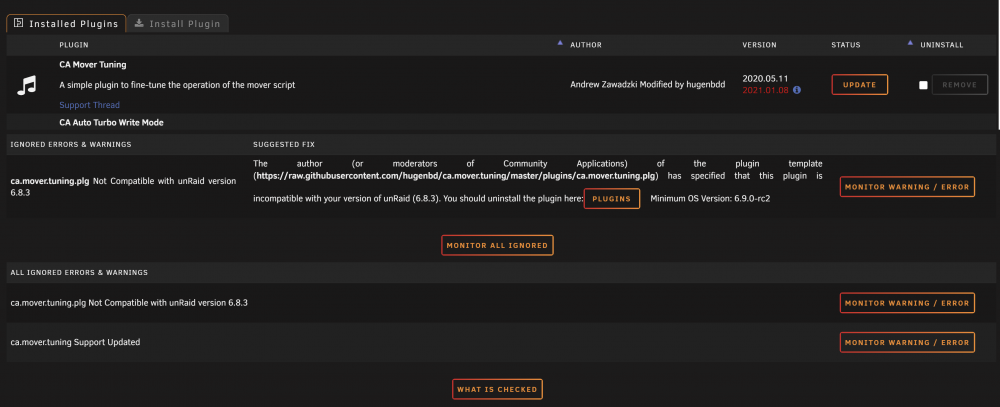
HI Guys Need a little guidance please (semi newbie) I have the correct version of the plugin for 6.8.3. But i am getting errors messages can you help me whey this is happening? See image here
-
Has anybody worked out how to update the containers correctly and hide the errors?
-
I agree it is very messy and disjointed when you can use the website far easier. If you link tinkering and having errors all over the place it is ok . But i have OCD i cannot stand errors and messages and fix buttons that don’t work all over my dashboard. I think it's going to have to go unless I fix is possible.
-
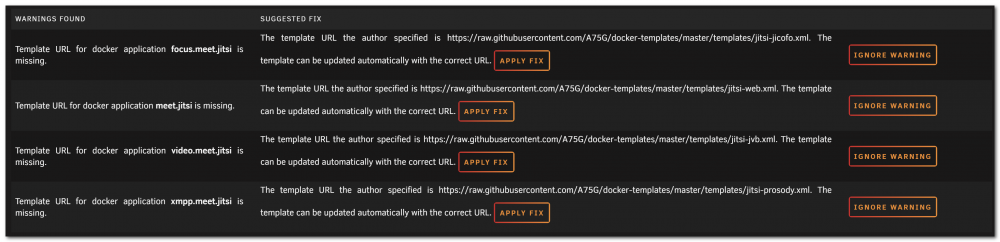
HI Guys Mine works just like it says on the tin from the video But i am seeing some errors in Fix common problems Has anybody got the same errors and how do you fix them. Do not say hit the Apply Fix button as it does not work Please can you explain how to fix this issue if you have managed to fix it?
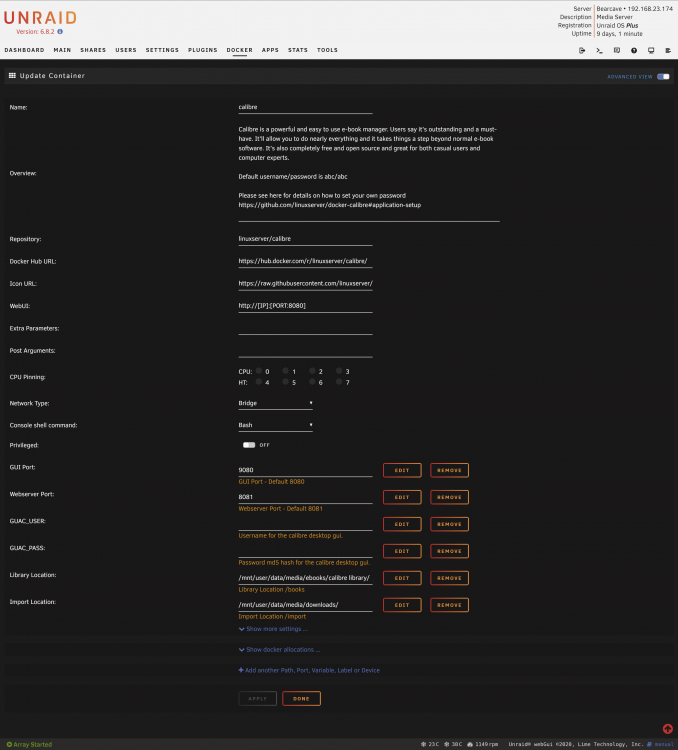
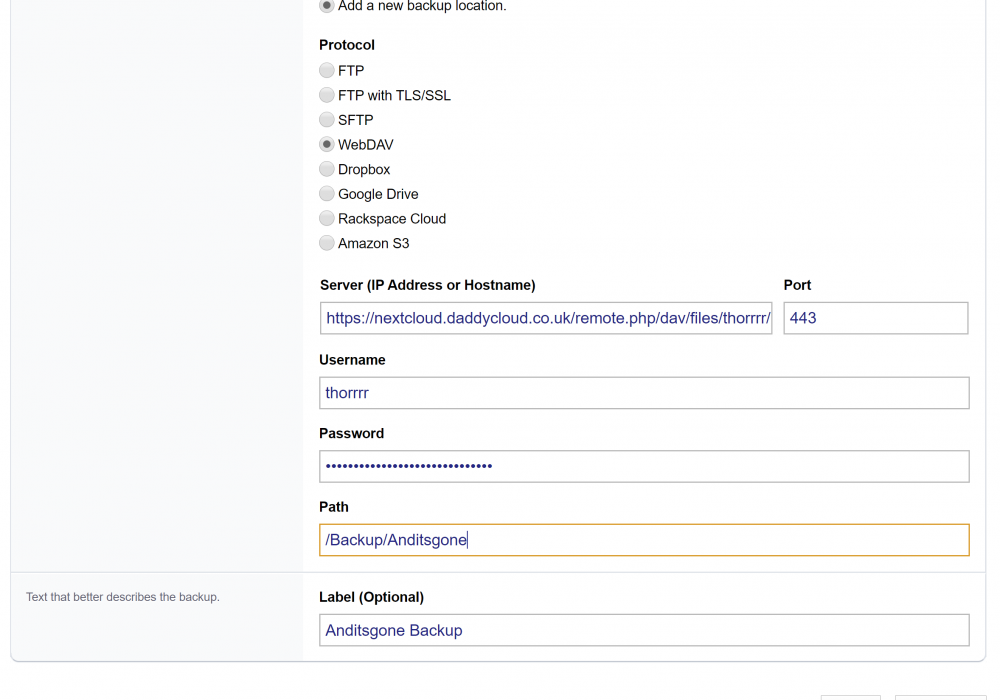
 HI I have managed to get a set of logs from my hosting server showing the attempt connection to Nextcloud. Still not working the Installatron people are saying they have 1000's used WebDav so i am stumped. Nextcloud forums are very quiet so hoping for some more help here AG NextCloud WebDav.zip Reply from their Devs Something I noticed is that nextcloud.daddycloud.co.uk is a NextCloud website, and even nextcloud.daddycloud.co.uk:443 (the webdav port) redirects back to nextcloud.daddycloud.co.uk – so is the webdav server behind the NextCloud login? If it is then Installatron wouldn’t be able to access behind the login. Or are the webdav login and the nextcloud login one and the same? In which case, that’s very unusual." Also Hosting Specs on Server Server configuration Operating system: Operating system : CentOS release 6.10 Webserver : Litespeed Database server: MySQL 5.6 PHP Version of your domain: PHP 7.1.33 Default PHP version of the server: PHP 5.6.40 Nextcloud version: 18.0.1Fixed the issue it was the browser i was usingHI That would be great if you check my post above you can see my full paths and log if you need any further details let me know.HI Guys I have been trying for a few days to get this running. I was following SpaceInvaders tutorial but using your release. I have tried all the path solutions on here but it will not work!! I have tried all the settings from the video and note this is several years later and many of the paths added in that are a default here All i get is a 404 error???? calibre1.txt
 Hi I submitted a support ticket to Installatron who sent this back to me Something I noticed is that nextcloud.daddycloud.co.uk is a NextCloud website, and even nextcloud.daddycloud.co.uk:443 (the webdav port) redirects back to nextcloud.daddycloud.co.uk -- so is the webdav server behind the NextCloud login? If it is then Installatron wouldn't be able to access behind the login. Or are the webdav login and the nextcloud login one and the same? In which case, that's very unusual.If i check my properties on the laptop link it looks external Target https://nextcloud.daddycloud.co.uk/remote.php/dav/files/thorrrr Comment \\nextcloud.daddycloud.co.uk@SSL\DavWWWRoot\remote.php\dav\files\thorrrr If you try the https as above you get an error but if you remove remote.php/dav/files/thorrrr it lets you in??Is there not a difference doing a webdav link on an internal network as opposed to linking from an external host providers server?HI WedDav works fine on my Win LaptopPlease check my images the folders are there!!!!! There in place to input app token only have username & password
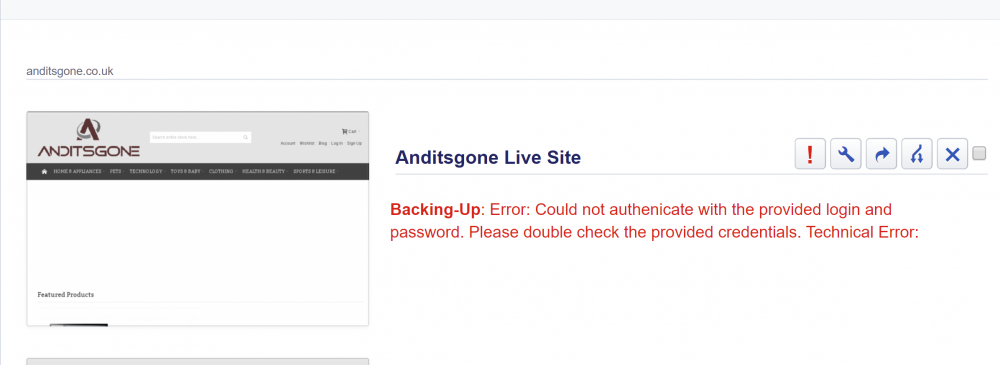
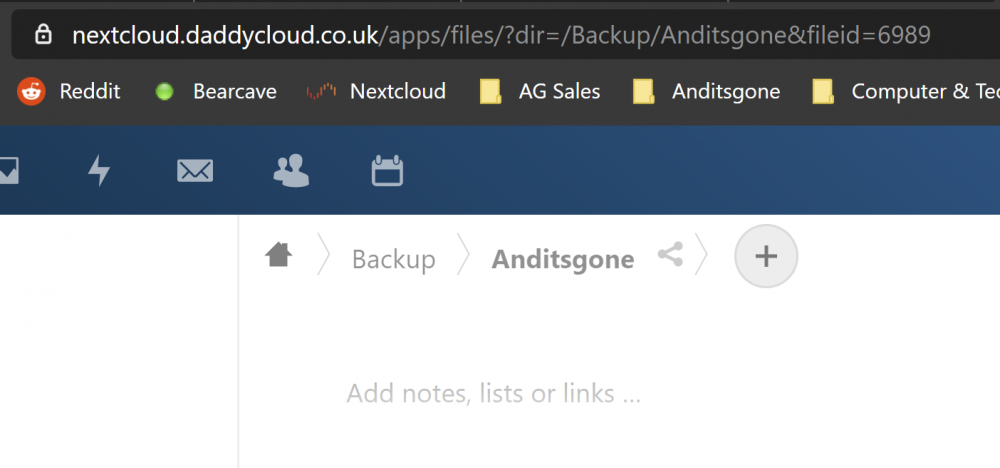 Hello We have no 2 factor setup yet. The folder is empty as we have not managed to get access yet! The requirement is to place a backup file in there each night.HI Guys I have been trying for a couple of days to solve a WebDav issue. My hosting supplier offers via cPanel an app callled Installatron which allows you to schedule backups of your site. I do this nightly and used to ftp it to my old Win server. But now running Unraid i saw an option to Webdav and Nextcloud had WebDav facility. I have followed and so have two senior 2 level server tech to make it work. I have obtained the WebDav link from within NextCloud used the relevant login details and i get the same error every time We have tried about 30 to 50 different ways of accessing my Nextcloud. We have followed the help guide from nextcloud Please can anybody show some light on the issue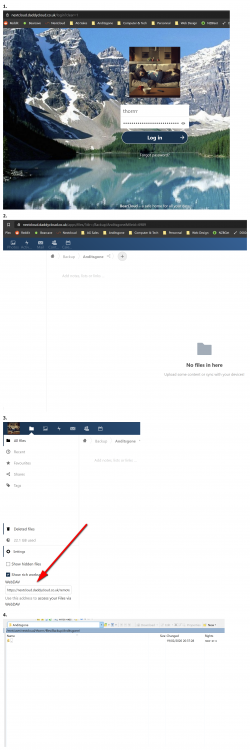
 Hello Guys I have followed the tutorial and fail at creating admin user I have all my details stored in password manager and in a notepad to cross reference But i keep getting this error Error while trying to create admin user: Failed to connect to the database: An exception occurred in driver: SQLSTATE[HY000] [1045] Access denied for user 'BearCloud'@'172.17.0.1' (using password: YES) or Error while trying to create admin user: Failed to connect to the database: An exception occurred in driver: SQLSTATE[HY000] [2002] php_network_getaddresses: getaddrinfo failed: Name does not resolve Also i see these errors /mnt/user/nextcloud/nextcloud.log nobody/users (99/100) 0640 /mnt/user/.Trash-99 nobody/users (99/100) 0700 Nextcloud log hereHI Guys I have just installed it and feel like there is a heavy drag on the mouse pointer! I am on a Dell laptop and it is unusable it feels like i am dragging the mouse through mud. Unless i am missing something or is there a setting to get it working please?





