danimal86
Members
-
Joined
-
Last visited
Everything posted by danimal86
-
i hope this isn't heading towards 0%
-
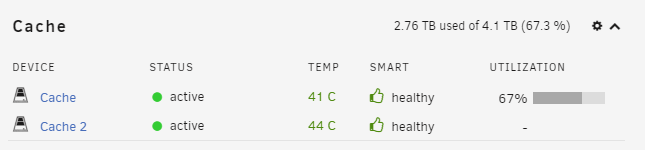
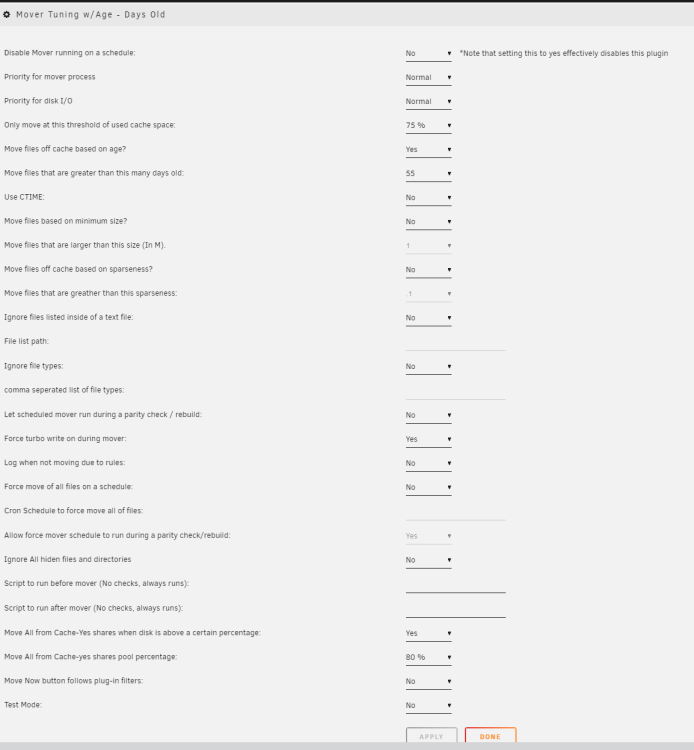
It doesn't even seem that the % is working. Its set to 75% but it just moved old media off and my cache is at 81% ultimately i would like the Move on this % set to 90%ish, that would leave me 400gigs, i dont think i'll download that much in 1 day. Edit: i may have spoke too soon....i think the mover is still going
-
Thanks! Where do the mover logs go? Thanks for everyones help, the test worked great...now i can fine tune the amount of days to keep media on based on how high i want the fullness to be. Right now i guess i'll shoot for around 85%, that would leave me room if i need to get multiple season or something.
-
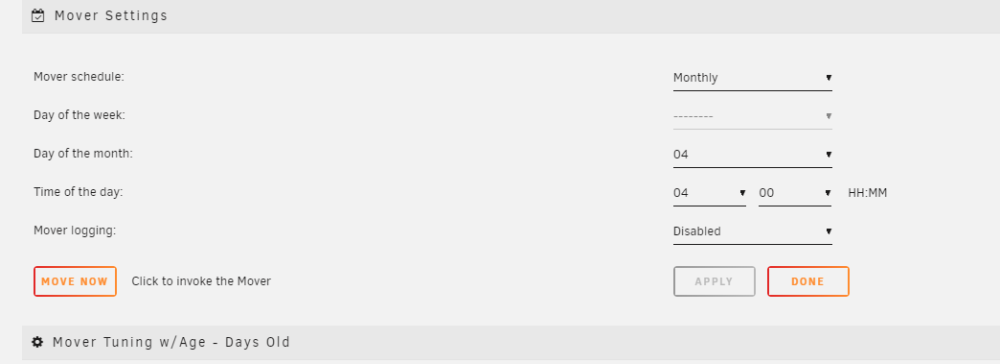
I changed the master schedule to daily in a few min....will test to see if it works.
-
I do have it turned on. Should i set it to something like "Daily" so that it will check for old media frequently?
-
Looking for some help on why my mover tuning settings aren't working. I've got 4tb cache and my idea is that it will keep new media on the cache drive for hopefully as long as possible so that no disks need to be spun up if you are watching something thats current (at least within the last few months). I looked at one of my directories on the cache and there's a file in there thats 68 days old. My cache is getting full so i've been dropping the "Move files that are greater than this many days old" down and clicking save thinking that it would drop the usage down but it doesn't. Is there a setting im missing?
-
Is there any way to see logs when a scheduled backup is running similar to how it does in when you manually run a backup
-
Is that really all i was doing wrong? When a scheduled backup is running, does it still show in the Information Window? Maybe its just going on behind the scenes? I set a backup to run a few min ago, and i can hear some movement from the drives on my backup server, but i dont see anything in LuckyBackups happening.
-
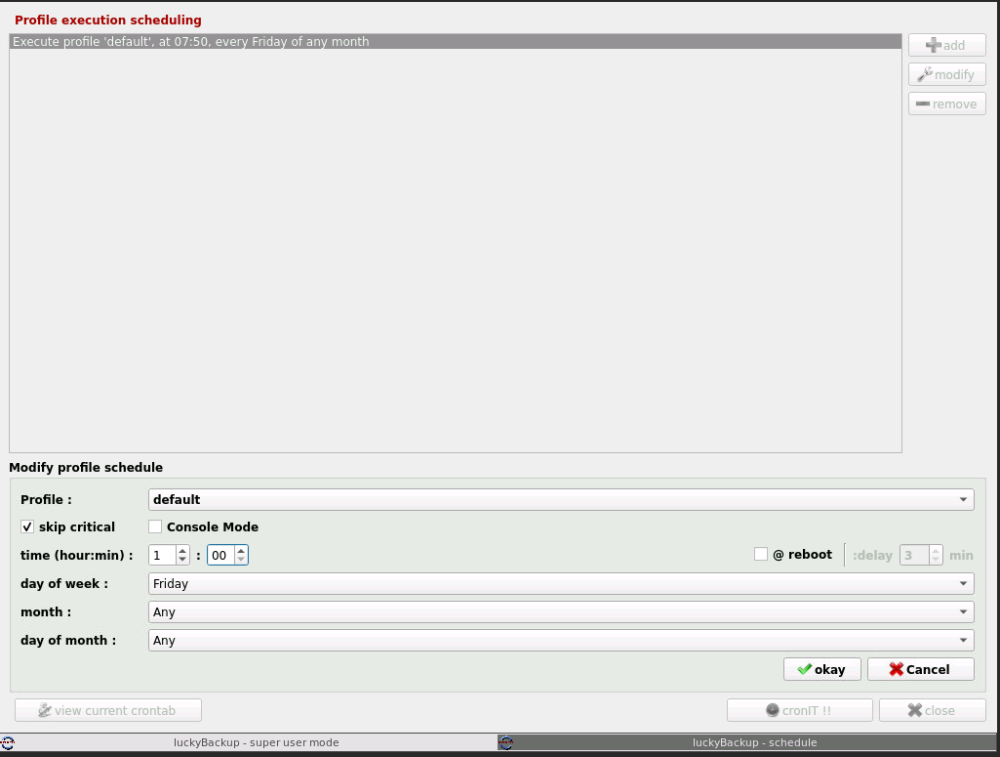
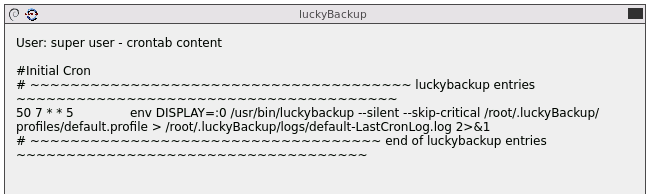
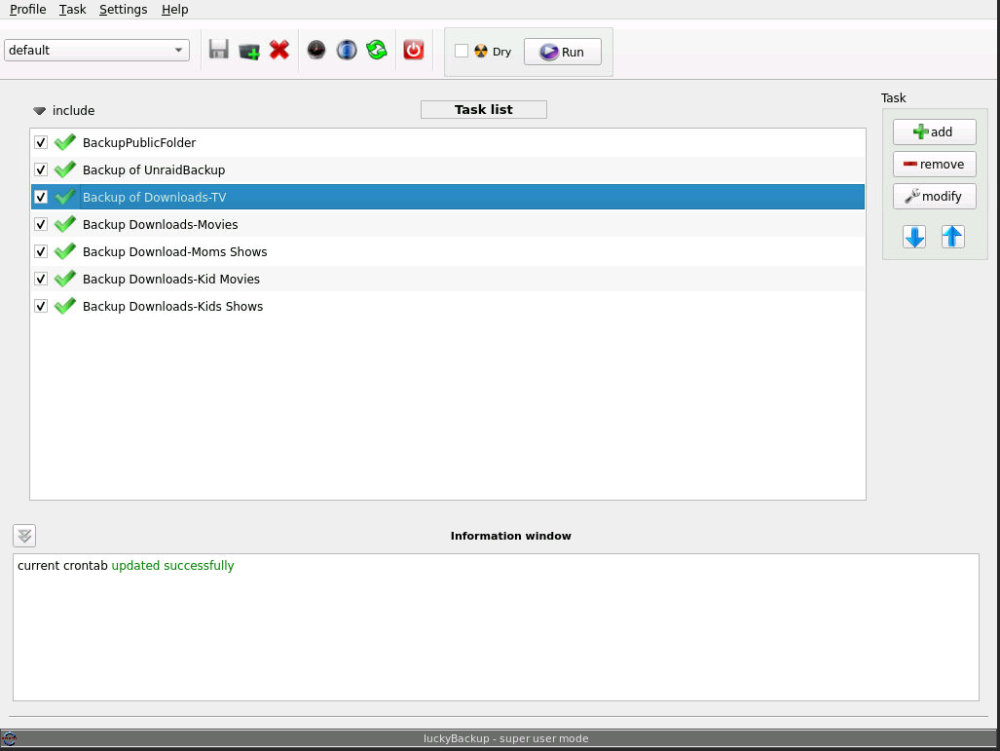
Sorry to bother you ich, i'm sure i'm doing something wrong. For the life of me, i cant get the scheduler to work. I've created a task for each of the folders i want backed up using the "default" profile. If i click RUN, it works just fine. I'm trying to setup a schedule for it to run all the tasks in the default profile every friday at 1am I click OK, and then cronIT !! and then i check in on friday morning and looks like nothing happens. What am i doing wrong? Here's what the crontab looks like
-
The message above is regarding preclearing SMR drives. I did a little research, is there an issue with the plugin and SMR drives?
-
Even the segmented/scheduled parity check?
-
was it the restart or the preclear that aborted the parity?
-
I did shut the system down to install the new drives, but was up and running well before the segmented parity check would have continued (at midnight for me) My preclear is done. On the dashboard under Parity tab it states: Last check incomplete on Tue 07 Feb 2023 05:00:01 AM PST (three days ago) Error code: aborted Finding 0 errors I'm running parity checks quarterly, so i'm due. I'm guessing i should add the precleared drives to the array and run a parity check manually. Just out of curiousity, i thought it was fine to preclear drives during a parity check. Is that not the case? I've included an updated diagnostic in case anything has changed. tower-diagnostics-20230210-0907.zip
-
Anyone know anything about this?
-
Thanks! I cant remember what i selected (i think i just left the defaults) but is the default to 1 cycle?
-
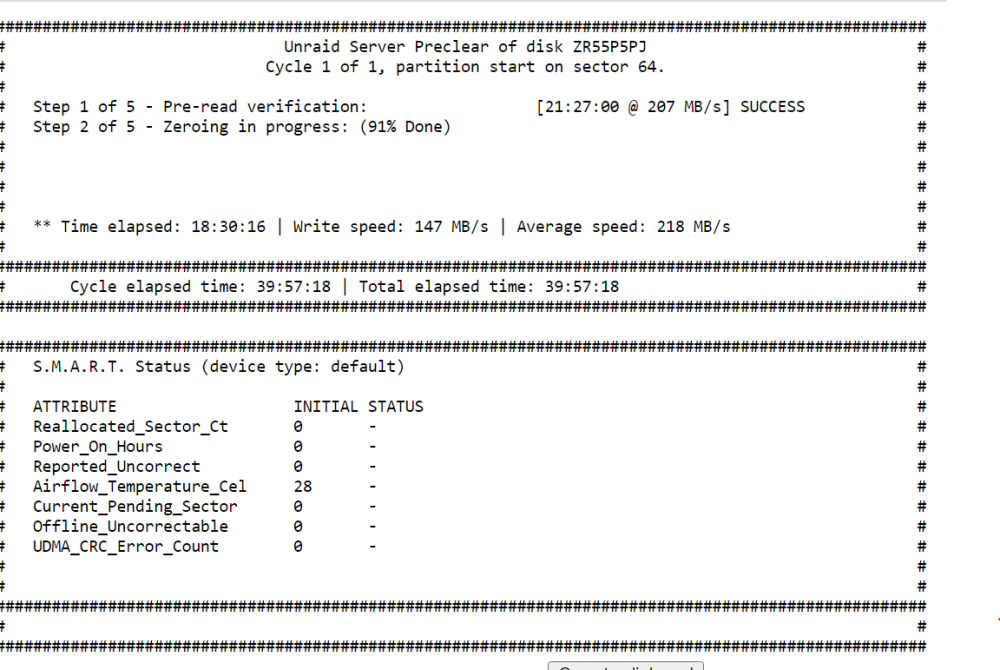
Just wanted to make sure it wasn't doing multiple zero'ing passes. So are the steps?: 1. pre-read 2. zero 3. post-read 4. writing signature 5. verifying signature
-
Does this do multiple passes on pre-clearing? I'm running two pre-clears of 16tb exos and it already did the pre-read and almost done with the zeroing, but it says 2 of 5, does that mean its going to run 2 more passes before doing the post read? If so, how any way to stop extra zeroing passes?
-
Here you go. Thanks for taking a look. 020923TOWER.zip I didn't notice at first, but i noticed that i got a notification that check finished Unraid Parity-Check: 02-04-2023 10:55 PM Notice [BACKUP] - Parity-Check finished (0 errors) Duration: 22 hours, 42 minutes, 59 seconds. Average speed: 171.2 MB/s Is this a glitch?
-
I have my parity check (16tb) segmented so that it takes a few days (from midnight to 5am), it was working fine and was at about 50% complete until I started precleaning two 16tb hard drives. I thought it was fine to preclear during parity check, since the disks aren't part of the array. I checked the server this morning and saw that it didn't give an update on % complete and says "error code: aborted" On the Parity History it says: I'm using the Unassigned Devices Preclear Docker and doing both at once. Is this because i was preclearing drives when parity started at midnight or is something else going on? Can i continue the parity check or do i need to start it from beginning

-
Gotcha. Good to know, everything worked fine but just making sure 😃 Thanks!
-
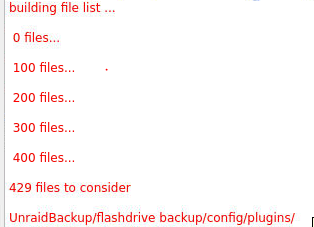
Alright, everything is working great! Is there anything wrong is text while transfering/checking is red not black like before?
-
Thanks! My brain and command line doesn't mix well I did the command line. Will i need to re-do my tasks i've created in LuckyBackup?
-
Ohh thats good to know. I followed the instructions over at: https://unraid.net/blog/unraid-server-backups-with-luckybackup Sorry for the dumb question, whats the best way to get the key moved over from: /root/.ssh/ to /mnt/user/appdata/luckybackup/.ssh I've tried krusader, but it wont let me get into the /root folder.
-
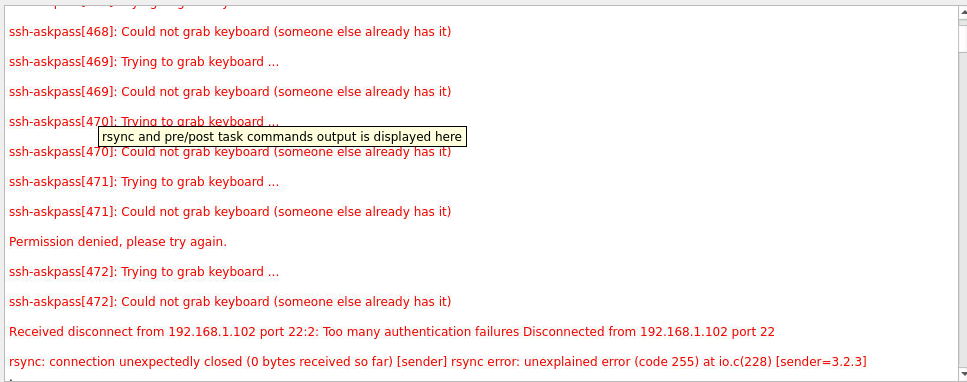
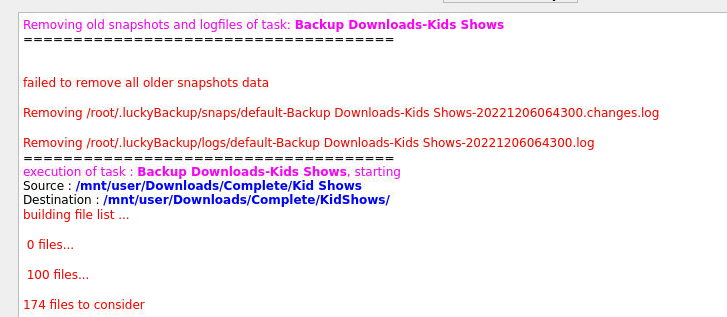
Yes it is setup via ssh. I have the keys in /root/.ssh/ I checked the remote tab for all the tasks and the only thing that is different across the tasks is one has the username capitalized (i cant change it...it makes a sound when i try to hit backspace 😁). I tried to run that specific task with the capitalized user and it switched back and forth between that screen i showed earlier and when i got back to the SuperUser screen i saw a bunch of these: I went in and changed the user to not be capitalized (like all the other ones) and ran the backup and now all text is red and it looks like it was starting to transfer everything (need to see if its making a copy)
-
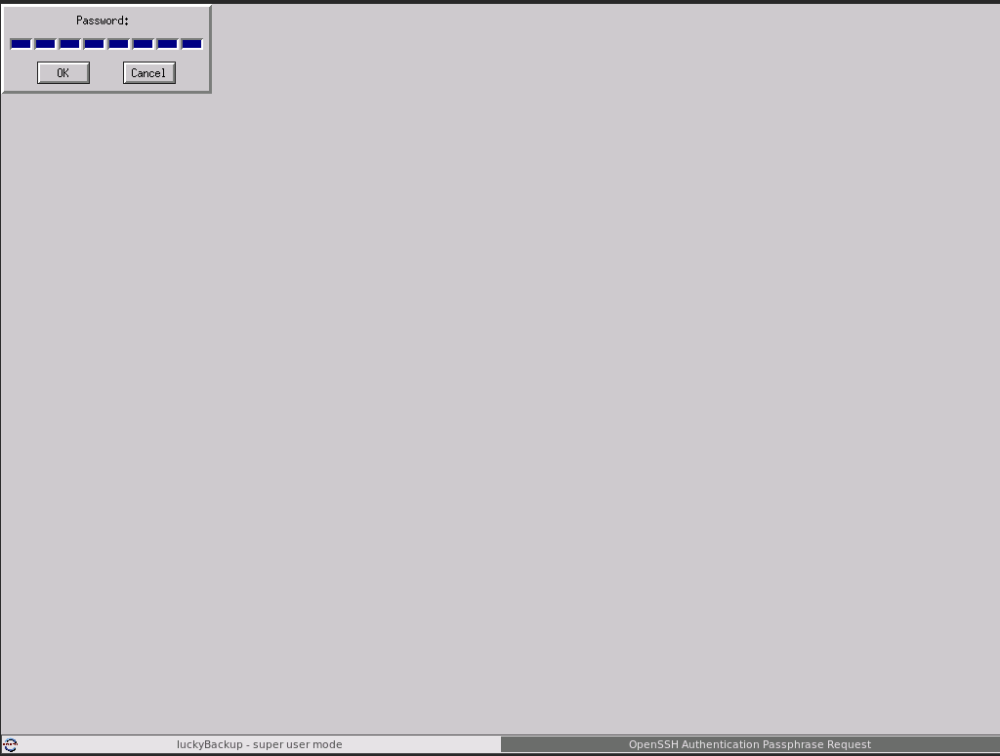
I ran into a different issue on Lucky Backups. I ran a large transfer, left my workstation came back many hours later and tried to run it again to see if it got all the files and when i click Run (with all the tasks checked) it instantly switches over to this screen I can get back to the normal UI by clicking "luckyBackup - super user mode" at the bottom, not a huge deal....but its doing something new.