





alitech
Members
-
Joined
-
Last visited
Everything posted by alitech
-
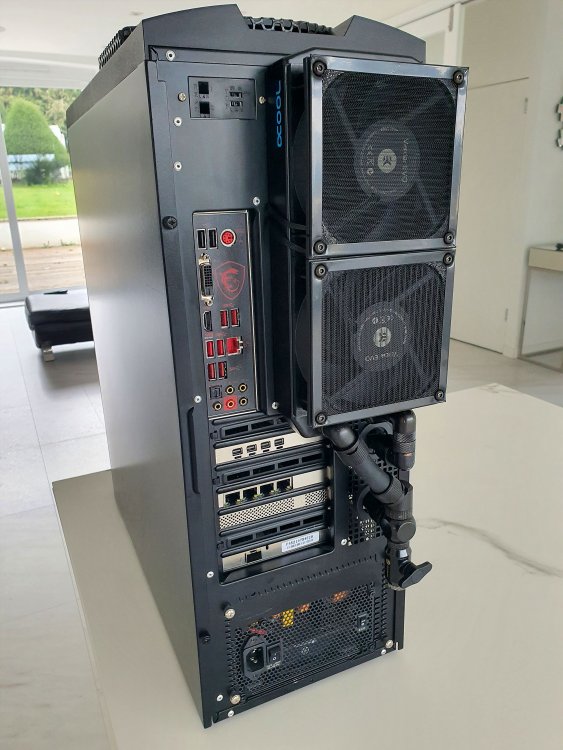
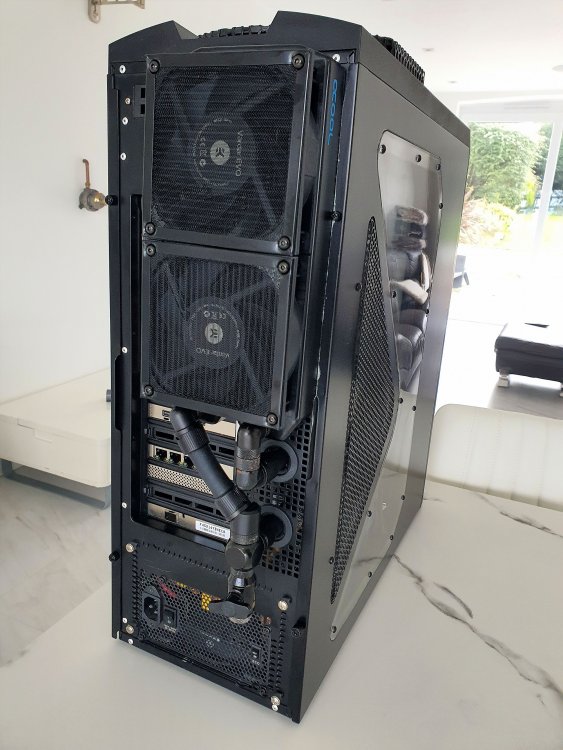
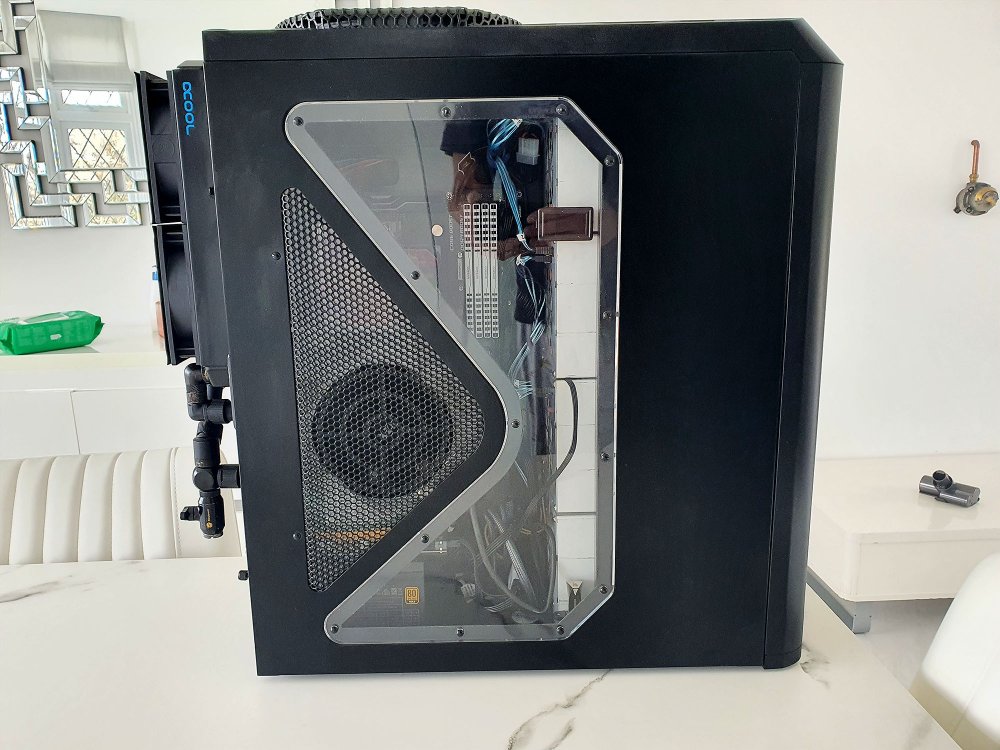
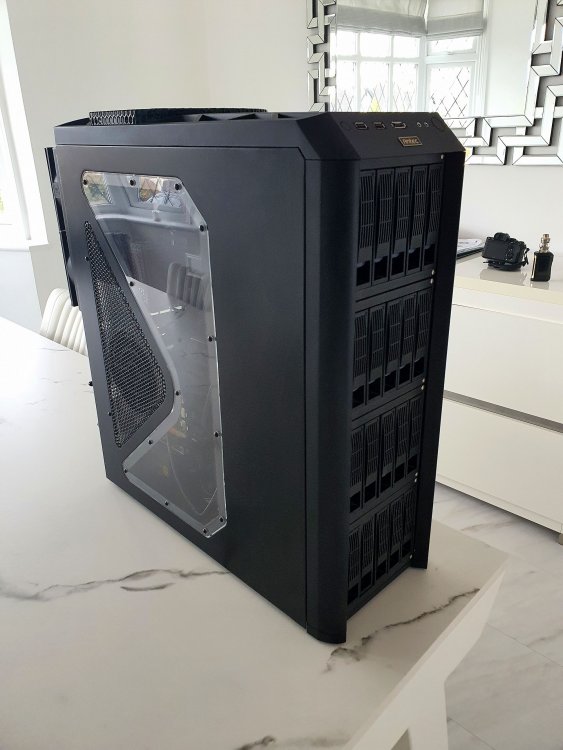
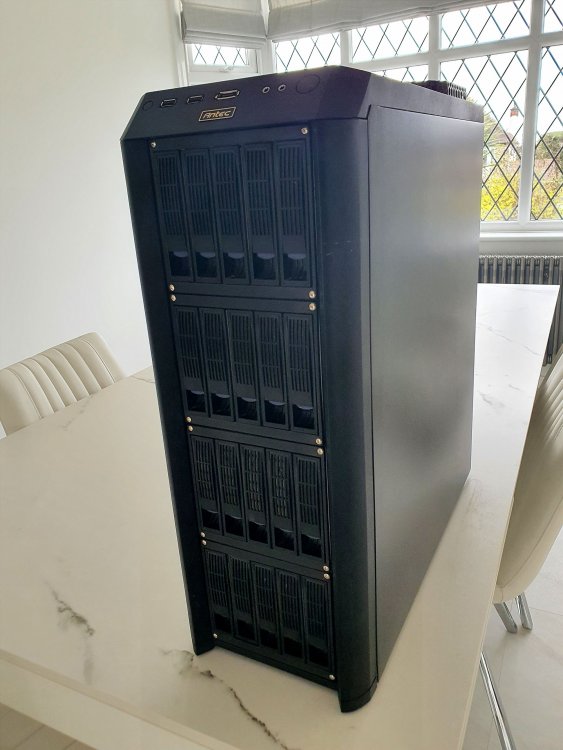
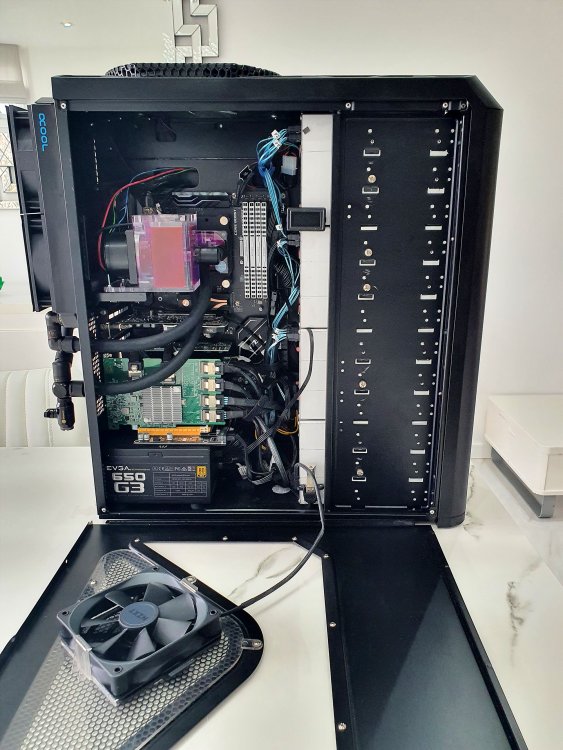
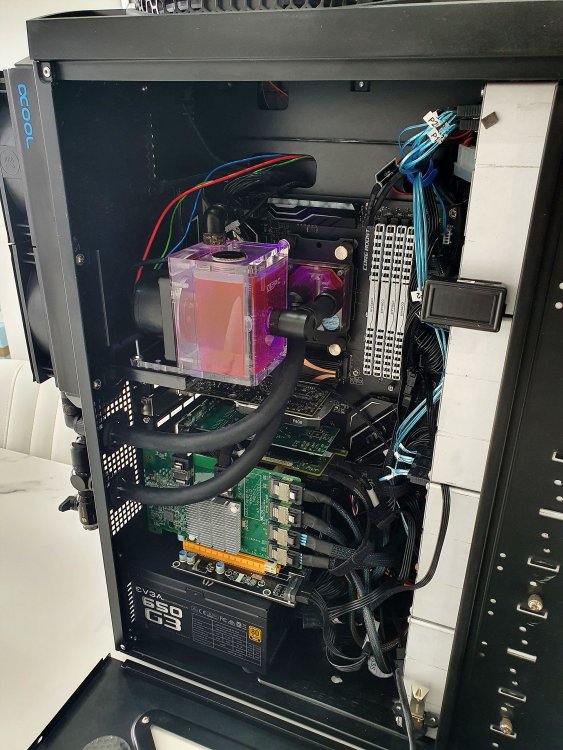
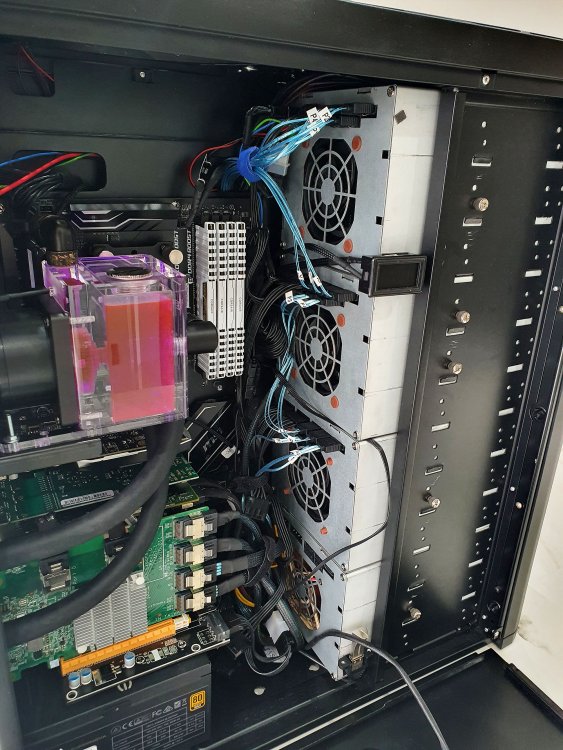
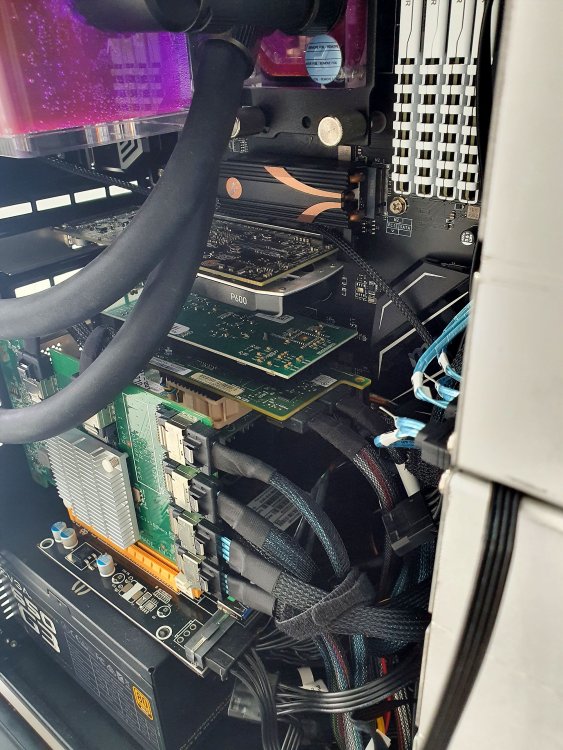
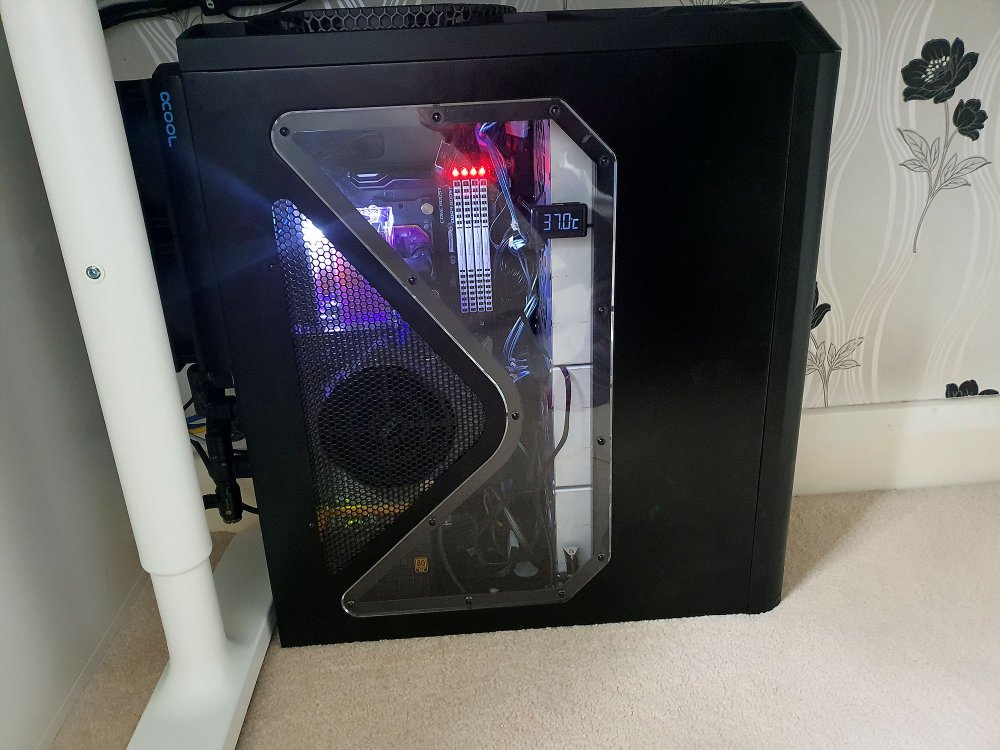
Finally got this monster up and running after weeks of finding the right parts new and used. It took a while but I am now there. This super beefy machine now has excellent cooling, super silent and currently runs everything I need with room to spare. Specs: Ryzen 3900 65w TDP 32GB DDR4 3000Mhz Quadro P600 LSI 8I SAS with expander for 16 HDDs + 6 from mobo (active cooled mod) 1TB NVME cache 256GB NVME on PCI-e 1x MSI Gaming pro motherboard x470 650W PSU Quad Port Intel Nic for isolating VMs 10GB SFP+ Nic for main connection 25 drive in 4 drive cages D5 pump with reservoir 240mm radiator Water temp Display Fans controlled by dynamix auto fan control All weighs about 50kgs
-
Hello Has anyone noticed this on their MAIN dashboard?

-
I would agree, it is totally related to browser. The simple fix that @trurl suggested worked immediately. @trurlthanks again. Did you try another browser?
-
thanks guys. kudos to you for all your help and support. You are what makes unraid great!
-
-
Yes it does. I have a Ryzen CPU so I installed the Nvidia driver. All seems to be working fine. Just one thing is confusing me still as there has been a mention of kernels being overwritten. Once this plugin is installed, after all the pre-requisites discussed above. It wont continue to get overwritten every time unraid starts yes? Once this plugin is installed, its permanent? Just checking, please be patient with me Ali
-
Thank you for this. According to your statement on your first post, it seems like this plugin is not needed if we install the nvidia driver by itself. "6.9.0 Beta35 and up no longer require a kernel build, but now require the Nvidia plugin by @ich777." So just to give you some background. I upgraded the OS yesterday to 6.9.0 stable and then proceeded to install nVidia driver plugin. Everything works well so far, I can see hardware acceleration working well. The GPU stats is the only thing that is now missing. What you are suggesting now is that we have to install your GPU stats plugin after installing the nvidia driver plugin. That will show GPU stats on the dashboard. Yes? Sorry just double checking because I have broken my unraid before by installing things in the wrong order.
-
Spot on. works in FF. Cleared cache and it works in chrome now also. Thanks so much. Such a simple solution. Salute!
-
Sorry, I dont see it there, can you please point it out with a screenshot?
-
hi guys I am on 6.9.0 stable as of yesterday and I installed the nvidia driver however, i dont see the GPU on the main dashboard. Is there a setting I need to activate somewhere to see that?
-
Hi guys I have a few Windows VMs on my box and I have tried to use vnc to log in once started but noVNC is showing the following error. Does anyone know how to fix this? Uncaught SyntaxError: The requested module '../core/util/browser.js' does not provide an export named 'hasScrollbarGutter' http://192.168.1.3/plugins/dynamix.vm.manager/novnc/app/ui.js?ts=20200718:11:35 SyntaxError: The requested module '../core/util/browser.js' does not provide an export named 'hasScrollbarGutter' Also, I dont know about you guys, but the VMs are now super super slow. Snails pace, even though they run of a very fast NVME cache drive. Any advice?
-
Is there a guide for Ryzen with Quadro GPU for Plex docker? I have plex docker and a quadro p600 and no idea on how to get it to transcode with the quadro. Is there a guide I can follow somewhere?
-
How did you split it? Did it work in the end? I have a similar issue, I have 4 ports and I want to see them available to VMs but nothing I have tried has worked so far. What was your method? This is what my card looks like in system devices. [8086:10c9] 25:00.0 Ethernet controller: Intel Corporation 82576 Gigabit Network Connection (rev 01) [8086:10c9] 25:00.1 Ethernet controller: Intel Corporation 82576 Gigabit Network Connection (rev 01) [8086:10c9] 26:00.0 Ethernet controller: Intel Corporation 82576 Gigabit Network Connection (rev 01) [8086:10c9] 26:00.1 Ethernet controller: Intel Corporation 82576 Gigabit Network Connection (rev 01)
-
Any help with this is highly appreciated Here is the video I found, however @SpaceInvaderOne has mentioned Unraid Nvidia plugin that no longer exists. Is there a newer plugin I should look at? Many thanks.
-
Hi there I have just gone and brought a new Quadro P600 card for my unraid server. I have installed it and I can see it appear in the system devices. IOMMU group 32:[10de:1cb2] 04:00.0 VGA compatible controller: NVIDIA Corporation GP107GL [Quadro P600] (rev a1) [10de:0fb9] 04:00.1 Audio device: NVIDIA Corporation GP107GL High Definition Audio Controller (rev a1) I tried to look up some tutorials to set up this so plex runs off Unraid with hardware transcoding taken care by the P600 but most of these tutorials are years old and I am hoping there is a newer step by step tutorial that anyone might have or come across? I really need a step by step. If you have successfully set this up recently, please do share with me so I can get this done on my server. Many thanks and humble regards
-
Thanks so much for responding. I have tried that. There are 721 firmware files that come up for the SAS3008 I dont really know which one to pick and I dont want to kill the SAS controller.
-
I am unable to locate the the firmware update for the LSI SAS3008 on the broadcom site. Can anyone help?
-
I have taken the leap and installed it now.. I think I did all the correct settings however, I cannot see the contents of the /boot/ folder against the pate that I set Can someone please help with how I can get the flash drive backed up?
-
Is there a noob guide on how to install this? I saw @SpaceInvaderOne video on this, but it is for the sparklyballs version of this. The installation options look different and I dont want to mess anything up. Please let me know if there is anything out there as a noob guide. I looked at the documentation on github but nothing references to how it should be installed Thank you
-
Has anyone found a way to fix this? Stuck on Updating.. I read a comment where you need to remove ata before the disk and that resolves it? Is that true? So if I was to use this /dev/disk/by-id/M_Series_NVMe_SSD_256G_205465464564565 Instead of this /dev/disk/by-id/ata-M_Series_NVMe_SSD_256G_205465464564565 It will work?
-
Ok @alturismo, It seems like I will have to create a single Windows VM and run both applications that will need the single GPU. I dont have space for a separate GPU on my Mobo, just a single GPU is all I can do. I was thinking P2000 for both Plex and Blue Iris. If anyone has dealt with a similar scenario, please share your experiences. Thank you
-
Hi guys Trying to find an answer to this but I have failed so far. I want to figure out if I can share a GPU amongst dockers. The scenario: I want to run Plex (which uses hardware transcoding) and Blue Iris IP Camera software which also uses hardware transcoding on either VMs or Dockers. I would like to know if there is a possibility to share the GPU with 2 different dockers or 2 different VMs. I have been running these applications on a single Windows 10 machine so far and they share the GPU load from what I can tell. I want to migrate these to Unraid and make them isolated from each other in either dockers or VMs. I plan to use a Quadro P2000 card for this. If there is a possibility to share the GPU amongst dockers, then that is awesome and I could go about and set it up that way. Alternatively, if the GPU cant be shared, I could always have a single VM, slap windows on it and run both Plex and Blue Iris on the same VM so they share the GPU as before. Thoughts and advice would be highly appreciated.




