





articulateape
Members
-
Joined
-
Last visited
-
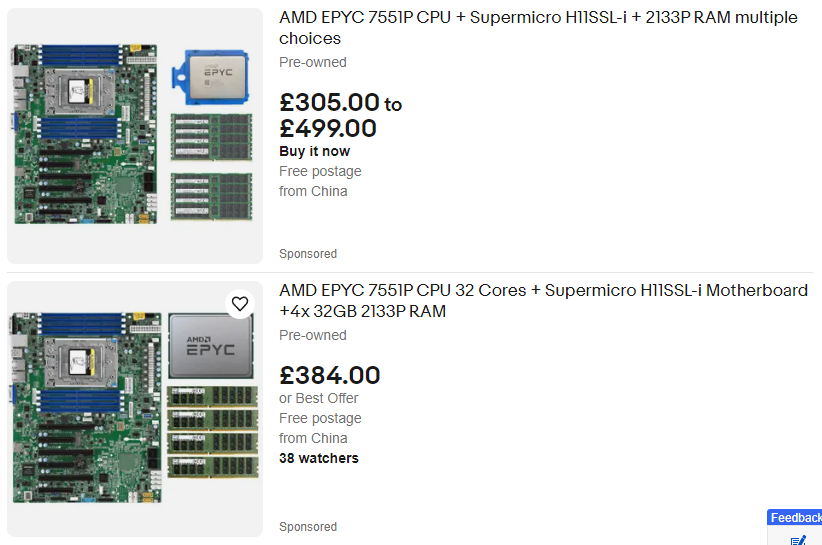
Hi, Been seeing a lot of these on ebay and they seem to originate from China. What's the deal with these bundles? Why are they so cheap and are they worth the dive? Am thinking of using a bundle to make a new Unraid build.
-
How do I login? I've set a password in the setup but I use username as "admin" and I'm denied. Pretty sure I'm using the right password (as I typed in in) but maybe the username is something else?
-
What expander are you using? How difficult was it to install?
-
That works for me, but then what do I put here?

-
Appreciate the advice here. I'm not aware, what makes no-ip better than DuckDNS aren't they basically the same? I thought port forwarding is just opening up ports on router, but will also need dynamic DNS service like No-IP if also using dynamic IP from ISP, maybe I got this all wrong?
-
My IP is dynamic, I thought I needed something like DuckDNS, if not then I can remove that. I've seen the Docs saying to use No-IP
-
I am getting an error of port forwarding, I'm using DuckDNS and have used the DuckDNS app from the community app within UnRaid. Any ideas on what to do? Ports on router have been forwarded already. Edit: ignore the question, port was wrong on DUCKDNS
-
I used https://github.com/A75G/docker-templates/blob/master/README.md#first-installation to create a user, ignore. How do I create a new user? When I run archivebox manage createsuperuser I get UnRaidUser@94385hgd:/data/archive# find: '/.config/chromium/Crash Reports/pending/': No such file or directory [i] [2023-07-28 09:35:13] ArchiveBox v0.6.3: archivebox manage createsuperuser > /data/archive [!] ArchiveBox should never be run as root! For more information, see the security overview documentation: https://github.com/ArchiveBox/ArchiveBox/wiki/Security-Overview#do-not-run-as-root
-
Sharing the ROM files if anyone needs it SAS9300_8e_IT.bin SAS9300_8i_IT.bin SAS9300-16e_IT.bin SAS9300-16i_IT.bin
-
Seems to be working well, card is running smoothly after a firmware update. PSU is now the trouble spot. please close thread and thanks again JorgeB!
-
You're right I've been inspecting the setup and there are multiple issues. This system is a migration from an older pc. Good news is the HBA is detecting the drives. Bad news is that I think some drives have failed while I have been trying to get this new system going. Also I have a "Corsair RM850e 850W Fully Modular 80 Plus Gold PSU" and it seems two of the rails do not work with SATA 3.3 pin power connecter strings I bought. Once drives are on a new rail, it's all good. I have 13 of the 24 drives up and running, I'll update my progress. JorgeB, many thanks for your help!
-
Hi JorgeB, thanks for helping me on this, you're a legend for these types of issues (mostly user error) Attached diagnostics. I've attached all cables to the HBA and connected one drive to each port. Seems like it's only detecting 2, so perhaps one of the controllers isn't working. I'll swap out some more HDDs to see if it's an error with drives or cables are bad. Thanks again! htpc-vault-diagnostics-20230717-1031.zip
-
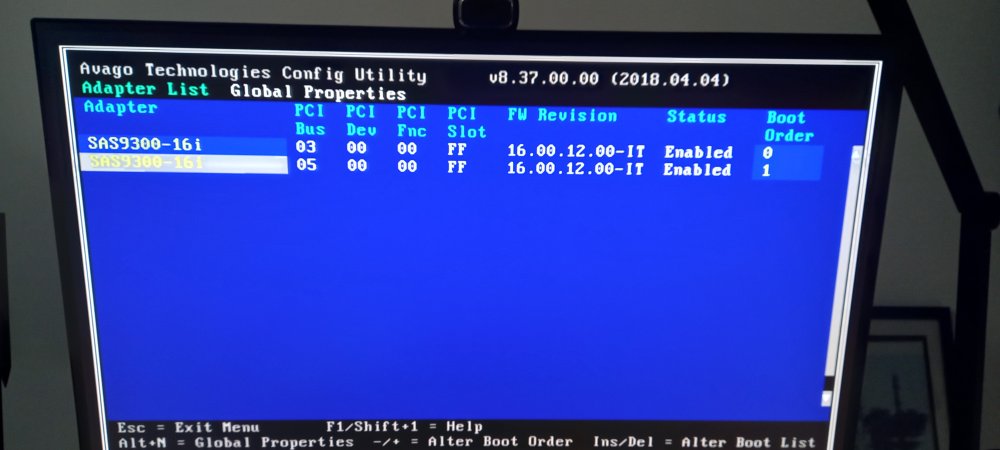
Hi, This is turning into quite the saga. Bought a 9300-16i on ebay and used SAS3FLASH to change the firmware to a newer version. See image. Both controllers are on version 16 (previously it was 8.X.X.X), but I still can't detect any drives via the card. Is there a newer firmware version I need to use, or do I need to change some settings in Unraid?
-
I'm having this same issue. Do you have any updates?
-
Having the exact same issue here, nearly impossible to get FreeDOS, DOS via Rufus or anything else, doesn't work. Also experienced the iGPU annoyance too, am considering buying a graphics card to get around this issue for CSM capability. Can't believe this is such a tricky process. Might buy an old circa 2008 pc just to get this firmware updated or even pay a fellow unraider to have this done.

