DivideBy0
Members
-
Joined
-
Last visited
Everything posted by DivideBy0
-
-
I get the same thing? "Unable to get Volume" Any idea?
-
Yeah 24 hours later and I am still fighting the same issue. My new M1 16" Macbook Pro finished its backup in one shot over wireless, 800GB, but I have other 4 Macs that are constantly getting disconnected from the Time Machine share during the backup. Something is very wrong and inconsistent here and I have no idea how and where to start troubleshooting it
-
Yeah is 6.11.1 I booted back on 6.9.2 and did a full 400Gb backup on the same MacBook with ZERO issues. I am absolutely annoyed when things don't work
-
After upgrading from 6.9.2 to 6.11.1 my entire Time Machine setup got majorly screwed up. I have 6 Macs backing up to this time machine share and outta of all 6 only the Sierra one continue to work under 6.11.1 All other 5 stopped working. I even started with a brand new Time Machine share from scratch, it works somehow, but all machines at some point during the backup they just get disconnected. Tried different settings on the share as well. am 1000% is not the network as I plugged one of my macbooks next to the UnRaid port, so I know that is switch rock solid. It is something in 6.11.1 like Samba or other settings that could screw this up? Anyone else with this sort of issues or is just me? I am super irritated as I have to put in so much work and get this back and running. I should've stay with 6.9.2
-
This is all over the places. I just deleted and created some shares and now I get this in my syslog root@NAS-UNRAID-1:/mnt/user# tail -f /var/log/syslog Oct 25 14:47:31 NAS-UNRAID-1 nmbd[32514]: Oct 25 14:47:31 NAS-UNRAID-1 nmbd[32514]: Samba name server NAS-UNRAID-1 is now a local master browser for workgroup CHILA on subnet 172.17.0.1 Oct 25 14:47:31 NAS-UNRAID-1 nmbd[32514]: Oct 25 14:47:31 NAS-UNRAID-1 nmbd[32514]: ***** Oct 25 14:47:31 NAS-UNRAID-1 nmbd[32514]: [2022/10/25 14:47:31.647226, 0] ../../source3/nmbd/nmbd_become_lmb.c:398(become_local_master_stage2) Oct 25 14:47:31 NAS-UNRAID-1 nmbd[32514]: ***** Oct 25 14:47:31 NAS-UNRAID-1 nmbd[32514]: Oct 25 14:47:31 NAS-UNRAID-1 nmbd[32514]: Samba name server NAS-UNRAID-1 is now a local master browser for workgroup CHILA on subnet 192.168.122.1 Oct 25 14:47:31 NAS-UNRAID-1 nmbd[32514]: Oct 25 14:47:31 NAS-UNRAID-1 nmbd[32514]: *****
-
I am fighting some Time Machine issues since the upgrade to 6.11.1 As I configure a new Time Machine shares I get this in Syslog and 192.168.122.1 is not this UnRaid's IP. My IP is actually 192.168.0.12 What's going on here and why on the wrong subnet? root@NAS-UNRAID-1:/mnt/user/TimeMachine# tail -f /var/log/syslog Oct 25 14:06:18 NAS-UNRAID-1 nmbd[6866]: Oct 25 14:06:18 NAS-UNRAID-1 nmbd[6866]: ***** Oct 25 14:06:18 NAS-UNRAID-1 nmbd[6866]: [2022/10/25 14:06:18.173906, 0] ../../source3/nmbd/nmbd_become_lmb.c:398(become_local_master_stage2) Oct 25 14:06:18 NAS-UNRAID-1 nmbd[6866]: ***** Oct 25 14:06:18 NAS-UNRAID-1 nmbd[6866]: Oct 25 14:06:18 NAS-UNRAID-1 nmbd[6866]: Samba name server NAS-UNRAID-1 is now a local master browser for workgroup CHILA on subnet 192.168.122.1 Oct 25 14:06:18 NAS-UNRAID-1 nmbd[6866]:
-
Never mind, looks like upgrade took this time for some weird reason
-
Thank you Sir. So to avoid the confusion, this is my second SuperMicro UnRaid that does now boot. First one I downgraded the BIOS and that fixed it. This one the ethernets are not loading therefore I can only go to the console and download the diags. Can I just manually copy them to the USB as I only have console access? Which directory do I copy? or can I run the diag script in the console and pipe them to the USB drive somewhere? Thanks again
-
I would very much like to get this box upgraded if we can solve this ethernet issue
-
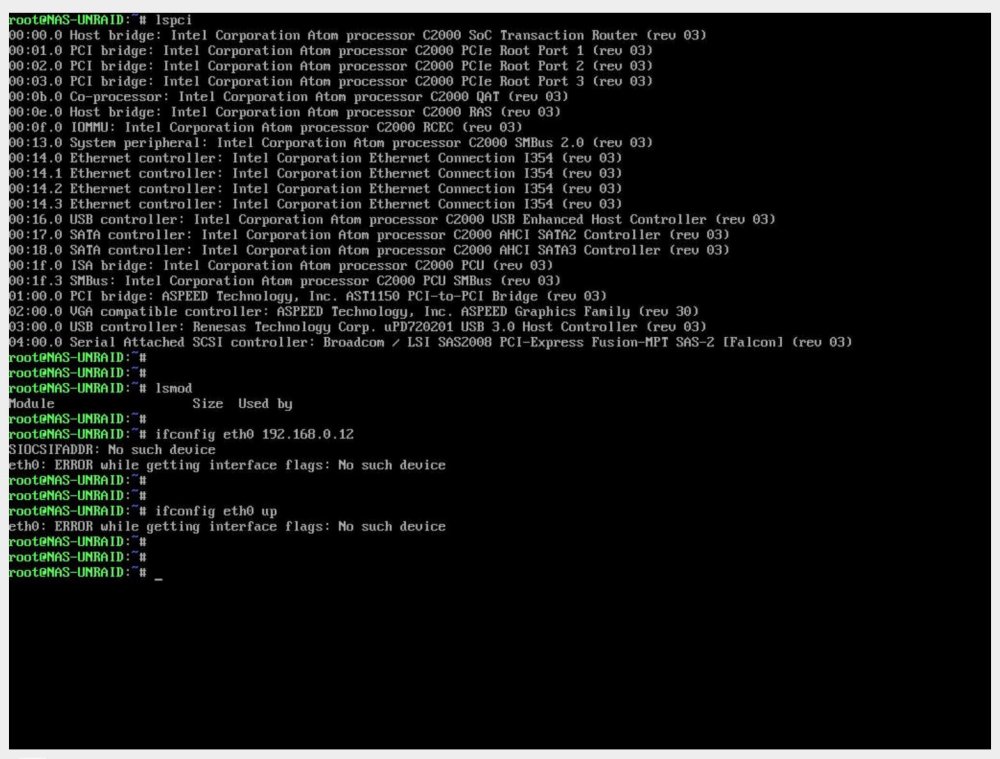
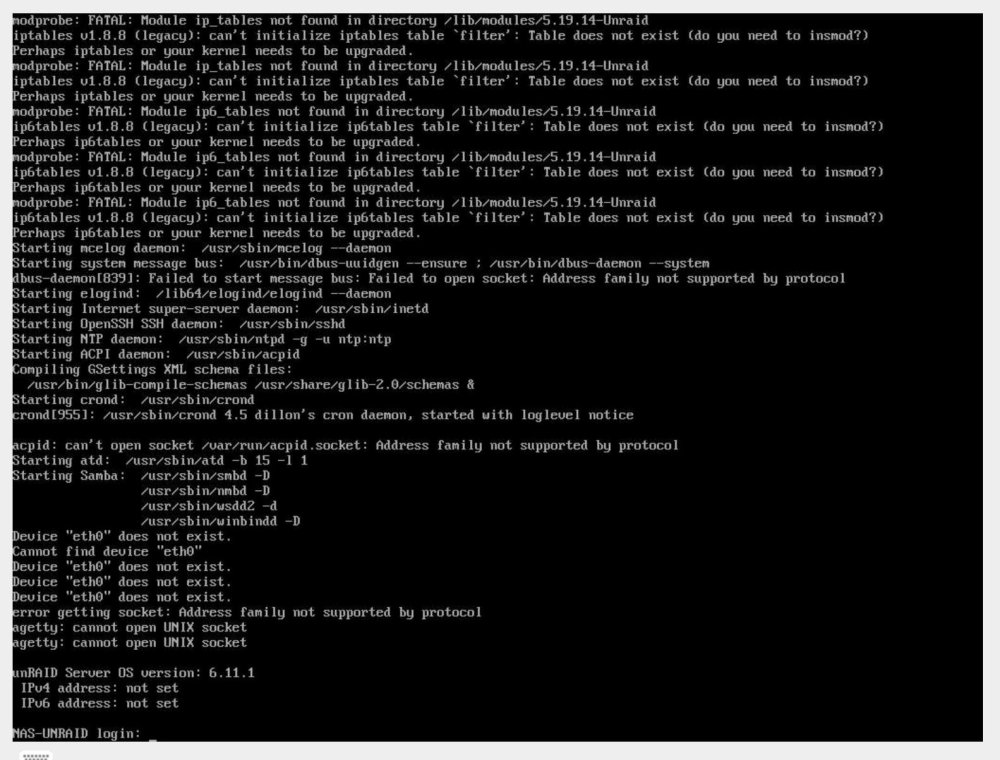
Another one for you The other UnRaid box got fixed by downgrading the BIOS. Figure that? Weird? But this other UnRaid box looks like my ethernets are not loading? This a fresh new 6.11.1 image, no previous settings Supermicro A1SRi-2758F, Version 2.00 American Megatrends Inc., Version 2.2 BIOS dated: Fri 22 Nov 2019 12:00:00 AM CST
-
Well SNAP, I can't keep booting between these 2 USB drives LOL. Will -v give us any idea of what could be wrong or it just shows more details on the PCI buss? I mean the ethernet ports are there, you can see them.
-
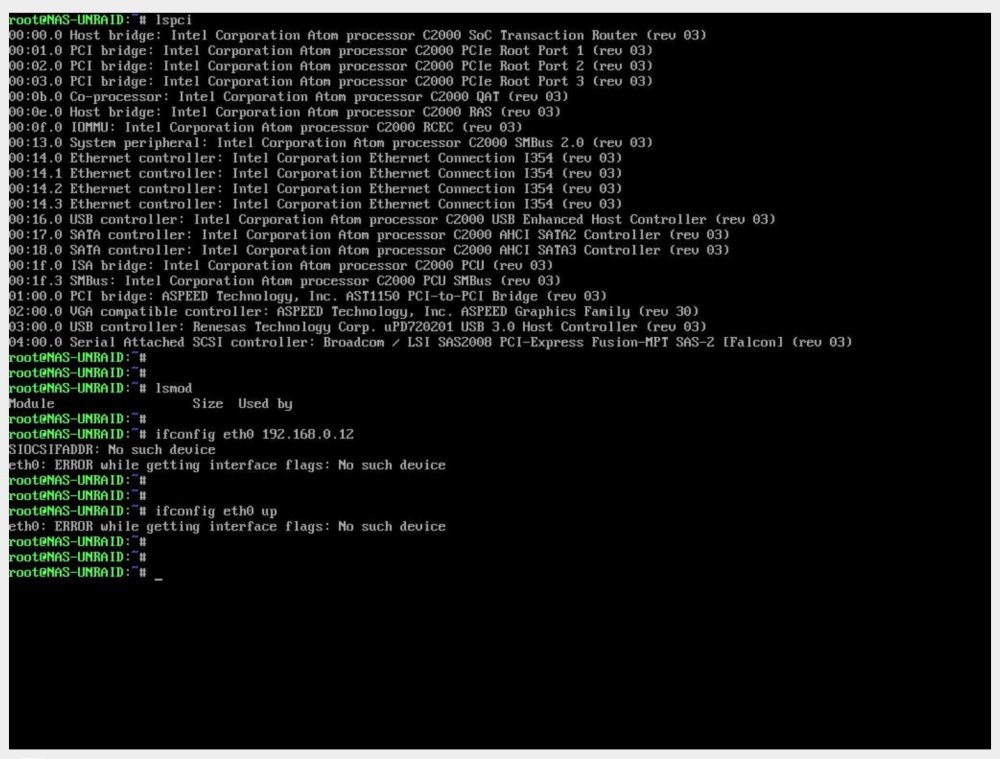
It shows in the pci buss but looks like no modules / drivers are loading. Is gotta be in the 6.11.1 image for sure
-
This is another UnRaid server, my primary box. The mobo is also Supermicro but a different model, and this booted fine, no need to downgrade the BIOS. The bios issues was on the other one Just the eth0's didn't load on this one but they work fine in 6.9.2
-
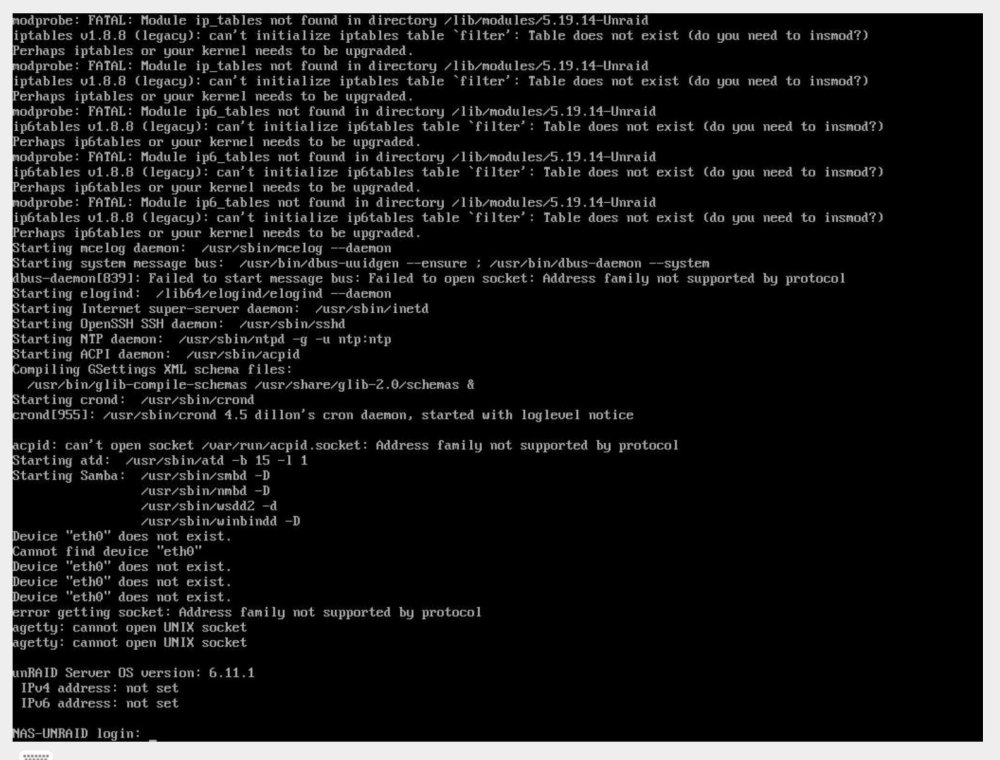
Supermicro A1SRi-2758F, Version 2.00 American Megatrends Inc., Version 2.2 BIOS dated: Fri 22 Nov 2019 12:00:00 AM CST The ethernet ports are not loading This is a FRESH install for testing so no old configs or anything is on that USB
-
Downgraded the BIOS to 1.6 from 1.7 and that fixed the problem. Weird
-
So I guess no traction or any other ideas on this one ? I run outta of ideas here
-
Just move the USB drive to the new server, boot up and you're good to go. License is locked with the USB drive and not the server
-
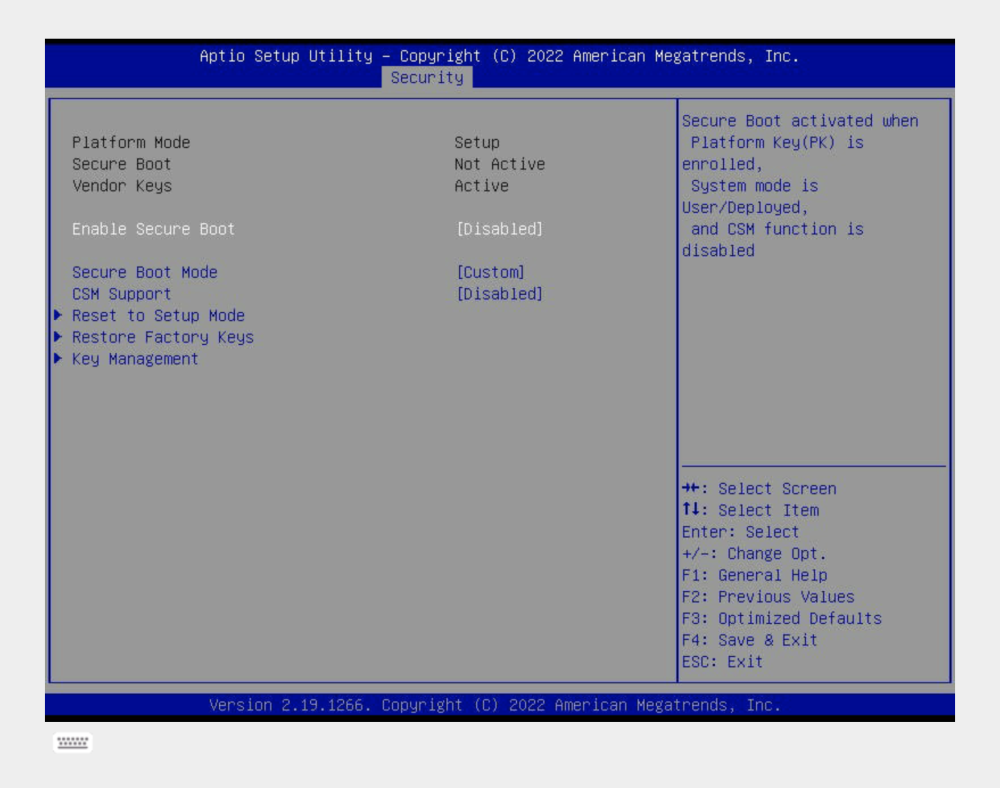
Yes I noticed the size difference. It sat there on bzroot for like 30 minutes. No go for sure. There is gotta be some setting in my BIOS but I can't think of anything. 6.9.2 works but not 6.11.1 Anything to do with secure boot in 6.11.1 or after 6.9.2? I haven't changed any setting in the BIOS so something must changed after 6.9.2 image https://gzhls.at/blob/ldb/b/8/0/4/defec5a440045d287b3ad05d5b5d18f61810.pdf
-
Upgrade from 6.9.2 to 6.11.1 stuck at bzroot, now what? Tried the UnRaid GUI option, tried renaming the EFI to EFI- and back, tried all BIOS settings from UEFI to Legacy to, Dual, you name it, still stuck. I copy all my files back from the "previous" folder and I am back in 6.9.2 so is definitely something with the 6.11.1 version I have the latest BIOS in this board so no idea what other setting in BIOS could be the culprit? Also tried different USB sticks, still no go Supermicro A2SDi-4C-HLN4F, Version 1.01 American Megatrends Inc., Version 1.7 BIOS dated: Mon 09 May 2022 12:00:00 AM CDT
-
None of that made a difference. Tried BIOS setting in UEFI, Legacy, Dual modes, tried EFI and EFI- but nothing worked. I copied all my files back from the previous folder and I managed to boot back into 6.9.2 just fine. I have the latest BIOS in this board so no idea what other setting could be the culprit? Supermicro A2SDi-4C-HLN4F, Version 1.01 American Megatrends Inc., Version 1.7 BIOS dated: Mon 09 May 2022 12:00:00 AM CDT
-
I even tried a brand new USB with a fresh 6.11.1 install and I get stuck at bzroot again so is not my USB media. 6.9.2 worked perfect on this setup. What the heck? Is there a way to revert back to my 6.9.2 boot on the original USB drive? Since I can't boot with it anymore?
-
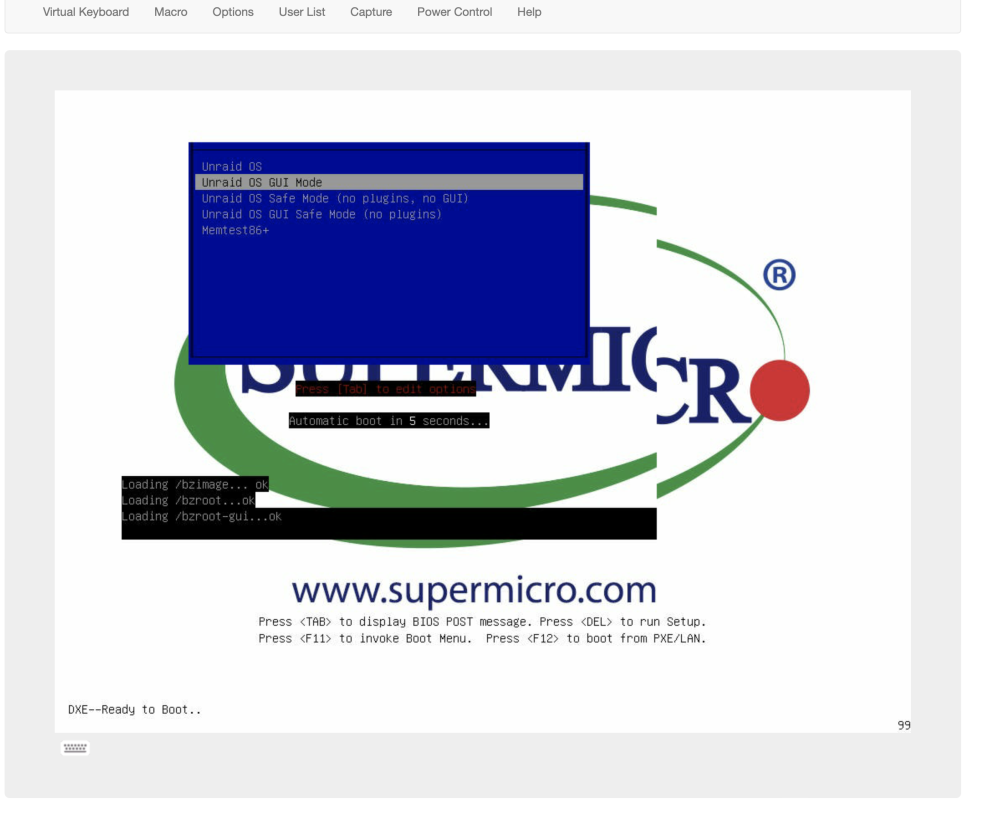
I tried GUI mode and I get stuck on that one as well. How absolutely annoyed. Really?
-
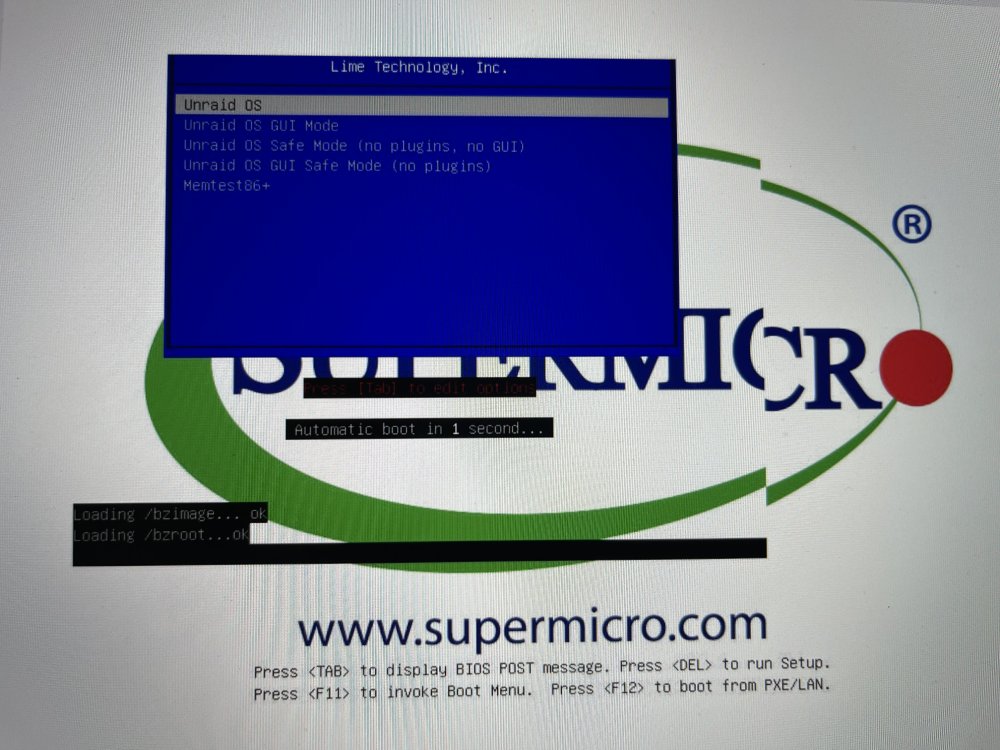
Is never easy, innit? Did the Update Assistant and all came clean, then proceed with the upgrade from 6.9.2 to 6.11.1 After reboot I get stuck at bzroot? Now I am annoyed as this should be an easy and straight forward upgrade
-
Jorge I appreciate the followup and that is great news the xfs_repair will address the issue. A lot of moving parts for sure, hard work and data is very important to all of us here. Thanks again Sir