






unraid888
Members
-
Joined
Everything posted by unraid888
-
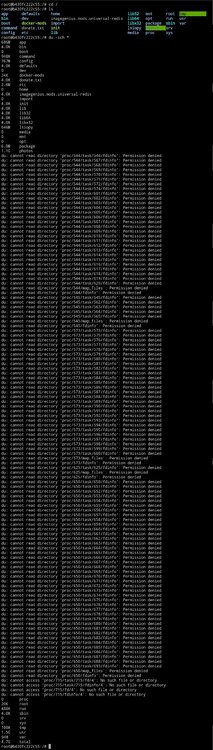
Thank you very much for taking the time to suggest this. I've never tried those commands before, but looks like running them on Immich has shown some errors, so you may have put me on the right path as to what's causing the image size issue. I'll go and have a read up further on "permission denied error", fingers crossed I'm a step closer. Many thanks.
-
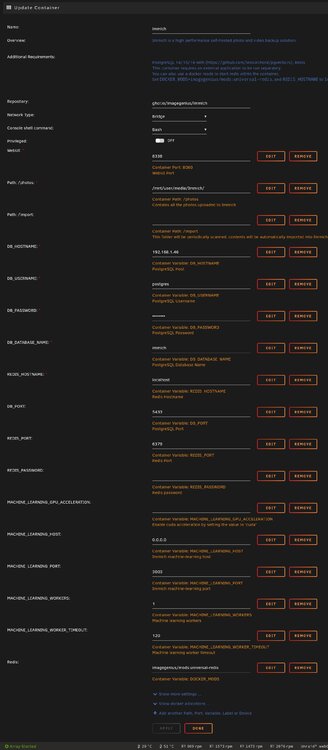
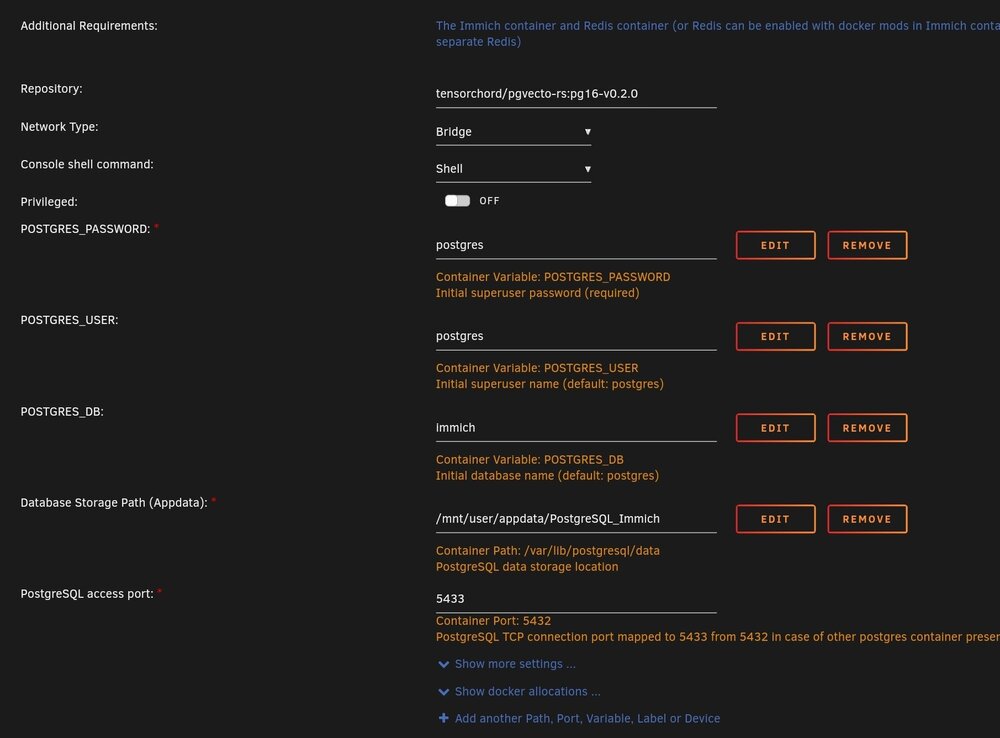
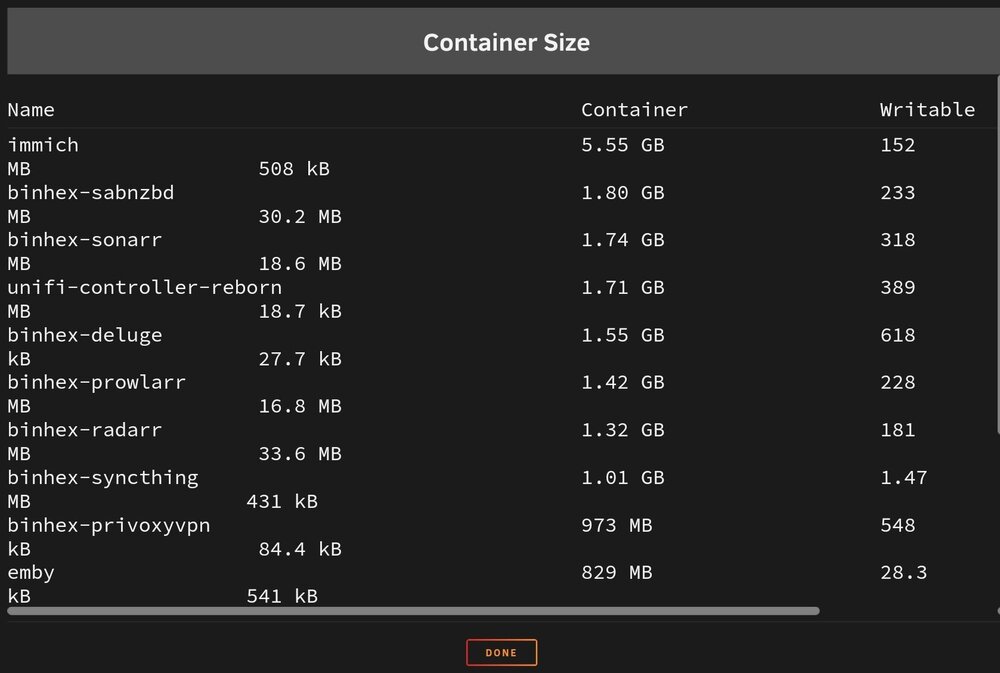
Afternoon all, I recently discovered Immich via Spaceinvaders video, and have been enjoying using the app since. My only issue however is that the Immich docker image is steadily increasing in size. I initially increased the overall HDD space available for all docker images, believing it just needed a little more room, however Immich still continues to increase in size. I've double checked my docker mappings, comparing them to Spaceinvaders, and I can't see any issue. My images are successfully uploading to unRaid and being stored in the mapped photos folder, and I've deployed the PostgreSQL_Immich docker. I'm sure it's something simple I'm overlooking, but I just can't see it. Any advice would be greatly appreciated.
-
Hi, I persevered with Tailscale, and I'm happy with it now. Focus on setting up the Tailscale unRaid plugin first, it should only be a matter of creating an account with Tailscale.com and pointing the plugin to it using the same credentials. Once setup and working it will display "Connected" in the plugin console, then progress onto adding each external device one at a time via the Tailscale dashboard; Tailscale.com (remember, when remotely connected, any service you want to connect to, ie Emby, ensure you point it to the Tailscale IP that has been assigned to your unRaid server, not your usual WAN IP). I can login from any device whilst away from the house and watch Emby now and very happy with the setup. The only thing I need to do is set my video playback (when using Tailscale) to 5mb, but it has no impact on quality for streaming. Plus, the best part is I haven't had to expose Emby/unRaid to the Internet to achieve this. Once proper fibre is installed in my area and I can move away from my current CGNAT provider, I'll be sticking with my Tailscale setup for security.
-
Excellent mate, thanks for confirming! The 9305-24i it is then. Just need to find one at a reasonable price now. 😁 Its my first venture into the server case world and I couldn't be happier, my system is running cooler and everything "just works", should have done this sooner.
-
Many thanks for the advice, I will go and source one of those now. 👍
-
Many thanks for your advice, I'll give that link a look.👍
-
Hello all, Forgive me if I get any of the following terminology wrong, server racks and backplanes are all new to me. I have just bought the following server rack case; https://www.servercase.co.uk/shop/server-cases/rackmount/4u-chassis/4u-server-case-w-24x-35-hot-swappable-satasas-drive-bays-12gbs-hd-minisas-550mm-deep-sc-4324s/ It has a hot swap backplane, with space for 24 HDD's. These are spread over six levels, each with one SFF port. I have transferred my system from my old case to this new one, which includes a Gigabyte Z490 Vision G motherboard. I have purchased two "Mini SAS HD SFF-8643 to 4x SATA 7 Pin Data Raid Reverse" cables, and connected the top two HDD levels to my motherboard, utilising all six SATA ports on the motherboard. Please note, I currently have six HDD's spread over those two levels. Initially I thought six of the above cables, one per level, could be used to allow the connection of 24 HDD's to my motherboards six SATA ports, unfortunately I was wrong. Searching online (Unraid guides) it would appear that I need an SAS HBA card to allow my motherboard to utilise 24 HDD's. Apologies for the long back story, but my question is; is the 9305-24i card the best card for my needs and will it work with unRaid. Understandably, it is an expensive card, with reports of fakes doing the rounds, and so I want to check here prior to any purchase. If anyone has any better suggestions however, I am open to them. Many thanks.
-
Many thanks, I'll do just that. 👍
-
That sounds good enough for me, cheers. Haha true. At least it gives me something to get my teeth stuck in to.
-
Afternoon, I have my unRaid server running fine at home, however I want to add some dedicated security to it, looking around I noticed Pfsense. I've read the pros and cons for VM or hardware, and I want to go the hardware route. My two questions are; 1) Any recommendations for a Pfsense hardware unit, and 2) This Pfsense unit will be sat between unRaid and the rest of my home network, it won't be replacing my home router that manages the rest of the house, it will solely be for my server. Will this cause any issues? Many thanks.
-
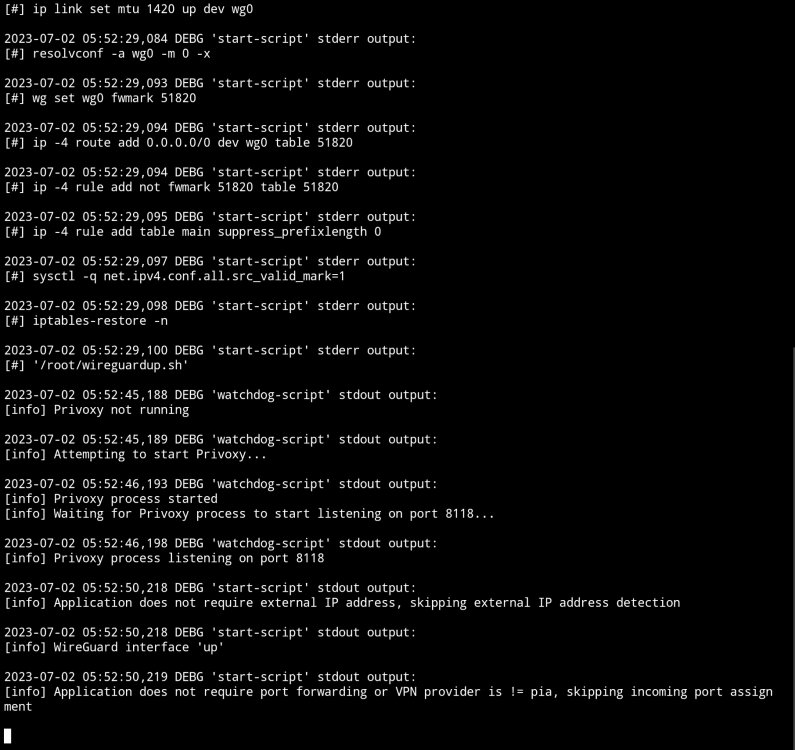
Good morning, I have been using binhex-privoxyvpn without issue for some time now. My VPN provider has been via Mullvad Wireguard, however I want to move over to ProtonVPN. I have downloaded the Proton Wireguard config file and replaced the Mullvad one, and PrivoxyVPN starts up fine (screenshot below), however Sabnzbd reports my "Public IPv4 address" as "connection failed", but my downloads do eventually start. For reference, "curl ifconfig.io" under the PrivoxyVPN console returns my VPN IP, however trying the command under Sab's console returns; "Could not resolve host: ifconfig.io". No other settings have been changed. I'm sure I'm missing something simple. Any advice would be greatly appreciated.
-
I always upgrade to the latest unRaid build, but this plugin is my new favourite and I can't go back to not having it, so I've just done the same and rolled back to 6.12.0-rc5 👍
-
Your plugin is a godsend for me, especially as I'm now behind CGNAT. I hope LimeTech work with you to help with the situation. Keep up the great work!
-
Gents, thank you both kindly for your suggestions, however I have now decided to go the seperate PC route. Thanks again.
-
Hi, Thanks for the suggestion. Yes it's already set to performance, but thanks anyway.
-
Cheers mate, thanks for the suggestion, appreciate it, unfortunately this is my seventh VM instance and it hasn't improved. I think I'll just resign myself to building a seperate PC. Thanks for everyone's suggestions though.
-
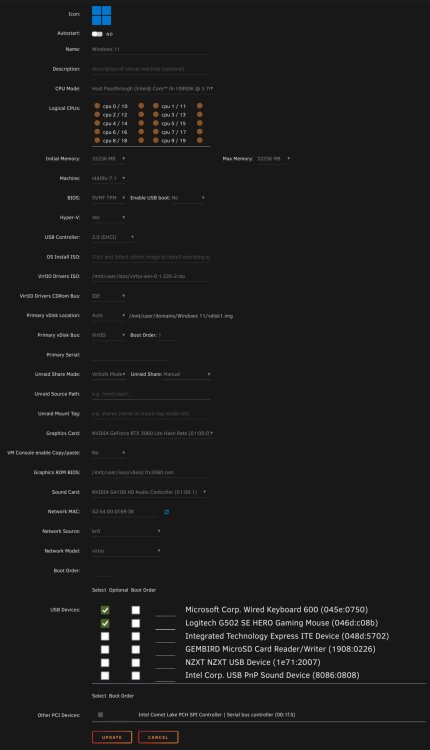
Thanks for the suggestion, just updated the drivers now to the latest, they were on one below. I've also done as you said for the cores, albeit I had originally assigned the last ten cores to the VM but as that did not work I thought I'd try allowing all of them, I've now removed the first two as you suggested though. Unfortunately my original issues remain.
-
Hi, to be honest I originally assigned 16GB of ram to the VM, but had the same issues so then increased it to 32GB thinking that would help but unfortunately it didn't.
-
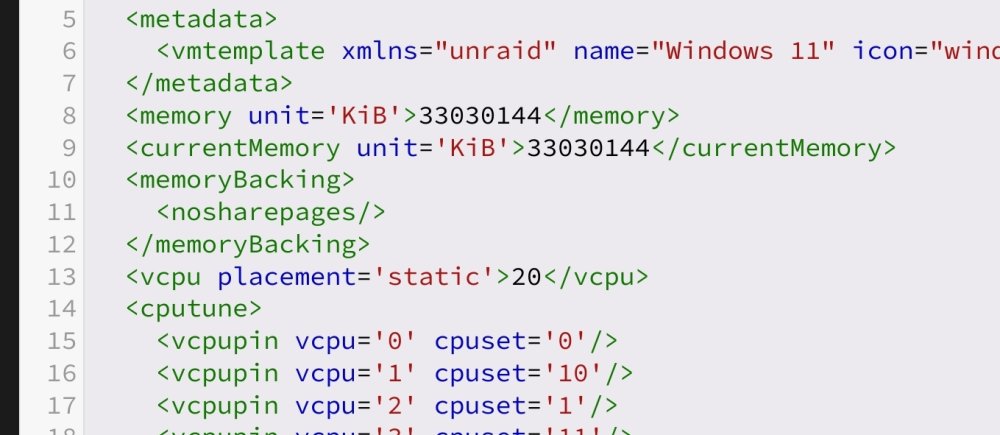
Thank you for the suggestion. Checking my template, I only seem to have the below, is that still worth taking out?
-
Unfortunately, still the same. Tried restarting several times, including the server, but no difference I'm afraid.
-
Thank you for the suggestion, I haven't tried to be honest, just started a "Trim now". It was disabled so I've set that to daily too. Fingers crossed.
-
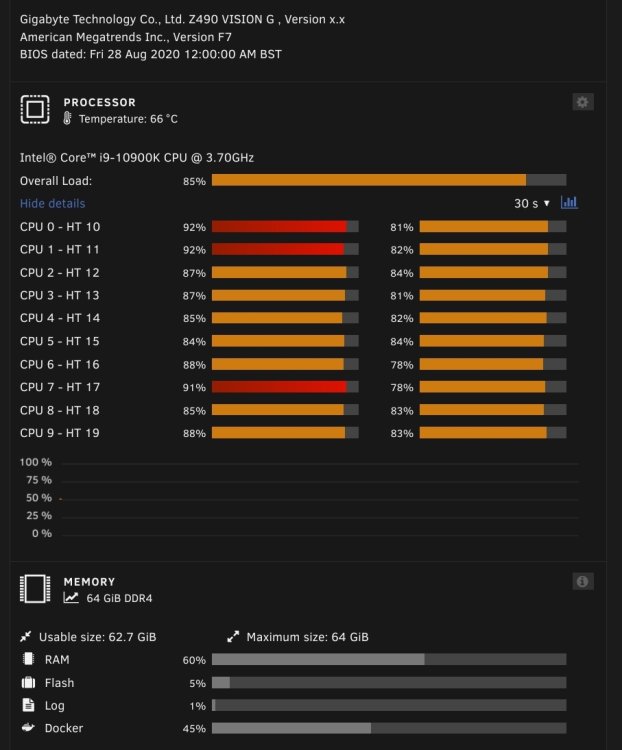
Good evening all, I am at my wits end trying to figure this out. Its at the point that if I can't resolve it I will need to build a seperate PC instead of a VM. My issue is that my Windows 11 VM is incredibly slow. I have tried multiple variations of the VM template but nothing seems to work. I have even allowed for the VM to use all cores whilst I disengage all my dockers, but still no joy. I have two NVME's, one of which is used for my VM (however the drive is also used for new downloads for speed, so I can't pass through the whole drive bare metal). Lastly, whenever I use my VM, my dockers are left on, but are paused and not doing anything, certainly not enough at idle anyway to cause the system impact that I am experiencing. I have attached my diagnostics if that helps. I'm even prepared to pay someone to resolve the matter. I've used unRaid for around two years now and I would much prefer to keep everything in one machine. For reference, my system has; i9-10900K cpu Z490 VISION G motherboard 64GB ram (32GB assigned to my VM) NVIDIA 3060 (passed through) 4x mechanical HDD's (total 52TB) 1X NVME (512GB cache drive) 1x NVME (2TB new downloads & VM) Any help will be greatly appreciated. tower-diagnostics-20230421-1924.zip

-
No problem at all. If it helps, I use Mullvad VPN with it and never had any issues.
-
Binhex-privoxyvpn allows you to choose between Openvpn or Wireguard.
-
Hello all, I was hoping for some suggestions if I may. I have recently moved to an ISP which deploys CGNAT, as such, my previous setup of running the DUCKDNS docker so that I have remote access to my server no longer works. I started setting up Cloudflared (even bought a domain) then discovered that you can not stream video. As remote access to my Emby server is the main reason for requiring this access, I abandoned this option. I tried Tailscale, which was easy enough to setup, but found my video playback was buffering. Furthermore, it will be difficult to setup the Tailscale application on all devices that need to access my server. If anyone has any suggestions, I would greatly appreciate it.





