






unraid888
Members
-
Joined
Everything posted by unraid888
-
Hello all, I use the appdata backup pluggin for all my apps, however I want to make double sure that I have no issues retrieving my passwords for Bitwarden in the event of a system failure. As such, would the following script work in backing up my Bitwarden passwords to G-Suite via Rclone crypt (I'll set it to run daily); sudo docker stop bitwardenrs rclone copy /mnt/user/appdata/bitwarden/ GoogleDriveBackupCrypt:unraid/Bitwarden_Backup sudo docker start bitwardenrs This is my first attempt at any sort of script that I haven't simply copied and pasted from a tutorial. Many thanks. ***Edit*** It works, well when I press "run in background" anyway, so should be ok running via schedule. It's the simplest script I think you could run, but I'm quietly pleased I managed it myself. 😂
-
Many thanks, keep up the great work!
-
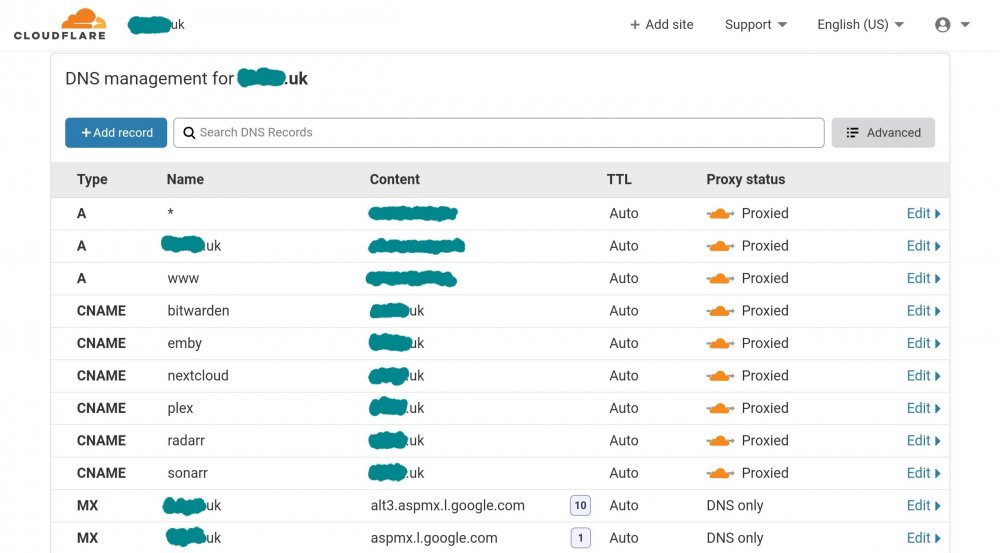
Hello, Further to my last, I have tried disabling proxy for all entries, however still no luck I'm afraid, when I enable Wireguard, no handshake takes places. I think I must be missing another entry within Cloudflare. ***Edit*** I've managed to get it working. For anyone else having similar issues, it turns out I needed a dedicated subdomain, ie wireguard.mydomain.uk As soon as I set that, and pointed the WireGuard configuration to wireguard.mydomain.uk:51820 everything clicked into place. ***2nd edit*** It looks like my impatience is the cause. @ljm42 was spot on, it was just the proxy that I needed to disable. I did this for just the A-record, however it turns out I wasn't giving it chance to take effect. Also, I can scrap the WireGuard subdomain.
-
Hello, Many thanks for clarifying for me.
-
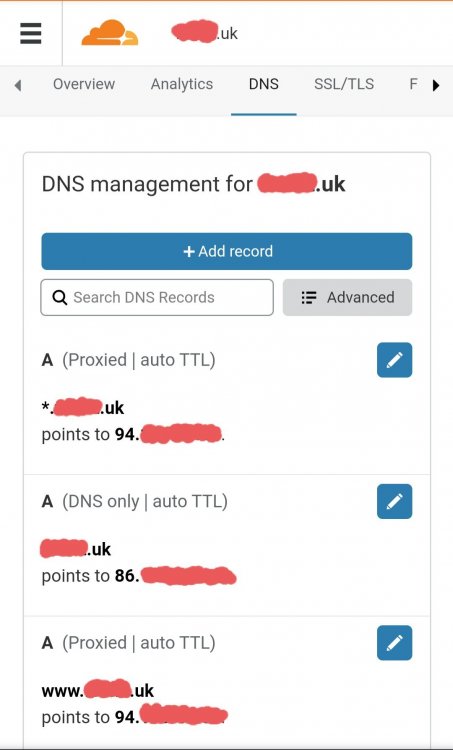
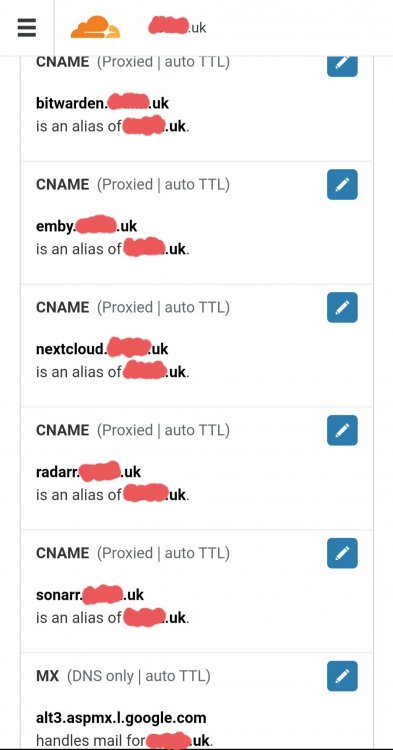
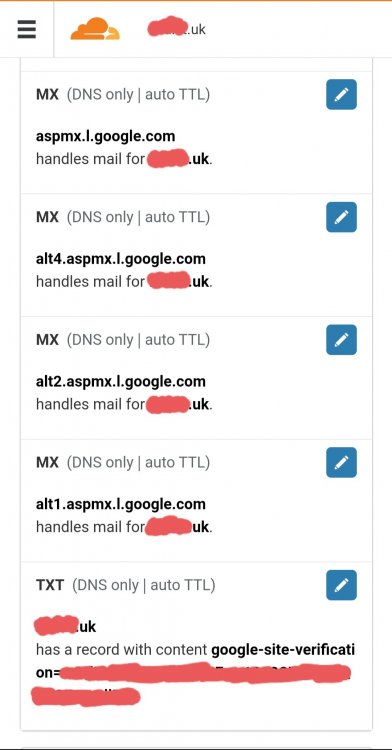
Hello, Many thanks for replying. I have amended the proxy status to DNS Only as per your advice, for the A-record which points to my IP however it still does not connect. I feel as though I'm so close but it's just a simple entry amendment that's needed to get me over the line. I've attached three screenshots below of all my Cloudflare entries. Any clarification would be greatly appreciated. For reference, all of the CNAME entries point to apps via reverse proxy; nextcloud.mydomain.uk The A-record entry is formatted as; mydomain.uk
-
Hi, I was looking over @SpaceInvaderOne videos for anything left to utilise (I've implemented pretty much all his videos up to now 😁) and I found the process of transcoding my media. I downloaded Unmanic but it kept crashing my browser within minutes, so I've moved over to Tdarr. I have a few questions if someone would be kind enough to answer before I take the plunge; 1) I currently have Sonarr/Radarr set to aim for a profile of x265 1080 quality media. Can I set Tdarr to only transcode media once a certain quality has been reached, ie I don't want Tdarr wasting its time converting a 480/720 media file. 2) What sort of space saving could I look at achieving? 1080 is good enough for me but I want to maintain surround sound. 3) What is the difference between Tdarr and Tdarr_AIO? 4) Lastly, once converted to the final file, can Sonarr/Radarr acknowledge that it is the "final" version that I am after and cease with monitoring as to prevent further download and overwriting? Many thanks.
-
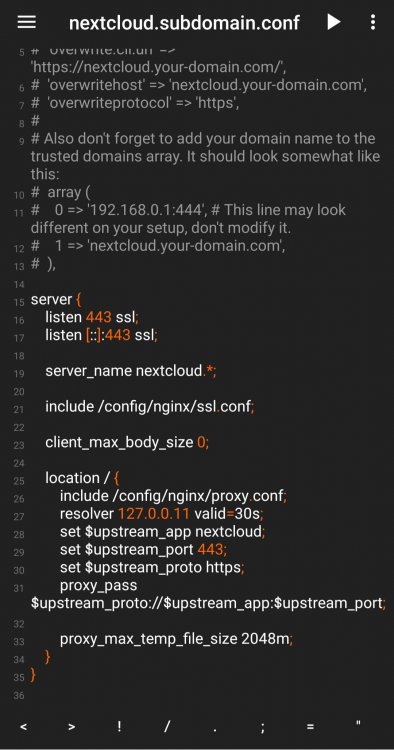
Hi, As long as you are using the Linuxserver Nextcloud docker image, you shouldn't have to make any changes other than removing "sample" from the end of the filename. For reference, here is my config file; Have you added a CNAME to your domain to correctly forward to your hosted Nextcloud instance?
-
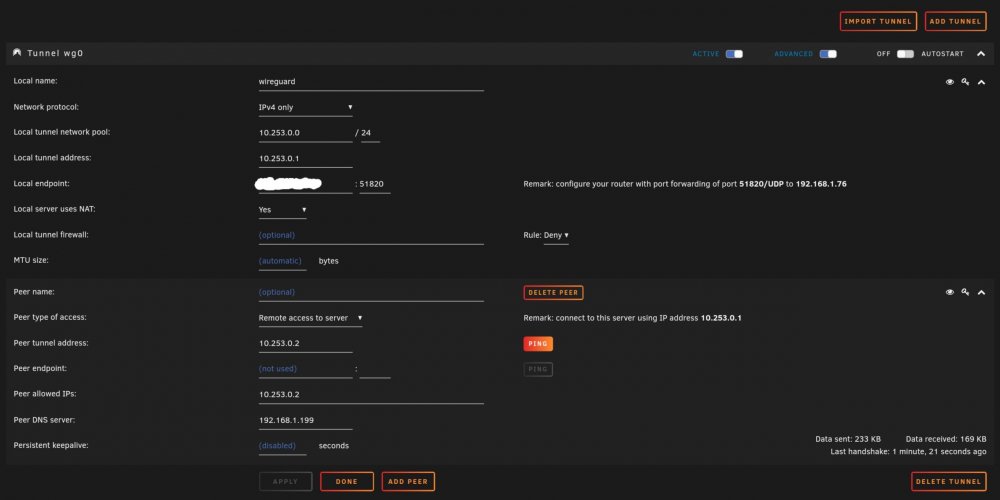
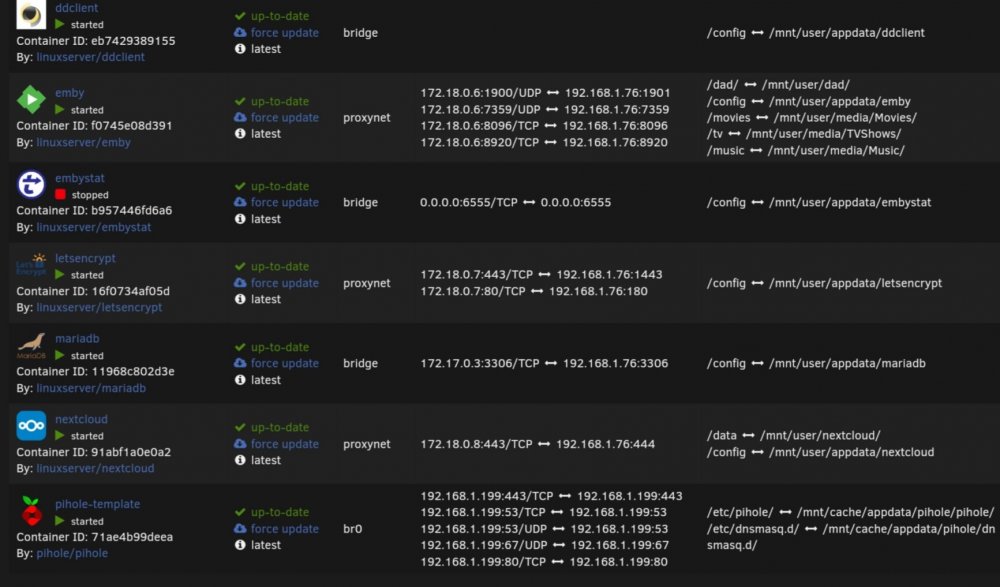
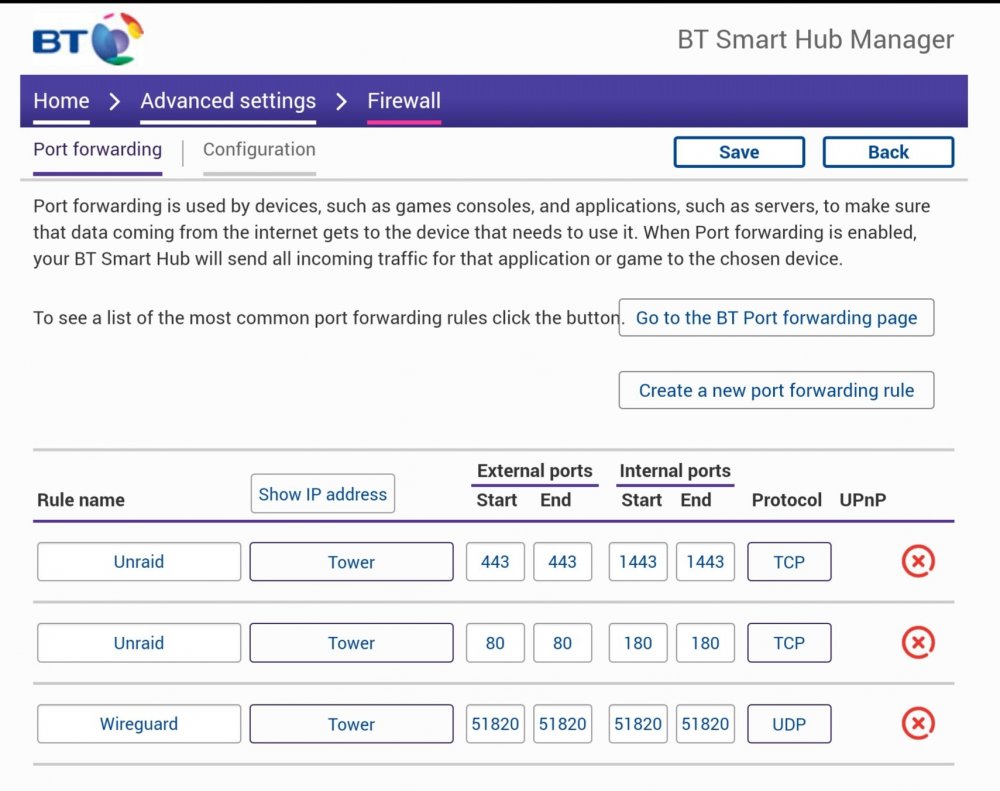
Hi, After a little playing around, WireGuard is now running great on my unRaid server and I can remotely connect. My one issue however is that in the WireGuard settings on unraid, I need to enter my home IP address in the "local endpoint" field. If I enter my custom domain name which is setup and running great with all my other dockers, it won't connect / initiate a handshake. I have DDCLIENT running which updates my IP to Cloudflare but no joy unfortunately. My routers port is forwarded correctly and I've ensured that my PiHole Docker is entered into WireGuards "Peer DNS Server" field. Any suggestions would be greatly appreciated. ***Edit*** If it helps, here are two screenshots of my Cloudflare DNS record page along with my routers portforwarding page;
-
Worked like a charm, thanks!
-
Hi, I've just tried what you suggested and it worked first time, I honestly don't know why it is working now, but I won't dwell on that. 😂 Thank you very much for taking the time to help, much appreciated.
-
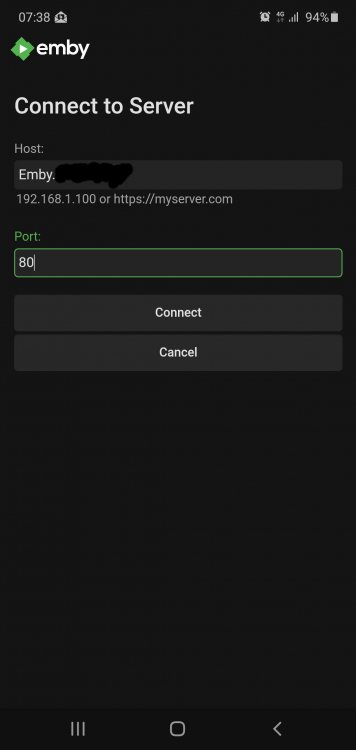
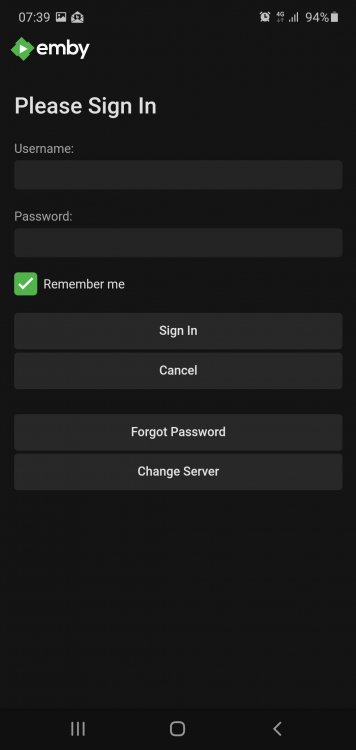
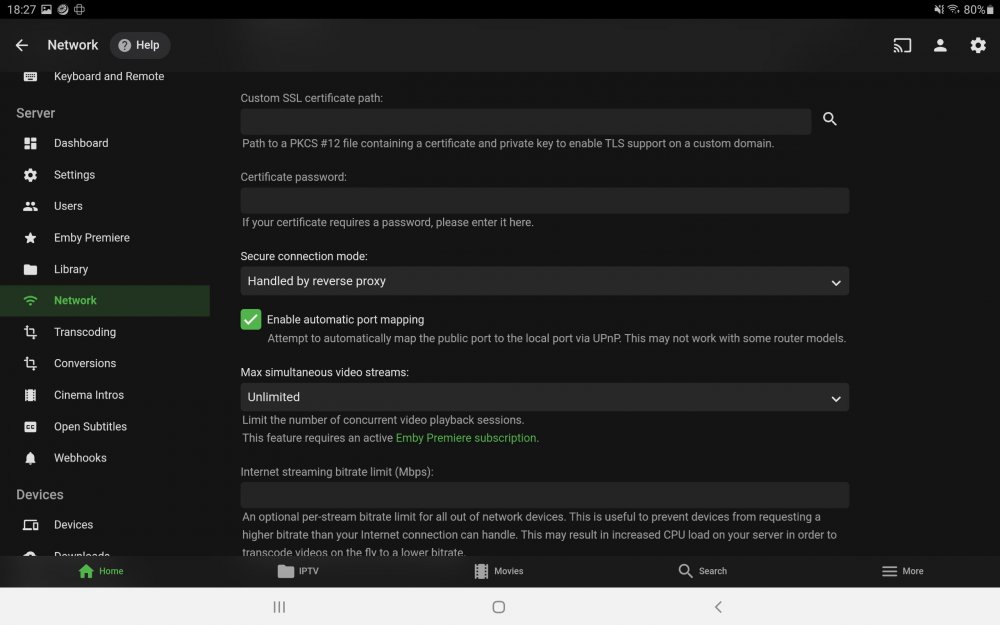
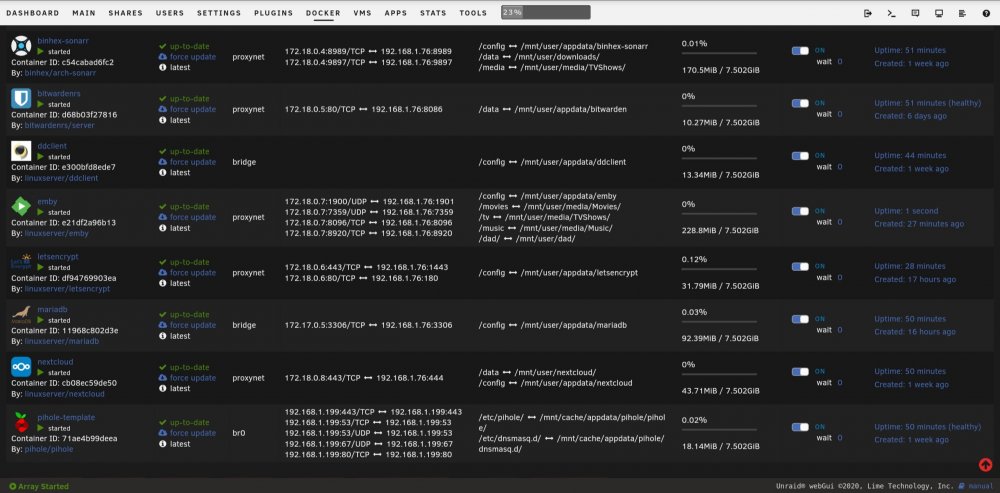
Hi, I have tried all kinds of variations in the app, the only one that gets me somewhere is entering; "emby.mydomain.com" along with port "80". However the login page that it takes me too won't accept any username/password combination, I've even removed the passwords from the emby user accounts, but it makes no difference. As for being able to login via my browser, I test this remotely by ensuring I'm on 4G rather than my local network. Any combination of; emby.mydomain.com http://emby.mydomain.com https://emby.mydomain.com emby.mydomain.com:80 emby.mydomain.com:443 into the browser, all get me to the emby server by directing me to https://emby.mydomain.com.
-
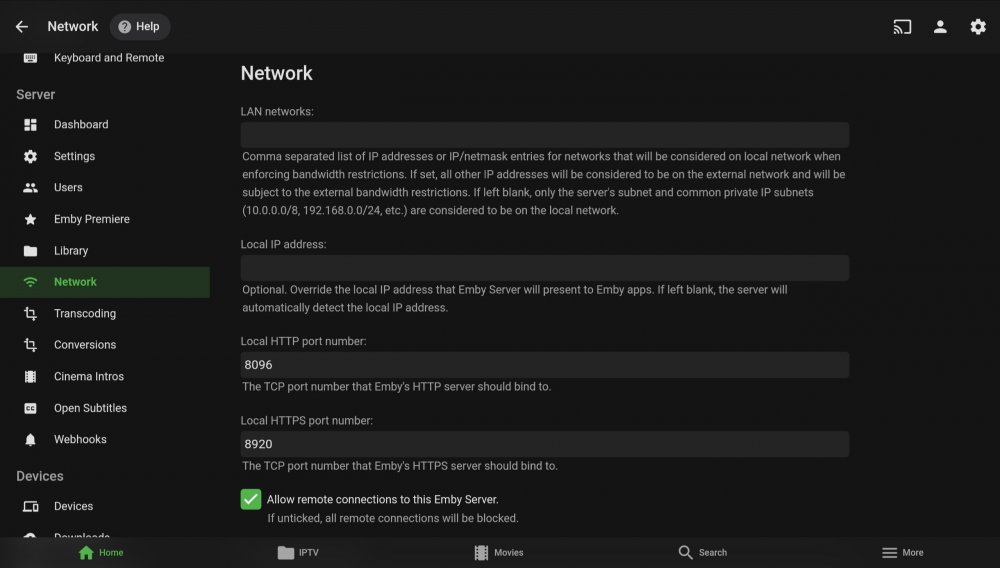
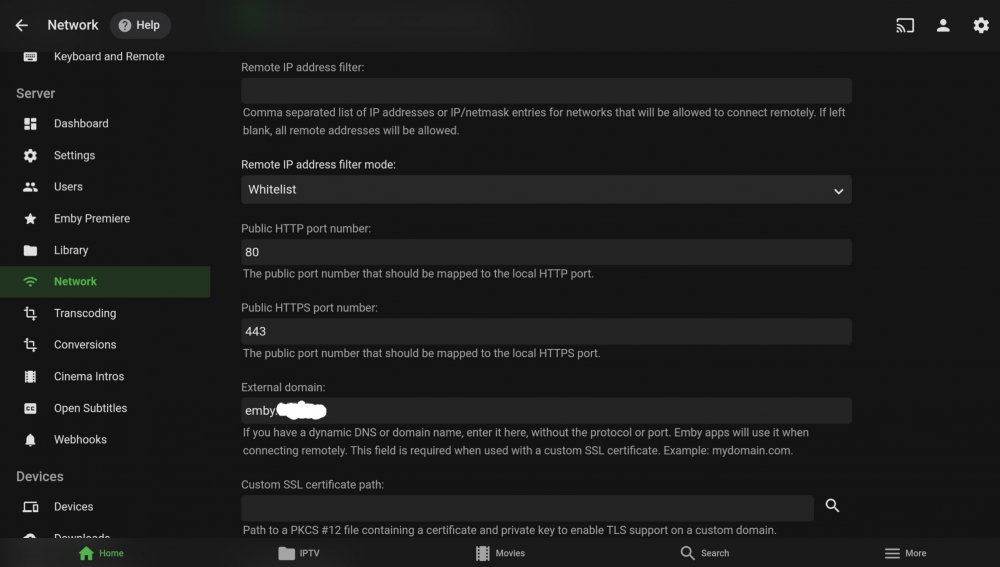
Hi, I've made the move from PLEX to Emby as I was tired of the constant buffering errors (Emby seems a lot better up to now). Anyways, I've followed the Spaceinvader reverse-proxy youtube video and I'm happy with everything, EXCEPT for one thing, remote access. I can access Emby via browser; emby.mydomain.com and everything is great, however when I try and use the app, I can only connect via port 80 and even then it will not accept any username/password combination??? I have gone over all my settings and they are pretty much a mirror image of what I had with PLEX. The Letsencrypt config file has been left as default. Any advice would be greatly appreciated. Thanks.
-
This has just fixed what two days searching the Internet could not. THANK YOU!!
-
Hello, I've managed to resolve my issue. For anyone whom is having similar difficulty, I'll explain here. After creating the NextCloud database in MariaDB, I had to edit the 'custom.cnf' file in; "...mnt/cache/.appdata/mariadb" Specifically, I edited line 124, changing '#bind-address=0.0.0.0' to 'bind-address=0.0.0.0' without quotations. This allowed me to progress through the initial admin setup page of NextCloud without the 504 error. One last point though, when I placed NextCloud behind the Letsencrypt reverse-proxy, I had to restore the above edit to default, ie had to place back the # before I could connect. Hope this helps.

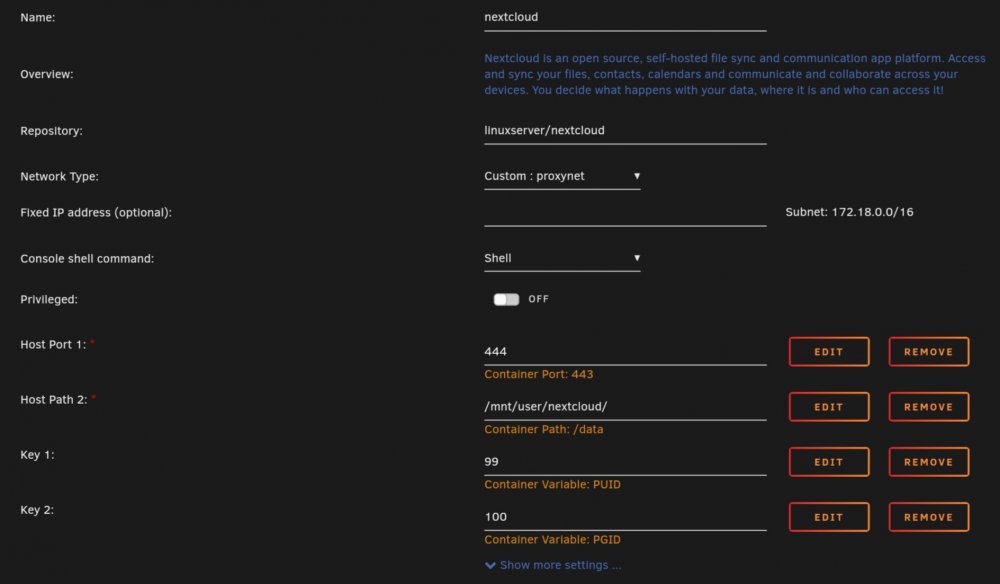
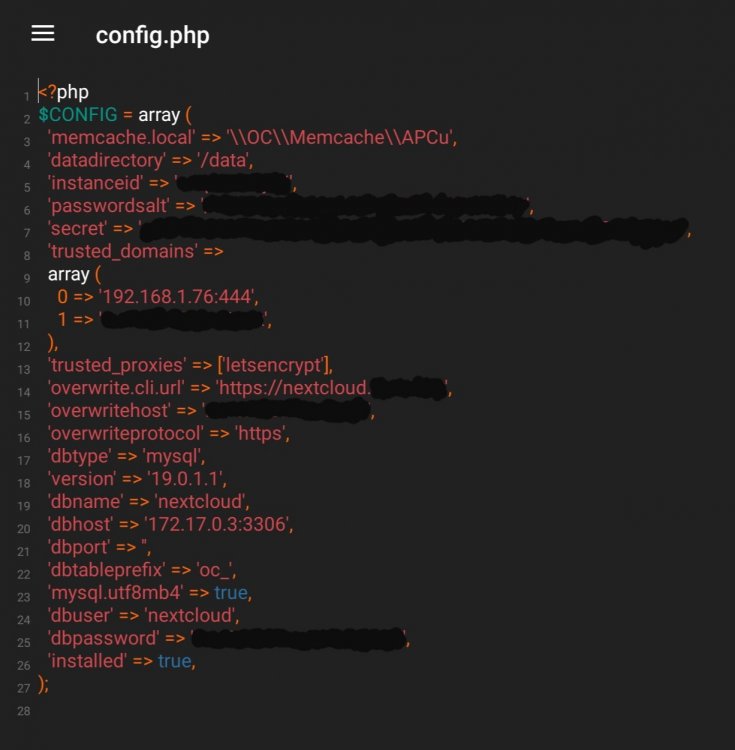
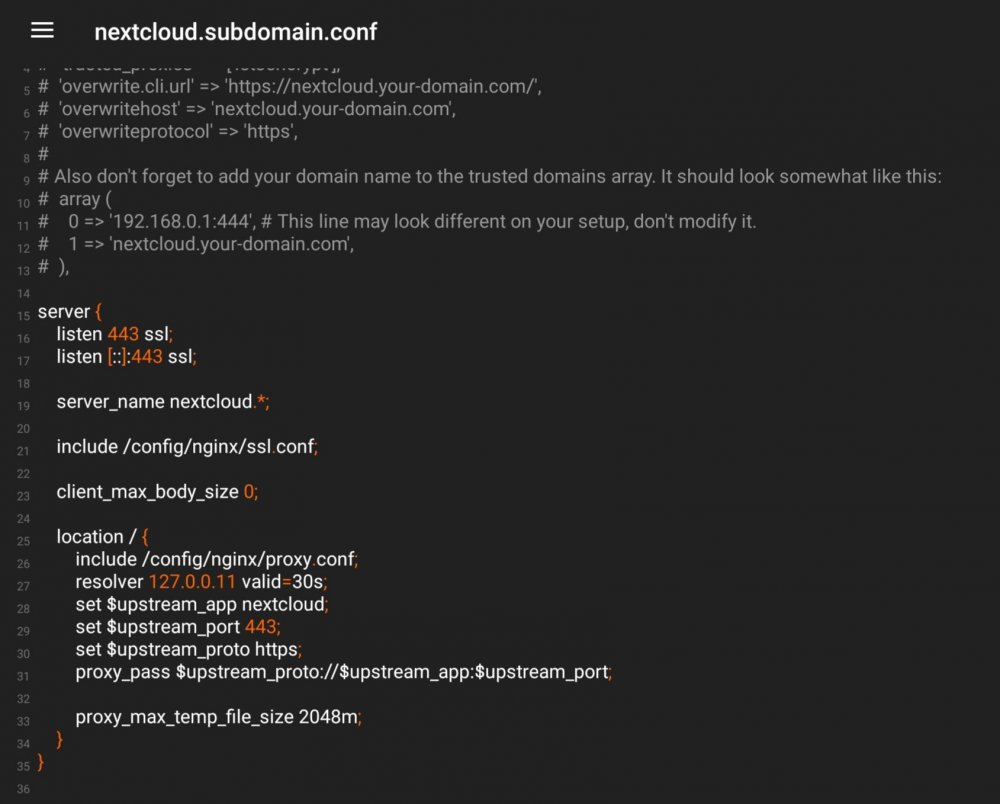
-
I'm finding my way also, however I believe you have your internal and external ports the wrong way round on your routers firewall.
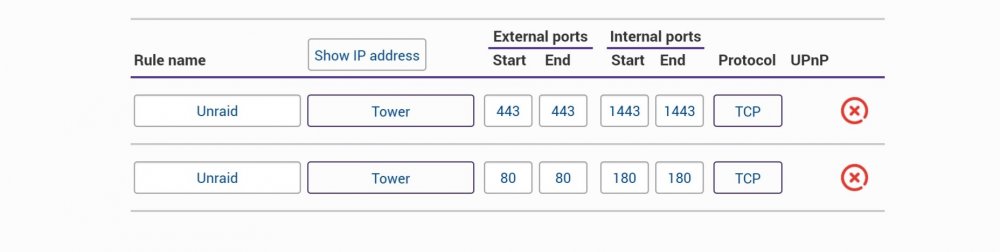
-
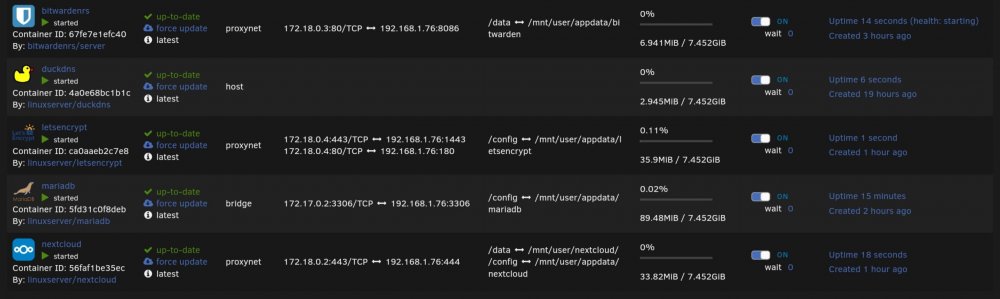
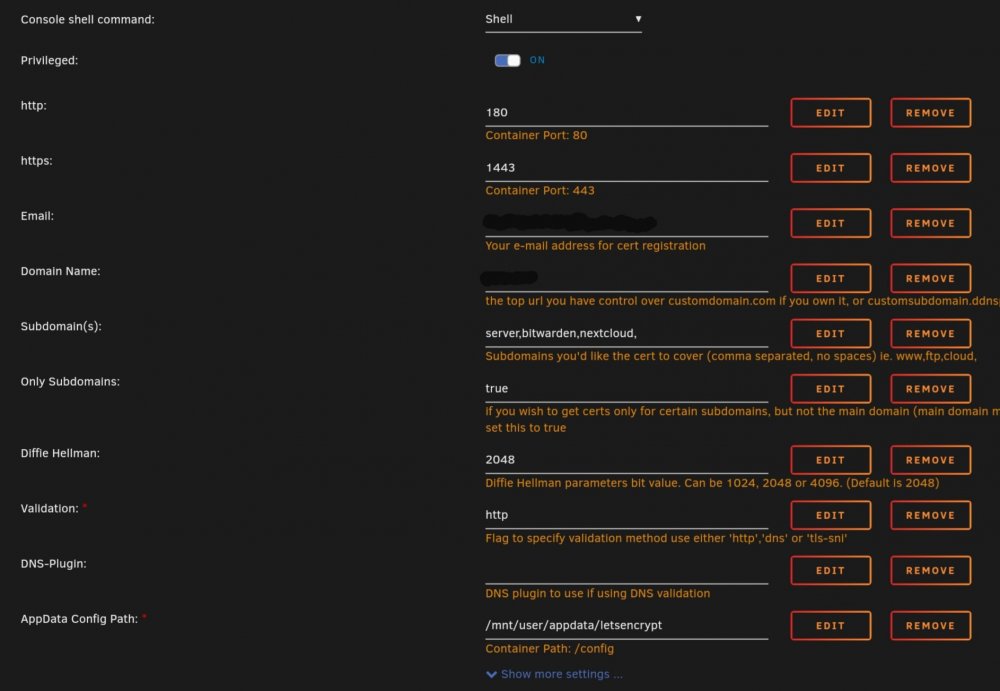
Hello, Can I start by saying that I have only moved over to unRaid from Synology during the past 48hrs and the support both tech and community have been first class. Things are so much smoother and easier, I should have made the transition a long time ago. I've followed several of Spaceinvader One's excellent YouTube videos and have successfully setup Sonarr, Radarr, Sabnzbd, DuckDNS, MariaDB, Bitwarden, Letsencrypt, NextCloud, server wide encryption, cache drive and several plugins, and I'm very happy. The Linuxserver containers are first class. One issue I have been stuck on for the past few hours though is getting NextCloud to work with Letsencrypt. I managed to set it up and had it working locally however when I moved it into the reverse-proxy fold like I did with Bitwarden, I am getting timeout errors. I have looked through the forums of similar issues however none of the potential solutions have fixed the issue. The CNAME entries have been checked and double checked. These were entered only today however the Bitwarden one took effect instantly. I have double checked the Letsencrypt and NextCloud config files, however they appear correct also. I've ran out of ideas. Thanks in advance. I have attached several screenshots below which I hope will be enough for someone to point me in the right direction, however if any further information is needed, please let me know.
-





