FQs19
Members
-
Joined
-
Last visited
Everything posted by FQs19
-
Thanks. I'll switch cases and report back. It might be a week or two before I have time for that.
-
Thanks for responding to all of my problems. I really appreciate it. So moving my server into the new case without the backplane should be my first step?
-
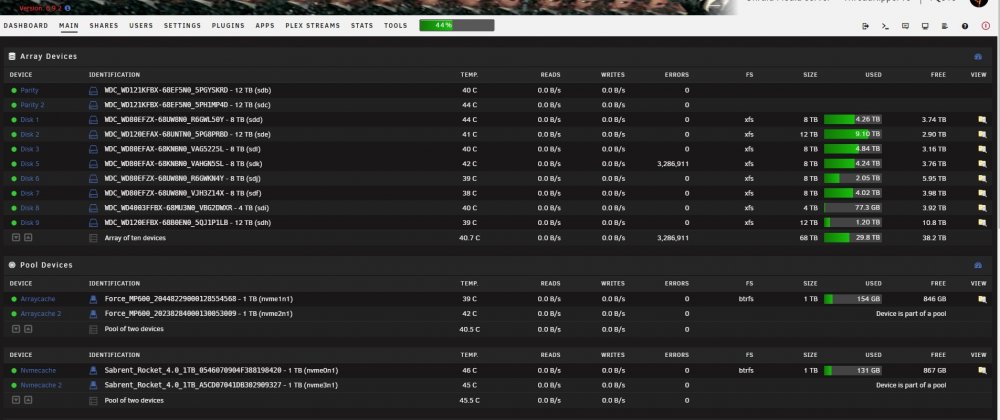
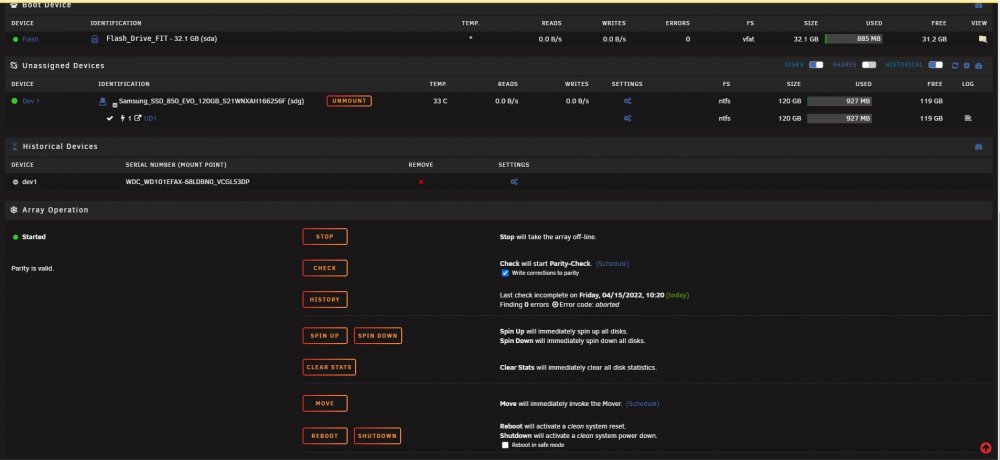
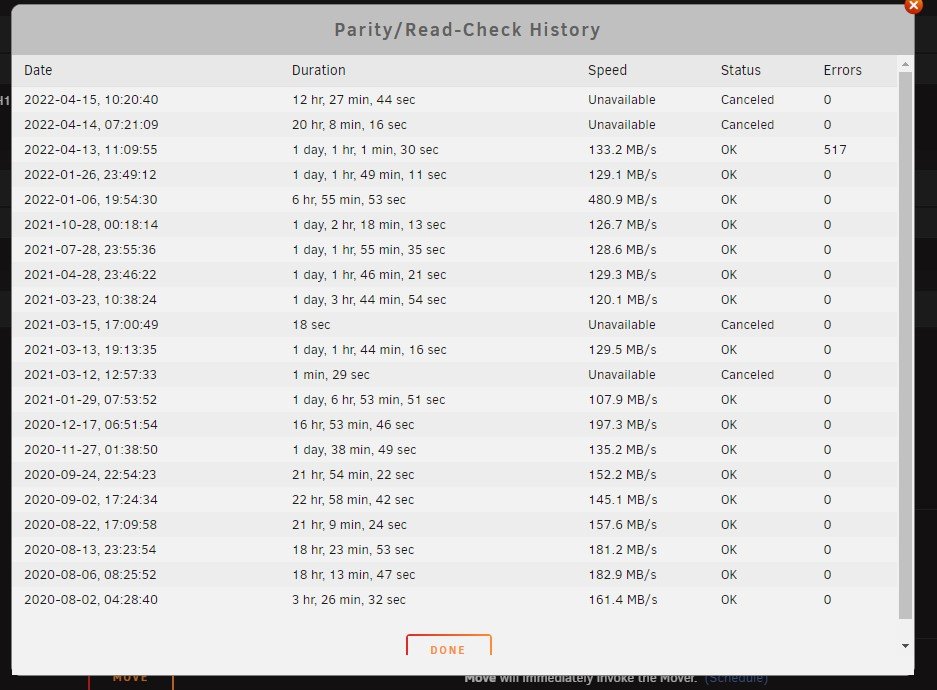
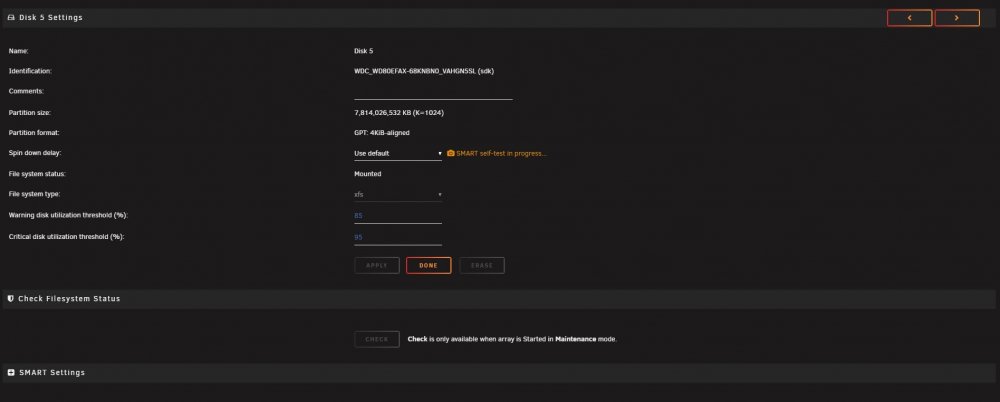
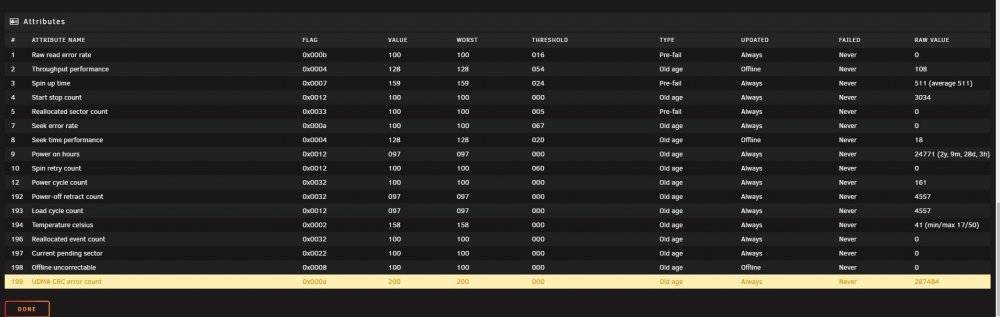
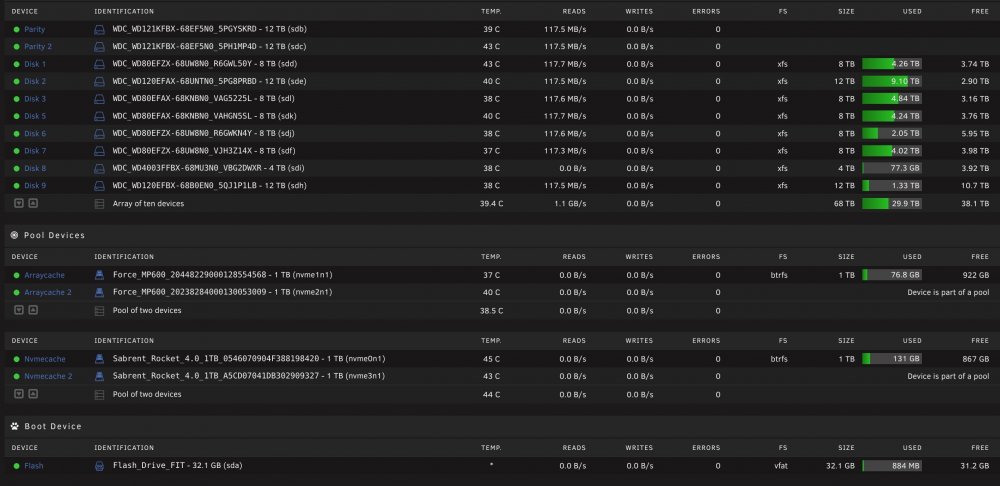
Here are my previous posts about several of my disks throwing UDMA CRC errors, then actually disabling a disk. First post with issues Second post with issues I was doing an uncorrecting parity check to verify that my correcting parity check fixed the sync errors. I woke up today to find that my network connection to my server dropped. I logged in locally and there were a ton of warning popups. Now I have yet another disk that received UDMA CRC errors and is showing Errors on the main tab. The errors just kept coming, so I stopped the parity check. There's no way these are disk problems and I'm really doubting its related to the backplane in my case. Are we positive that it's not the LSI card? I've been holding off on switching cases, to get rid of the backplane, until all the sync errors were corrected, but at this point I think I need to switch cases. Is that a good idea? Just shutdown my server, remove everything, and put it all in my new case that doesn't have a backplane. So it would just be cabled straight from my LSI card and motherboard to the disks. I can't afford to keep getting disk errors and I have too much stuff going on in my life to deal with this. I'm at a loss and confused. Just wondering what you all would do in this situation. I grabbed all this information before I shutdown the server, because I don't want it running at this point. threadripper19-diagnostics-20220415-1028.zip threadripper19-smart-20220415-1025.zip
-
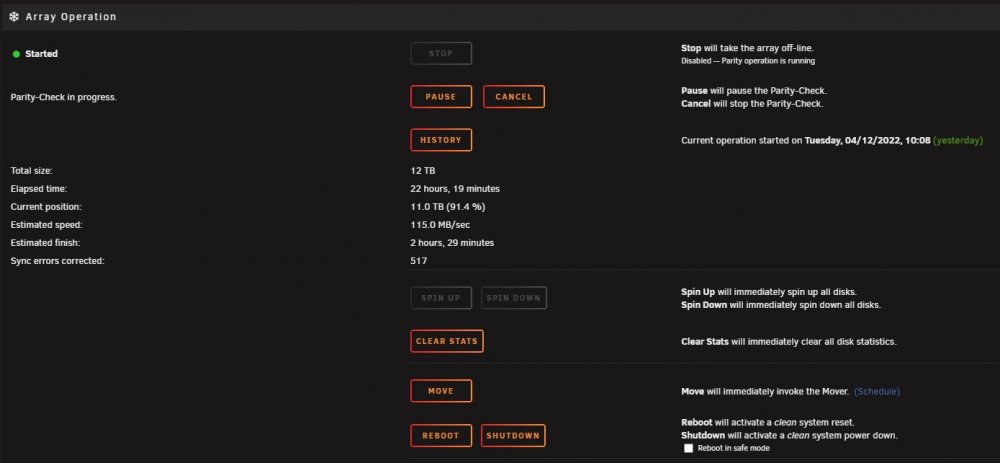
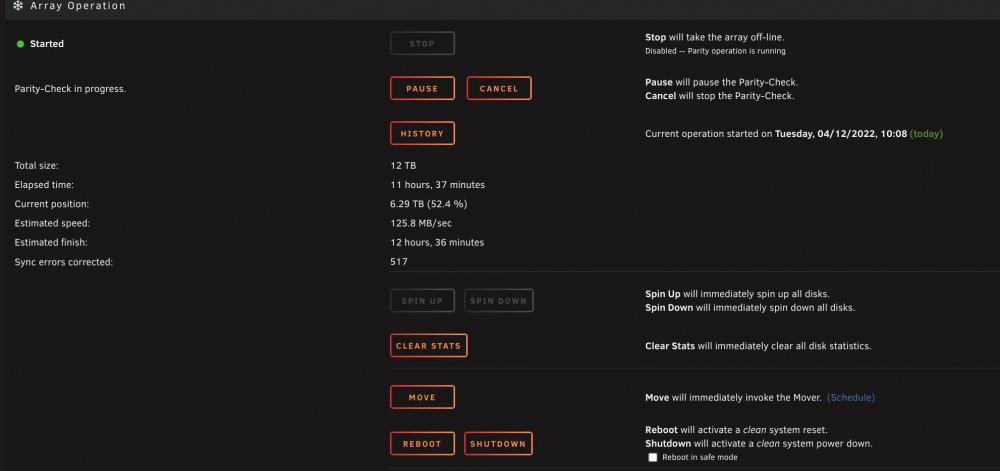
Thank you both for the help. I'm at 91% on the parity check and the errors are still at 517. I'll let it finish then run a non-correcting parity check to confirm 0 errors. I can then finally switch this server over to my new case that doesn't have a backplane.
-
Just wanted to give an update: I'm in the middle of the correcting parity check and I'm at 517 sync errors. I'm not seeing any errors on the disks though. Should I do another correcting parity check after this finishes or just a parity check? I understand that a parity check should always come back with 0 errors. So I assume I should do another correcting parity check instead of wasting time doing a parity check then having to do another correcting parity check after finding errors with a parity check. threadripper19-diagnostics-20220412-2151.zip
-
Glad I checked with you first. I did exactly what you said, Tools>New Config>Keep All Assignments, then checked the box for 'Parity is Valid', started array, then started a Correcting Parity Check by checking the box 'Write Corrections to Parity'. It'll take at least 19hrs for it to finish. After about 2 mins of starting the array, Disk6 received 4 more UDMA CRC Errors. I need this parity correcting check to finish so I can shutdown the server and move everything over to my new case ASAP. Thanks so much for the help.
-
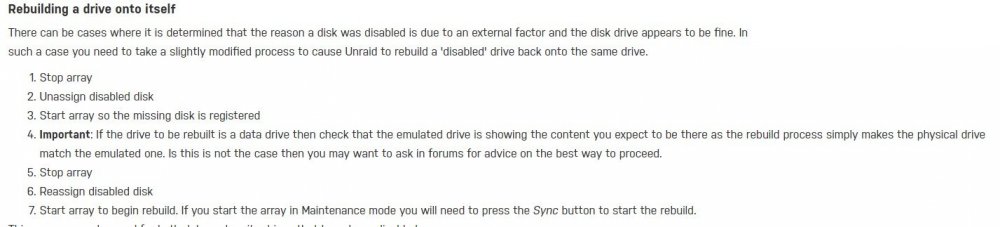
I just want to verify with you, but is this the procedure you would like me to follow to re-enable the disk: Rebuilding a drive onto itself I haven't written anything to the disk that I know of. I've disabled mover (set it to run monthly but not til the 1st of the month), disabled my dockers, and haven't written to the data disks from other computers in my house. Thanks again for the help.
-
Thank you for looking at it. Would you rebuild that disk with a new one in the current case or move the system over to the new case and then rebuild the disk?
-
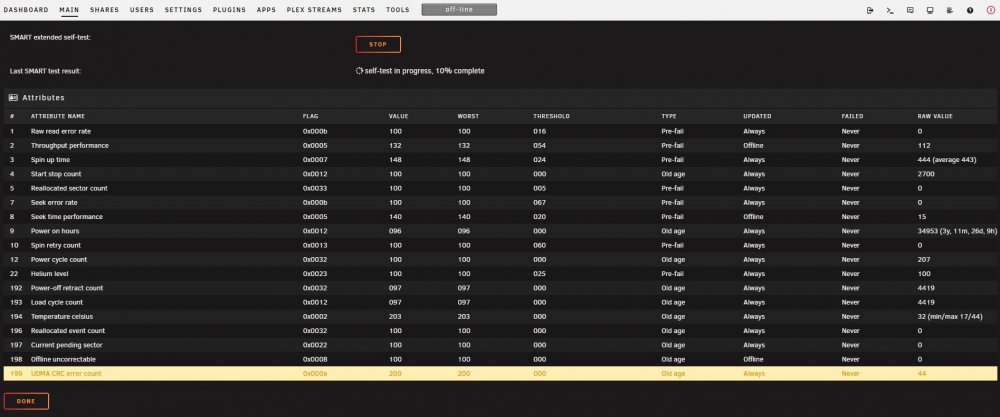
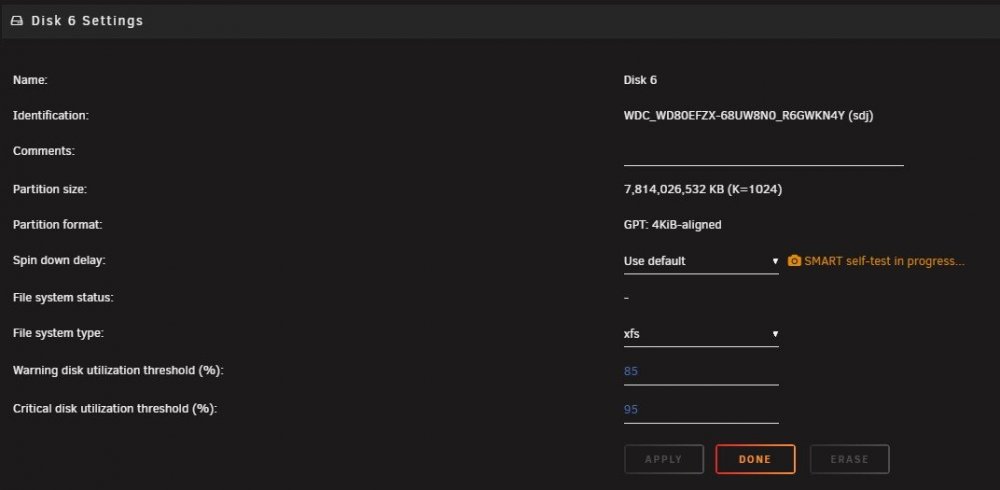
So I've been having issues with UDMA CRC errors. Here's my previous post, UDMA CRC ERRORS FROM ONLY 1 DISK FROM LSI BROADCOM SAS 9300-8I. I have yet to be able to build my new case that removes the backplane thinking that is what the underlying issue is. In the meantime I decided to use SpaceInvaderOne's video on shrinking my array and preserving Parity so that I can RMA Disk4, which also had UDMA CRC errors. Disk6 in my other post was out of warranty unfortunately. Thanks @SpaceInvaderOne, your videos are amazing. I was able to move all of my data from Disk4 onto other drives, then clear the drive. I had zero issues following his video. However, when I started the array after unassigning Disk4, Disk6 threw errors and went disabled. I just ordered a new hard drive because I don't have a spare. Yes I know, I should always have at least one spare. I'm an idiot. My question is, I don't see any 'bad' errors, like Unallocated or Pending sector. So is the disk actually bad or is there another issue like in my previous post with the bad backplane or maybe a problem with my LSI card? I am 100% going to leave my server off until I get the new drive, then I will rebuild onto it after doing a Preclear, but should I re-build everything into my new case that I got, which doesn't have a backplane, or should I use my current case with the backplane and rebuild my array with the new disk? I just don't want to keep getting all these errors especially when I'm trying to rebuild a disk. I'm not sure if the Diagnostics file will show all the errors or not, but I'm including it and Disk6 smart report. I also started a SMART extended self-test on the disabled disk. threadripper19-diagnostics-20220410-1708.zip threadripper19-smart-20220410-1709.zip
-
Like you thought, most of the reviews of my Rosewill chassis mention the hot swap bays aren't the best. I might try and contact Rosewill to see if they'll replace them. If they don't I'll look into removing the bays and putting in cages without a backplane. Otherwise, I'll start my search for another case. Thank you both, @JorgeB, for your help. I'll mark this as solved with the most likely culprit being the Rosewill case's backplane. I'll add a photo of my server when I get home.
-
That's a great idea. Thanks. I was going to contact Rosewill to see if they had replacement backplanes, but looking up reviews first is even easier.
-
My Rosewill case has 12 hot swappable bays. So I'm going to remove every disk, re-tighten all screws that attach the disks to the drive sleds, blowout any dust in the backplane connections, then re-insert each disk, making sure they seat firmly. I'll do the same with the cables from my HBA to the backplane. I'll also try and arrange my power cables so that they don't run parallel to the data cables. I don't think any are, but I can clean up my cabling a little. Just for giggles, I'm going to test my ram with memtest86 to see if it shows any errors. I've been thinking about getting ECC ram, but didn't want to spend another $300-400 on memory. I have yet to get an error on the first disk that gave me errors, but the errors went up to ~1500 before I could replace the cables. The errors on this second disk went up to 2 after changing the cables. No other errors since. Thank you again for the help. I've spent a ton of money and time on this server, so it's just nerve racking getting all these errors randomly. My luck, one of my original cables was bad and I one of my new cables is bad. Lol
-
Thanks for looking into this problem of mine. If I understand you correctly, you believe it's either the backplane in my Rosewill chassis or the LSI card itself? And you don't think it has anything to do with my ram modules, correct?
-
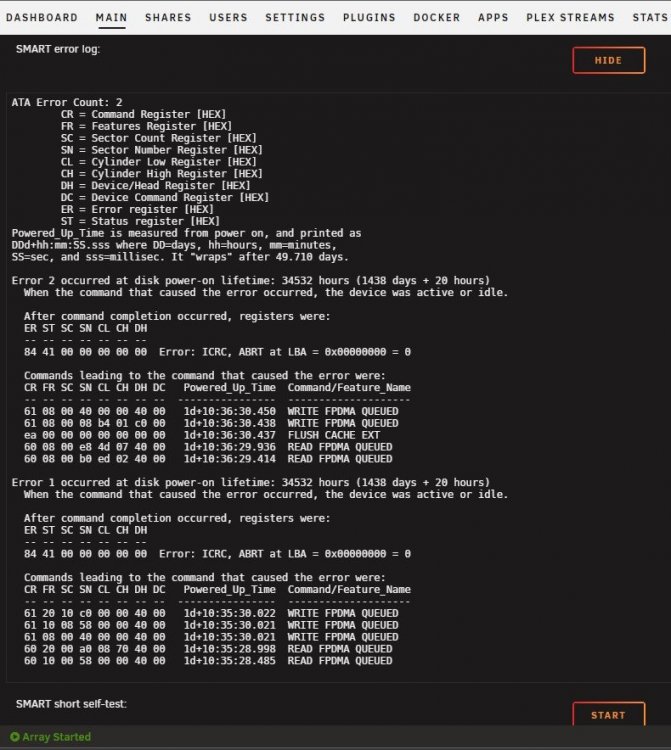
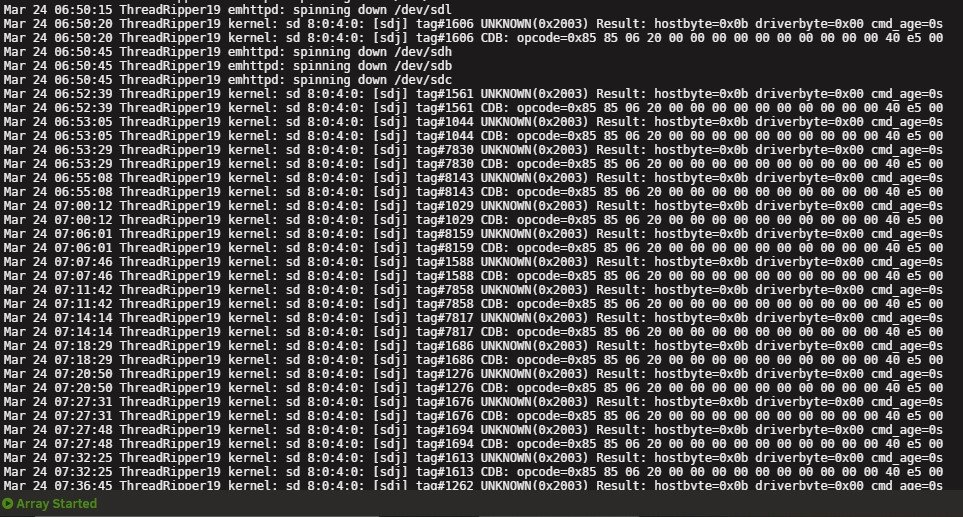
@Frank1940 I finally got new .5 meter cables, installed them, and after a while I got a UDMA CRC error on a completely different disk; Disk #6. I didn't change what cable connects to which disk. I also blew out all dust I could find in my system then re-inserted every cable firmly. I even pulled my HBA card and did the same thing. The error count only went up to 2. The other disk has yet to get another UDMA CRC error, so at least that one is good now. I'm also getting these errors: Mar 25 17:41:35 ThreadRipper19 kernel: sd 8:0:4:0: [sdj] tag#1716 CDB: opcode=0x85 85 06 20 00 00 00 00 00 00 00 00 00 00 40 e5 00 Mar 25 17:46:34 ThreadRipper19 kernel: sd 8:0:4:0: [sdj] tag#1666 UNKNOWN(0x2003) Result: hostbyte=0x0b driverbyte=0x00 cmd_age=0s No idea what those are. I've never seen that error before. Do you think I have some bad ram modules? Or maybe I should re-flash my HBA card with the latest firmware? I'm at a loss at this point. There's one other thing that is strange on my system. The Plex Streams app is loading extremely slowly. Before, the page would populate within 3 seconds. Now, I'm waiting almost 30-45 seconds. Do you have any idea what's going on? Thanks for your help. Chris threadripper19-diagnostics-20220325-1812.zip threadripper19-smart-20220325-1805.zip
-
Thanks for the response. The WD drives are attached to a backplane inside my Rosewill 4U Server Chassis. So the connection shouldn't be a problem. Hopefully. I agree with the long lengths though. At the time, I purchased the longer ones because I wasn't sure what length to get. I will absolutely get the .5 meter length ones. Thanks for the listing.
-
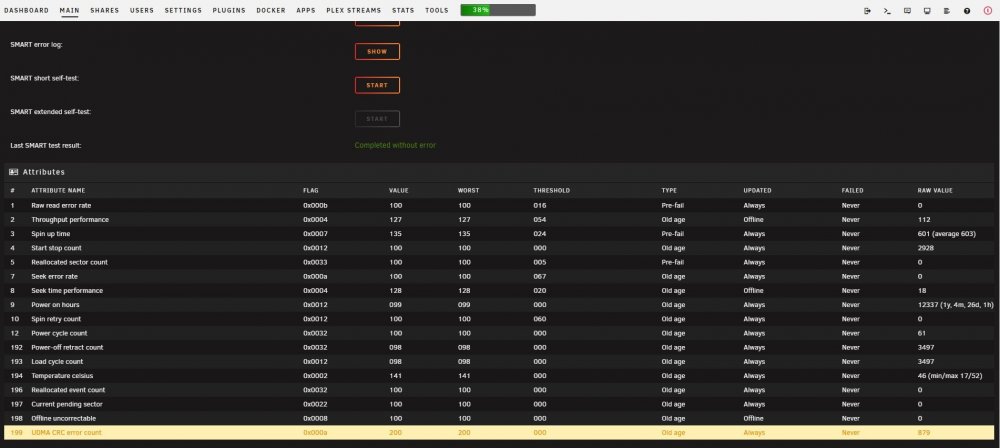
Hi all. Just curious if anyone could shed some light on why I'm getting UDMA CRC errors from only one disk, a WD Red Plus 10TB, attached to an LSI Broadcom 9300-8i SAS HBA card in IT mode. I'm using two CableCreation Internal HD Mini SAS (SFF-8643 Host) cables to attach them to seven disks. I don't remember what firmware is on the card, but I flashed the card about 2 years ago when I built the system. I forgot to screenshot the logs of the errors, but they are coming in only after the disks are awakened for a SMART check. I rebooted the system and more errors came. The errors were at 777 and now they're at 879. No other disk is showing these errors. I have yet to power down the system, unplug every cable, reseat the HBA card, then reattach the cables, making sure they're not kinked and away from power cables. I will do that at some point. So I'm wondering if I should buy new cables, because I did have some of these same errors when building the system, but thought they were bad disks and got the disks replaced. The replacement disks didn't show any of these UDMA CRC errors. Any help would be appreciated. Thanks for reading. Chris Unraid 6.9.2 System specs are in my signature threadripper19-diagnostics-20220320-1814.zip threadripper19-smart-20220320-1815.zip

-
Same here on 6.9.2
-
@itimpi So I shutdown my unRAID server, pulled the cover to pull the NVMe drives, but found that the Sabrent drives are on the motherboard covered with the motherboard heatsink. My Corsair MP600's are on the DIMM.2 slot. So I just restarted the server and went into the BIOS and saw that the motherboard recognized all four NVMe drives including the two Sabrent ones. I then rebooted the server into GUI mode and now see both Sabrent drives detected. I'm attaching the diagnostic file for your review. I would love to know if you see anything wrong with my server or perhaps know what could've happened. It had been a long time since that server was rebooted. Maybe that could've had an effect. Also, do you think it is safe for me to re-enable the Dynamix SSD TRIM plugin? I appreciate your help with us so much. Thank you threadripper19-diagnostics-20210913-1632.zip
-
I'm going to power off the server, pull both Sabrent NVMe's, then re-seat them, start the server and go into the bios to see if they're showing up there. There's also a new motherboard bios that I might update to. If I can't get both Sabrent's to show up, I'll move them to different M.2 slots and see if they show up then. Hopefully I can. I'll post diagnostics if I get them both working. Thanks for the help and the info on the syslog being included in the diagnostics.
-
Hoping someone can help me with a problem that I have with a Cache pool disk going missing after fstrim failed. I have the Dynamix SSD TRIM 2020.06.21 installed and had it set to run Daily with no issues for almost a year with the current hardware. I turned it off while I troubleshoot the missing disk. Here is the error I received: fstrim: /mnt/nvmecache: FITRIM ioctl failed: Input/output error Followed by a Warning about the Cache Pool BTRFS missing device. I disabled the Trim command and rebooted the server, but the disk is still missing. I haven't gone into the motherboard bios yet since I haven't touched the bios in months. Figured I would post here and see what others say. I have four NVMe devices installed, two of them are on a DIMM.2 module and two of them are on the motherboard. I forget which ones are where, but can confirm if that info is needed. My hardware is as follows: - Ryzen Threadripper 3960x - ASUS ROG Zenith II Extreme Alpha TRX40 Gaming (Bios version 1402) - PNY Nvidia Quadro RTX 4000 - two Corsair MP600 Gen4 NVMe - two Sabrent Rocket 4.0 Gen4 NVMe - LSI Broadcom SAS 9300-8i in IT mode - Several hard disks Plugins installed: - CA Auto Update, - CA Backup/Restore, - CA Cleanup - Dynamix Active Streams, - Dynamix Cache Directories, - Dynamix SSD TRIM, - Dynamix System buttons, - Dynamix System Information, - Dynamix System Statistics, - Dynamix System Temperature - Fix Common Problems - GPU Statistics - My Servers - NERD Tools (with only iperf and perl installed) - NVIDIA Driver - plexstream - PreClear Disks - Tips and Tweaks - Unassigned Devices, - Unassigned Devices Plus - UnBALANCE - User Scripts Only Docker running is PMSLinux. No VMs. I have two cache pools. One pool has both Corsair MP600's and the other cache pool has both Rocket 4.0's. unRAID version 6.9.2 is installed. I've attached the diagnostics file and syslog for review. Any help is appreciated. threadripper19-diagnostics-20210912-1903.zip threadripper19-syslog-20210913-0001.zip
-
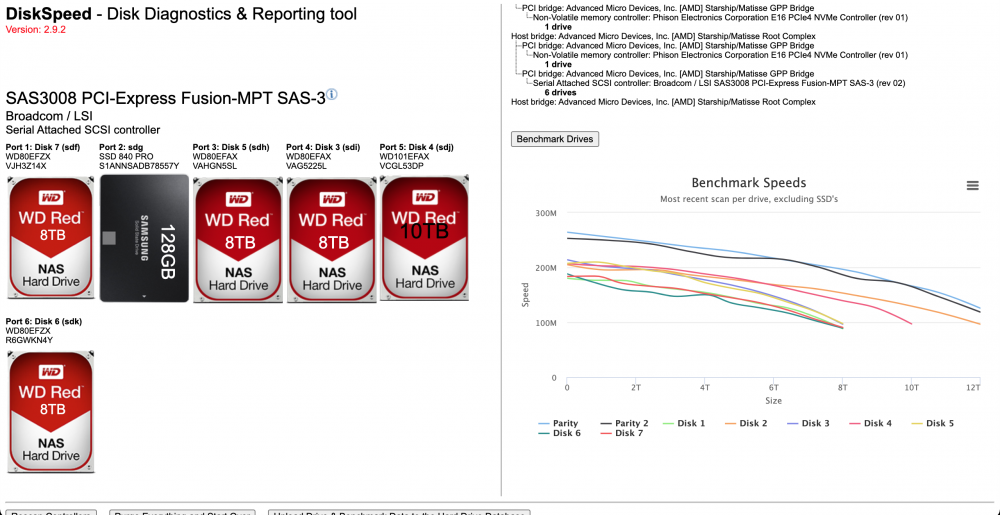
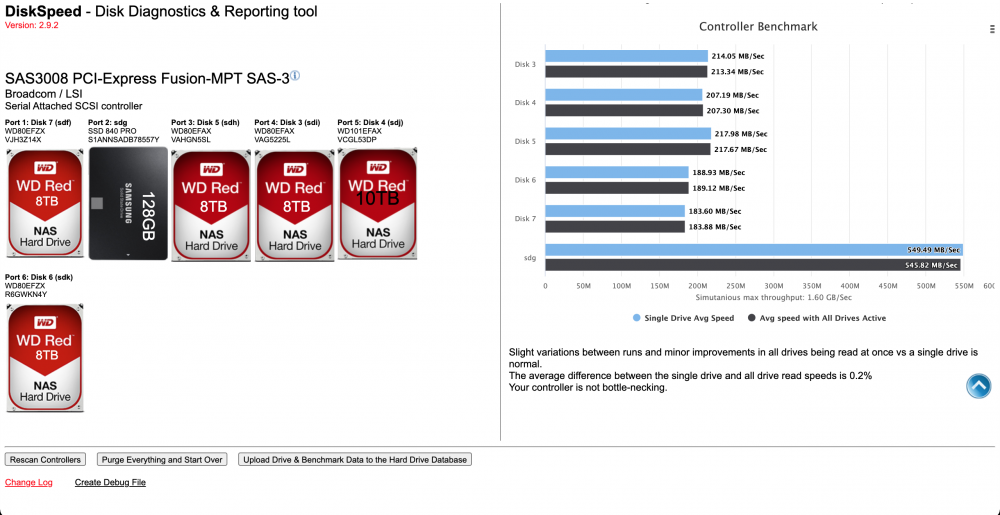
I have an LSI Broadcom SAS 9300-8I with bios = P14 Version 16.00.00.00 and firmware = P16 Version 17.00.00.00 installed. I've never encountered any issues with it since unRAID version 6.8.2. I'm currently running 6.9.2. The only things I can think of checking is maybe reflash the LSI card, check for a new motherboard bios and do a CMOS reset and reconfigure, then check your cables.

-
I was afraid the driver on 6.8.3 was the problem. Thank you so much for providing that information. This is my first unraid system and didn't feel comfortable upgrading to the 6.9.0 betas, but it looks like that's the route i should take. Thanks to all for your help.
-
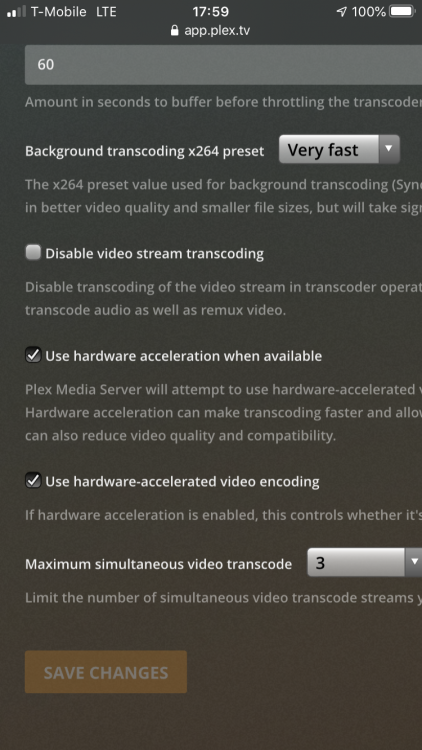
I have both hardware acceleration and hardware-accelerated encoding checked.
-
I was directed to this forum for a question I have about hardware acceleration Encoding not working. I'm wondering if this is what @SelfSD is talking about. Unraid Nvidia 6.8.3 installed. Nvidia Driver version is 440.59. Linux Server Plex docker running plexpass version 1.20.3.3437. Any help is appreciated. Here is my post from another forum: I'm using some left over pc parts just to get started, but they've been working fine. I have an intel 4790K cpu with a Gigabyte Z97X-UD5H-BK motherboard. My appdata folder is on an nvme drive under Unassigned Devices. My transcoding folder is under appdata/PMSlinux folder on that nvme. I installed the Unraid Nvidia plugin. Installed the 6.8.3 image. Switched to the linux server plex docker. I was using the official plexinc docker. Added the --runtime=nvidia to extra parameters in the Advanced section. Added my guid to the Nvidia Visible Devices parameter. I started a movie and transcoded down in resolution, but gpustats and Plex shows only that Decoding is taking place. My cpu is still doing the Encode. This is much better than no hardware acceleration only, but since Plex finally got around to allowing both Decode and Encode to take place, I would like to take advantage of it. The GTX1060 does have both decode and encode chips per the matrix. Hopefully I just missed something silly and it's an easy fix that someone here could spot. Any help is much appreciated.
-
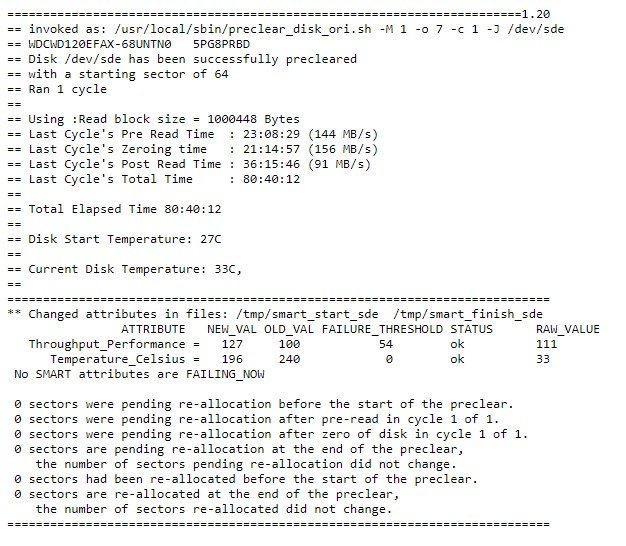
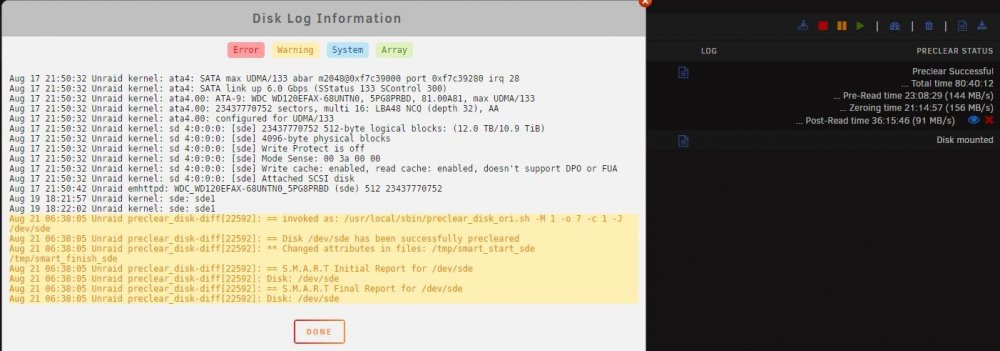
New user. Just starting out trying to get my bearings on Unraid. I have a question in regards to a Preclear using the Joe. L 1.20 script on my WD Red 12tb hard drive. It took 80hrs 40mins 12 secs to complete 1 cycle. Is this normal? Is there something wrong with my drive, since I see the Post-Read average was only 91 MB/s. When I precleared a WD Red Pro 12tb hard drive using the gfjardim 1.0.16 script, it only took just over 36hrs. I understand that the Pro drive is a 7200rpm drive, but it precleared in half the time of the 5400rpm Red drive. I'm currently running Unraid 6.8.3 Stable and Preclear Plugin - gfjardim version 2020.05.07