





jaddel
Members
-
Joined
-
Last visited
Everything posted by jaddel
-
Hi Guys, I don't know if this has been a topic before but for those of you who know Homeassistant we all know how well and convinient the integrated backup / roleback solution is. I know there a plugins like the CA Backup / Restore Appdata but it's not nearly as convinient as Homeassistant does it. Since this is a feature request, here is what I would really like to see being added as a Unraid user: 1. A roleback / backup system for docker container. 2. A watchdog to automaticlay restart crashed containers. 3. An auto update feature, that backups containers data and mapped folders before a container will be updated. This should ofcourse be configurable since you don't nessecarily want to backup all your mapped folders. There should also be a priority system that allows database containers to be backuped before the application containter will be backedup. 4. A nice GUI implementation to restore containers, set the amout of backups to keep and to adjust the intervalls for backups to keep. As said before there are CA Apps which get close to what I want but they are still missing the level of convienence and smothnes to what I've experience with Homeassistant. Thanks for reading until here. Br. Jaddel
-
- The card is running fine in my main system. - The board has only one PCIE so I cant reseat. - I'm aware of not to bind the card to VFIO. - The bios has already been reset several times. I'll bind it via VFIO and try to setup a win10 vm and see how it goes.
-
I just updated my post and added the diagnostic.
-
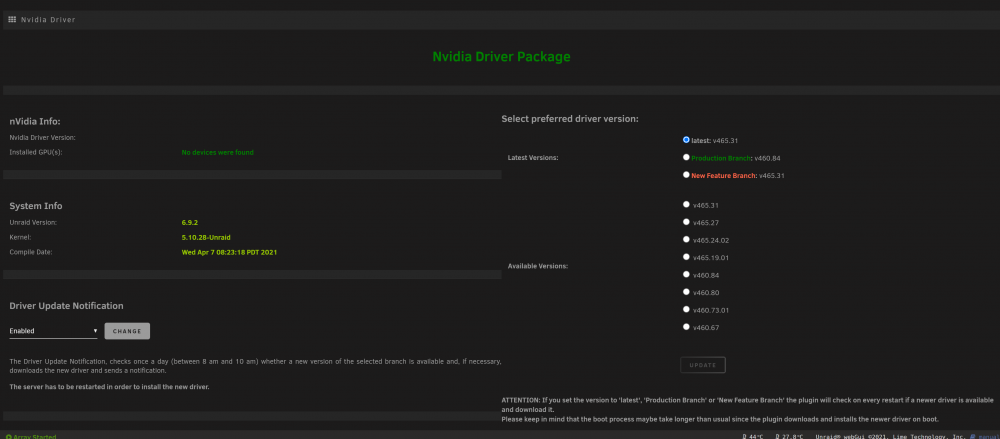
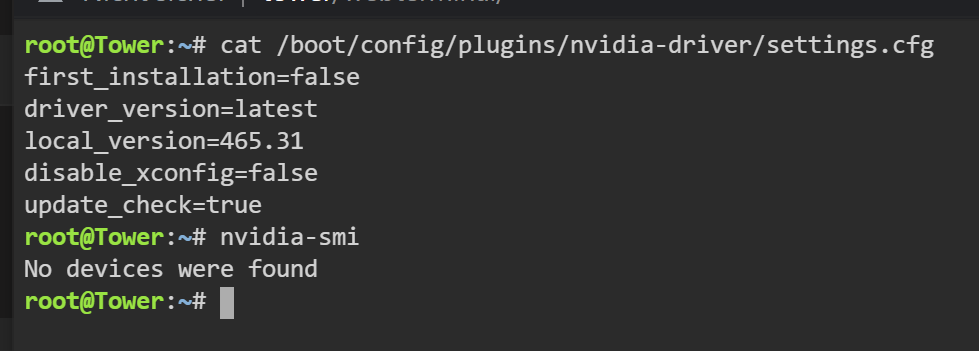
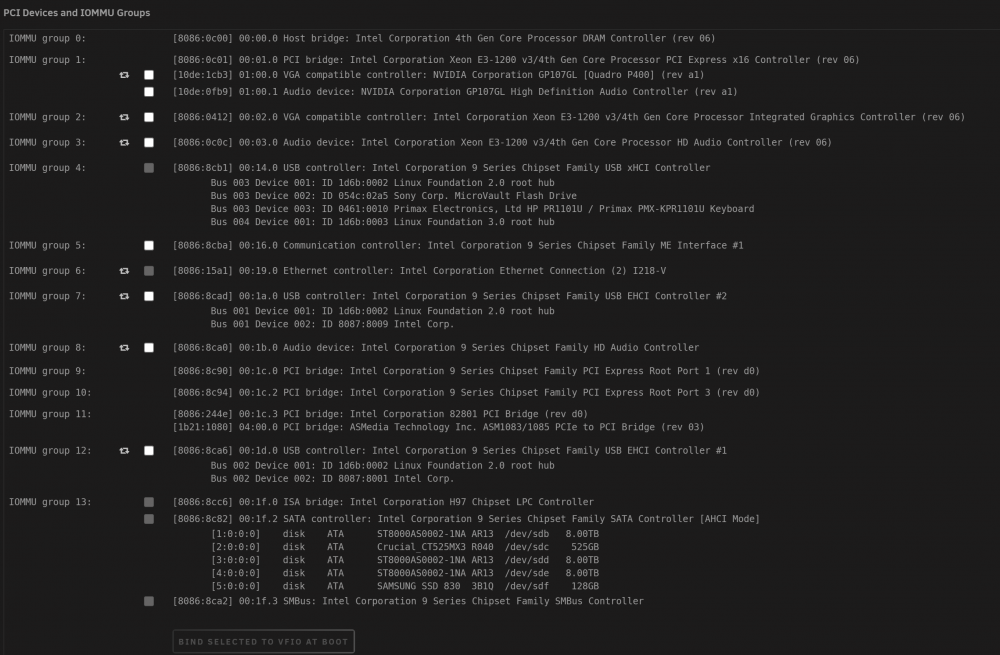
Hi Folks, I'm running into the following problem. I installed the Nvidia Plugin as instructed but my Nvidia P400 is not showing up. Still tough it shows up in the device list. My System Specs: Model: Custom M/B: MSI H97M ECO (MS-7817) Version 5.0 - s/n: To be filled by O.E.M. BIOS: American Megatrends Inc. Version V26.8. Dated: 02/18/2016 CPU: Intel® Core™ i5-4590 CPU @ 3.30GHz HVM: Enabled IOMMU: Enabled Cache: 256 KiB, 1 MB, 6 MB Memory: 8 GiB DDR3 (max. installable capacity 32 GiB) Network: bond0: fault-tolerance (active-backup), mtu 1500 eth0: 1000 Mbps, full duplex, mtu 1500 Kernel: Linux 5.10.28-Unraid x86_64 OpenSSL: 1.1.1j Uptime: Unraid Version 6.9.2 2021-04-07 Nvidia Screenshot: Cli Nvidia Smi Screenshot: PCI Devices Screenshot: If I bind the GPU via VFIO the Nvidia settings page says that the driver could not connect to the GPU which is strange since it says the device is not found when the GPU is unbound. What I've tried until now: 1. Switching between UEFI and Legacy Boot. 2. Update my BIOS to the latest available. 3. Setting the PCI-E Slot in Bios Manually to Gen. 3 Any suggestions how I can get the driver to see my Nvidia P400 GPU? tower-diagnostics-20210618-1910.zip
-
search for this app in community apps https://github.com/GuildDarts/unraid-plugin-docker.folder
-
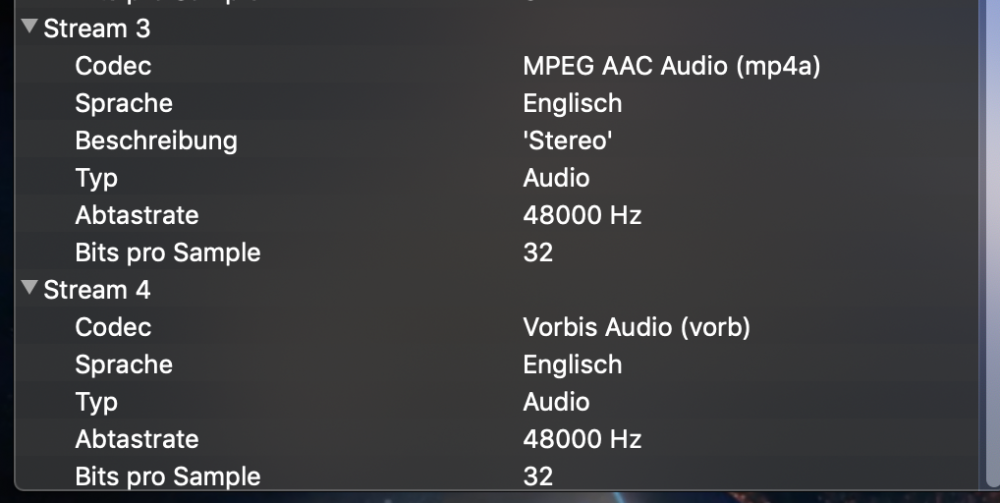
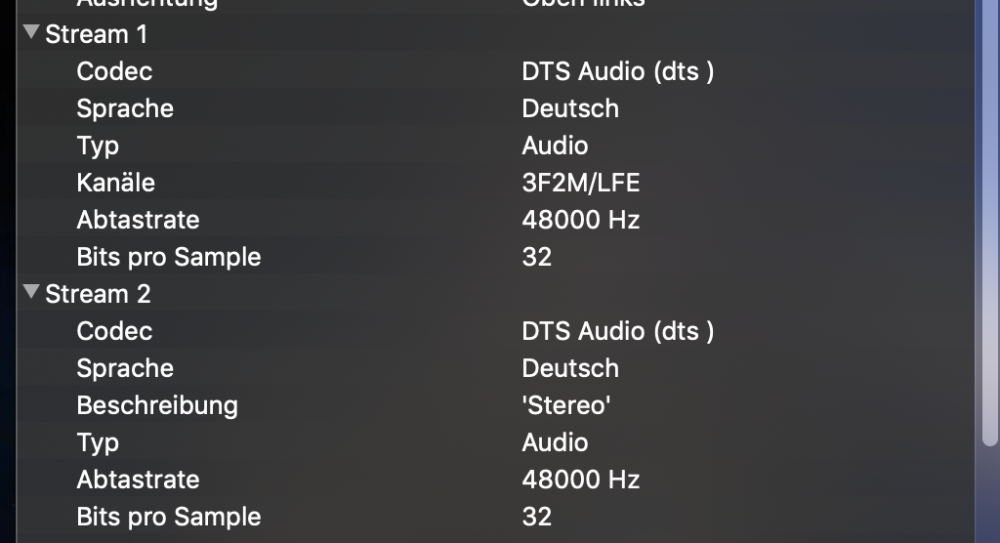
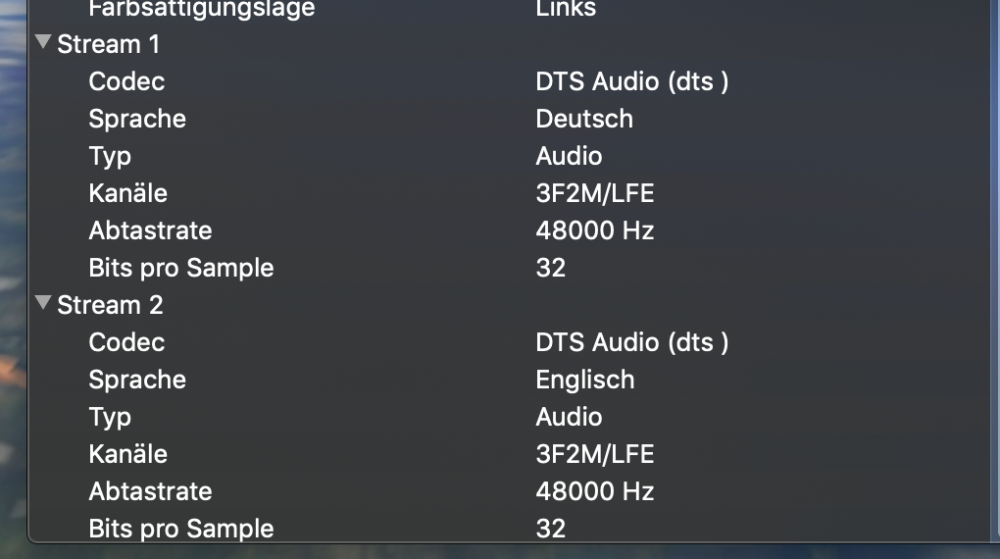
Correct conversion of multichannel audio streams? Did anyone ever check the correct conversion of multichannel streams with files containing more than one audio stream? This is the original: After conversion: The German stream seems to be untouched + the added stereo steam both as DTS, while the englisch stream changes in to ACC stereo and vorb with no indication about channels.
-
yeah i've seen it i was thinking that i could maybe manually edit the config file to the leave the audio untouched.
-
Hello, is there a possibility at the moment to run unmanic with out having any audio streams touched? cheers Max
-
sry guys got it :-) 4 some people it might be an alternative to run the phpVirtualBox Interface not on the unraid server. for example if u are using windows just download xampp and let the interface run from your desktop computer.
-
Hey guys, the plugin seems to work fine.. everything gets installed.. but when i try to access the virtualbox web server i get the following code displayed in the browser window. This XML file does not appear to have any style information associated with it. The document tree is shown below. <SOAP-ENV:Envelope xmlns:SOAP-ENV="http://schemas.xmlsoap.org/soap/envelope/" xmlns:SOAP-ENC="http://schemas.xmlsoap.org/soap/encoding/" xmlns:xsi="http://www.w3.org/2001/XMLSchema-instance" xmlns:xsd="http://www.w3.org/2001/XMLSchema" xmlns:vbox="http://www.virtualbox.org/"> <SOAP-ENV:Body> <SOAP-ENV:Fault SOAP-ENV:encodingStyle="http://schemas.xmlsoap.org/soap/encoding/"> <faultcode>SOAP-ENV:Client</faultcode> <faultstring>HTTP GET method not implemented</faultstring> </SOAP-ENV:Fault> </SOAP-ENV:Body> </SOAP-ENV:Envelope> Does anybody know why? cheers Jaddel



