





sivart
Members
-
Joined
-
Last visited
-
Are you looking to just back up the config, or the data partition data as well? I don't think you need to back up the boot drive specifically with TPM licensing.
-
I have 2 arrays: 1 TB NVME array and one 12 disk spinning rust. I have datasets set up for all the mount points. So for instance, I have /mnt/nvme/media and /mnt/rust/media Both are datasets on their respective ZFS polls. The problem is if I configure data to be initially written to the NVME and then set up the mover to move it to rust, "Fix Common Problem" reports the following error: Share media set to use pool nvme, but files / folders exist on the rust pool. What am I doing wrong? Is it possible to use the mover with ZFS datasets?
-
I have a SAS controller that supports hot-swap, but I am not sure if UnRAID supports this. I have a failing drive in a ZFS RAIDZ2 pool that I intend to replace soon. If I can do this without stopping the array, that would be a big win.
-
I guess I know what I am doing this weekend!
-
About 3 years ago, I moved from UnRAID to TrueNAS Scale. The primary reasons were: ZFS and internal boot. I like TrueNAS a lot, for a NAS, but it really feels that the application and VM/Container support is second tier. Their switch from Docker to K8S and then back again was nothing short of a giant pain in the ass. It was basically doing a full migration twice and getting absolutely nothing for it. Once I saw that UnRAID was adding in internal boot support, that was pretty much all I needed. Thanks to all the devs and support that really make this the only reasonable choice.
-
Hey guys, I got my Unraid license back in 2020, and ran it for a while. Unfortunately, when I upgraded my hardware, I was limited on USB and I really didn't love the idea of booting from USB anyway, so I switched to TrueNAS. Now that Unraid is coming up with a USB-less way to boot, I am very interested in going back. However, when I go to look at my license I got back in 2020, I get the following error, "Failed to load license details". I also do not see a cost for going from LEGACY-UNRAID-PRO to the new Lifetime license. Also, I am very impressed how far Unraid has come in the last couple of years. Well done! Travis
-
That is what I was looking for! For some reason, those settings did not show up right away. I reset BMC and suddenly they showed up. Many thanks!
-
How does one do this? I am new to IPMI on SuperMicro and am at a loss on how to configure the minimum fan speed.
-
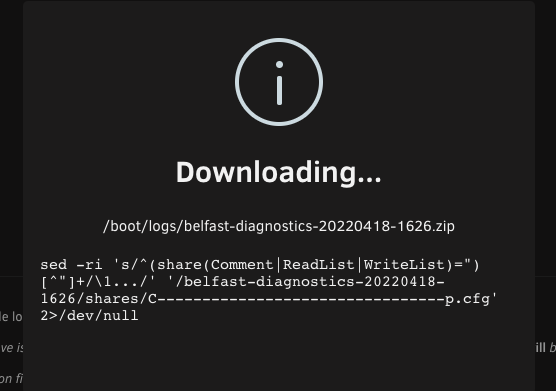
belfast-diagnostics-20220418-1839.zip Diagnostic data available after a hard reset.
-
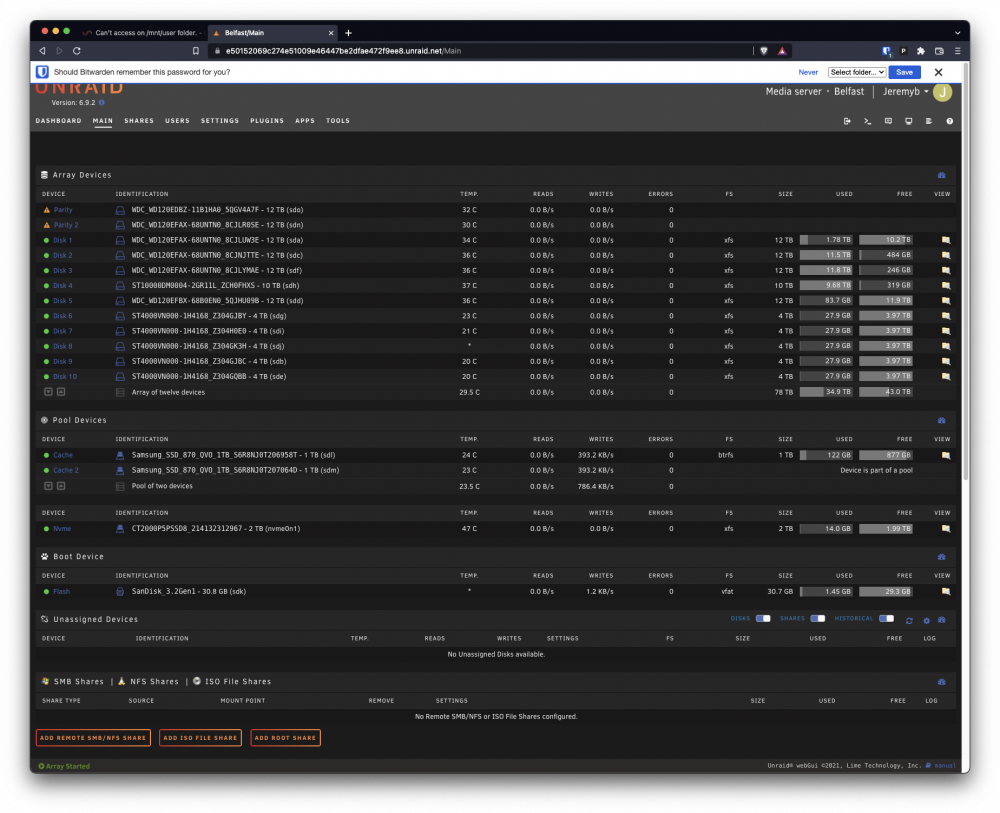
My /mnt/user drive basically stops responding after 18 hours after I boot. I am able to access each disk that makes up the /mnt/user shfs, but if I try to `ls /mnt/user`, it hangs to the point I cannot even ctrl-c out of it. root@Belfast:/mnt# mount proc on /proc type proc (rw) sysfs on /sys type sysfs (rw) tmpfs on /dev/shm type tmpfs (rw) tmpfs on /var/log type tmpfs (rw,size=128m,mode=0755) /dev/sdk1 on /boot type vfat (rw,noatime,nodiratime,flush,dmask=77,fmask=177,shortname=mixed) /boot/bzmodules on /lib/modules type squashfs (ro) /boot/bzfirmware on /lib/firmware type squashfs (ro) hugetlbfs on /hugetlbfs type hugetlbfs (rw) overlay on /lib/modules type overlay (rw,lowerdir=/lib/modules,upperdir=/var/local/overlay/lib/modules,workdir=/var/local/overlay-work/lib/modules) overlay on /lib/firmware type overlay (rw,lowerdir=/lib/firmware,upperdir=/var/local/overlay/lib/firmware,workdir=/var/local/overlay-work/lib/firmware) /mnt on /mnt type none (rw,bind) tmpfs on /mnt/disks type tmpfs (rw,size=1M) tmpfs on /mnt/remotes type tmpfs (rw,size=1M) tmpfs on /mnt/rootshare type tmpfs (rw,size=1M) nfsd on /proc/fs/nfs type nfsd (rw) nfsd on /proc/fs/nfsd type nfsd (rw) /dev/md1 on /mnt/disk1 type xfs (rw,noatime) /dev/md2 on /mnt/disk2 type xfs (rw,noatime) /dev/md3 on /mnt/disk3 type xfs (rw,noatime) /dev/md4 on /mnt/disk4 type xfs (rw,noatime) /dev/md5 on /mnt/disk5 type xfs (rw,noatime) /dev/md6 on /mnt/disk6 type xfs (rw,noatime) /dev/md7 on /mnt/disk7 type xfs (rw,noatime) /dev/md8 on /mnt/disk8 type xfs (rw,noatime) /dev/md9 on /mnt/disk9 type xfs (rw,noatime) /dev/md10 on /mnt/disk10 type xfs (rw,noatime) /dev/sdl1 on /mnt/cache type btrfs (rw,noatime,space_cache=v2,discard=async) /dev/nvme0n1p1 on /mnt/nvme type xfs (rw,noatime) shfs on /mnt/user0 type fuse.shfs (rw,nosuid,nodev,noatime,allow_other) shfs on /mnt/user type fuse.shfs (rw,nosuid,nodev,noatime,allow_other) /mnt/cache/system/docker/docker.img on /var/lib/docker type btrfs (rw,noatime,space_cache=v2) I try to run diagnostics, but it hung here. All my drives are spun up as well... This is my second UnRAID install and the first one went great. This one is not going well at all.
-
Thanks. I think the real issue is that the version of ubuntu this docker is built on (bionic) does not have the ffmpeg and libav libraries that have CUDA support. When and if this docker image gets upgraded to 20.04 it should 'just work', but I realize that is probably very low priority and I am ok with that.
-
I am new to all this and keep seeing ES referenced. What is that?
-
Yeah, it looks like that PPA doesn't include the libraries that zoneminder users. When I tried to force for CUDA mode in ZM using the ffmpeg option, it just reports this...

-
So this repo has an ffmpeg build that should update the libraries too, but zmc still isn't using the video card https://launchpad.net/~savoury1/+archive/ubuntu/ffmpeg4?field.series_filter=bionic
-
That is what I am looking at. It appears the ffmpeg-4 ppa there doesn't have nvidia support.. but someone has to have one!


