





folic86
Members
-
Joined
-
Last visited
Everything posted by folic86
-
I have not. Can you remind me how?
-
@trurl I rebooted again, and have the same disk as unmountable again. Any suggestions what I can do? Maybe swap the Sata cable? A data rebuild from parity?? wopr-diagnostics-20230102-0315.zip
-
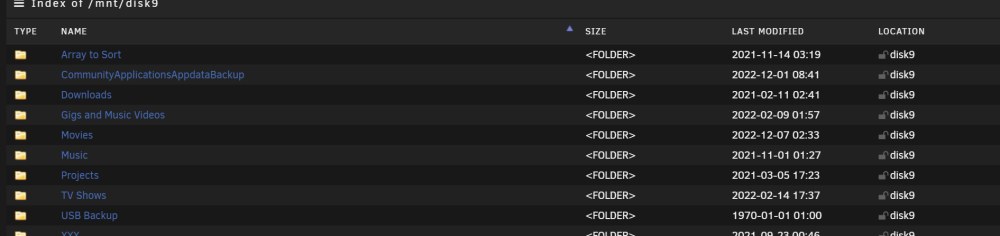
Also not on disk 9 itself
-
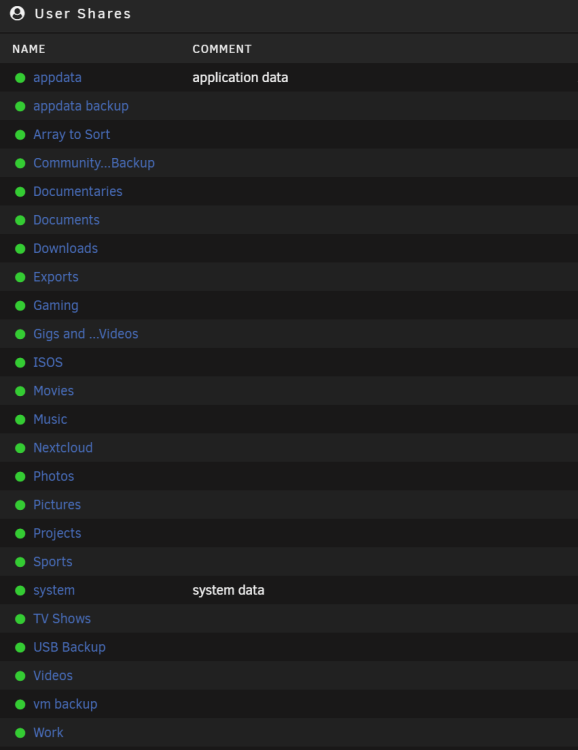
Nothing on the shares list, do I need to use terminal? Krusader also can't see one in the media folder where all other shares are.....
-
Thanks @trurl - seems to have worked with -L. Will that have lost data though??
-
Ok, what is the best option now?
-
Hi, I'd had 40+ days uptime but an i/o error so tried a reboot but now get an Unmountable disk present error. Diagnostics attached - would appreciate any suggestions. Strangely the array starts and nothing is emulated wopr-diagnostics-20221231-0327.zip
-
wopr-diagnostics-20211112-0429.zipAttached as requested
-
Attached the 4 logs. Please advise what the heck is wrong? Thanks all! docker.last200.txt docker.txt syslog.txt vfio-pci.txt
-
Thanks man!
-
It's probably not something @binhexcan advise on, but I have a few FLAC albums that play fine on local machine, but will not play in Airsonic Advanced. Any suggestions?
-
-
Hey @ich777 something odd is going on. Jellyfin won't start (or Plex, but that's a different repo) and moans of a bad parameter. Every other container works fine, so I am puzzled. See the logs here: https://pastebin.com/sE0H8CMQ Ok, I think it's an nVidia issue....tried to reinstall the Container and can't find my GFX card ID.....
-
Phew, a second restart seems to have fixed it. I think my cache had filled up so it was not happy about anything I was trying to do
-
The image I think - it had an mnt/var path if I remember right. Unfortunately, I can't as "Docker Service failed to start." which I will have a look at when I wake up in a few hours....but that is bad, right?
-
Thanks man. Unfortunately for me, I tried to change the config from bridge to proxynet and it errored when trying to pull the file, saying it was in use. So I tried to stop it, and got a server exception error, so I tried to remove it and its totally corrupted my docker image (I'm guessing - it won't start even after a reboot!) I grabbed these from my appdata folder - can you see anything I can do to fix it/any cause? Or do I delete it all and start again? wopr-diagnostics-20210323-0511.zip log_20210323.log
-
Thanks Jorge. Sorry for the dumb questions! Stupid MEGARaid. That's my board - https://www.msi.com/Motherboard/B360M-PRO-VH.html
-
__READMEFIRST.txt I'm at step 11. How do I boot to the uefi shell please?
-
Can I do that having done the way in the first few posts in the thread?
-
Is there a guide to the uefi tools? Never done this before!
-
Which post?
-
Feel like it's a stupid question @ich777but where it says cache, where should I point it? What is going to go there?
-
Ok, so I got as far as deleting the BIOS from my M1015, but got a PAL error. Can anyone advise a board that won't do that so I can unkill my card? LOL
-
So for some reason Sonarr isn't connecting to Sab, but Radarr is. All @binhexcontainers and all seemed happy pre update? I get Test was aborted due to an error: Unable to connect to SABnzbd, certificate validation failed. Any ideas?


