





Elmojo
Members
-
Joined
-
Last visited
Everything posted by Elmojo
-
Update/resolution: Samsung replaced my faulty SSD under warranty. After replacing the drive, and moving my VMs and dockers back onto the cache, the machine is now fully back up and running. Thanks to everyone for the help! Issue resolved.
-
I feel like in the event of a total server meltdown, VM backups are the least of your issues, but fair enough. To be clear, I agree that backups are a good thing to have. I'm using URBackup, and I just used it 2 days ago to recover a failed VM that didn't survive a cache migration. I just wanted you to flesh out your claim a bit. I think a combination of snapshots and backups are even better, but for most people, snapshots alone are enough.
-
Give me an example of how they are different, in practical terms.
-
It is. Snapshots have been a thing for the past couple releases. You do read the changelogs, don't you?
-
I was able to fix the VM issue myself by restoring the image from a backup. I guess now I just need to pull the old (failing) cache drive and send it in for repair or replacement, then reverse the process once I receive the new one. I'll try to remember to update once that's done, in case any else runs into a similar issue in the future.
-
root@Tower:~# ls -lah /mnt/cache total 16K drwxrwxrwx 1 nobody users 0 Jun 9 14:55 ./ drwxr-xr-x 17 root root 340 Jun 9 16:00 ../ Gotcha. I figured there would be updates once 7.x was released. So this just leaves the issue of why I have (at least) one VM that didn't migrate. As best I can tell, it didn't pick up the new location of the disk image. I pointed it to the existing image in the new location (array), but now it says no boot device found, or similar. Is there any way to recover it? I sure hope so... EDIT: I recovered the VM using a URBackup image.
-
That link looks to be out of date, since as far as I can tell, there is no "prefer cache" option any longer. At least I haven't seen it. I've looked through all my docker settings, and as best as I can tell, they're all looking at /mnt/user/ not /mnt/cache, with the exception of one (Rustdesk, which I fixed). So why are all the container appdata folders getting recreated when the docker service restarts? It's baffling. Ok, I think I have it cleaned up. It appears that overnight the server sorted it self out and only the Rustdesk files were left on the cache this morning. I deleted those manually, so now there's nothing showing on the cache drive, although it does report that 537MB are in use. I assume that's just overhead, or are there hidden files I should be hunting down?
-
Well that sucks. Also, my VMs (some of them) are broken now. The disk image can't be read in the new location (array) so the machine won't boot. I have no idea what to do about this. One of these VMs runs my security cameras, so it's fairly urgent to get it running again...
-
Oh lordy, individually for each container?! And I guess I'll have to map them all back once I've replaced the cache drive? This really feels like something that should be done automatically when the share settings are changed... Attached... tower-diagnostics-20260609-0937.zip
-
So it appears that the mover was working, it just took a while. It has now moved everything off of cache, except for ONE of my VM folders. The VM manager is disabled, so obviously no VMs are running. Why will this one not move, or how can I find out why it's not? Can I move it manually? If so, how? I finally got it to move manually. Now, the lingering issue is that when I restart the docker and VM services, it recreates the appdata folder on the cache. I've confirmed that the appdata share is set to "array" only. How can I get all the docker containers to stop writing to the cache?
-
Thank you JorgeB! It seems that the first steps of manually stopping the docker and VM services is key. After doing that, mover is at least reporting as active. However, it's running very slooowwly. I mean like the transfer rates are in the KBs. O.o Should I just leave it and see what happens? I hate to have my server offline for so long, especially not knowing if this might be a multi-day process at these speeds.... EDIT: I have 725GB of data to move. At the currently reported speeds, this will be a process of weeks. Something has to change.
-
Yeah, that's why I'm so confused. I have it set as shown, but when I invoke the mover manually, nothing happens. No errors. I get the little unraid 'wave' icon for a moment, then it goes back to the previous screen, like it's done. It's always done this, so I just assumed that was normal behavior until the cache reached the threshold of fill for when it was supposed to 'spill over' onto the array. If not, then it's never worked correctly since day-one. How do I troubleshoot this, to figure out why the mover...isn't? lol
-
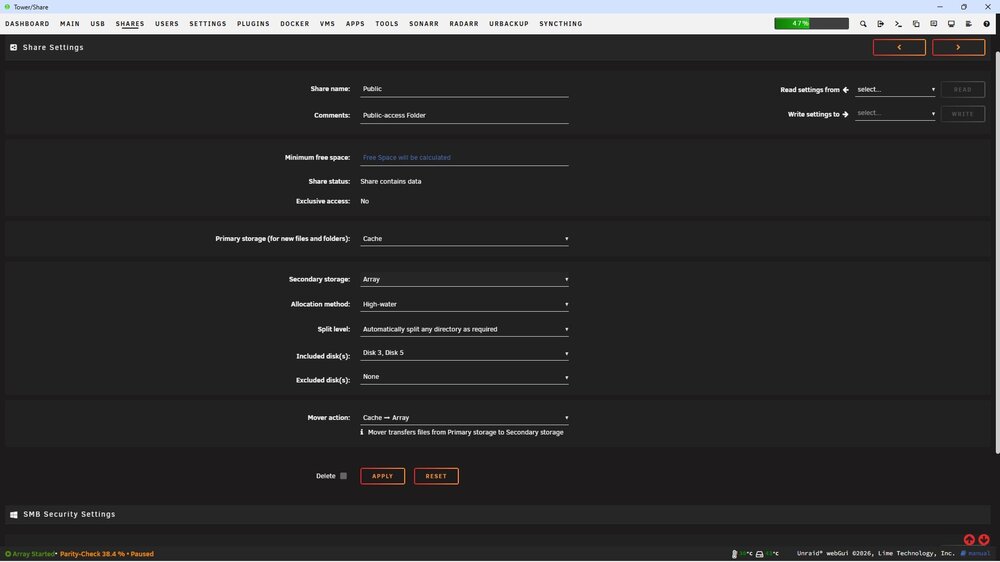
I'm super confused then. I've had it set that way since the beginning, and it's never moved anything from the cache to the array. I assumed it was because the cache hadn't reached the selected fill level. That also means that the advice given above by Vvei_61: "Set the Use Cache option to "No" or "Prefer Array" on your shares, then run the mover. Everything will transfer to the array automatically." is incorrect, since I don't even have those options. So what is the proper process for getting the data off this cache so I can replace it? Someone please walk me through the steps. I'm getting concerned I may lose data. The errors are over 1500 now.
-
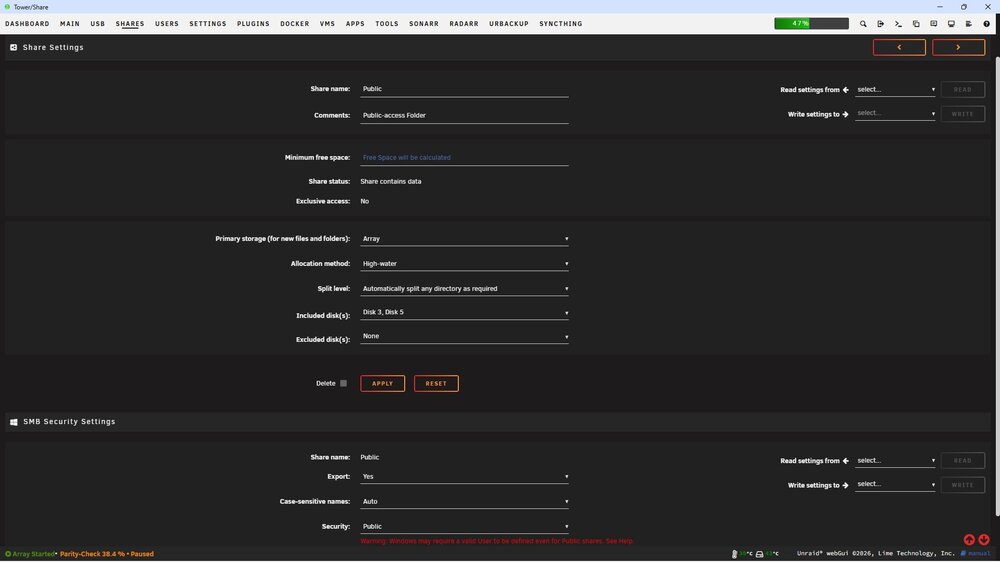
So...I don't have those options. I can change the Primary Storage from 'cache' to 'array', and leave the secondary storage to 'none'. However, running mover does nothing. No disk activity is observed, and no files are moved off the cache drive.
-
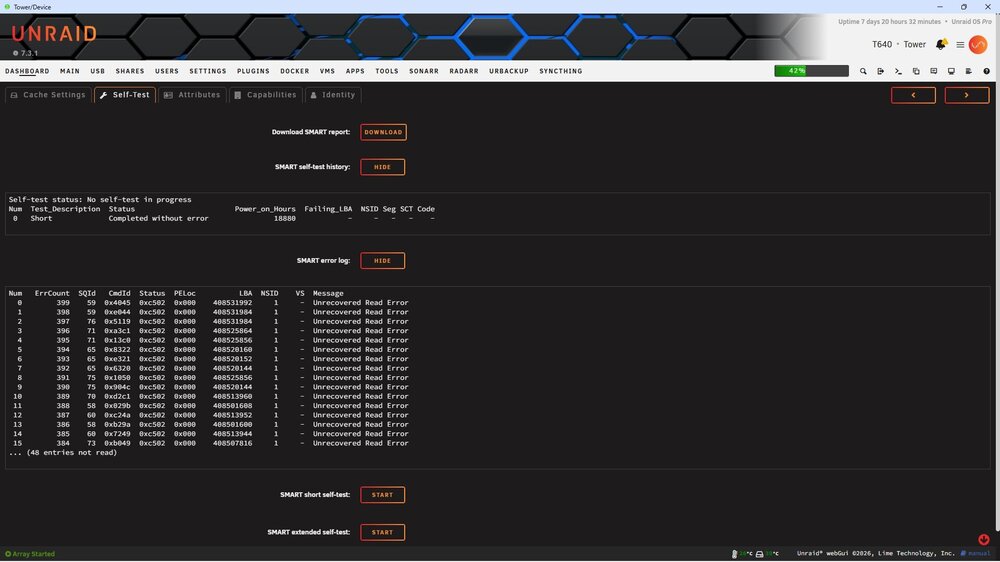
Awesome, thanks. It appears that I may need to do that. See below... Good to know, thanks! I ran the long SMART test and it reported "Completed: failed segments". The report is attached. It seems there are quite a few "Unrecovered Read Error" entries. I probably need to initiate a warranty replacement with Samsung. Bugger. tower-smart-20260606-1955.zip
-
Thanks, but I'm not 100% sure I believe that. Browsing the unraid subreddit, it appears that there have been quite a few of us who are suddenly getting "corruption" errors on cache drives/pools since updating to 7.3. That seems very suspicious to me. It could be that now it's doing a better job of scanning drive health, but having all these drives 'fail' at once, and in the same way, just feels odd. I will absolutely backup and scan the drive more deeply. I'll also prepare to replace it, just in case. Speaking of, what's the easiest way to temporarily move everything off the cache and onto the array? Should I just edit the share settings, or is there a better way? I've been running this machine for several years, but there are still many things for which I'm a total beginner. :)
-
crickets.... No one? 😅
-
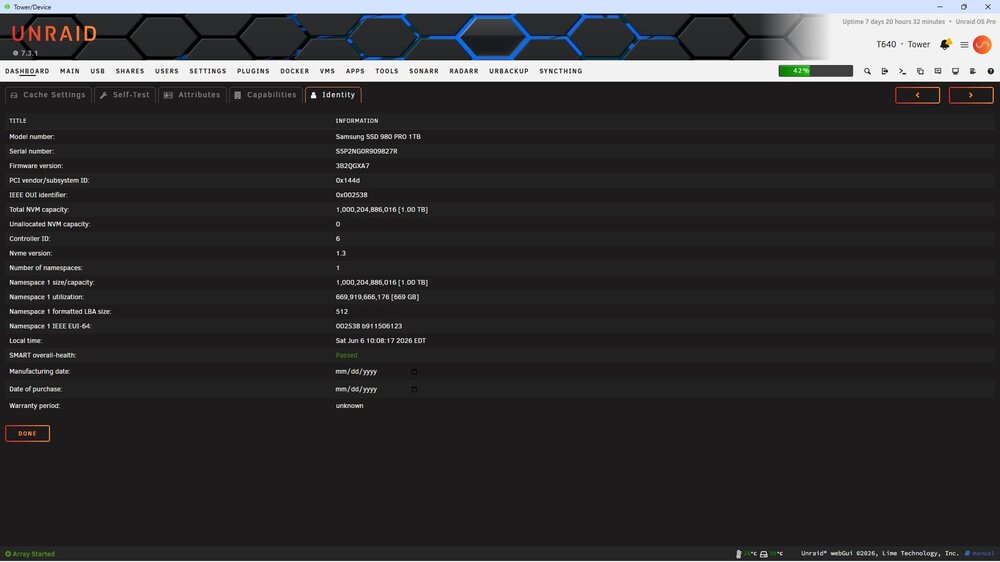
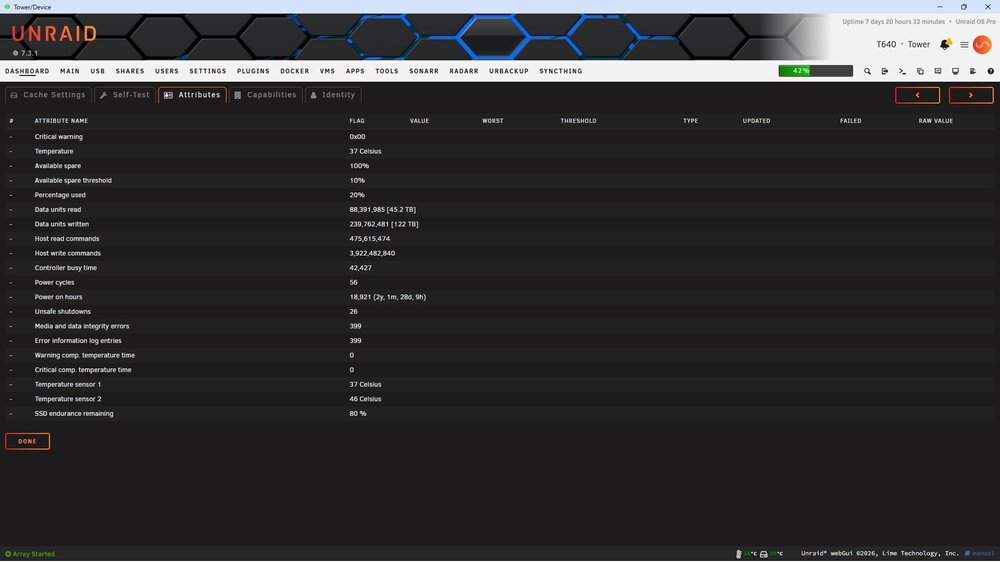
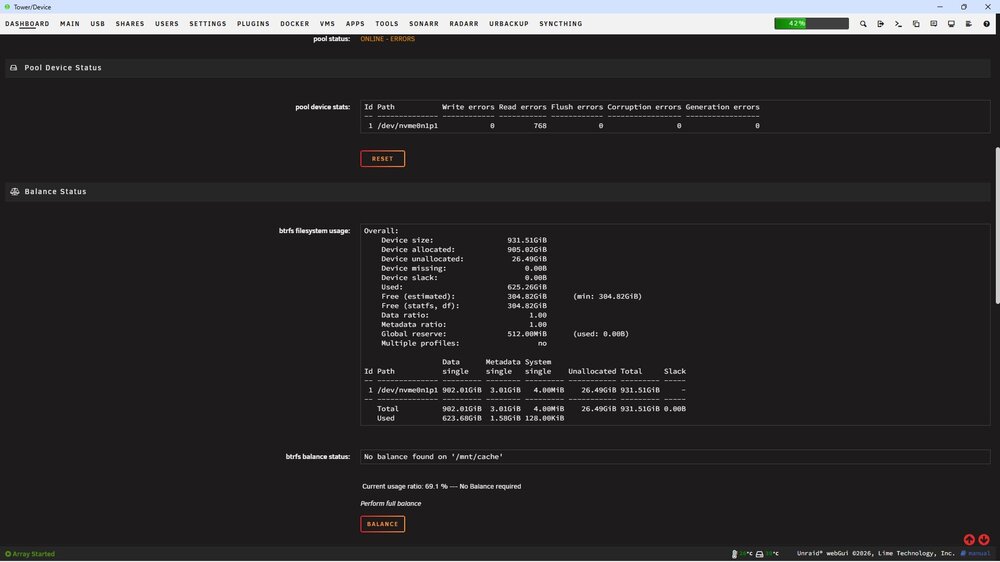
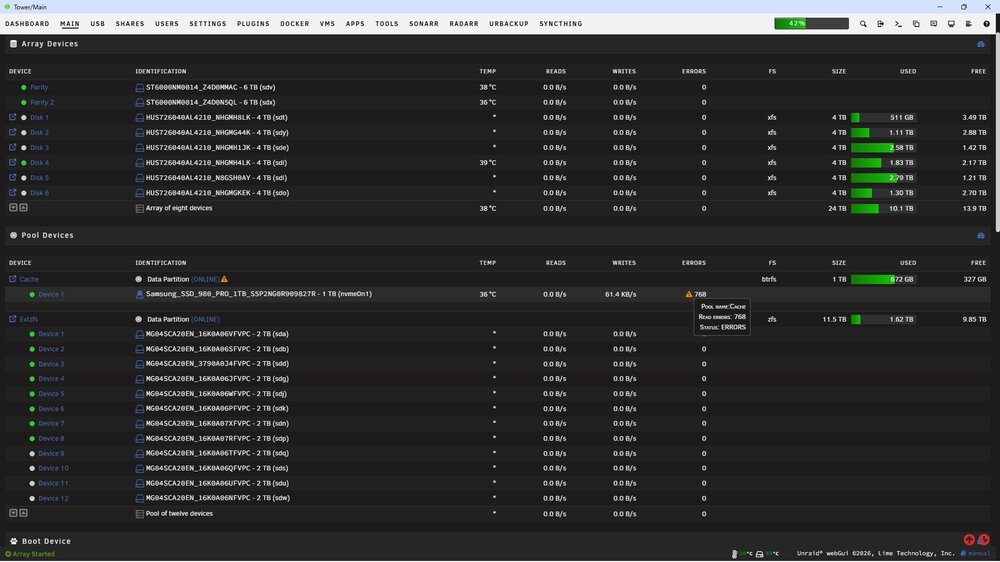
Recently, my cache drive has begun to report errors. I thought perhaps the NVMe drive was beginning to fail (Samsung 980 Pro 1TB), but it passes self tests. I don't want to start a warranty claim process if it's not the drive. Any way to find out what's happening? The error messages aren't very helpful, at least not to me. See attached screenshots. EDIT: SMART report added also. EDIT2: added obligatory diagnostics. ;) EDIT3/Resolution: it was the drive. Samsung replaced it under warranty. tower-smart-20260606-1008.zip tower-diagnostics-20260606-1025.zip
-
I would LOVE to, but I haven't found an option to do that for this adapter. Do you know otherwise?
-
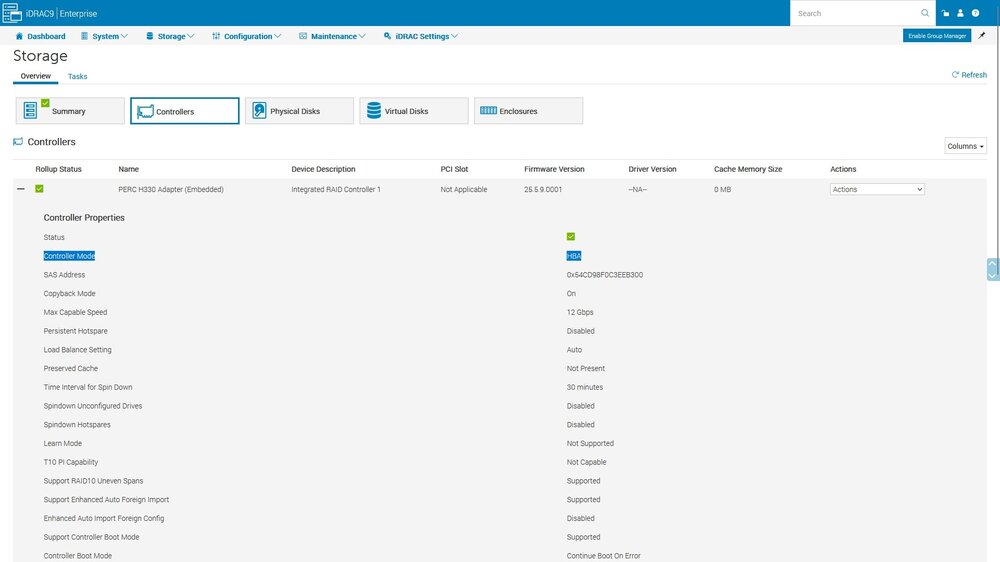
Well, the array started. :) I'm running a parity check now, hopefully it will complete without errors. I told it that the parity was correct, as you suggested. It still baffles me why this happened, and worries me that it could do it again, the next time I reboot. Do you think it's related to the RAID controller? Other than switching it to "HBA mode" in the UEFI, which Dell says should operate as "drive passthrough", I don't know what else to try. It doesn't appear that there's an option to flash this card to true IT mode like I did in my T630. I can't recall which RAID/PERC it was running, but there was an LSI firmware available that made it show up as a true HBA card to the machine. Thanks for your help with this! Maybe if JorgeB comes around later, he may have some additional thoughts.
-
Ok, if we still think that's the best option, I'll go for it.
-
So I have to do something... any suggestions? This server must be running, one way or another, in the next hour. I'll be away all next week, and I have to be able to access my data remotely. If I need to just discard the current parity and rebuild it, I'll do that. Please just direct me on whatever path is the least likely cause any sort data corruption on the array.
-
I finally got into iDRAC (flippin' ethernet cable was unplugged!) and was able to check status of RAID controller. See screenshot. All I know is what it tells me. 🤷
-
I see! So it's not just the actual drive serial, but also the controller assignment, or whatever that number is, that could be tripping it up?
-
Ok, I understand that part now. You're saying that you don't think my PERC is in HBA mode. I'm trying to get into the iDRAC to check, but it seems to have hopped IPs on me when I rebooted. Standby...



