





Elmojo
Members
-
Joined
-
Last visited
Everything posted by Elmojo
-
Dude, your VERY FIRST post is to help me? Thanks!! I'll make note of your method, in case mine fails again. I gotta say, it looks sketchy as all getout, having your temp and completed downloads sharing a path like that, but if it works... lol
-
I keep hearing that, but I've never seen a clear explanation of what "proper" mapping looks like, or how to accomplish it, so I'm stuck with what works. I'm just glad to be done with this for now. It's been a rather painful couple days, and the wife was about fed up with her shows not being available when she expected them. lol
-
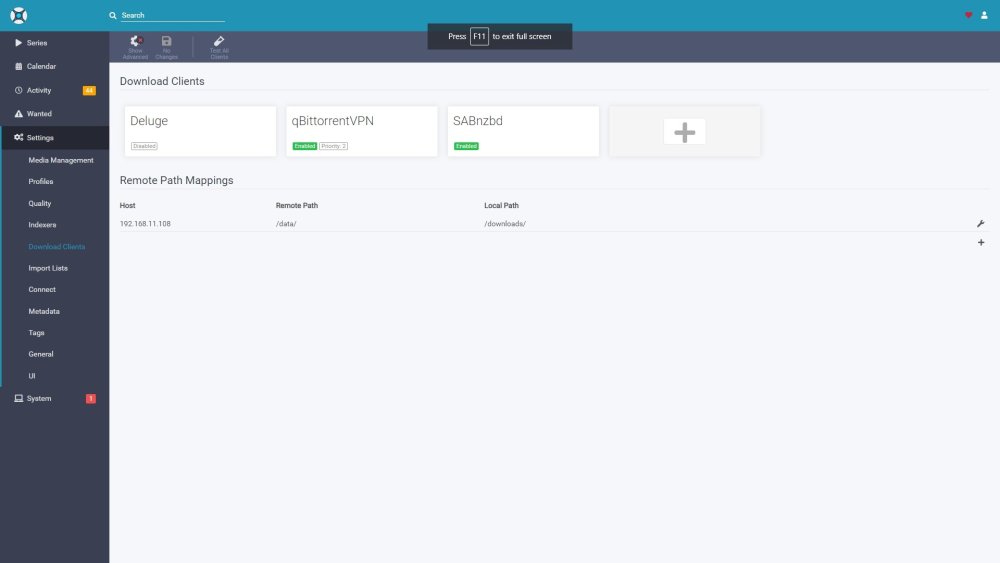
Holy crap, I think I have it fixed!!! I found a guide by TRaSH that explained it with pictures in a way my dumb self could understand. I had to add back in the remote path mapping, and change it a bit from what I had previously, to match the new "/data/" schema were using now, but once I did that it started importing the files and clearing out the backlog! Oh man, what an ordeal. I hope I have enough notes and screenshots now that if this happens again, I can fix it myself without having to hassle you kind folks. Thanks so much for you all your help. If something else breaks, I'm sure I'll be back.
-
Ok, so I fixed that, I think, but that didn't remove the error msg from Radarr, and Sonarr is still refusing to import any files downloaded. It still just says "no files found are eligible for import in /data/downloads/..." If I try to manual import, I get "No video files were found in the selected folder". *sigh*
-
Read back a page or two. There was talk about a VPN keysize thing that needs to be edited in the config file. Scroll back a bit, you'll see it. That sounds like maybe your problem as well.
-
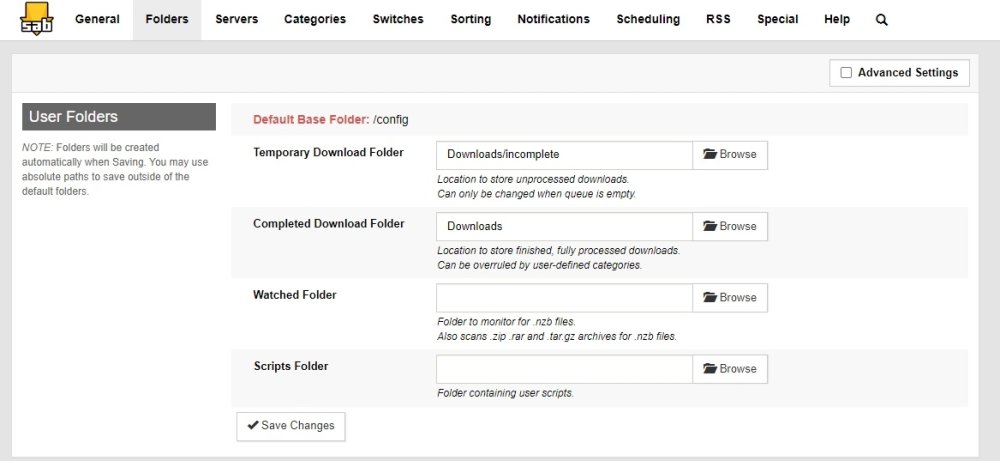
So this may mean something... I notice that Radarr is giving me this error: "You are using docker; download client SABnzbd places downloads in /downloads but this directory does not appear to exist inside the container. Review your remote path mappings and container volume settings." OKaaay... I thought we weren't supposed to be using remote path mappings, but alright. So I finally found the settings page in the UI of SabNZB, and sure enough, it's pointing to /downloads and /downloads/incomplete. However, these are container folders. As expected, I don't have any option to select anything outside the container. There is another "downloads" option if I browse, which is /config/downloads. If I select that one, the page looks like this... However, neither of those selections makes the error go away in Radarr, and neither gives access to the actual folder where I want all these files to go, which is mnt/user/downloads. *facepalm* Since lots of folks use what I have to assume is a very similar setup to this, surely there's a video for this, right?
-
Yep, looks just like that. Now, my SabNZB has stopped working. It downloads just fine, then Sonarr says that no file is found in the folder where it's looking to import. I'm not really sure what you're asking, sorry. It seems like the issue is that the system doesn't know where to look for the downloaded files, more than the actual file names being the problem.
-
I don't think I did. Please take a look at the screenshots I posted, if you have a moment. Do they look correct to you? This whole thing is just baffling, and super frustrating. It was all working so well, and now it's a hot mess.
-
Nope, they're brand new. I keep a pretty close eye on my drives. They didn't exist until we made those changes today, then they started popping up. Some have downloaded files in them, some are empty. It's weird, and a mess. lol
-
Yeah, my qBT config file looks like the example you posted. I'm not sure that it's Radarr causing it, since I'm pretty sure I saw the funky nested folders popping up before I edited the paths in Radarr. I might be wrong about that, but I don't think so. Also, I believe I see the folders where Radarr is dropping stuff, and it's not those, it's elsewhere.
-
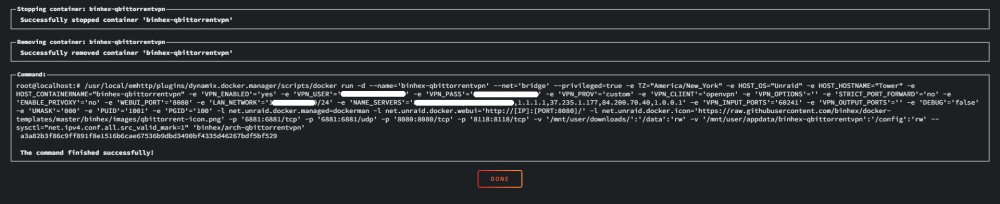
This?

-
Okay, I'll let it sit and see if it sorts itself out, thanks. I've tried manual importing, and it just tells me there's no file in that folder to import. There's no option to browse. By the way, now that we've changed the paths to the /data/ scheme, things have gone a bit wonky on the host side. It's nesting the folders for some reason. My download folder (where it's actually dumping completed files) for qBT is now /user/appdata/binhex-qbittorrentvpn/qBittorrent/downloads/data/downloads/. There are also "/data/finished" and "data/incomplete" folders in the root of the user/appdata folder, which I presume were created by Radarr, since there aren't any files inside either of those folders. it's really a mess. I don't know how to clean this up.
-
So I added a new series in Sonarr to test, and it successfully downloaded and imported the show - yay! Thanks for the help in getting me back up and running. However, now I'm left will a queue full of stalled/errored torrents, a bunch of shows that have missing episodes, and junk on my drive(s) I assume. What's my best path forward for cleaning all this up and getting these shows to download the missing files? Is it as easy as deleting everything from the qBT side, and letting Sonarr sort itself out? I feel like that's a bad idea, and will cause issues. Please advise. Also, once the above is cleaned up, what's the safest way to find and clean up all the partial mess that's hanging out in the temp folders on my drive? From hunting around, I see there are downloaded files here and there that never got imported. I'd like to move them manually where they go, but doubt Sonarr would find them. Is it best to just dump them and let them re-download?
-
I am and they do. Ok, I've changed both Sonarr and Radarr to match as you suggested. Now what...? I've run a refresh on my Sonarr queue, and forced a recheck on everything in qBT. I don't see any change...
-
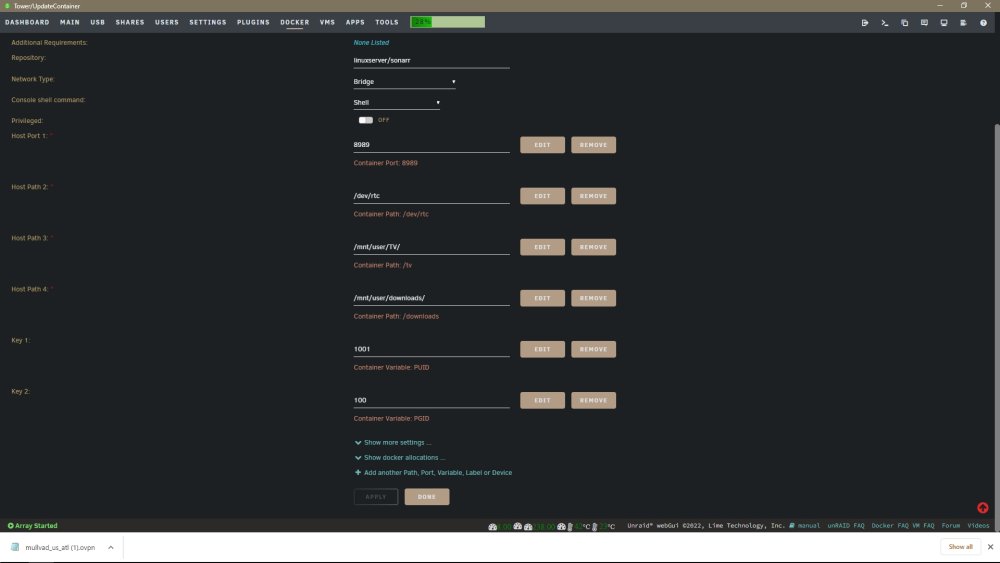
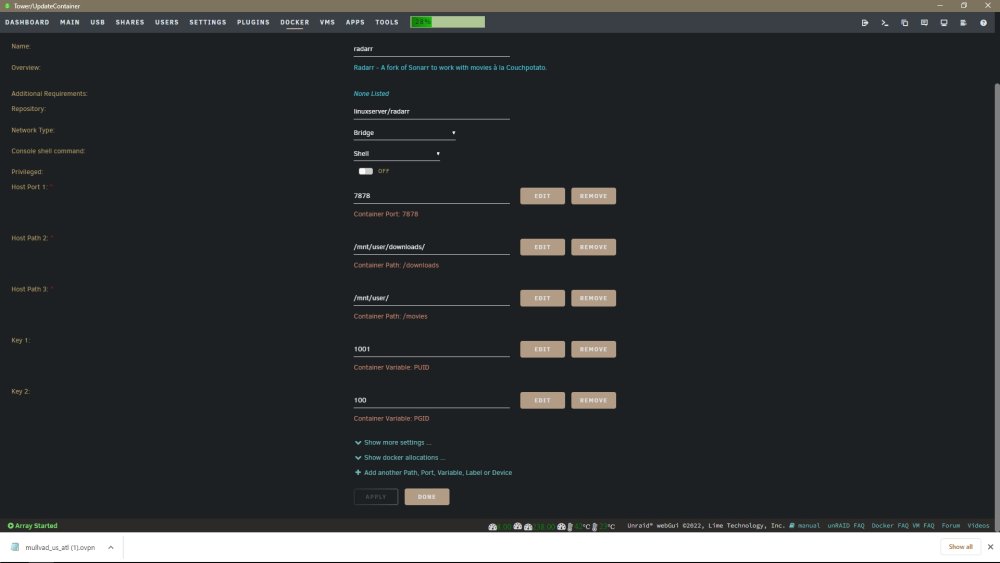
I did. Radarr and Sonarr don't have a "/data" field, so I'm not sure which host path you mean, sorry. Like I said, I'm a bit slow... lol I hate to keep harping on this, but all of this was working perfectly just as you see it until recently, so it can't have been messed up too badly. I know it probably wasn't set up the most cleanly, but it was functional.
-
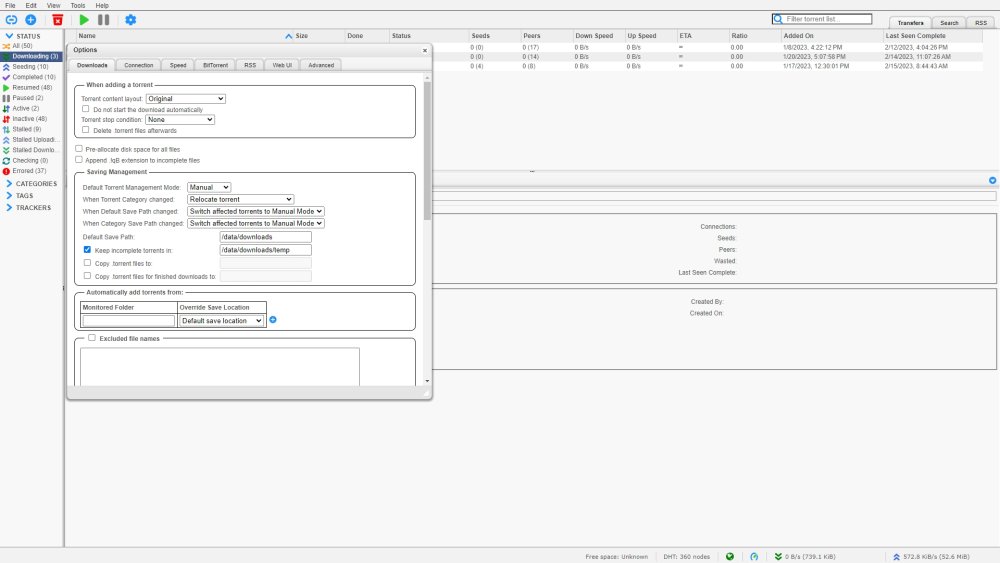
I set it to the values in the screenshot after you posted your images. Nothing has changed, it's still broken. Those may not be the correct path values, but if not, I wouldn't know what to put there.
-
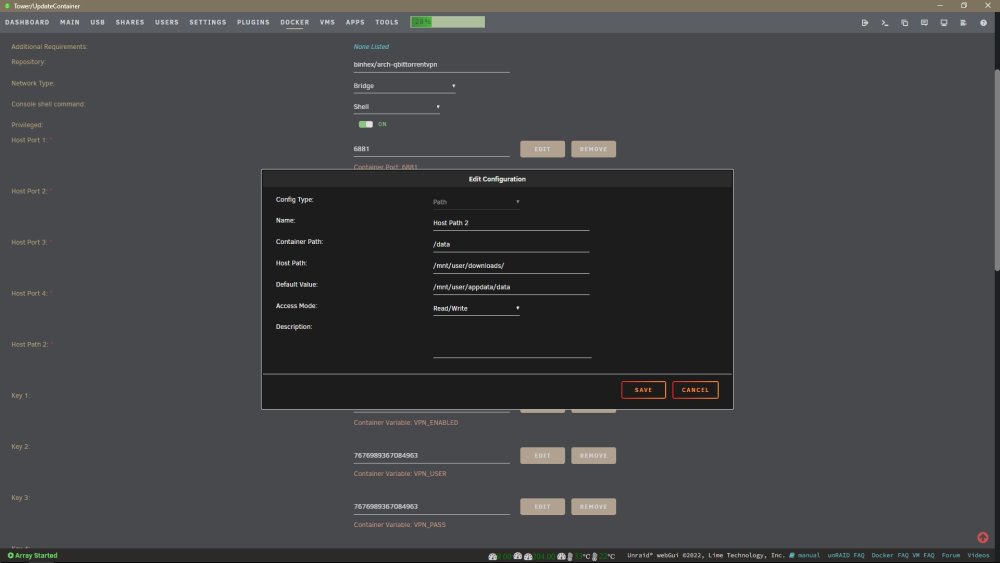
Like this? This is how it's been all along. Not sure why it's not working, then. EDIT: What really baffles me is why i can't seem to get any sort of additional info about the actual error. Sonarr just says "there's a problem with qBT". When I try to turn up the logging to trace, nothing happens. Literally nothing. When I open the log for qBT, it looks like everything is fine. I don't see any errors, but I also don't see it really reporting any traffic or anything either, so maybe that not the right place to look?
-
Ok, so how does the app get mapped to the 'outside' location, which in your case is the mnt/user/* path? There has to be some translation there, and I'm not seeing how it happens. That seems to be the step everyone skips, and I think maybe it's where this is all failing...maybe. Somehow, qBT has got to be able to access my mnt/user/downloads path, since that's where all the files should be saved, and where both Sonarr and Radarr are looking for new files, or at least they were until recently. I'm trying to figure out what one little thing changed that broke this whole house of cards. It was all working so well, that I didn't think to document every little step. I never thought I'd have to rebuild it all after a simple update. My fault. I'm sorry if I sound frustrated. It's because I am. Very. I truly appreciate your patience and help. I know this is all probably really obvious and simple to you guys who have been doing it a while, but for me it's like trying to do math in the dark with a broken pencil and no calculator. lol
-
Sorry for the delay, got called away for work. Thanks for the screenshots! So I'm confused... no big surprise. All along, you guys have been saying that I can't use mnt/user/downloads as my download target, because the container can't see that location. However, in the screenshot above, that seems to be exactly what you're doing, except that instead of "downloads", you're calling it "qbit". What's the difference? I don't see what I'm missing... I've edited my qBT settings to be /data/downloads and /data/downloads/temp, but i don't know what those correspond to, since they don't appear to be mapped to anywhere on the host.
-
My first SS showed mnt/user/downloads! You're killin' me Smalls! 😆 I have no idea what it should be set to. Check the screenshots I edited into the post a couple back. They show that my mnt/user/downloads location is directly available to the container. I think I'm misunderstanding how this all works, since by your description I didn't think I should be able to see that location. I still have no idea how or what the /data/ path is, since I didn't create it, and can't find any such path anywhere on my system. Your last reply about how container and host paths are separate does help some, thanks.
-
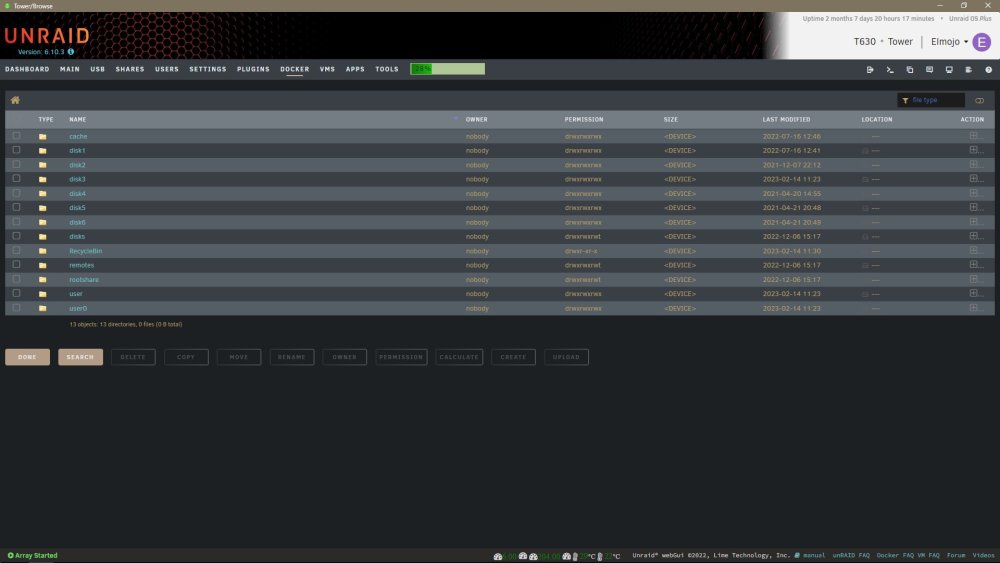
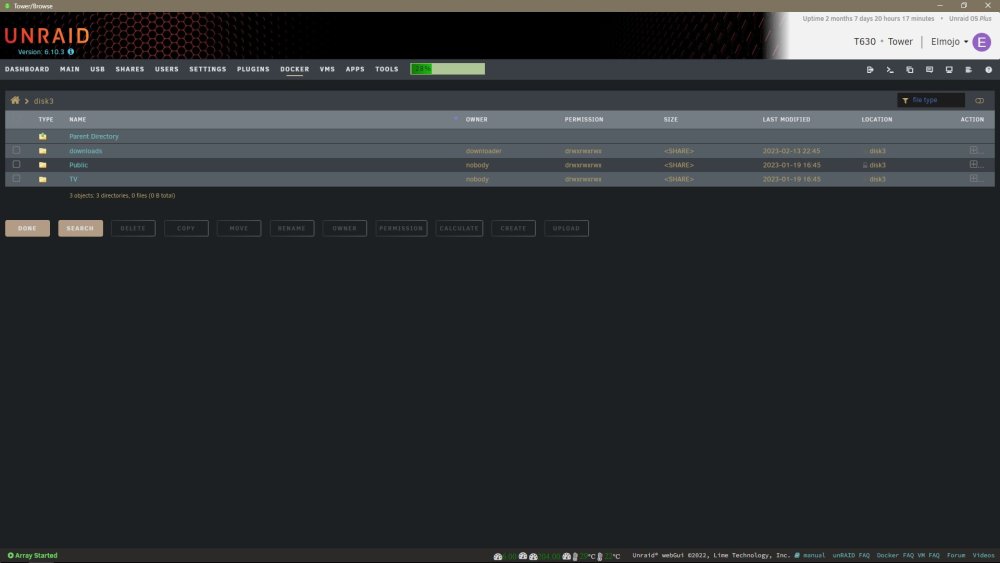
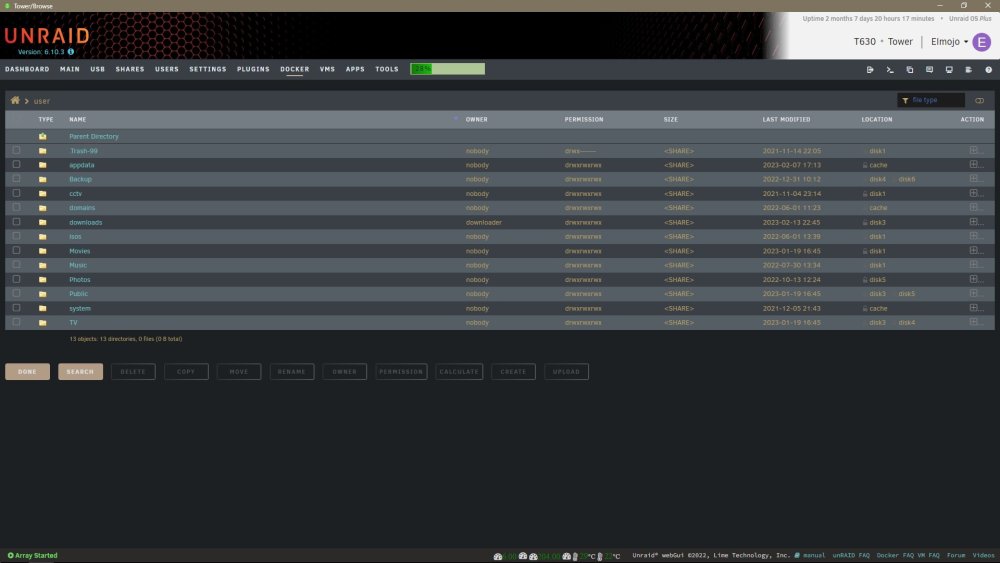
You're assuming I'm way smarter than I really am... lol If I leave the Host 2 field blank (using the default), it says I must fill out that field. I'm not sure what you mean by "use that container path"... what container path? Does this mean that I need to set up a new share called /data/downloads or something? This isn't at all how my system is set up. All my other dockers and shares are working perfectly, even Radarr, which uses the same mnt/user/downloads folder. I totally realize that I've probably borked something in the initial setup of my system due to now understanding the fundamentals, but I'd really like to not have to rebuild the structure from scratch if I can help it. EDIT: Do these screenshots help any? They just show what I see when I go looking for the "physical" location of that downloads folder in my file browser. i really only have one option, and it's mnt/user/downloads
-
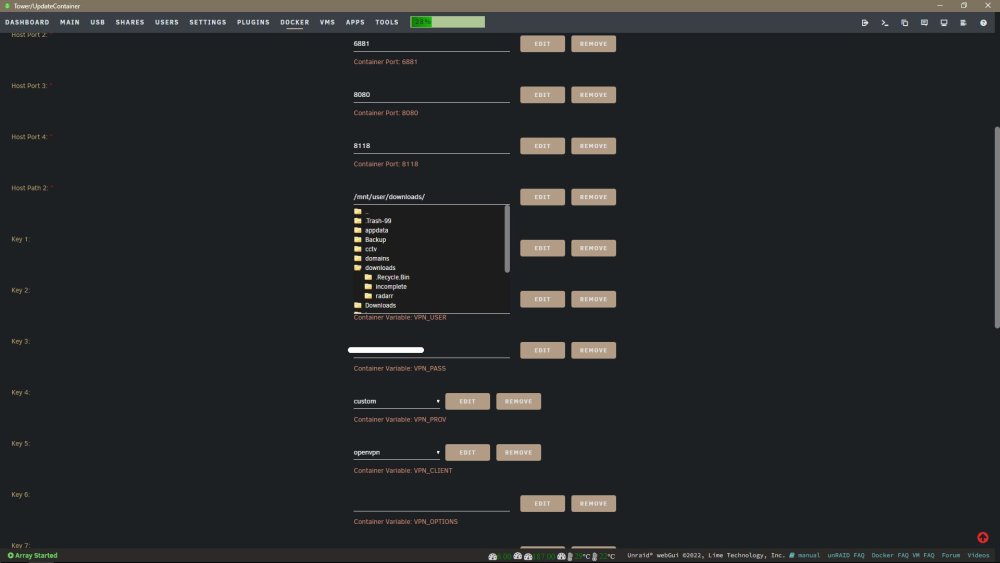
I do? The screenshot I posted before shows /mnt/user/downloads, or are we talking about 2 different locations? For some reason my brain refuses to wrap around the concepts of dockers and how they interact with the other elements that make all this work. I've read countless tutorials and watched as many videos, and it just never clicks. 🤦♂️ Okay, so I've deleted the remote path mapping from Sonarr. If I wipe out the Host Path 2 field in the qBT docker settings, then click on it to browse for a new folder, my options are as shown below. The previously selected "/mnt/user/downloads" location seems like the obvious choice. That's where Sonarr and Radarr are looking, and they seem to be working. I don't know where else to point it. Did I mention I'm confused...? lol EDIT: What should I have my download location set to in the qBT webUI?
-
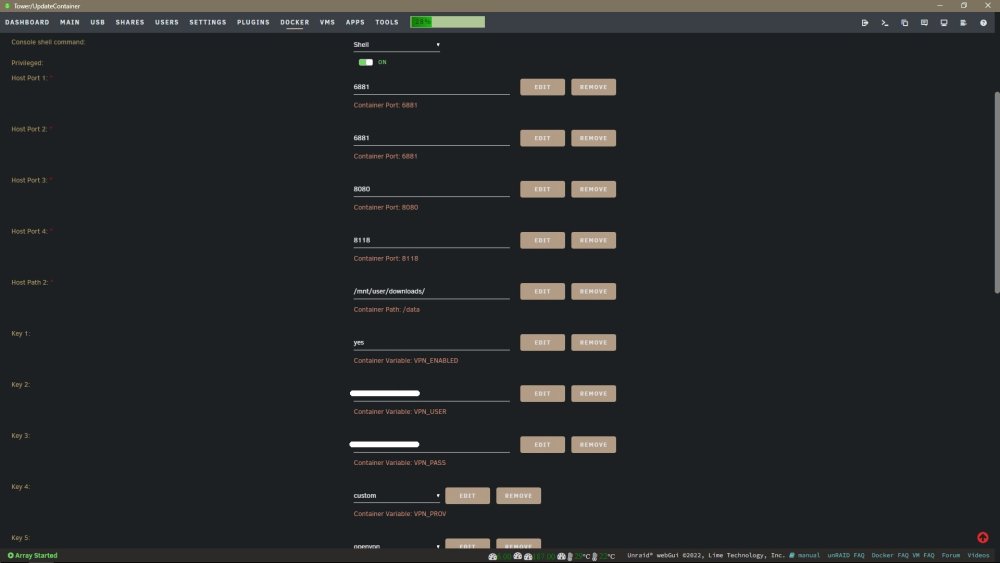
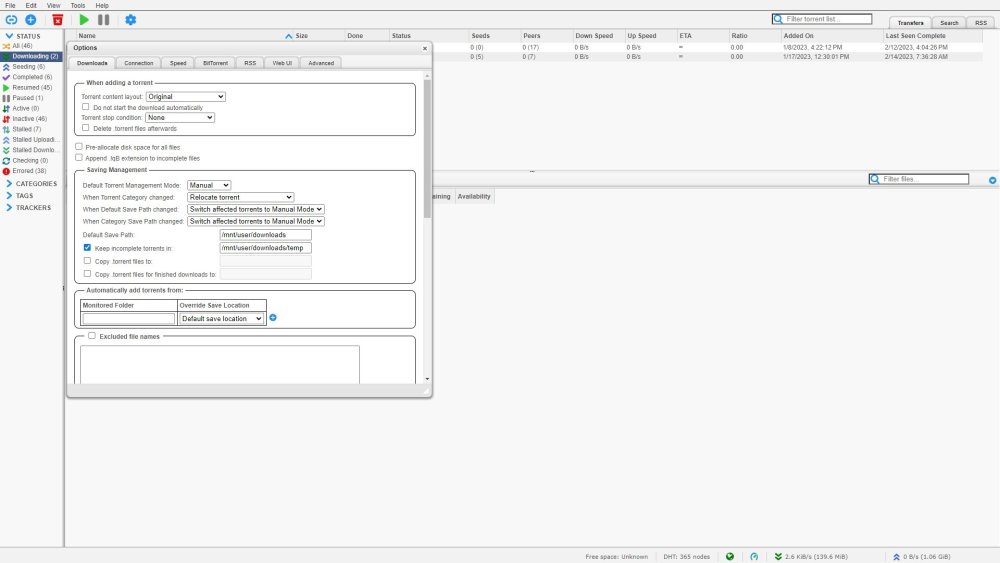
Oh wow. So I don't recall ever using any pathing except for what's shown in these screenshots. So these are wrong? What should they be? Please help me get this sorted out. Maybe I've been doing it wrong all along. lol No idea why it's been working until recently, but regardless, I'd like to get it fixed. I had to use the remote mapping in Sonarr for... some reason. I can't recall why off hand, but I know it flat didn't work until I added that line, then it worked perfectly.
-
So suddenly Sonnarr is reporting "Download warning: qBittorrent is reporting an error" for lots of my queued downloads (through qBT), but there's no info about what error qBT might be reporting, or where. Whatever it is, it's preventing the files from downloading, so it's fairly serious. I feel like this has to be related to a recent Sonarr or maybe qBT update, since everything was working smoothly up until recently. I've looked in qBT options, and it's set for downloads to go to "/mnt/user/downloads". For some reason, the error seems to be indicating that it's looking /config/qBittorrent/downloads/. However, files are actually being downloading into /user/appdata/binhex-qbittorrentvpn/qBittorrent/downloads. I have no idea where that path came from, or why it's ignoring my selected save path now. It worked perfectly for many months, but it seems that a recent update to either Sonarr or qBT (more likely, I think) has broken something, but I can't figure out what, or even where to start looking, since the errors are so vague. I've tried to dial up the logging in Sonarr to 'Trace' to see if it will give me more info, but that's not working for some reason. Any ideas where to start looking? Please keep in mind that I'm fairly new to all this, so I'm going to require a bit of handholding if it's not a real obvious solution. screenshots for context: https://ibb.co/Y0MzCNV https://ibb.co/jbvDwsk
-
AWESOME!!!! Thanks so much for listening to the community! This is one of the many things that makes Unraid so vastly superior to other competing platforms in my opinion. I just love the involvement of the Devs.



