




.jpg.d8271e5792409634b918877a0a72b025.jpg)
1471
Members
-
Joined
Everything posted by 1471
-
This is a interesting thread. I've got an issue with my server not getting to a low C State, reading up things the likely culprit is the LS 9207-8i HBA i'm using. Looking to replace with a recommened 6 Ports 4X PCIe Asmedia ASM1166 card like THIS. However, i've stumbled across an 8 Port 3.0 SFF8087 on Aliexpress and wondering if any has tried it? Would be a like for like repalcement for my current HBA, which is appealing, but concerned about speeds and quite hard to find any info. It seems to be running a ASMedia1166 chip, but with 8 drive support, presuming some must be via a multiplier. I found THIS blog post covering a similar looking card, scroll down a bit to the info under 'the following section was added in March 2023'. TL;DR: Ports 6, 7, and 8 are connected to the ASM1093 port multiplier, which is connected to port 6 of the ASM1166. Any way, thoughts on disk speeds on the split ports? Any one used one or similar?
-
Thanks! One of my old servers using a modified Fractal Define R5 case was also a fun little project, info HERE if you're interested.
-
Build’s Name: My Customised SFF Home Server Build Full Spec: PartPicker Link Usage Profile: Unraid Server for Containers, VM's and Storage Server Time to upgrade my home server again, decided to down size from my current Fractal Design XL to something smaller and more power efficient. Decided to go with the Fractal Node 304 case, I’m moving from 12x 8tb disks with dual parity to 6x 20tb disks with single parity so will fit. Using a smaller case will mean taking up a lot less space in my small home office! Here's a finished picture, with a rather long build thread below: ________________________________________________________________________ So then, started of by ordering the case. I managed to swap the white HDD caddys for black ones with a colleague, looks much better. Then swapped out the Fractal fans for black Noctua A9 and A14 Chromax fans. These look slightly better and much quieter. Reused one of the LSI 9207-8i HBA from the old server. The brackets are powder coated black and have a Fractal R3 40mm fan on the heat sink. The fans are mounted using black nylon nuts and bolts, reusing the same holes as the heat sink to keep things neat and tidy. Updated the firmware while I was at it. Installed a Corsair RM650 (2021) PSU and realised the motherboard ATX cables were pretty long. Time consuming, but re-pinned and braided the connectors to make the optimal length. The USB cables from the front IO to the motherboard were also pretty long, so found some shorter ones on Ali Express. Soldered these onto the original PCB and braided the cable. Also shortened and braided a few other cables, like the on/off, restart buttons and hdd activity cables. I also removed the front panel audio cables as not needed for a server. Not a massive problem, but noticed that the power cable orientation meant the cable at the PSU end pointed up and needed to loop round, which looked messy. So found a left angle IEC (that’s a thing) cable, braided and re-terminated at the case end. Now it points down and runs along the bottom of the case, much tidier. Next up was the mother boards silver IO shield, didn’t look brilliant on the black case. I couldn’t find a black one, thought about 3d printing one, but ended up just powder coating the original. Came out really well and looks much better. Installed everything on the motherboard and made a custom length, braided cable for the CPU fan. Did the same for the two front fans and exhaust fan. The case takes 6x 3.5 HDD’s, these would be filled with my 20tb disks, so needed somewhere to install the 2x 2.5 HDD’s I use for cache drives. Easy option would be to mount on the outside of the HDD caddys, but where’s the fun in that! I decided to make my own bracket to mount them both on the side of the case. Fabricated these out of aluminium sheet and powder coated black. Drilled two holes in the bottom of the case, then used some black, low profile bolts to secure the bracket. These are hidden by the plastic feet mounting covers that run round the bottom edge of the case, so can’t be seen. Inside view of the bottom of the case, where the brackets secured. I used black nylock nuts and black washers to keep looking original. Drilled two more holes a the top of the case and secured the bracket using rivnuts and some more low profile bolts, with black washers. These were needed to make sure the case top fitted without snagging. Made some custom length SATA power cables for the HDD’s to keep things tidy. Then connected the HBA’s SATA data cables. I forgot to take a picture with the cables tied together, but looks tidy. Swapped the remaining PCI cable to a black one and all done! All sealed up, shame no one will ever see the hard work that went into the build! A fun project though, so worth it for me! ________________________________________________________________________ Well done for making it to the end of this post! I'm please with how the builds turned out. My old server use to average 190W power draw, this uses 110W. To be honest, I was hoping for a little lower, need to do some troubleshooting when I have some time. I think the HBA is stopping the system from getting to lower C states, so may swap out for a ASM1064 based card in the future and check things out with powertop.
-
Also spotted, FolderView got a mention in the Unraid Digest email sent today!

-
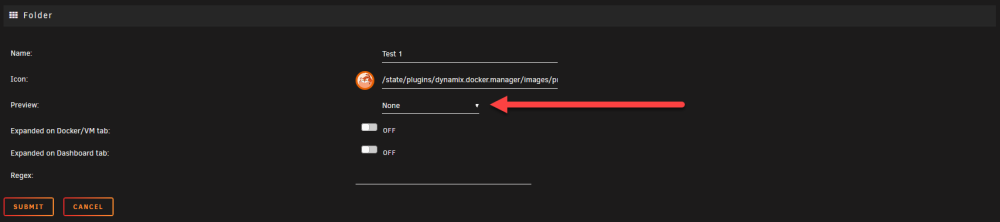
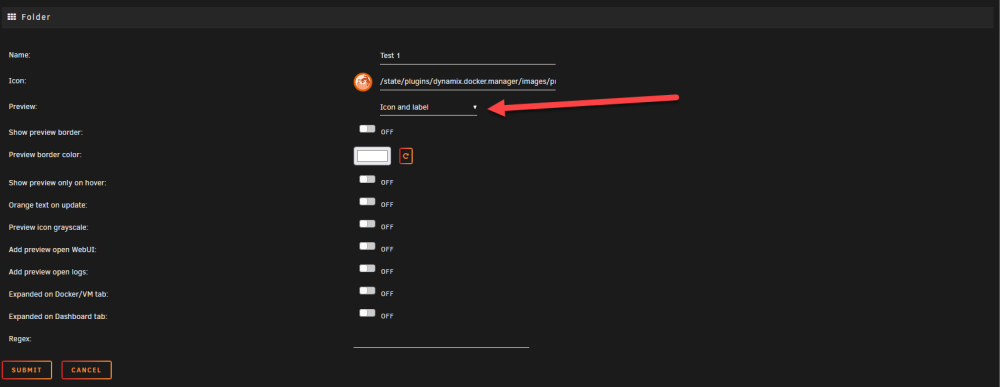
Thank you so much for sorting this out, actually think the plugin is now significantly better than it was before. Brilliant work! Tested the new 'preview border color' setting and 'disable boarder toggle', both work well. Something I did notice, the new settings are only visible when 'preview' is set to 'icon and label', 'only icon', 'only label'. When set to 'none' the options are hidden, could it be changed so visible when all are selected in a future release? With 'none' selected With any of the other options selected
-
Yea, a +1 from me. Would be nice to have a option to disable the boarder, or like you said, set a custom hex colour. Personally quite like without as looks cleaner. Example from the old version: Example from the new version:


-
Yup, +1 for FolderView
-
Have a read through the last two pages of this thread, a new version of the plugin is being worked on.
-
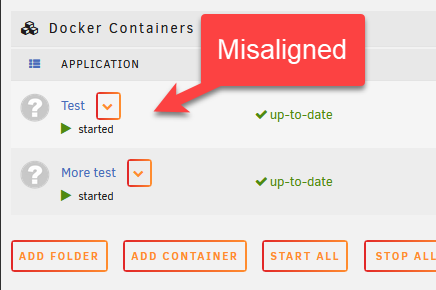
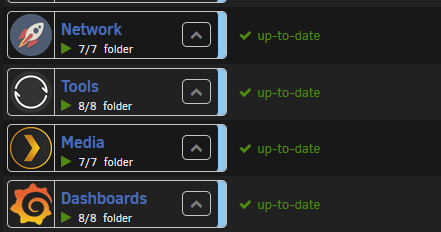
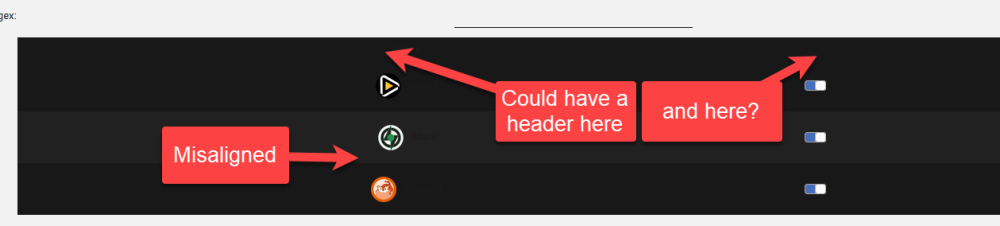
Updated plugin to 2023.07.27.1 and the previous issues with settings reverting back and containers getting stuck when moved are fixed, thanks! Just for info, some minor UI things The drop down menu's misaligned: when compared to the old version and on the folder page, the container icons are misaligned and some header/titles might be a good idea? Again, really appreciate the efforts with this. Definitely think this should be part of Unraid considering how useful it is! As for names, asked ChatGPT... 1. DockerVM Organizer 2. VM Docker Folders 3. Containerized VM Manager 4. Dockerized VM Organizer 5. Virtual Docker Folders 6. VM DockFolders 7. Docker-VM Stacks 8. Folderized DockerVMs 9. DockerBox Organizer Maybe something like Unraid Stacks, Stacks?
-
Thanks @sonic6, was looking in the wrong place! Yup works for me. I do have an issue with icons appearing in odd orders though, needs a browser refresh to sort (tried in Firefox and Edge)

-
Same issue on a fresh, trial install of 6.12.3, PM'd with more @scolcipitato with some more info
-
Well done! I'm not on discord, but dropped you a PM, happy to help out testing
-
Apprecaite all the replies, hopefully this can be picked up in the future Obviously joking, but hope you have a very mild cold, one day off work sort of thing, in the future (no idea how long it would take to rewrite a plugin!)
-
Yea makes sense, appreciate the reply. As people have said before, looks like the original author, @GuildDarts, hasn't been active since August 31 2021, so best hope is for someone else with the skills to pick this up. Would be a shame for it to die as such a useful plugin! Hoping @scolcipitato might have had some luck!
-
Hi @Squid, appreciate you must be very busy but is there any chance you could take a look at this plugin, again, and see if it's possible to fix in 6.12.XX Issue is around changing the order of folders and containers, useful video in the post above showing whats wrong.
-
Hope this can be fixed too, one of the most useful plugins for Unraid!
-
Ok, thanks for the update / info.
-
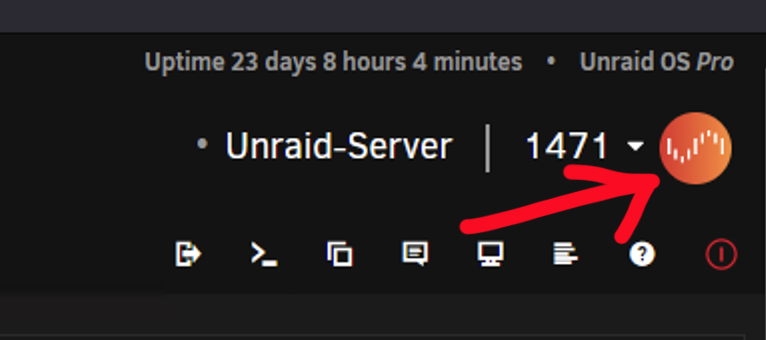
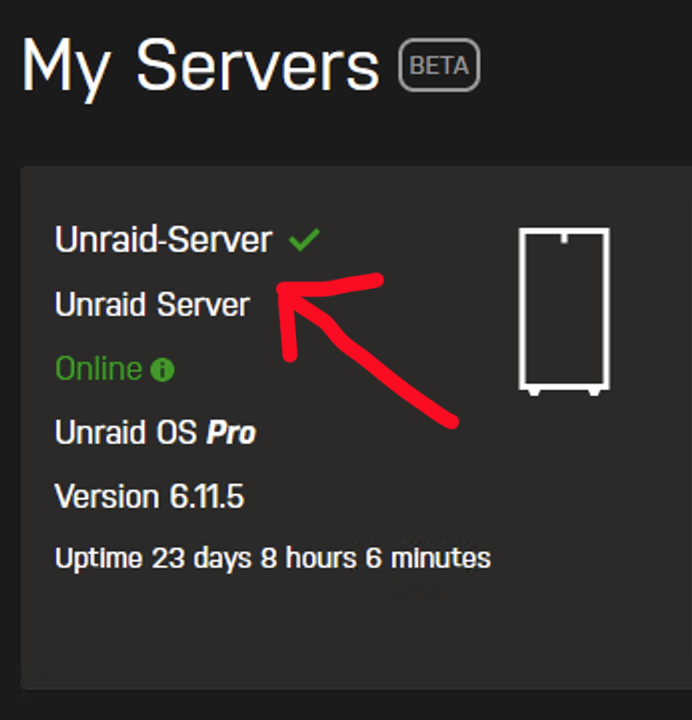
Migrated to the new authentication and spotted two minor missues, though it'd share incase it effects others etc: 1) My accounts profile picture has dissappeard from the 'my servers' plugin: 2) My accounts now showing as having two servers with the same name?
-
Stumbled across this plugin when watching THIS video on reducing power usage, works well! As others have mentioned, should get its added to the CA store so its easier to find as really good!
-
All sorted. Thank you very much for your help, really appreciated.
-
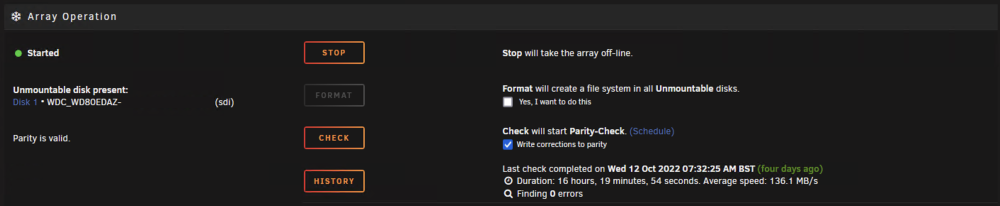
Thanks, its an encrypted volume so had to go via the GUI, followed a helpful guide from Spaceinvader One. Ran the XFS recovery (had to use -L flag) and rebooted th eserver. I'm still getting the disk error (see screen shot below), but now the disks being emulated and can access the data. Just to add, there arent any SMART errors on the disk, so don't think thats the issue. Do you know what the process would be to fix from here? Remove the disk from the aray, format and rebuild from parity? I've created a new share NOT using the faulty disk and backing up everything from the faulty disk to that, just in case. New diagnostics attached if that helps unraid-server-diagnostics-20221017-0634.zip

-
Looking for a bit of help! I've got a disk marked as "Unmountable: Wrong or no file system". I have two parity disks in my array, the GUI seems to suggest that the disk is being emulated, however the data on the disk is missing: I have the option to format the disk, but don't want to do that as the data isn't being recreated from parity, so think doing this would loose the data: Is there anything I can do? I've tried a reboot and same issue. I have all my important files backed up, but hoping I dont need to go through the hassle or working out whats missing etc. Running 6.11.1 - Diagnostics attached. unraid-server-diagnostics-20221016-1418.zip

-
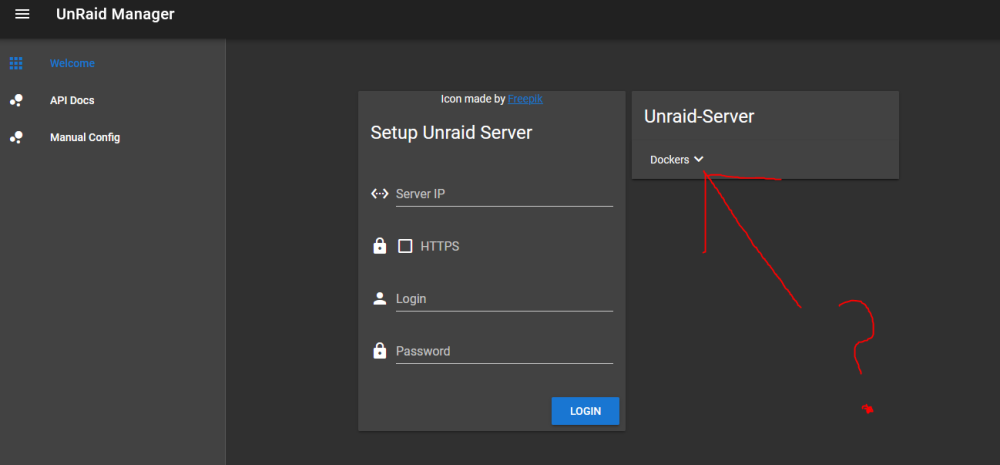
Similar issues as above since updating to Unraid 6.11.1. Looks like all the other controls have gone and can only see for Docker? Checked my Grafana dashboards and looks like the datas not being collected for VM's etc Looking at the logs, getting: Cannot read properties of undefined (reading 'children') Get VM Details for ip: 10.112.1.80 Failed
-
Thank you, all sorted for me with the update.
-
Yup, same for me too. Rolling back worked.
.thumb.jpg.d41b3d13eafb9b2529a93d338507d030.jpg)




