





poet_will
Members
-
Joined
-
Last visited
Everything posted by poet_will
-
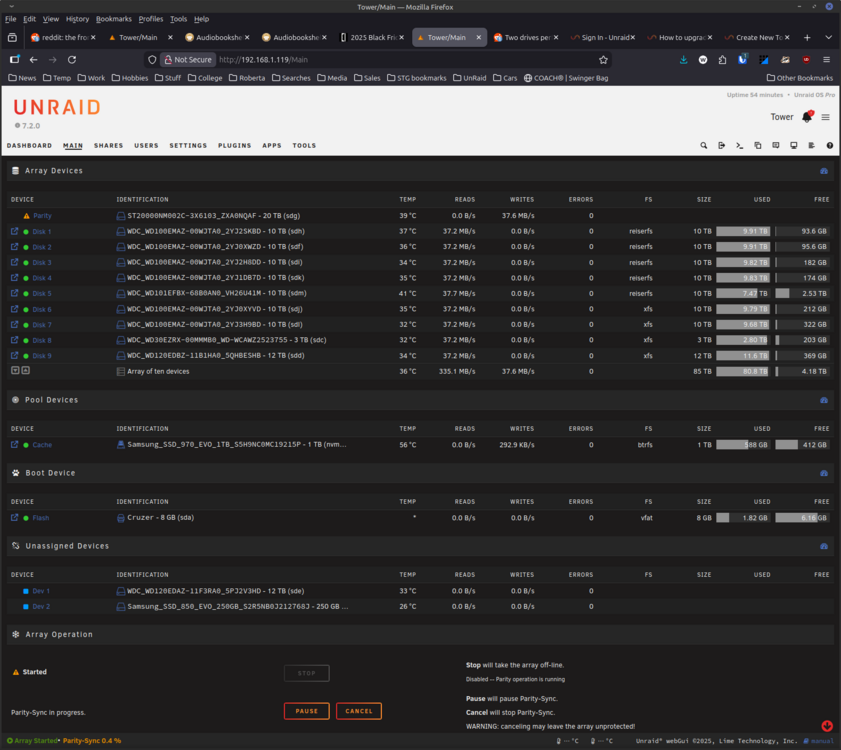
The parity finished in a couple of days. I noticed that when it got past the 12 GB mark the write speeds sped up to about 100-120. That makes me think it is definitely reads. I added a new 2.5 Gbe NIC and I'm currently moving data from a ReiferFS disc to change the file system. I will update the thread when I'm not writing or reading on the drives. Thanks for the help!
-
I edited the original post and added them. When I go to edit the post it shows the zip file, but doesn't show it when I'm not editing. Strange. I will post it here. Thanks Willtower-diagnostics-20251205-0747.zip
-
I have updated my post and added the diagnostics. Thanks Will
-
I cannot figure out why I'm getting so slow write speeds on a new parity drive I have installed. Can someone help me out? Thanks Will lspci information
-
Running Unraid 6.9.2. I'm getting an Execution error: server error when trying to launch. Nothing is being written to the appdata folder. I tried using installing 4.3.9 and still having the same problems. No log data. Restarted the Enable Docker in the Docker settings. Rebooted the server. I'm at a loss at this point.
-
In the past few days I have lost WebUI access to my binhex-sabnzbdvpn docker. I tried rolling back the version to 3.5.3 and that didn't work. Here is my log file for the docker. I have no clue why it stopped working. Other dockers are working. I have also noted that Sonar can no longer access Sab either. At this point I think it is a network issue, but I am not sure. sabnzbdvpnLOG.txt Sabnzbd Network ifconfig.txt
-
Been a very happy customer since 2012. Keep up the great work!
-
I have setup the docker as described in the video. However, I have nothing on the Domains on Blocklist. I checked under Settings-> DNS and none of the check boxes are checked. When I manually check the google boxes and update the Blocklist everything is pulled down. I have 8.8.8.8 and 8.8.4.4 in the docker settings. Any suggestions?
-
OK, I'm totally new to both docker and running calibre on a server. Do I need to install the Apache docker before the Calibre docker? I have calibre installed but I cannot access it with the 8080 port. A step by step guide would be great. Thanks
-
I'm new to this command line stuff. How do I got about restarting the daemon? Also, if I don't restart the daemon and i try to ftp in using my newly created user it still works, but goes to the root directory. From what I understand, this is the built in FTP server. How do I disable that server? Edit: I wanted to also say that I don't have anything referring to proFTPd in the Settings tab. Therefore I believe that the plugin is not running. I'm running 5.0-rc5 if that helps. Should I upgrade to the latest rc? Thanks
