





stev067
Members
-
Joined
-
Last visited
Everything posted by stev067
-
Has anyone been successful in setting this up? I'm just getting started with installing some cameras, and I wanted to go the BI route, and then saw there was a docker, but I haven't seen any real success stories. Is there another thread going?
-
Good call, I'll give it a try. Any idea how I should go about testing drive RW speeds?
-
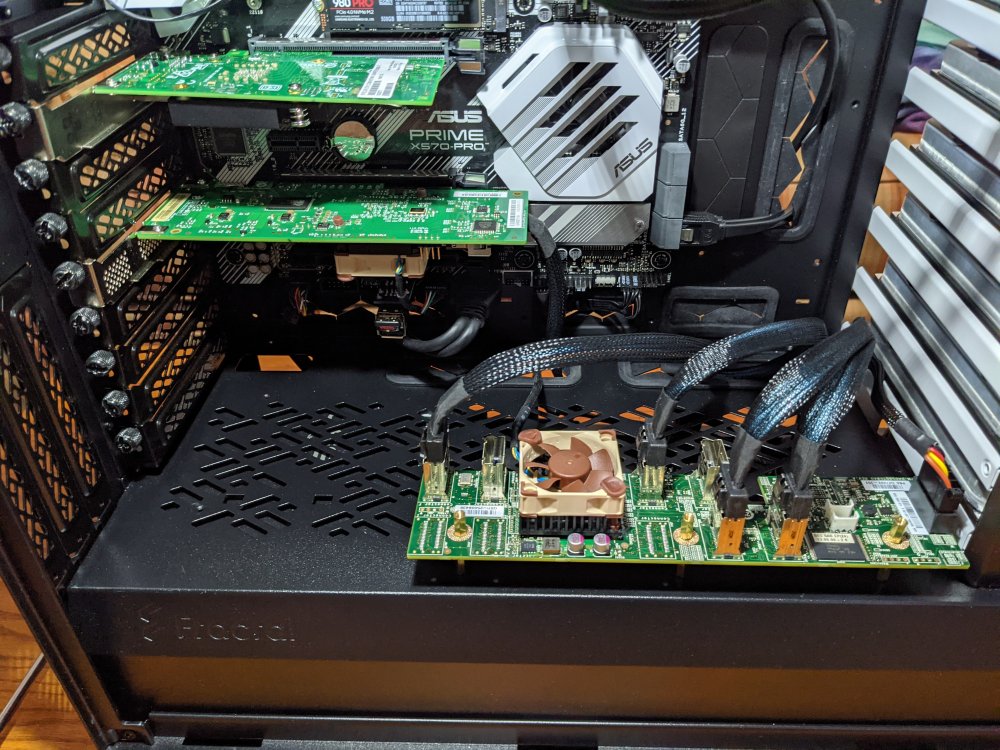
Pic of the 40mm fan addition if anyone is interested. I just used the rubber things that Noctua includes, instead of going and buying screws. It works perfectly but takes a bit of force.
-
I dug into the server last night and added the thermal probe, and checked out some temps in the bios. Apparently there is a motherboard sensor that isn't registering within Unraid, which was at 40C, and I'm measuring 25-30C on the HDDs. They look close together, but the airflow through them is really great, probably because the 3 fans are right there, and there's no cable clutter in that space. I left the temp probe between two of the HDDs and set the front fans to use that temp for its curve. I also added 40mm Noctua fans to my sas expander and raid card, and that lowered their temps an insane amount. Anyone have any idea why the dynamix temperature plugin is only registering my CPU and NVMe temperature sensors? Also, the dynamix fan plugin doesn't seem to register anything whatsoever.
-
I'll take some temps tomorrow when the temperature sensor comes and let you know.
-
Looks like the highest temp any of the HDDs has seen is 36C, with most of them showing highest of 32C. I actually have a temperature sensor probe coming tomorrow, that I am planning to put in the HDD area, to set the fan curve for the front fans, which are just the 3 stock fans. I haven't spent much time on fan settings yet, I just sort of set everything at balanced. I'm also going to be test fitting some 40mm fans for my 3 cards tomorrow.
-
Thanks dude, yep I have a UPS tucked back there too.
-
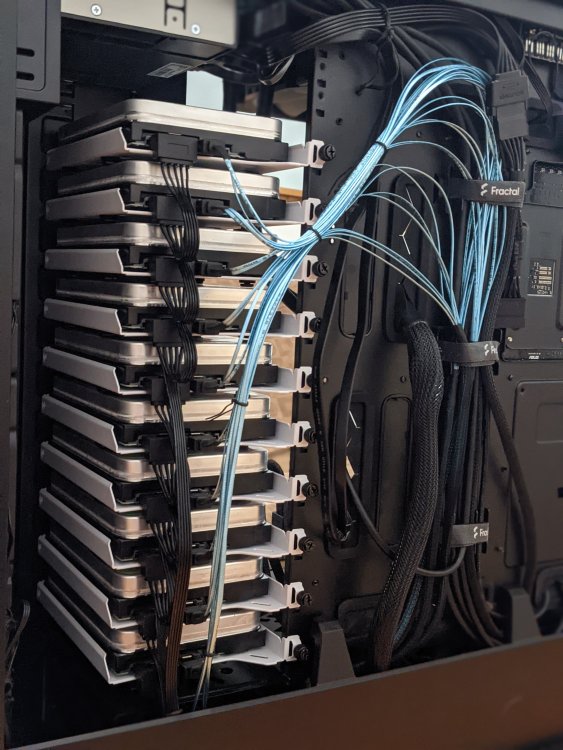
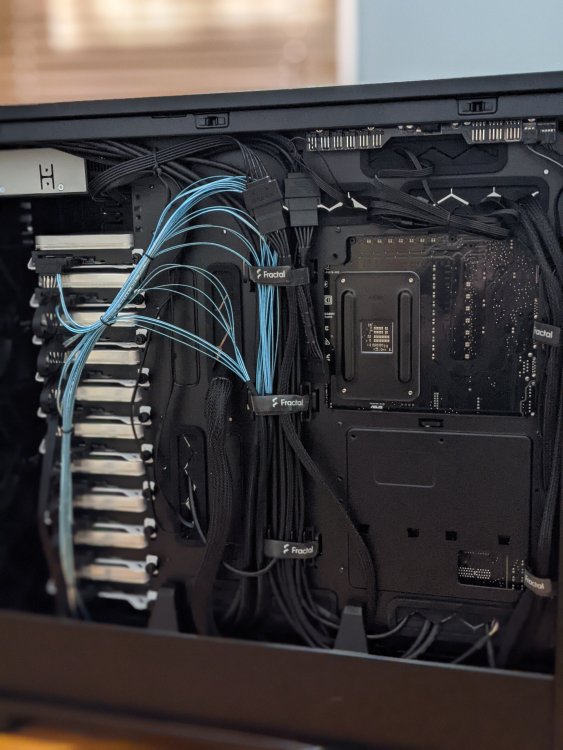
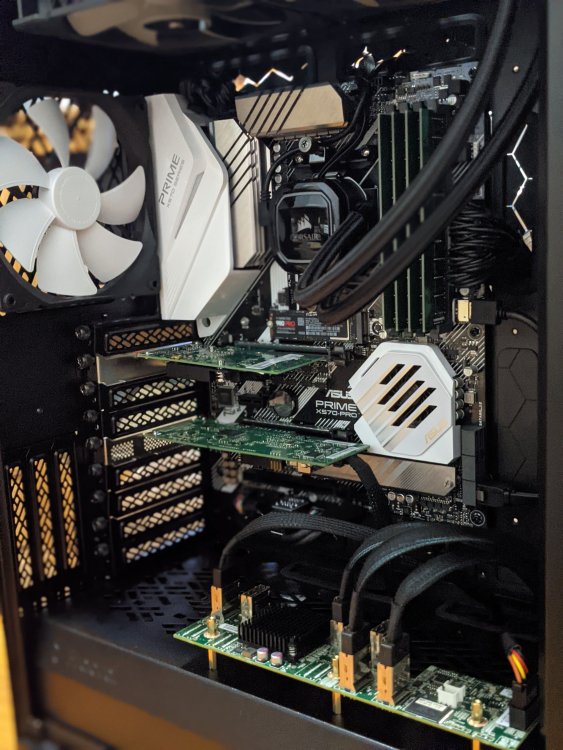
Hey all, Pretty proud of my first Unraid machine. Finally have it to a "finished" state. I wanted to share some good photos but I'm no photographer. I scored all 10 14TB HDD's from shucking Seagate external drives a few months ago, before the price boom, so $225 apiece. Hoping price comes back down because I have space for a few more. I'm still in the learning phase but I have set up OpenVPN, Nextcloud with reverse proxy, Plex, Windows 10 VM, and Ubuntu VM. Running headless for now until I have a need for a GPU assuming they come down to MSRP. I have a 10Gbps card in this and my regular PC, so they're directly connected without a switch. All-in cost right now is north of $5k, but I am also interested in upgrading to a Ryzen 5900/5950x when those are available at MSRP also. Before anyone gets concerned, the drive power lines are not all chained together.
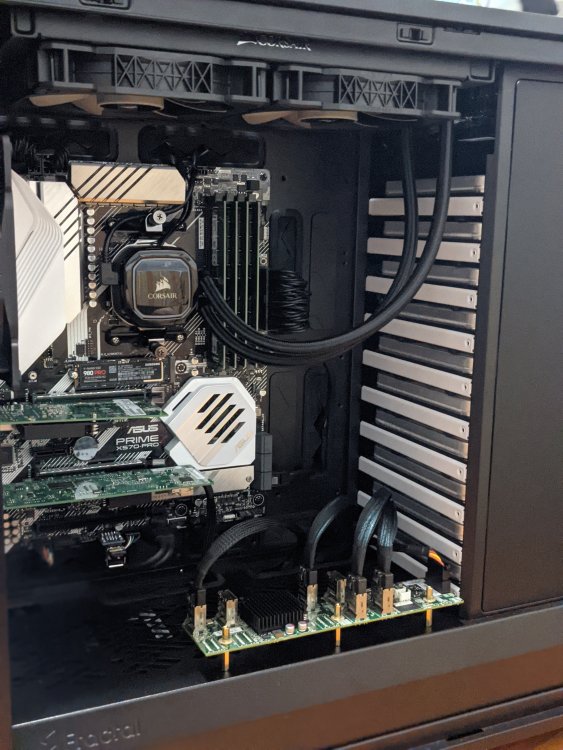
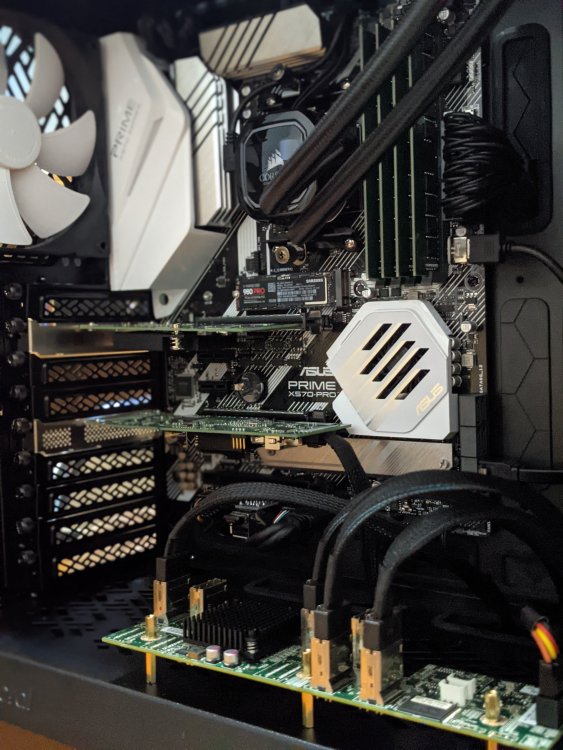
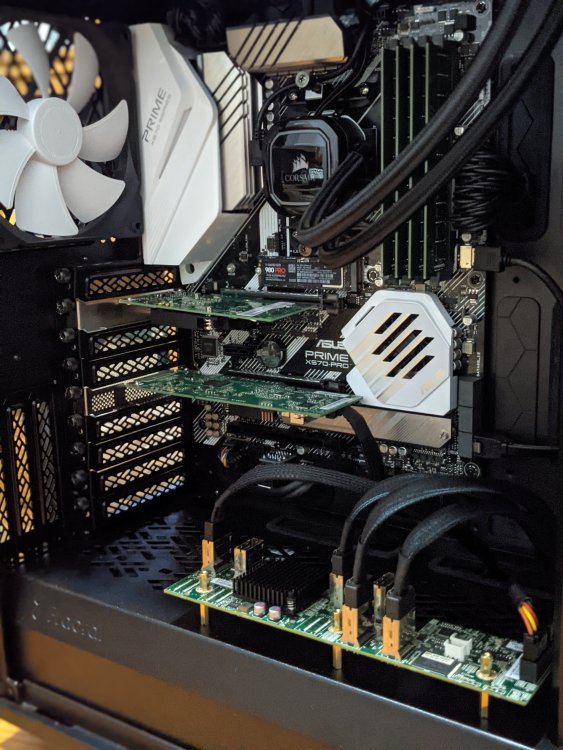
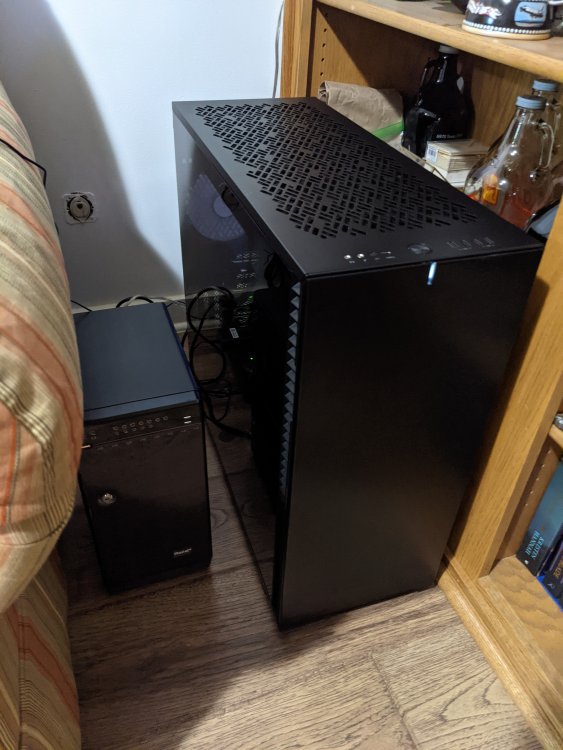
-
Just one thing about that board. I had to replace the chipset fan after about a year because it was getting rattly. Asrock sent me a replacement for free, and it was easily replaceable from the front. New one has been going strong for a couple years now.
-
Hey. I just put together an x570 build. My first experience with Unraid, but my second experience with X570. For this build I used an Asus Prime X570 Pro, and I've been happy with it. The Asus board boots headless, and my ECC RAM works with it. Here is the RAM I ended up using: (https://www.ebay.com/itm/193922338263?ssPageName=STRK%3AMEBIDX%3AIT&_trksid=p2060353.m2749.l2649) ECC seems to be highly recommended for important storage, so I guess whether you use it or not probably depends on how highly you value your data. But the price seemed pretty reasonable so it was a no-brainer for me. For what it's worth, my main PC has an Asrock Taichi X570 mobo and I've been happy with that too. Oh also, as someone who went with a Ryzen 3600XT at a good price for my Unraid build, when I didn't fully know what I'd be using for yet, I'm going to be upgrading to a 5900X or 5950X as soon as they're available at MSRP.
-
Ok so they are the same, except that #2 does not include filters? And if I'm not using any filters, then they're just identical?
-
Hey quick question. Am I understanding the difference between these two values correctly? "Only move at this threshold of used cache space" - I have this set to 70%, so that when the mover is pinged nightly, it will only act if the cache is over 70% full. "Move All from Cache-yes shares pool percentage" - I have this set to 90%. I thought this was more of an immediate move. If at any time during the day, the cache passes 90%, the mover is invoked. I think I'm misunderstanding the second one, or the difference between the two, because I just passed 90% and nothing was happening.
-
My bad! Thanks Huggenbd for your work on this plugin and your quick support.
-
Eureka! That was the final piece. Here is my final summary if anyone else wants to set this up. And I apologize if there's already documentation on this somewhere. Below is the path to the original script I wrote in Userscripts. You just really need to plug in the script name of this into the SCRIPT_NAME variable of the helper file below. Generally speaking, it's a good idea to avoid spaces in script names. /boot/config/plugins/user.scripts/scripts/SyncRaid50 This script can only be executed as a Mover Tuning afterscript if it is in RAM and has execute permission. Making this helper script which is set to run on array start will ensure it gets placed in RAM when the server boots. This helper script would have to be re-run any time you want to lock in changes to the main script. Below is the code for my helper script. #!/bin/bash SCRIPT_NAME="SyncRaid50" #THIS IS THE TARGET SCRIPT THAT YOU WANT TO RUN VIA THIS HELPER SCRIPT echo "copying $SCRIPT_NAME script to RAM and granting execute permission." cp -r "/boot/config/plugins/user.scripts/scripts/$SCRIPT_NAME" "/tmp/user.scripts/tmpScripts" chmod -R 775 /tmp/user.scripts/tmpScripts/$SCRIPT_NAME echo "RAM copy script complete. Last modify date of RAM file is now the following:" date -r /tmp/user.scripts/tmpScripts/$SCRIPT_NAME/script Lastly, below is what to put in the Aferscript field of Mover Tuning, where 'SyncRaid50' is the name of your target script. /tmp/user.scripts/tmpScripts/SyncRaid50/script Thanks a lot to Hugenbdd and Squid for your help, and thanks Squid for another great plugin.
-
Ok so I created a helper script that will run on first array start. Copies the script into the existing RAM scripts folder, and changes the permission. #!/bin/bash cp -r /boot/config/plugins/user.scripts/scripts/SyncRaid50 /tmp/user.scripts/tmpScripts chmod -R 775 /tmp/user.scripts/tmpScripts/SyncRaid50 Here is the result of 'ls -l' on the script folder and contents after the above helper script: drwxrwxr-x 2 root root 80 May 28 10:57 SyncRaid50/ -rwxrwxr-x 1 root root 10 May 28 10:57 name* -rwxrwxr-x 1 root root 619 May 28 10:57 script* For mover tuning, I changed the afterscript to the new location. /tmp/user.scripts/tmpScripts/SyncRaid50 And still the script isn't running. Something wrong with the permission still? Thanks for all your help.
-
Hmm so I can't just add a 'cp' line to my script though because the script isn't being executed in the first place. Do you mean that I should do a 1-time move of the script into RAM and then leave it there? Would it persist after a reboot?
-
I tried both of the below and neither fixed it. Was I missing something? Sorry my linux experience is like 10 years dormant. chmod 775 /boot/config/plugins/user.scripts/scripts/SyncRaid50 chmod -R 775 /boot/config/plugins/user.scripts/scripts/SyncRaid50
-
Here's what I get from that: -rw------- 1 root root 10 May 27 20:45 name -rw------- 1 root root 565 May 27 20:45 script Just tried again with bookmark echoes, and it didn't change the result, and not seeing an echo in syslog. I appreciate your help!
-
Hey everyone, Love the plugin. I'm having trouble getting an "after script" to run. The move runs fine, and the script runs fine by itself when I run it manually, but it just isn't running for some reason when I add it to this plugin. Hopefully something obvious, and sorry if I missed it in this thread. Thanks. Here is the syslog line where it registers the script: May 27 21:20:01 Haven root: mvlogger: AFTERSCRIPT: /boot/config/plugins/user.scripts/scripts/SyncRaid50 And here is the script itself if that helps: #!/bin/bash #MOUNT DISK BY ID (PLUG IN YOUR DISK_ID) DISK_ID=50_0123456789ABCDEF THIS_DISK=`ls -l /dev/disk/by-id/ | grep '$DISK_ID' | head -1 | tail -c4` /usr/local/sbin/rc.unassigned mount "/dev/$THIS_DISK" if [[ $? -ne 0 ]]; then echo "Exiting due to ERROR." exit 1 fi #RUN SYNC COMMANDS test -e "/mnt/disks/Mega" && rsync -avh --progress "/mnt/user/Mega/" "/mnt/disks/Mega/2D" test -e "/mnt/disks/Mega" && rsync -avh --progress "/mnt/user/VR/" "/mnt/disks/Mega/VR" #UNMOUNT DISK BY ID /usr/local/sbin/rc.unassigned umount "/dev/$THIS_DISK"




