





WenzelComputing
Members
-
Joined
-
Last visited
Everything posted by WenzelComputing
-
Bumping actually, I am interested as well.
-
Is there a guide on how to move forward with this? do you need a specific driver version? unraid version? etc?
-
Issue was resolved by simply completely reinstalling unraid on a new USB, reinstall was quick and simple just grabbing the old docker containers and bringing the VM back up.
-
You're amazing Ich! That is the fix!
-
hah no, i have had issues getting IPMI working on unraid but i just control the fans from another server. So completely different issue
-
Yes, it does. This is what I get with the driver installed though: Edit: console mode works fine of course, but sometimes you want gui mode.

-
Is there a way to view the gui with idrac with the driver installed? it just goes to a black screen with a type prompt that you cant type on..
-
1 answer: Development time can be much better spent elsewhere. I don't think this is necessarily a bad idea to be fair. I just think that the time developing it could go to things like ZFS. And if something like ZFS were delayed due to people wanting to install it on an ssd...then id be rather annoyed. As other people noted this is NOT an enterprise software. You want something more enterprise? Go to Truenas. Buy a support contract.
-
Cheers, didnt want to bug you, so just updated post letting it be known its still an active issue 😃
-
Still having issue
-
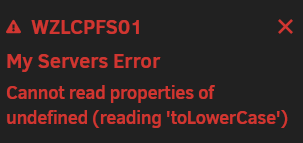
it let me log in, now im getting this: root@WZLCPFS01:~# php /usr/local/emhttp/plugins/dynamix/include/UpdateDNS.php -v (Output is anonymized, use '-vv' to see full details) Unraid OS 6.11.5 with My Servers plugin version 2023.01.23.1223 ✅ Signed in to Unraid.net as WenzelComputing Use SSL is AUTO ✅ Rebind protection is disabled for myunraid.net Local Access url: http://WZLCPFS01.local:8089 ✅ WZLCPFS01.local resolves to 192.168.10.3 ✅ 192-168-10-3.hash.myunraid.net resolves to 192.168.10.3 Request: { "keyfile": "[redacted]", "plgversion": "2023.01.23.1223", "internalhostname": "WZLCPFS01.local", "internalport": "8089", "internalprotocol": "http", "remoteaccess": "no", "servercomment": "Media server", "servername": "WZLCPFS01", "internalip": "192.168.10.3", "unraidreport": "{\"os\":{\"serverName\":\"WZLCPFS01\",\"version\":\"6.11.5\"},\"api\":{\"version\":\"2.55.1\",\"status\":\"running\",\"environment\":\"production\",\"nodeVersion\":\"v18.5.0\"},\"apiKey\":\"invalid\",\"myServers\":{\"status\":\"authenticated\",\"myServersUsername\":\"WenzelComputing\"},\"minigraph\":{\"status\":\"DISCONNECTED\",\"error\":\"API Disconnected\"},\"cloud\":{\"status\":\"error\"},\"flashbackup\":{\"activated\":\"yes\",\"error\":\"no\"}}" } Response (HTTP 200): [] success <-----UNRAID-API-REPORT-----> SERVER_NAME: WZLCPFS01 ENVIRONMENT: production UNRAID_VERSION: 6.11.5 UNRAID_API_VERSION: 2.55.1 UNRAID_API_STATUS: running API_KEY: invalid MY_SERVERS: authenticated MY_SERVERS_USERNAME: WenzelComputing CLOUD: STATUS: [error] MINI-GRAPH: STATUS: [DISCONNECTED] ERROR: [API Disconnected] SERVERS: ONLINE: OFFLINE: ALLOWED_ORIGINS: </----UNRAID-API-REPORT----->
-
Still not resolved.
-
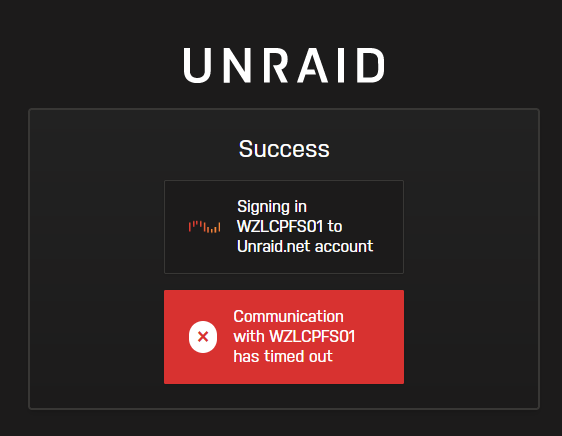
moved my unraid to a new server, and no matter what I do it wont let me log in. Error Message: Output of php /usr/local/emhttp/plugins/dynamix/include/UpdateDNS.php -v: (Output is anonymized, use '-vv' to see full details) Unraid OS 6.11.5 with My Servers plugin version 2022.11.29.0742 ⚠️ Not signed in to Unraid.net Use SSL is AUTO ✅ Rebind protection is disabled for myunraid.net Response (HTTP 406): { "error": "Nothing to do" } Error: Nothing to do Output of unraid-api report -v: <-----UNRAID-API-REPORT-----> SERVER_NAME: WZLCPFS01 ENVIRONMENT: production UNRAID_VERSION: 6.11.5 UNRAID_API_VERSION: 2.54.0 UNRAID_API_STATUS: running API_KEY: invalid MY_SERVERS: signed out CLOUD: STATUS: [error] RELAY: STATUS: [disconnected] MINI-GRAPH: STATUS: [disconnected] SERVERS: ONLINE: OFFLINE: ALLOWED_ORIGINS: NCHAN_MODE: nchan </----UNRAID-API-REPORT-----> wzlcpfs01-diagnostics-20230119-2333.zip
-
Bumping this, any ideas?
-
Hello everyone, I receive this log when trying to run the rclone-upload script. root@WZLCPFS01:/tmp/user.scripts/tmpScripts/rclone-upload# cat log.txt Script Starting Dec 25, 2022 22:16.32 Full logs for this script are available at /tmp/user.scripts/tmpScripts/rclone-upload/log.txt 25.12.2022 22:16:32 INFO: *** Rclone move selected. Files will be moved from /mnt/user0/data/media/gdrive_media_vfs for gdrive_media_vfs *** 25.12.2022 22:16:32 INFO: *** Starting rclone_upload script for gdrive_media_vfs *** 25.12.2022 22:16:32 INFO: Script not running - proceeding. 25.12.2022 22:16:32 INFO: Checking if rclone installed successfully. 25.12.2022 22:16:32 INFO: rclone not installed - will try again later. Script Finished Dec 25, 2022 22:16.32 Rclone is installed via instructions on github, and config is setup the same way as well. Any Ideas?
-
Read the post directly above yours.
-
i gave up on waiting for an official fix. here is my unofficial fix: go back to 4.3.9 version. new version is completely broken.

-
you are using the wrong location. need to make sure the file location is correct ie: /data/Torrents/Theme/themelocationhere Follow this guide for themes:
-
Hello again... Same issue as @SxC97 I cant access the local UI, heres my pastebin: https://pastebin.com/raw/SFx6MG75 edit: seems to be only when vpn is enabled. If I disable VPN it works fine. LAN is correct(192.168.10.0/24)

-
I dont use RGB in my server , I was merely explaining what it was
-
That's because unraid isn't meant to be enterprise software or externally accessible via webui. Unraid software is SMB at best and at worst more of a homelab software. As a security engineer, if I suggested Unraid in my work environment, without being utterly facetious, which is a more than 40k user enterprise and is subject to fedramp and hippa, I would probably be fired just for making the suggestion. I do think mfa on everything is a good standard to hold ourselves to...however mfa isn't a replacement for good security practices. I agree it should be on the road map, but high priority...? Honestly, if you throw out your unraid server admin ui and ssh wide open to the internet, or allow your wan-network facing dockers to be privileged, you shouldn't be running unraid in the first place. You should be learning basic network security. As people have said use a VPN, or a remote connection to a different PC on your network to access your admin UI when not there. Or even use the unraid MyServers Plugin and have MFA on your unraid community account. https://blog.creekorful.org/2020/08/docker-privilege-escalation/ here is a good example why you should not run your dockers as privileged. here is what privileged actually does: https://www.educba.com/docker-privileged/
-
What is this? its basically a way to get rgb working for people. Is this really needed? no. not really. extremely low priority at best. I guess people could connect it to a home assistant instance in docker and make their cabinet shiny and control it via usb plugged into the server. Why would you have RGB in your server? some people use rgb in their server, i guess they want it to be shiny?
-
I actually cant find any blocks. I have a bunch of blocks to ad services and amazon but nothing from the IP i set to qbitorrentvpn. I even gave it a static IP for easier searching.
-
Running OPnsense - Yes Whitelisted in Unbound - Yes Whitelisted in DNS forwarder - Yes Able to connect to PIA on network using any other computer using PIA app(wireguard as well) - Yes Working Today? - Nope How many days has it not worked? - Since I installed OPnsense 😅, 3 days ago... Are there any specific ports that need to be forwarded or anything specfic urls other than the wildcard *.privateinternetaccess.com/* that need to be allowed?
-
@binhex Followed instructions via github on the Further Help link. https://pastebin.com/raw/kR23wYsZ Here is my password/username redacted full supervisord.log. Thank you!





