





enJOyIT
Members
-
Joined
-
Last visited
-
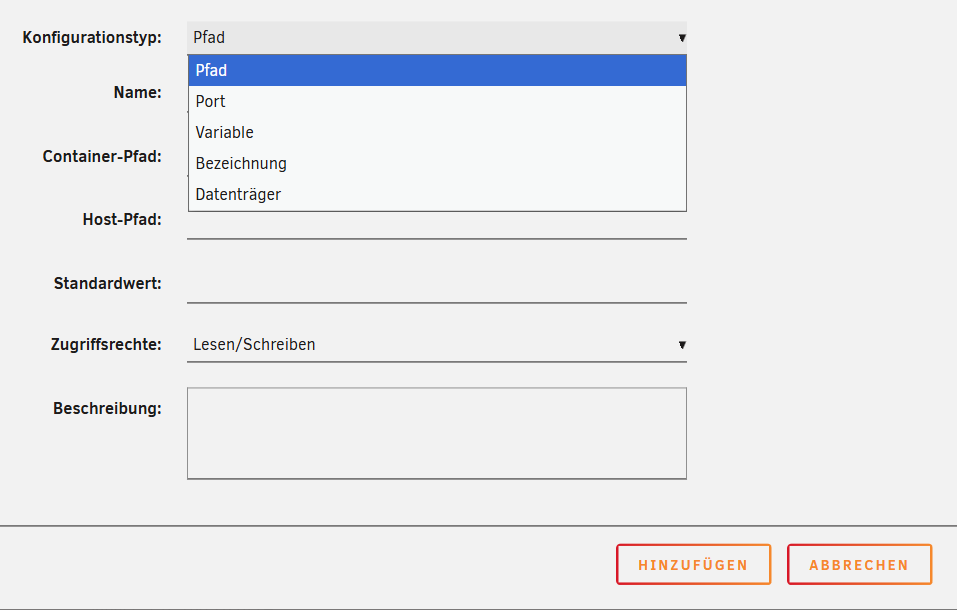
Hi, I try to add an device to a docker container but I can't find it under the options: What is the right one to choose? In german it should be "Gerät" but none of these does fit?
-
Welcome Jake!
-
Did you get it working finally?
-
I wish there was a statement about a native backup solution. Anyway great!
-
reboot fixed it
-
I will post back after parity rebuilt.
-
Ok, here we are :-)
-
Hi, I am using luks encryption but now I have a weird error: There are 4 disks which have this icon. The data on these disks is still available and even writeable. What does this icon mean? Thank you!

-
Welcome :)
-
Thank you @Rysz ! It's working for me aswell.
-
ah, ok. thank you!
-
runs on the standard 3493 port Maybe the plugin uses the wrong authentification mechanism? The windows NUT tool runs fine and can connect.
-
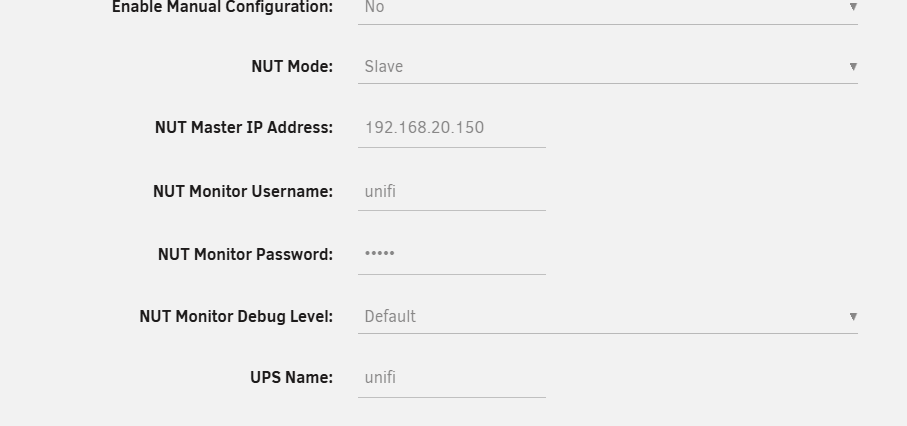
Connecting to my new Unifi UPS doesn't work: Oct 31 12:17:42 unraid upsmon[407139]: Poll UPS [[email protected]] failed - Unknown error Oct 31 12:17:42 unraid upsmon[407139]: Communications with UPS [email protected] lostNUT Server is working, tested it with https://github.com/nutdotnet/WinNUT-Client/releases/tag/v2.2.8719 my settings: Any ideas?
-
I don't know what happend, but when I hit the "Yes" button to update a docker app, nothing happens: The cancel button is working. Searching for new updates is working, hitting the "update all" button at the bottom of the docker apps... doesn't work either. Tried with google chrome and microsoft edge. Any ideas except of restarting the whole machine? Thanks!
-
Habe hier zwei von diesen Sticks... Die scheinen die Fertigung umgestellt zu haben... beide haben keine gültige GUID mehr...



