Jaster
Members
-
Joined
-
Last visited
Everything posted by Jaster
-
I am actually running 6.7.2 and the mapping is pointing to the cache. As far as I remember the issues could also have started after a reboot of the server, not just a docker update. With the recent container update, this happened: SQL Server 2019 will run as non-root by default. This container is running as user root. Your master database file is owned by root. To learn more visit https://go.microsoft.com/fwlink/?linkid=2099216. 2020-02-06 15:51:31.81 Server Microsoft SQL Server 2017 (RTM-CU19) (KB4535007) - 14.0.3281.6 (X64) and the server just shuts down. edit: I tried updating the server to the latest image... same story. It starts and just shuts down without any further notice.
-
Sorry, I didn't notice the reply /root/mnt/data -> /mnt/user/apps/SQL /var/opt/mssql/data -> /mnt/user/apps/SQL/data /var/opt/mssql/log -> /mnt/user/apps/SQL/Log Thats my mapping. I tried chmod 777 there, but it hasn't changed anything.
-
Hey Guys, A recent (docker template) update seems to have some impact as the container starts and stops after a few seconds, saying: This container is running as user root. Your master database file is owned by root. To learn more visit https://go.microsoft.com/fwlink/?linkid=2099216. 2020-01-07 20:48:26.95 Server Microsoft SQL Server 2017 (RTM-CU18) (KB4527377) - 14.0.3257.3 (X64) I tried adding -u 0:0 as a parameter, but it wouldn't change anything. Any ideas on how to fix it?
-
Hi, Great Job - I've been using your script for a while and it save me a lot of time. Thanks for that! Could you add an option to not backup/stop running vm's? Would it be possible to set up different amount of days/backups for each vm?
-
I tried several version and also adding/removing some settings. The container just won't come up. I assume something happened during a major version change... or I have something wrong inside the git lab config...?
-
How do I go back to a specific version?...
-
Latest gitlab-ce. Posted my config a few posts above.
-
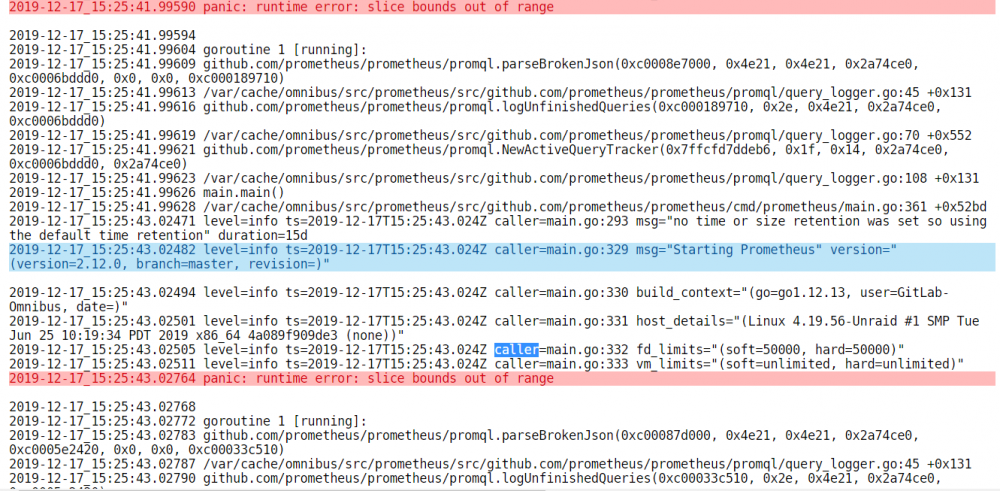
I'm not even talking about sourcegraph. the gitlab container "died" after one of the latest updates. It does come up, but no way to connect to it. The log give some panic errors:
-
Does anyone has a running/working instance of that docker?
-
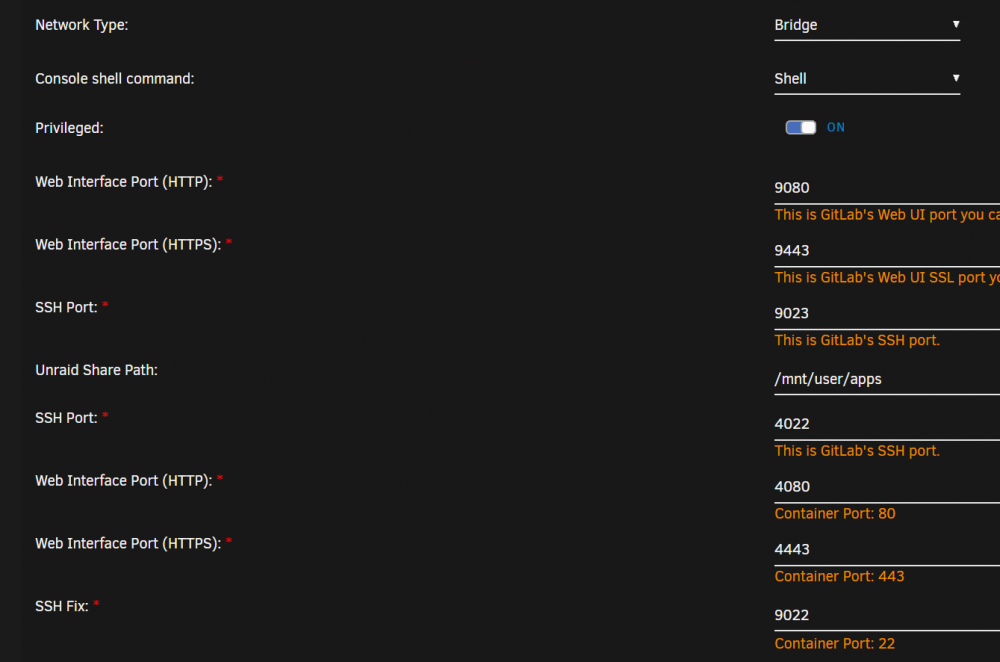
Hi Guys, after a recent update, the cointainer looks very strange. It is starting, but seems not to be accessable. here is my config: I'd like to get it back without loosing the repos in there, could you help me with that? Thanks!
-
-e "ACCEPT_EULA=Y" -e "SA_PASSWORD=Yourpasword1" -m 8g --ulimit stack=8192000:8192000 Adding this to the extra parameters does the magic! PS: Remeber to map the /var pathes and set a correct SA password
-
FYI: Disable UEFI boot, then it works
-
Did that, but keep receiving the very same error.knowlage-diagnostics-20190928-1329.zip
-
1060 3GB. Used to work like a charm, now suddenly stopped.
-
Hey guys, My VM suddenly stoped working, or at least the GPU has. I receive this error in the log: ErrorWarningSystemArrayLogin -drive file=/usr/share/qemu/ovmf-x64/OVMF_CODE-pure-efi.fd,if=pflash,format=raw,unit=0,readonly=on \ -drive file=/etc/libvirt/qemu/nvram/099f3d54-9e14-3229-33e8-3ea946969e7f_VARS-pure-efi.fd,if=pflash,format=raw,unit=1 \ -m 24576 \ -realtime mlock=off \ -smp 8,sockets=1,cores=4,threads=2 \ -uuid 099f3d54-9e14-3229-33e8-3ea946969e7f \ -display none \ -no-user-config \ -nodefaults \ -chardev socket,id=charmonitor,fd=27,server,nowait \ -mon chardev=charmonitor,id=monitor,mode=control \ -rtc base=localtime \ -no-hpet \ -no-shutdown \ -boot strict=on \ -device ich9-usb-ehci1,id=usb,bus=pci.0,addr=0x7.0x7 \ -device ich9-usb-uhci1,masterbus=usb.0,firstport=0,bus=pci.0,multifunction=on,addr=0x7 \ -device ich9-usb-uhci2,masterbus=usb.0,firstport=2,bus=pci.0,addr=0x7.0x1 \ -device ich9-usb-uhci3,masterbus=usb.0,firstport=4,bus=pci.0,addr=0x7.0x2 \ -device virtio-serial-pci,id=virtio-serial0,bus=pci.0,addr=0x3 \ -drive file=/mnt/user/domains/Game1/vdisk1.img,format=qcow2,if=none,id=drive-virtio-disk2,cache=writeback \ -device virtio-blk-pci,scsi=off,bus=pci.0,addr=0x4,drive=drive-virtio-disk2,id=virtio-disk2,bootindex=1,write-cache=on \ -drive file=/mnt/user/domains/_shared/steam2.img,format=raw,if=none,id=drive-virtio-disk3,cache=writeback \ -device virtio-blk-pci,scsi=off,bus=pci.0,addr=0x5,drive=drive-virtio-disk3,id=virtio-disk3,write-cache=on \ -drive file=/mnt/user/isos/virtio-win-0.1.160-1.iso,format=raw,if=none,id=drive-ide0-0-1,readonly=on \ -device ide-cd,bus=ide.0,unit=1,drive=drive-ide0-0-1,id=ide0-0-1 \ -netdev tap,fd=29,id=hostnet0,vhost=on,vhostfd=31 \ -device virtio-net-pci,netdev=hostnet0,id=net0,mac=52:54:00:54:99:a3,bus=pci.0,addr=0x2 \ -chardev pty,id=charserial0 \ -device isa-serial,chardev=charserial0,id=serial0 \ -chardev socket,id=charchannel0,fd=32,server,nowait \ -device virtserialport,bus=virtio-serial0.0,nr=1,chardev=charchannel0,id=channel0,name=org.qemu.guest_agent.0 \ -device vfio-pci,host=65:00.0,id=hostdev0,bus=pci.0,addr=0x6,romfile=/mnt/user/domains/asus.rom \ -device vfio-pci,host=65:00.1,id=hostdev1,bus=pci.0,addr=0x8 \ -sandbox on,obsolete=deny,elevateprivileges=deny,spawn=deny,resourcecontrol=deny \ -msg timestamp=on 2019-09-28 11:50:19.679+0000: Domain id=6 is tainted: high-privileges 2019-09-28 11:50:19.679+0000: Domain id=6 is tainted: host-cpu char device redirected to /dev/pts/0 (label charserial0) 2019-09-28T11:50:21.690037Z qemu-system-x86_64: -device vfio-pci,host=65:00.0,id=hostdev0,bus=pci.0,addr=0x6,romfile=/mnt/cache/domains/asus.rom: Failed to mmap 0000:65:00.0 BAR 3. Performance may be slow 2019-09-28T11:50:29.680345Z qemu-system-x86_64: vfio_region_write(0000:65:00.0:region3+0x40a8, 0xbffe101,8) failed: Device or resource busy 2019-09-28T11:50:29.680389Z qemu-system-x86_64: vfio_region_write(0000:65:00.0:region3+0x15000, 0x0,8) failed: Device or resource busy 2019-09-28T11:50:29.680397Z qemu-system-x86_64: vfio_region_write(0000:65:00.0:region3+0x15008, 0x0,8) failed: Device or resource busy 2019-09-28T11:50:29.680407Z qemu-system-x86_64: vfio_region_write(0000:65:00.0:region3+0x15010, 0x0,8) failed: Device or resource busy Whats wrong there and how to fix it?
-
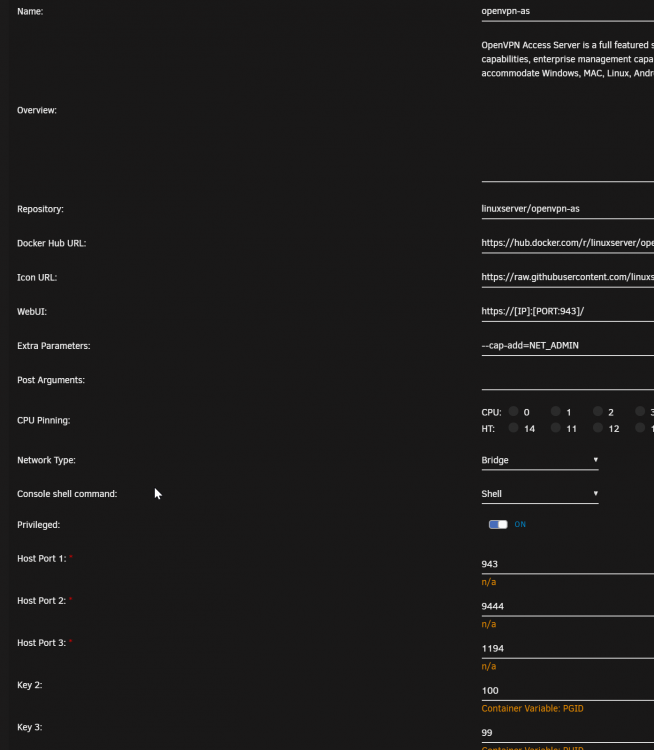
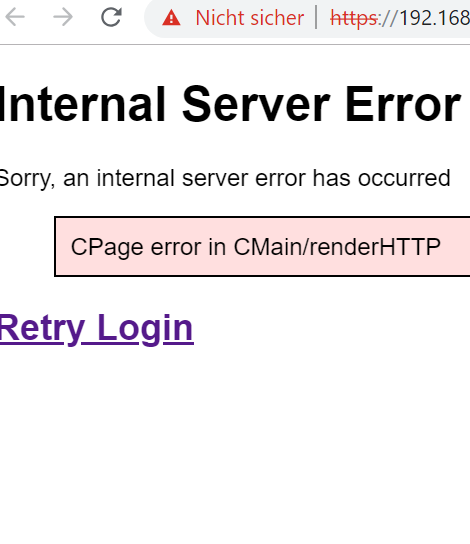
Hey Guys, I just pulled the latest version and the server isnt starting anymore (or at least is not accessable). What can I do?...
-
anyone? any ideas?
-
Hi Guys, I'd like to run the MSSQL Docker on unraid but I have no idea what it is telling me after I try starting it: /opt/mssql/bin/sqlservr: Invalid mapping of address 0x14fc0f8c7000 in reserved address space below 0x400000000000. Possible causes: 1) the process (itself, or via a wrapper) starts-up its own running environment sets the stack size limit to unlimited via syscall setrlimit(2); 2) the process (itself, or via a wrapper) adjusts its own execution domain and flag the system its legacy personality via syscall personality(2); 3) sysadmin deliberately sets the system to run on legacy VA layout mode by adjusting a sysctl knob vm.legacy_va_layout. Hints? Ideas? Thanks!
-
Its 50kb supervisor and ~8kb the other logs. fresh setup, not much happening there.
-
ts logs.rar
-
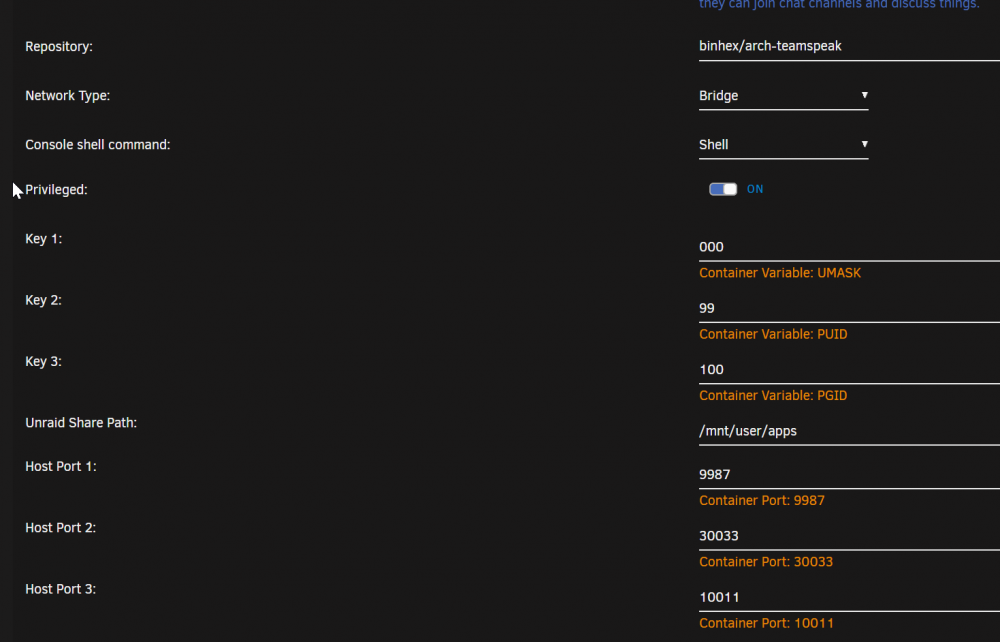
ts logs.rar root@localhost:# /usr/local/emhttp/plugins/dynamix.docker.manager/scripts/docker run -d --name='binhex-teamspeak' --net='host' --log-opt max-size='10m' --log-opt max-file='1' --privileged=true -e TZ="Europe/Berlin" -e HOST_OS="Unraid" -e 'UMASK'='000' -e 'PUID'='99' -e 'PGID'='100' -e 'UDP_PORT_9987'='9987' -e 'TCP_PORT_30033'='30033' -e 'TCP_PORT_10011'='10011' -v '/mnt/user/apps':'/unraid':'rw' -v '/mnt/user/apps/binhex-teamspeak':'/config':'rw' 'binhex/arch-teamspeak' supervisor log is included in the archive
-
Yes, I'm sure. I gave it an extra try right now for sever containers Here are some logs ts logs.rar Actually I did try host and bridge... Same story. There is one log line 2019-06-20 12:42:38.021304|INFO |CIDRManager | |updated query_ip_whitelist ips: 127.0.0.1/32, ::1/128, Which seems strange... would that not be a whitelist to local only?...
-
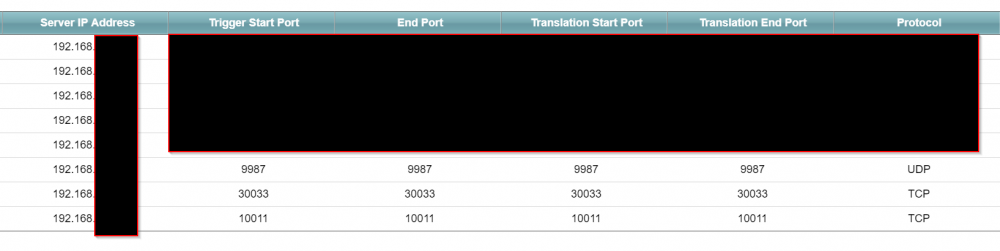
My port forwarding seems fine and works for several other dockers, etc. I can reach the TS server only from my local network using the ip, not the dns name of the server.
-
Keep receiving the same error
-
Hi Guys, I can't forward the ports. I do have forwarding for several other dockers setup and running (via duckdns), but I just can't get that one to get going. The server runs on local network, but can't reach it via duckdns or my public ip. Any Suggestions?