DeekB
Members
-
Joined
-
Last visited
Everything posted by DeekB
-
Do you have a link to the latest 24.00.07 firmware?
-
Yes I am in the UK, thats really nice of you to offer, I would happy send you some beer money if you wanted to do that!
-
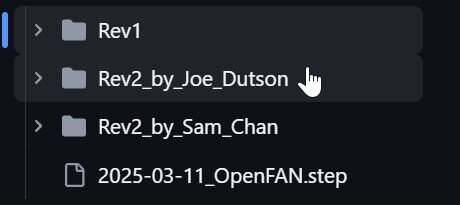
I purchased one of these today, I am curious about the enclosures, I know the unit doesn't come with an enclosure but will pay to get one made from a 3d printing company as I don't own a 3d printer. It looks like there are 3 potential enclosures on the Githb page Does anyone have pictures of each of the enclosures to help me make a decision on what one I should get printed?
-
Thanks, I have tried different hardware and different ports previously, so have proceeded to replace the drive with a spare I had, I restored a backup of the key I had using the unraid media creation tool. I now have a new issue I have tried replacing the key from the registration page but it seems it reported as a blacklisted key (I may have used that key for a trail version in the past) Have opened a ticket with UnRaid support, also I have ordered a new key from Amazon which should arrive tomorrow as I dont think black listed kesy can be unblocked. Thanks you for your help.

-
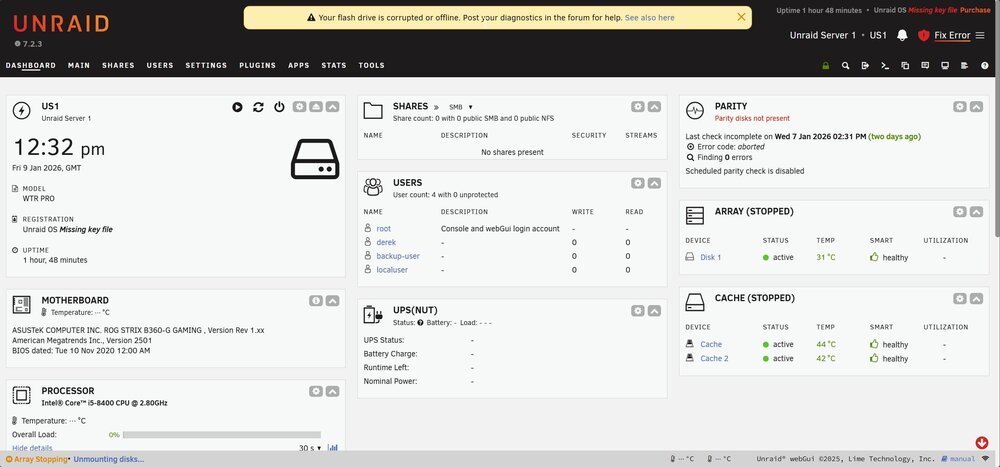
Hi all, I am running a server on an Aoostar WTR Pro, Everything been running stable on that machine since I changed to it in October 2024, Running Unraid since June 2022. Recently upgraded to Un-Raid 7.2.3, was running 7.2.2 for the last few weeks months and again it was pretty stable. Since the 3rd of January My unRaid server would drop offline (No Ping) and become unresponsive (Console not repsonding) Rebooting the server would get it back up temporarily. I then downgraded to 7.2.2, at this point the problem become worse, the server would freeze and hung up within 30 minutes where as before it was taking 12 hours or more, I then went back to version 7.2.3 but same problem with the very frequent crashes. I had a look at the logs and couldn't see much around errors, I stopped dockers and VM's and left it running just as a NAS but the same would happen, I then stopped the array and removed the disks from the machine but the same would happen with the O\S locking up, I then copied all the files to another USB Drive that I had and put in the server, the same thing happened (It was showing unlicenced and I didn't recover the key to the new USB) but the same lockups were present after a short period of time, usually within 60 minutes on the different USB Drive) I suspected a fault with the AOOSTAR Hardware so pulled an old computer that was un-used and installed the original USB and Disks, the server did seem to be more stable at this point. went to access the server last night after doing this (Things ran fine for an hour or 2 but it then went down again on the different hardware) I rebooted the server this morning and it ran for maybe 60 minutes, it didn't go completely unresponsive this time I got the following error: It's reporting the key file is missing and the USB is offline, if I reboot the server it comes back online but the same happens after a random period in time. I have done what the screen request and posted diags if anyone can have a look and try to help me understand the issue and what needs to be done. us1-diagnostics-20260109-1233.zip
-
yep, seems you are right, I must have mistaken the minutes for seconds when looking at the issue this morning (Before the coffee kicked in), will need to revisit it again tomorrow morning, seems to be the last 3-4 days druing the back up my GITEA instance has been stuck in a stopped state. The logs for GITEA show the database is not available, the container starts tries to connect to the DB 10 times then dies, but the database instance is up, I just start the GITEA container and it starts fine so something strange happening during the back up so will revisit it tomorrow morning, sorry to have wasted you time here!
-
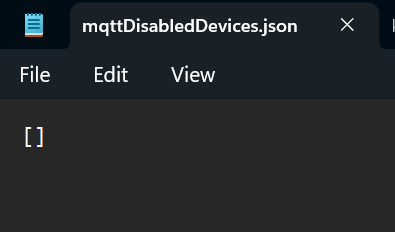
Hi @Ludditus I am also using the same APi, I upgraded to 6.12.13 and have started having some issues since then. I removed the full container, directory and reinstalled but now I have some different issues, it seems to be adding a second server to the name when creating the entites, as an example my server is called US1, my entities were US1_Server, they seem to have changed to US1_Server_Server and this seems to have happened with the most recent update, as per the original post this docker is scraping the GUI so my gut is telling me some GUI changes are now causing this issue. But to answer your question regarding the error in the logs, I see the same error, I dont have that config file present either, however I did manage to go through some old backups and found that file is present. you could easily create the file, the contents of the file looks like its looking for an array of items but mines is blank (Nothing in the array) I hope this helps, I am still trying to understand why the APi on my unraid machine is now adding an additiona _Server to the end of the current _Server.

-
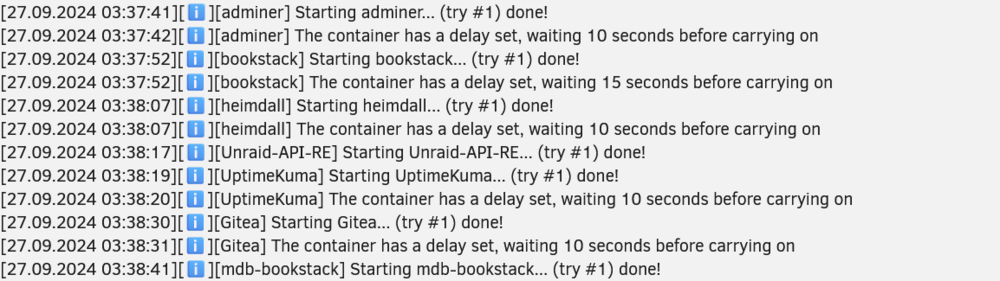
Good Morning, Looking for some guidnace on an issue I spotted this morning. See Screenshot: I have a delay set for most of my containers as my server is running an N100 CPU, I have around 30 containers and starting them all at once usually results in some items not starting correctly. if I reboot the server the start up sequence is fine (Due to the delays) The issue I have only started happening in the last few days, I noticed my GITEA server is down most morning and it looks like when the container starts the databaase is not ready as its still starting, my delays define there should be 2-3 minutes between the DB starting and the GITEA container starting. I am finding during the back up it is stated in the log regarding the delays but the delays dont actually happen, see time stamp on the left hand side. Is it expected that the delay will not work during the back up?
-
I made this discovery just a short while ago, my ISP DNS Servers must be having a moment, thanks for the reply!
-
I got my dockers back, the issue above was actually a network problem. I found by moving away from my ISP DNS servers to cloudflare\google DNS servers that I was able to download the containers again, mostly everthing is back up now!
-
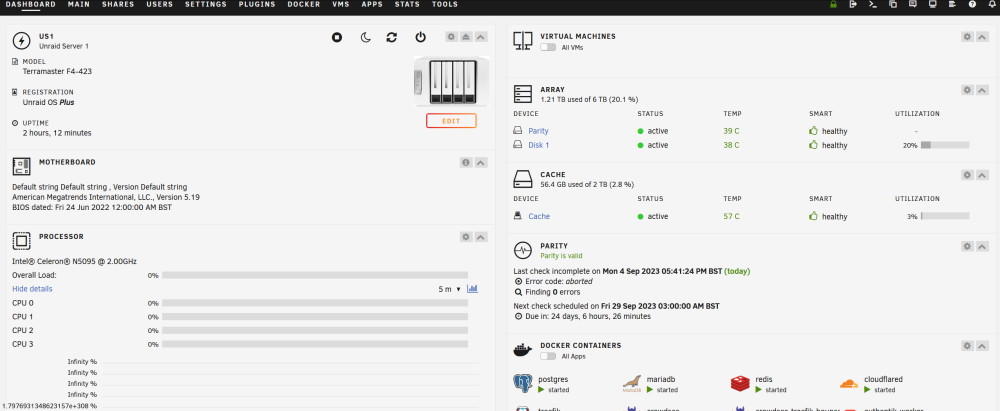
Hi, I upgraded to 6.12.4, had some more issues which look to be network related. anyway I enabled VM manager just now and the CPU Graph isnt working, see screenshot. I then re-enabled, confirmed the CPU graph was working then generated a diag as requested. Sorry for the delay I didnt get any notification that I had a a post waiting and I am not using the forum often, only noticed it now when I had issues after 6.12.4 us1-diagnostics-20230904-2035.zip
-
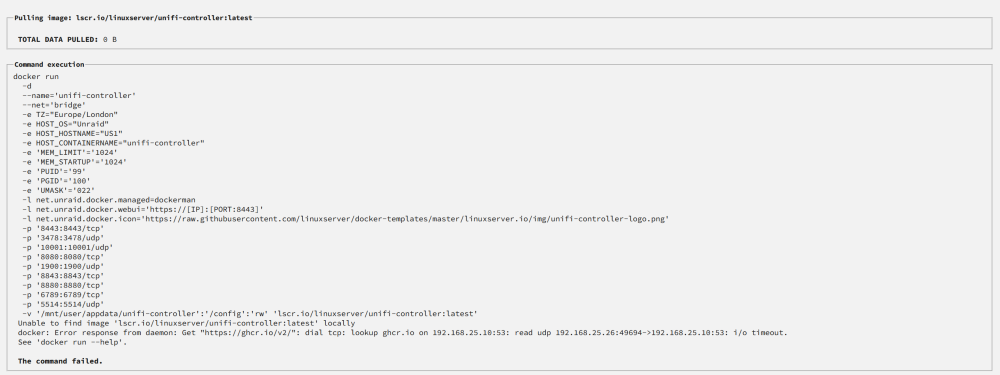
Hello, Hoping someone can help me with an issue I am having, I was running UnRaid 6.12.3, didnt have any issues prior to the upgrade. Was using MacVlan with docker, basically I am running Unraid on a Terramaster NAS with x2 2.5GBe NIC's, one NIC is in VLAN1 and the other NIC is within an IOT Vlan, I have some containers mapped on Vlan one and other mapped on the IOT Vlan. I had about 18 containers running on my server (I did have soem VM's but those broke when IU upgraded to 6.12.3) The main issue I faced today was I upgraded and after the upgrade my server was hitting 100% CPU due to docker (HTOP was showing all docker processes using the CPU) I then tried to downgrade but I was facd with the exact same issue with high CPU. Prior to the upgrade my CPU would be about 5% average, I then ended up in a state where I could not even start docker, I found that it wass likely my docker image was corrupt do I deleted this and lost all my containers. I have tried various configs from the release notes but I cannot seem to get my docker back up and running, docker starts ok but anytime I try to install any containers I am faced with below docker: Error response from daemon: Get "https://ghcr.io/v2/": dial tcp: lookup ghcr.io on 192.168.25.10:53: read udp 192.168.25.26:49694->192.168.25.10:53: i/o timeout. (see attached screenshot) I have tried with my network set up as brigded, unbridged, ipvlan, mac vlan, no matter what setting I choose I cannot seem to overcome the error below, thats the last twice now I have upgraded I have ran into really major issues, with the upgrade to 6.12.3 I lost the dockers and vm's then but only managaed to get the dockers back up, tghe really annoying thing is I had no need to upgrade everyhting was working pefectly on the previous set up Please help!!!! us1-diagnostics-20230904-1943.zip
-
I upgraded to Unraid 6.12.3 recently and found that I also have the same problem with the graphs displaying no info. I found by disabling the VM manager the graphs work\come back, I am not sure why as I dont even have any VM's set up, seems like a bug but as I dont use VM's I will just leave this disabled for now but thought it was worth mentioning as a google search brought me to a couple of forum posts (one where this issue was spotted in 6.12 RC6)
-
I upgraded to Unraid 6.12.3 recently and found this exact issue. If I disable the VM manager the graphs are fine but when started I lose a lot of the info from the main page.
-
Genius, thank you very much, it worked. One other thing I noticed and its probably down to some misconfiguration my side is that the VM performance seems poor compared to what I had previously in Hyper V. Just as an example the VM in hyper V had 1 VCPU core, 2GB of ram and it would load up in less than 30 seconds generally. in Unraid I have given the VM 4 VCPU and 4GB of ram but it hangs applying computer settings for around 60 seconds while loading up, any ideas on that one please?
-
Thanks, have converted one of my VM's, I did managed to get it to boot but it has no network when I log in I have managed to load an ISO, when loaded I was able to install the drivers using above command but I sitll dont seem to have any network drivers. when I check the VM Settings for the NIC I have 2 option to choose from (virtio & Virtio-net) Anytime I load the VM's I get an error stating that no network card is found.
-
Hi @ghost82 Iam migrating from Hyper V so the VM's are already built and running hyper V, I plan to convert the disks but everywhere I am reading says you need to install the virtio drivers, I can see how to install these on versions of windows that run a gui but server core is a powershell based O\S so has no gui. I assume there is a way to install them via the command line, I am just looking for the commands or syntax of the command, or even if someone else is running servecore, the link you provided might do what I need though so will give it a try when I am home later today!
-
Hi everyone, Currently looking to migrate some of my virtual machines from Hyper V to unraid, looking online it seems I need to install VrtiIO drivers. Has anyone ever done this on ServerCore? I have had a searched of the forums but I cannot find how its being done.
-
So have now set up 802.3AD bonding and everything is still working perfectly so far after an hour or 2 with restarts of the docker containers, service and server itself, it now seems to be rock solid!
-
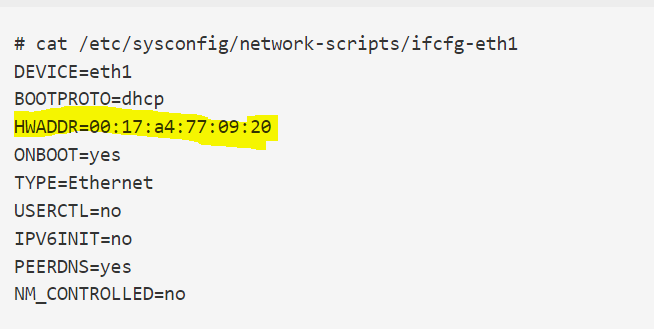
I was reading this and wondering if this is possible with unraid https://access.redhat.com/solutions/70215 Add MACADDR= directive and specify the required MAC address to the /etc/sysconfig/network-scripts/ifcfg-ethX network configuration. Like so: but guessing the file location may be different in UnRaid
-
Hi @oubeedoub thanks for the very detailed post above it does help alot. @tjb_altf4 Thanks for all your advice too I have learned a little here around how it should be working which is more then I knew before. I dont use any of the ISP equipment apart from the modem\router, I am currently running firewalla gold as my router, this is attached to my cable modem\router which is set to modem only mode. The Firewalla gold has LACP set up on 2 ports to a 28 port netgear switch, I have a few Vlans ect on my network for security as well as mac filtering which is how I discovered I had a problem in the first place (I have only been using UnRaid around 1 week so very inexperienced with it) I had to disable the mac filtering for starters previously but its set back up again and working great for the last couple of hours during my testing, I set up bonding from the get go last time and I think that is the route cause of the issues I was having. As per above post I went back to basics, I have come home from work today with a fresh head, I removed the bonding in previous days as per above posts, Today I have set up the same containers and I no longer have the issue I was seeing, I get zero private macs, only macs for the containers where I have specific a IP and these macs do seem to stay static which is what I would expect. The only difference is from the get go I have treated my individual nics as individual nics and I have not tried any bonding, The bonding is also creating private macs as that is how bonding is supposed to work but the mac for the bond should be static imo, what I cannot get my head round is when I removed the bonding the other day before I flattened the unraid server I was still seeing private macs when I was stopping and starting docker, I dont know a lot about linux but it says to me that there was maybe some bad config on the network stack left over from the bonding but not sure how to prove if that was or was not the case. to mention I did also try nearly all of the bonding modes and suspect this could be what has caused the bad config in the first place and the other issue to mention is anytime I set up bonding DHCP fails to work and I need to go static too so maybe the bonding being done here by unraid doesnt like my hardware. I may just set up the 802.3ad bonding again to see if I see the same issue as I can put static routes into my firewalla router so I may be-able to have the same work around above as you as I had the bonding set up in me previous virtualised environment so no reason why it should not work here but I can live without it if need be. I am just happy it is working now but I will have another go at bonding shortly to see if the same issue re-appears
-
Hi after I replied last night I ended up flattening the server and going back to basics as I installs quite a few add ons and stuff and then my docker would not start and kept getting strange errors. I am work today so need to continue with the fresh start later today when I get home and I will post fresh examples if it is still happening after the full reinstall (Will also include diags this time too)
-
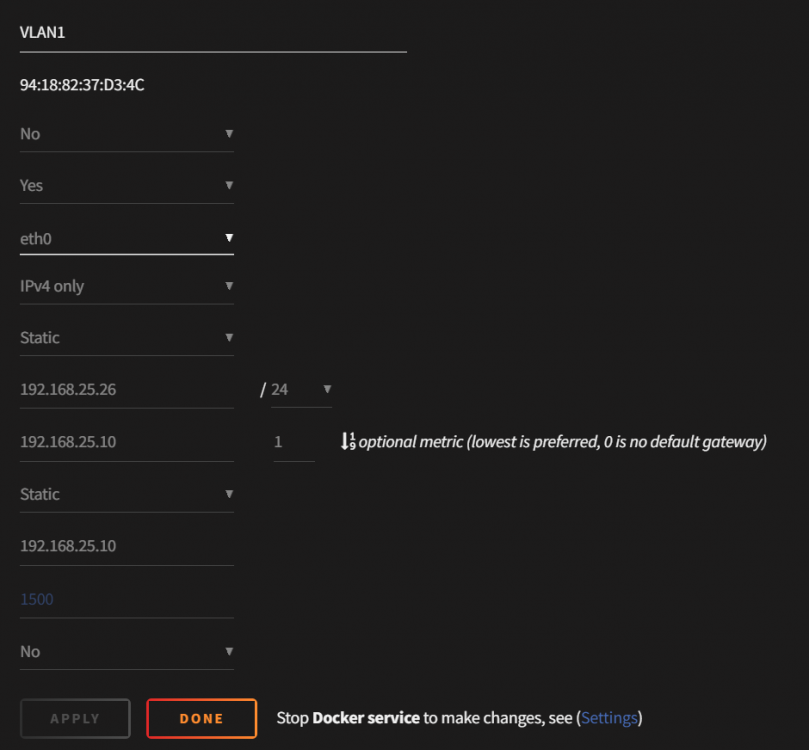
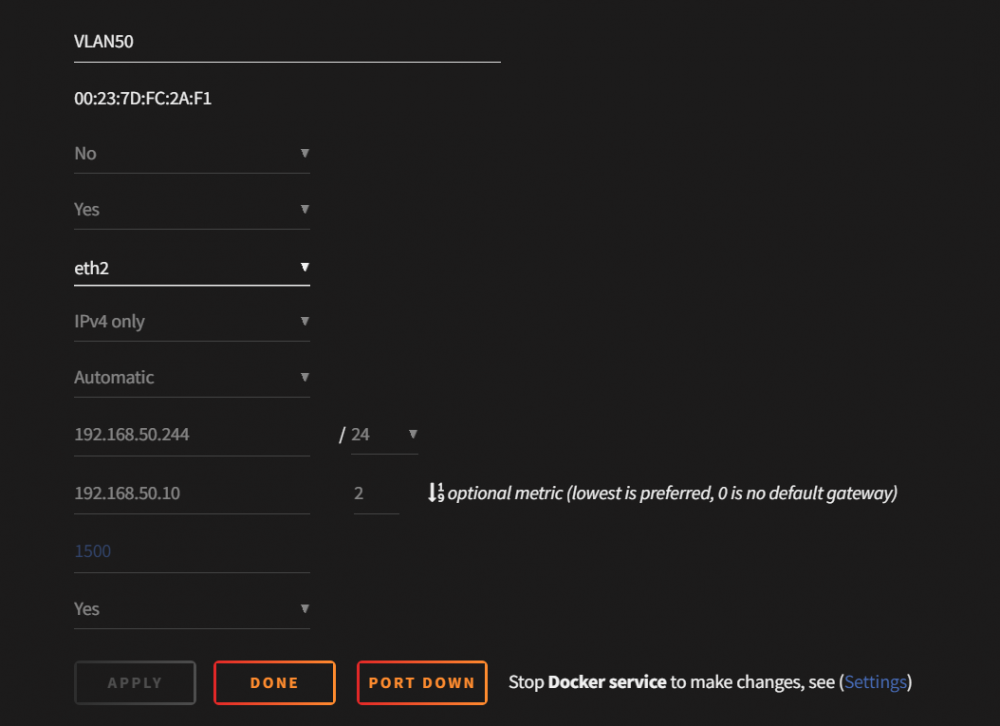
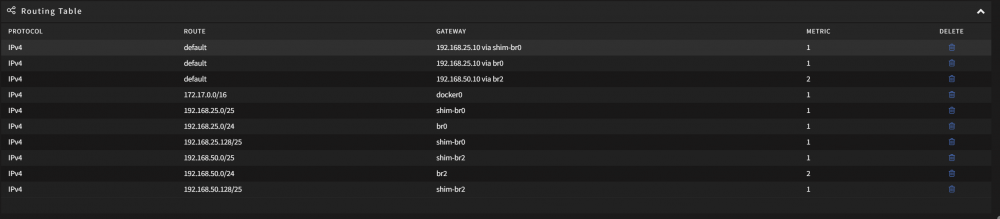
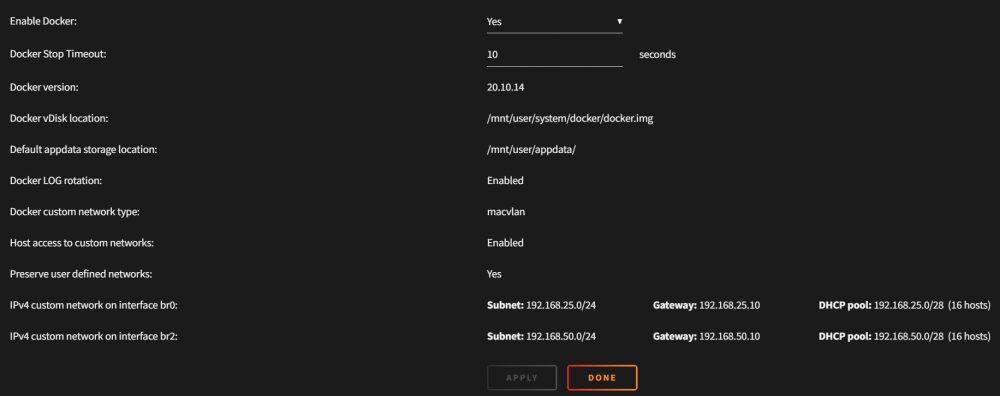
Here are some screenshots of my network and docker network config. Vlan 1 NIC (No bonding) Vlan 50 Nic (No Bonding) routing table Docker br settings: I believe when docker starts and the network bridges are created is when the private macs are being generated, both ip's were static but in the screenshot vlan 50 is changed to automatic but this bears no relevance on what mac is being generated (As above it was mentioned that a static IP would indicate the mac should be static) but that is not what I am seeing.
-
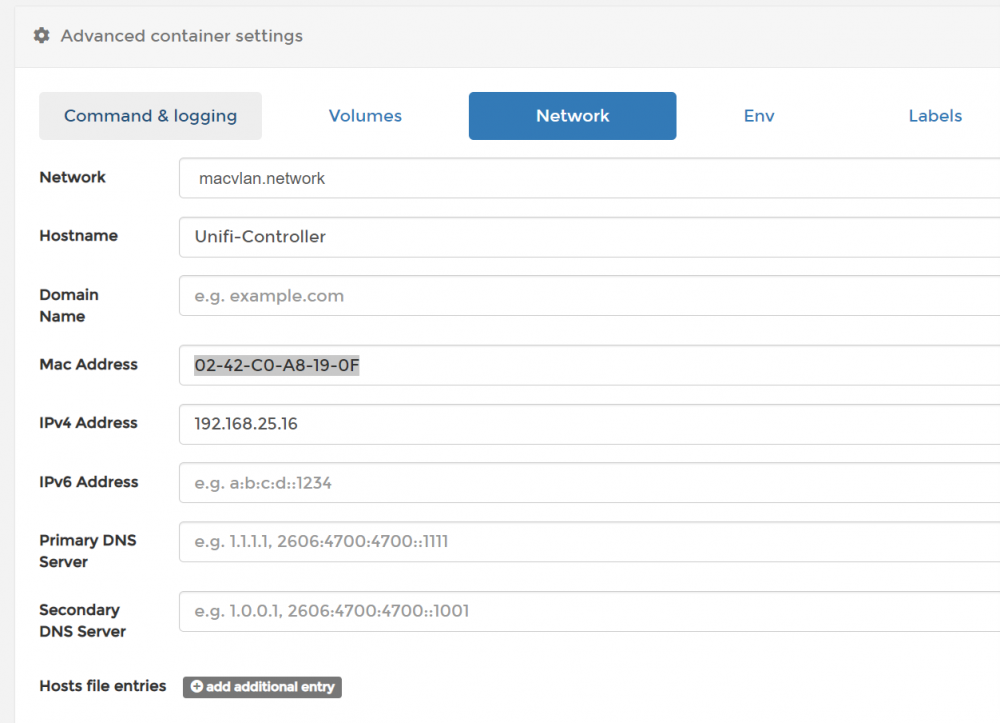
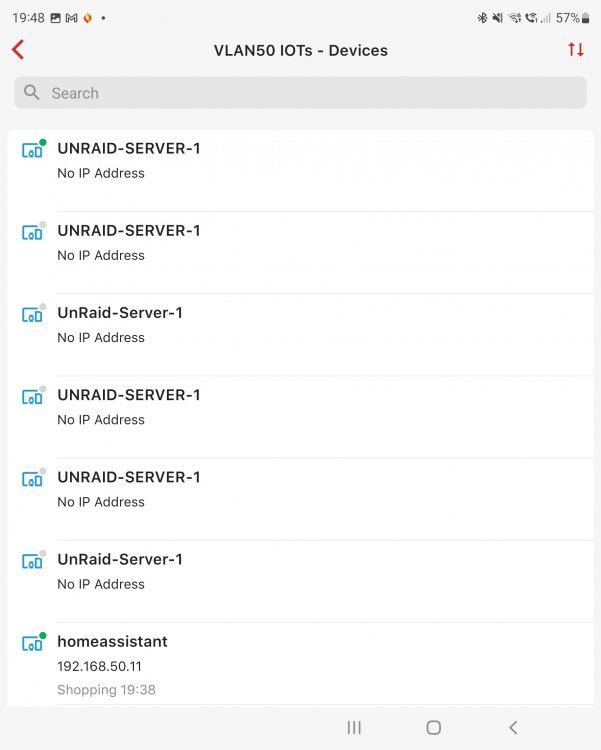
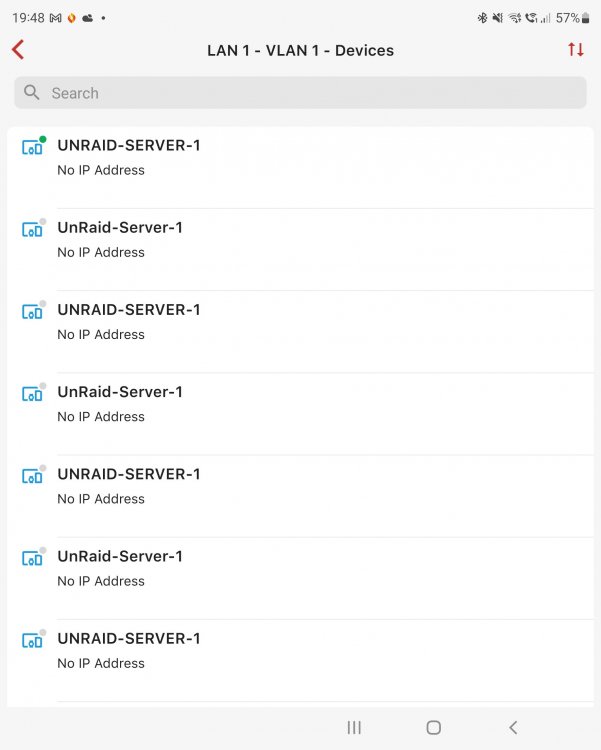
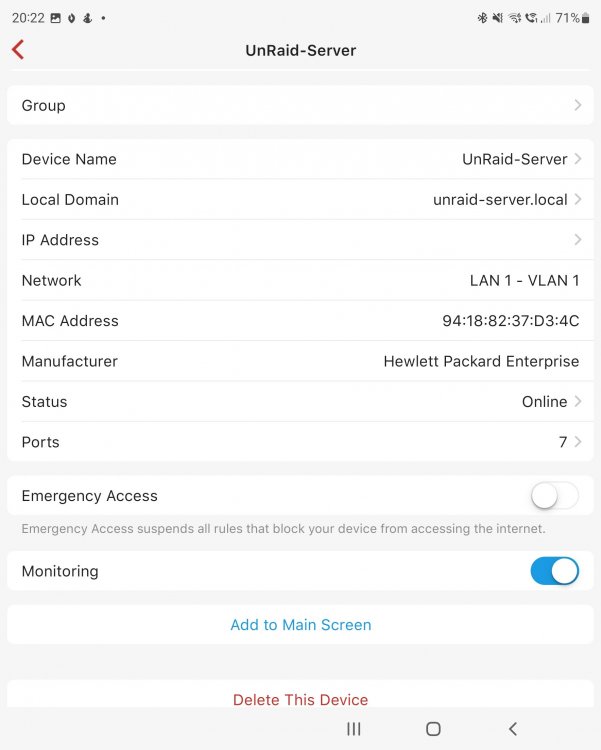
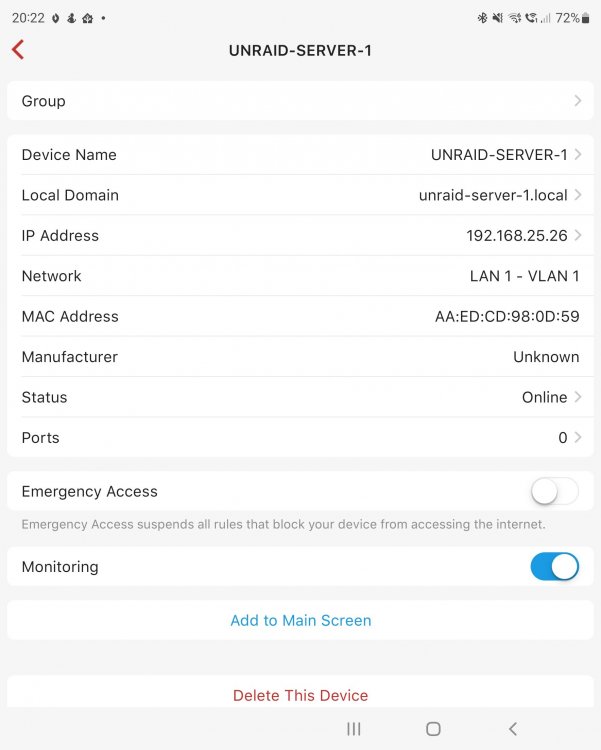
Sorry for the delay in reply I spent a bit more time trying to understand what is going on here and I am pretty sure I have a good grasp of it now but not sure how to prevent it or change the behaviour. The macvlan.network was configuration for one of my containers in portainer as part of the mac vlan driver, what I was trying to demonstrate with above is that using the mac vlan driver you can specify what IP address to give your container (Similar to what we have in unraid) this means any time you deploy your container it will always have the same static mac and IP that you have define as per my screenshot above (I guess the same functionality probably exists here in unraid as it is using the macvlan driver I guess) but its probably not opened to the UI for us to set that for each container but I dont see this as being a containe problem but an actual docker networking problem which I will try my best to explain below. The problem I was and I am still having with the private mac addresses, if I start & enable docker it will bind to whatever networks you have told it to, when that happens it is then giving me a private mac, after each restart of docker this mac changes which is causing me lots of issue on my network as I have a fair bit of security set up there which I have had to disable to allow things to function which is not really ideal for me, not to mention every time I get a private mac it shows as a new device in my router as its tracking devices via macs so I end up with a new device on each of my networks that I am bridging into docker. To make thing worse the bonding I had set up didnt seem to be working correctly which was resulting in the network connection being dropped every so often and when that was happening I would get a new private mac registered on the network which tells me its probably every time docker needs to reconnect it is somehow renewing with a different mac, I removed the bonding so that I now have 1 network assigned to eth0 and another network assigned to eth2 (Both on different VLANS), removed all my docker containers and delete the docker v disk, I then started up docker to be faced with the same issue (A new device being registered on my network under the same hostname but with a new mac) so its down to docker for sure but not sure what can be done to prevent this, not sure why this is happening either as it never happened in my previous docker instance I was running on ubuntu server, I guess there must be a way to make this mac static, that would solve my problems but I cannot see an easy way to change that in the UI. Hoping someone with a bit more unraid experience can help me out. Here are some pictures of the issue I am facing in my router due to the private macs:
-
I was using portainer previously where you can set IP's and macs like so I see there is a portainer community app so just about to give it a try.