





Alyred
Members
-
Joined
-
Last visited
Everything posted by Alyred
-
There's a setting in the Plex server from a recent upgrade, Settings->Transcoder, "Enable HEVC Video Encoding" which apparently reverted something from a previous "beta" state to being disabled. Setting that to "Always Avalailable" appears to have remedied that for me. I was the same, I had a family member streaming to the official Plex app and for some reason was being transcoded to 4k H.264 and causing my CPU to ramp up pretty high. After some attempts to fix it by re-downloading the drivers and re-installing the plugin, I made that change and now streaming seems to be going OK, either direct play or through (hw). Also changed: Setting "Hardware transcoding device" from Auto to "NVIDIA GB206 [GeForce RTX 5060]" and ensuring that "Enable HEVC Optimization" is also checked. Hopefully one of these will work!
-
Thanks. Server did reboot and the array restarted successfully, on version 7.2.5. Everything seems operational. GTX 1070 recognized properly by the nVidia GPU driver plugin.
-
Hi all, This is on my secondary/test Unraid server that I try out updates on first. There's only one piece of "3rd Party" hardware/drivers that I know of in there, an nVidia 1070 card. Since those are no longer new supported drivers from nVidia for this card and the plugin sets the driver version at 580.159.03 fixed so that it's still supported, is it possibly stuck in an update loop where the post-update process tries to run the driver update to the newest driver, but the plugin won't let it set the newest version? It's been over 30 minutes and usually even the nVidia driver completes downloading in about 5m; I have a 2.5gb internet connection. I usually manually update my plugins and dockers before restarting, and did so this time. I also pulled a manual backup of my USB drive.
-
It is going through an LSI controller, but I'm not sure which specific drives are connected to that and which are connected directly to the mainboard. I believe that the array drives are connected through the mainboard. That being said, it appears that all devices across both servers are now properly updating. Might have been fixed in a recent update? Thanks!
-
Yeah, came here to check this. I have a number of drives but with the storage prices these days and availability, I'm wanting to monitor them more closely. The drives I have in my array are all the same model and type, but only 2 of them are showing temperature data properly. The others are showing "temperature not available" even though UnRaid is seeing them fine. An annoying bug, but understandable if it's not working at the moment with little time to fix. We appreciate your effort in keeping this plugin going! Until a fix is released, I'll just know to monitor via the main UnRAID dashboard.
-
Thanks so much for this. Had to do the same thing on both my servers, running 1080 and 1070's. Frustrating that nVidia dropped support on these cards in the new drivers as they're still so useful.
-
Hello. I just ugraded my test server to 7.2 and it seems there's a few bugs in the header customization setup: It doesn't appear to be displaying the gradient. Custom images are squeezed to fit, or squeezed to fit if too large. They used to be centered and cropped. It would be great to have the option to choose the display between "stretched/fit" to "cropped/center", "cropped/Left", "Cropped/Right", but setting it back to the display format it was would be fine in my book. I know they're not urgent fixes but will help customize the look and feel if a person or business had multiple UnRaid servers, it's easier to tell them apart.
-
Hi all! Just updated my test server to 7.2 and it seems there's a few bugs in the header customization setup: It doesn't appear to be displaying the gradient. Custom images are squeezed to fit, or squeezed to fit if too large. They used to be centered and cropped. It would be great to have the option to choose the display between "stretched/fit" to "cropped/center", "cropped/Left", "Cropped/Right". I know they're not urgent fixes but will help customize the look and feel if a person or business had multiple UnRaid servers, it's easier to tell them apart.
-
Thanks. As I stated, I do have backend=rid in my samba settings, so I knew that part was set correctly. I wasn't sure if there were any additional things to watch out for. I upgraded one of my servers and set it as the primary to test, and all seems to have gone well. Haven't quite pulled the trigger on my other primary though... probably should be able to do that without issue. And switching from backend=ad to backend=rid would absolutely reset mappings for users, as it changes the whole schema for mapping users to linux IDs.
-
Finally had time to stage upgrades for my PiHole servers. Thanks @ZappyZap for your work, everything went great and was able to get v6 up and running with DNSMasq enabled, my old configs loaded fine. And thanks @Kilrah for pointing me to the correct spot where to enable DNSMasq!
-
There's a "fix" in Microsoft's July updates that prevents Samba servers running in member mode using the idmap backend = ad. It looks like the default (confirmed with "testparm -s /etc/samba/smb.conf | egrep -i 'security|idmap'") is idmap config <domain> : backend = rid, or at least, I haven't changed it to that, so I believe that upgrading the DC's will go without issue. Has anyone using AD with Unraid joined as a member server had any issues with AD account permissions since the July update? Any speedbumps or things I should be doing to prep? I do have 2 DC's running across my 2 Unraid servers as VMs and a third running on bare metal with a NUC for backup purposes when the VMs aren't running, though I can't think of a great way to test the Windows patches to see if everything's working other than just going for it. Any advice gratefully accepted. Thanks!
-
I was trying to back up my old theme (just recently upgraded to UnRAID 7.1.4) to upgrade to the new plugin, but all the fields for colors were blank, including in the export. It did have my CSS. Will upgrading to the new theme plugin carry over the current theme?
-
I do have one DNSMasq.conf file for my local domain (as I have internal DNS servers in my lab). How did you go about loading those configs into the new PiHole v6? I think this is really my only custom mod so should upgrade to v6 fairly smoothly otherwise...
-
Thanks. I'll wait for @ZappyZap's new template. I saw the env updates in the docker compose file and TBH, don't have time or energy lately to hunt down any additional env variables and change them manually. With that said, will I be able to overlay the new template on the old appdata folder, or should I back it up and re-create it fresh? I think I only need to transfer over some DNSMASQ settings for my internal Windows domain DNS and then copy over any Gravity settings....
-
Thanks @ZappyZap. I do understand it's a one-way migration (though I do have my appdata/config files separated into datasets so fairly easy to snapshot), but I'm not sure of the exact specifics between the two that I need to look out for or may need to manually adjust. Any easy-to-pass-on gotchas or prep I should be checking for?
-
So I just realized I haven't been getting an update for this container for a bit, I'm still on v5. To upgrade to v6, do I need to do anything more than change the repository to devzwf/pihole-dot-doh:2025.04.0-1.v6dev? I think I did a little custom config on which DoT server at quad9 to use and added a dnsmasq.d file for my internal domain servers (windows, I know, I know) resolution. Sorry for the dumb question, I go long stretches in between server re-configurations and seem to forget a lot with age...
-
Yeah, as @ich777 stated, you're fully up and running and must be a connection issue in some other settings or config. Since you're connecting through the Steam services you should be good to go, or you're not getting your server game ID string in correctly. Also be aware that the game is NOT crossplay, so you'll only be able to connect to dedicated servers at this time from another PC copy of the game. XBox/PS connections won't work. You should also probably remove the game ID from your screenshot. I was able to connect to your server as a test (logged in and exited) so you are up and running.
-
I believe there may have been some bad downloads from the upgrade site to the server and some pieces may not have gotten completely updated. That's just a guess though. The download of the server update was taking a VERY long time, 15-20 minutes at least on a 2.5gb/s fiber connection. I wonder if it just took several attempts to get the newer version downloaded, that it would eventually time out and try starting the server anyway? 4th or 5th time it completed the download and was able to start? They did a pretty massive change with the game with their 1.0 release, including re-vamping worlds and all current worlds are now classified as "classic". Creating new games has new options, but I haven't been able to find documentation for any command line switches. So far creating a new world in the new system (or hard mode) requires installing another container, stopping it, zapping the files in the "saves/worlds" folder, editing the serverconfig.json file (worldseed:<number> and mode:1 for "hard mode") and the new additional world generated fine. Maybe add those into the template at some time? When checking the log as it's starting, it really did look to me like the server wasn't starting up successfully due to the download taking forever/not finishing before trying to start and segfaulting. Once completed, I was able to see the server starting and returning the server game ID as normal, and all was good. So perhaps check to see if the server download completes (no idea what was causing it to be so slow), which may take multiple restarts?
-
Core keeper servers seem to be working now with your container. Didn't change anything on my end and there were no updates to the container, so I assume there was some issue with the dedicated server itself. Thanks for supporting these things, @ich777!
-
Hi @ich777, Haven't played the game in a few days and have kept the containers turned off. Core Keeper recently had its 1.0 release; I was able to update and load it in the pre-release .99 version last week, so I decided to start the containers today to try out the new stuff. The update took quite a while (10+ minutes), but it finally updated with their newest release. However, now it's segfaulting when starting the server: ... Update state (0x61) downloading, progress: 95.34 (194735176 / 204242814) Update state (0x81) verifying update, progress: 51.65 (105498337 / 204242814) Success! App '1963720' fully installed. ---Prepare Server--- ---Checking for old display lock files--- ---Checking for old logfiles--- ---Server ready--- ---Starting Xvfb server--- ---Start Server--- /opt/scripts/start-server.sh: line 84: 137 Segmentation fault ${SERVER_DIR}/CoreKeeperServer -batchmode -logfile ${SERVER_DIR}/CoreKeeperServerLog.txt -world ${WORLD_INDEX} -worldname "${WORLD_NAME}" -datapath "${SERVER_DIR}/Save" ${GAME_PARAMS} 2 > /dev/null Terminated I'm running two different core keeper servers on UnRAID using these containers. These did work a week ago. Both are now failing once they were updated with the same error.
-
Hi there, new to UnBalance and trying to use it to clear an array disk to reformat it from XFS to ZFS. Unfortunately, when I click on the "plan" option with the "from" and "to" drives selected, everything else unselected, and a few shares to test selected, I get the "wait" animated icon in the top corner but I never see the planning log. The log page itself doesn't seem to display anything either. Once I hit "plan" with the "dry run" option still selected, it doesn't seem to be doing anything else after a good hour of waiting. Am I missing some option? I turned off the server for the time being through the plugin GUI interface. Anything else I need to do to make sure the Unbalance server is not still stuck in a loop or anything in the background?
-
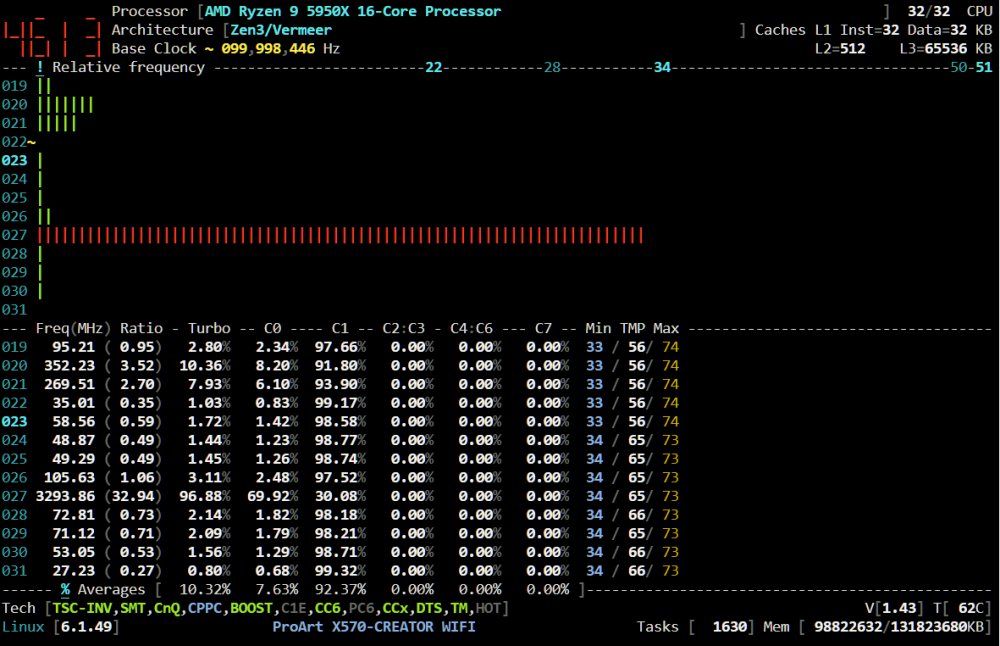
Worked like a champ. 😉
-
I've been meaning to move my servers to quarterly, so it's good to know that's the setting that the experts recommend. Thanks! Now to just get some time to do the scheduling and reconfig, things have been bonkers busy lately with a pentest at work going on... Once I get time to shutdown my VMs, dockers, and the array, will do! Something in particular you want to see?
-
Yeah, I just happened to be in the middle of my bi-monthly parity check and didn't want to interrupt it in this case. I'll shut down the array later to do the test. Thanks @ich777!
-
Will do once my regularly-scheduled parity check is complete! As a question, why is it suggested to spin down the array before pressing the button?




