Mainfrezzer
Members
-
Joined
-
Last visited
Everything posted by Mainfrezzer
-
Es sollte, je nachdem wie die Wetterlage ist und der Stand der Sterne, im Basissystem landen, halt das klassische "soon™". Also ein Kopf machen muss man sich da nicht.
-
Unraid doesn't even have it in the Kernel.
-
The container updates itself upon restart. Anybody got that email. If you need to rely on container being updated instead of it doing it upon getting started, cloudflare has its own image which is static.
-
Should be sorted already, since the 9th of october. Although, as i said in the other topic, i was a bit late with the release of the update as i didnt check 7.3.3 branch. I only checked 7.4 and the rc.1 version still had version 3.5.0 with the bs error and i didnt catch that until i manually updated to 3.5.1 and actually rebooted
-
Eli stole the header fade once again.
-
Yes, ich777 usually compiles them and his status is mentioned a few post above. Although it should have auto compiled just fine and pushed for 6.18.58, as I didnt see an issue with it. But who knows what happened, ich777 had an issue opened for 6.18.55 on the main repo about it. 🤷♂️
-
here you got the package for 6.18.58. I did compile it on 7.3.4, dont know if it plays fine with the 7.4 branch. It does play fine with 7.4 rc.2 plop the txz and md5 in the subfolder of the plugin (i.e. "/boot/config/plugins/i915-sriov/packages/6.18.58"), put the plg in the main plugin folder and reboot https://clips.magnon.ovh/vUwo7/fETiyaMu80.zip or the full folder here as the plugin obviously nukes itself upon failures https://clips.magnon.ovh/vUwo7/kUSOMUvI56.zip keep in mind, my config inside has "vfnumber=0" set. then just move your plg from the error folder back to plugins and reboot Edit: Apparently the clips page has some issues, welp heres an alternative server, so i hope to god you can connect to ovh https://magnon.ovh/share/-I8JOluR
-
Oct 22 17:57:38 NASSRV rc.docker: connecting MakeMKV to network bridge Well well well. It hosts some files, noteably some sdf.dat.gz file. which is supposedly some hashfile key. Its noted in some ancient posts and even in a newer one. Whois IP 185.84.108.20 - www.makemkv.com But would have taken only a bit of searching to find that out
-
Soooo, did we dabble with makemkv?
-
Did you update the plugin post array start? It only runs the script on array starts. Edit: Checked your diags, yeah you had your array running before you downloaded the newest version. It doesnt change any code in the rc.docker until the array is stopped and then started again, which at that point would have messed up anyway since the wrong / old rsync command was executed. But given that you loaded up this time with the correct --insecure-links version, it is good
-
The Pelican Panel rc.1 got rebuild. I dont know if they will publish a rc.2 version later or just rebuild as well. if they publish a new version, depending when they do, it might come later today or tomorrow morning CEST. The other container i build with php will be rebuild when the packages are available in the alpine repo, as i dont fancy building my own packages again (like openresolv)
-
Sorry, that one is on me. Only got around to power cycle for the release to check today. didnt have it on the radar that it might be an issue as its owned by root but the /mnt/ folders are nobody :/
-
Want to note something for the new version, as it will probably pop up at some point, in regards for the new force sync feature. It appears that with some rather "recent" docker version, some of the exessive writing of certain files has stopped. I have not checked with what docker version exactly but if youre on something old (i.e. like maybe unraid 6.12.x), turning on the force sync might probably still increase writing to the disks. I did check my other servers, which are all on docker engine 29 series and they do seem to not write excessively anymore for anything with healthchecks, apart from the log itself which is, as stated, excluded. I think you will be delighted that its sorted
-
Just in case somebody else runs into the issue, as i just got informed about. I do publish the pelican images on dockerhub as well. So in case github is being classic github again and wont work for updates, pelican is also available under mainfrezzer/pelican-panel:latest and mainfrezzer/pelican-wing:latest respectively Edit: Alternatively you can install this PR fix, https://preview.dl.unraid.net/pr-plugins/pr-2725/webgui-pr-2725.plg , then unraid should behave as expected with all github repos again
-
No there isnt a need to change it. It might make sense if you care about write amplification and you have a lot of container that write tiny changes within their non-mapped paths but the chances are slim for that (i hope so at least).
-
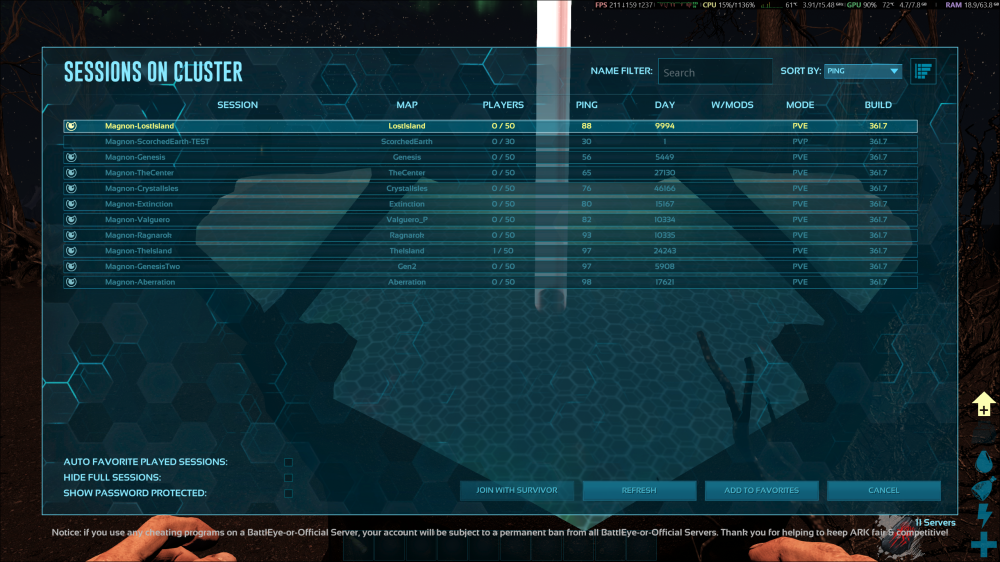
So i checked, in order for them to show up, they have to have the steam query port exposed/accessible from the internet. (probably mixed that up with Ascended, which does its own thing)
-
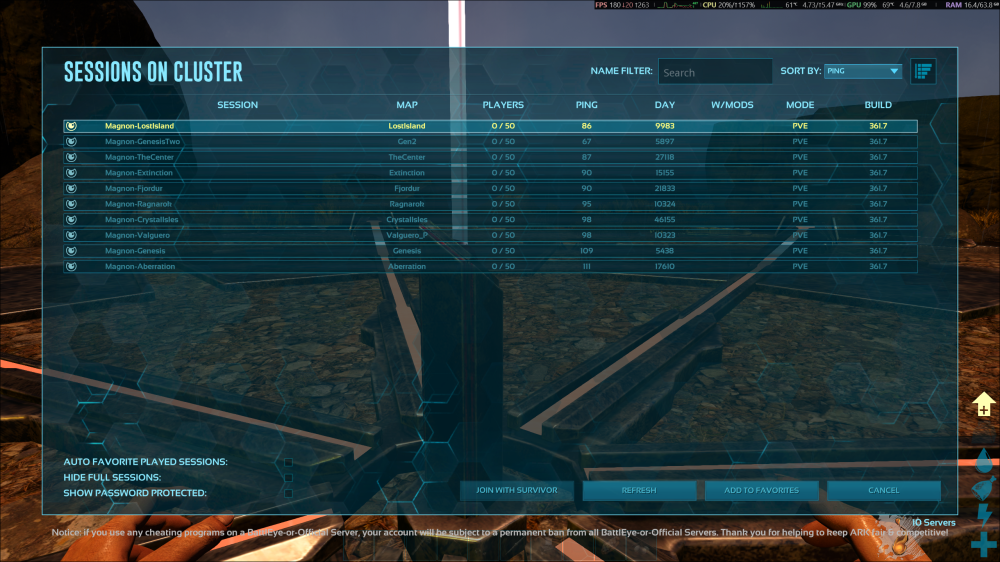
Clusters not showing up in the list is certainly outside of my hands as that is completely ark related, but generally without knowing the specifics it works (they should even pop up when theyre not publicly listed IIRC) For your cluster data, you also probably want to set the clusterdiroverwrite, as its probably mapped differently for each one -clusterid=CLUSTERID -ClusterDirOverride=/serverdata/serverfiles/clusterfiles (keep in mind that this are in-container paths) Ive a full repo for cluster setups which share the same install with only their save path being seperate https://github.com/Mainfrezzer/A3C Sitenote: ive to note in general, as i discovered a while ago. Enabling crossplatform play with epic breaks voice chat completely. No clue when they broke it, probably with aquatica
-
if you want the servers attached to your custom network, put in network_mode your custom network
-
yeah wing connects to the panel and then modifies the config.yml in its folder. the displayed config in the panel is just for the initial setup
-
if its that "empty", you didnt connect the node to the panel yet. the full file would look something along the lines of this debug: false app_name: pelican uuid: token_id: token: api: host: 0.0.0.0 port: 8080 ssl: enabled: false cert: /etc/letsencrypt/live/10.0.0.2/fullchain.pem key: /etc/letsencrypt/live/10.0.0.2/privkey.pem disable_remote_download: false remote_download: max_redirects: 10 upload_limit: 256 trusted_proxies: [] system: root_directory: /mnt/user/appdata/pelican-wing log_directory: /mnt/user/appdata/pelican-wing/log data: /mnt/user/appdata/pelican-wing/data archive_directory: /mnt/user/appdata/pelican-wing/data/archives backup_directory: /mnt/user/appdata/pelican-wing/data/backups tmp_directory: /tmp/pelican username: nobody timezone: Europe/Berlin user: rootless: enabled: false container_uid: 0 container_gid: 0 uid: 99 gid: 100 passwd: enable: true directory: /tmp/pelican machine_id: enable: true directory: /tmp/pelican/machine-id disk_check_interval: 150 activity_send_interval: 60 activity_send_count: 100 check_permissions_on_boot: true enable_log_rotate: true websocket_log_count: 150 sftp: bind_address: 0.0.0.0 bind_port: 2022 read_only: false key_only: false crash_detection: enabled: true detect_clean_exit_as_crash: true timeout: 60 crash_detection_activity_lines: 2 backups: write_limit: 0 compression_level: best_speed remove_backups_on_server_delete: true transfers: download_limit: 0 openat_mode: auto docker: network: interface: 10.16.5.1 dns: - 10.0.0.10 - 10.0.0.9 - 1.1.1.1 - 1.0.0.1 name: pelican_net ispn: false IPv6: false driver: bridge network_mode: pelican_net is_internal: false enable_icc: true network_mtu: 1500 interfaces: v4: subnet: 10.16.5.0/24 gateway: 10.16.5.1 v6: subnet: fd00:10:16:5::/64 gateway: fd00:10:16:5::1011 domainname: "" registries: {} tmpfs_size: 100 container_pid_limit: 512 installer_limits: memory: 1024 cpu: 100 overhead: override: false default_multiplier: 1.05 multipliers: {} use_performant_inspect: true userns_mode: "" system_ips: [] log_config: type: local config: compress: "false" max-file: "1" max-size: 5m mode: non-blocking throttles: enabled: true lines: 2000 line_reset_interval: 100 remote: http://10.0.0.2:8088 remote_query: timeout: 30 boot_servers_per_page: 50 custom_headers: {} allowed_mounts: [] Search: blacklisted_dirs: - node_modules - .git - .wine - appcache - depotcache - vendor max_recursion_depth: 8 BlockBaseDirMount: true allowed_origins: [] allow_cors_private_network: false ignore_panel_config_updates: false
-
in the wings config.yml is a section called docker. you can change the network_mode to whatever other docker network you have
-
This has caused severe emotional distress in me. I didn't know where to lurk, so I went outside and got a sunburn. Unacceptable. Please make it right. Thank you!
-
For anyone updating to the newest release of the pelican panel (as of the 22nd of june, beta35). you need to add a new mapping to your template to include plugins now https://github.com/Mainfrezzer/UnRaid-Templates/commit/310b40843ba29f1dbe4b179aefa6b7c8a54676ee
-
It does port forward just fine. It uses whatever mapping you use for container. So if you try to host a website in the container on port 80, but map it it 2345. It's port 2345 for the wireguard forwarding. Granted, gonna be a pain in the ass for anything dynamic but when you know what you need, it works fine. My main page and repo is hosted that way, including their proxy, as there I don't need ipv6.
-
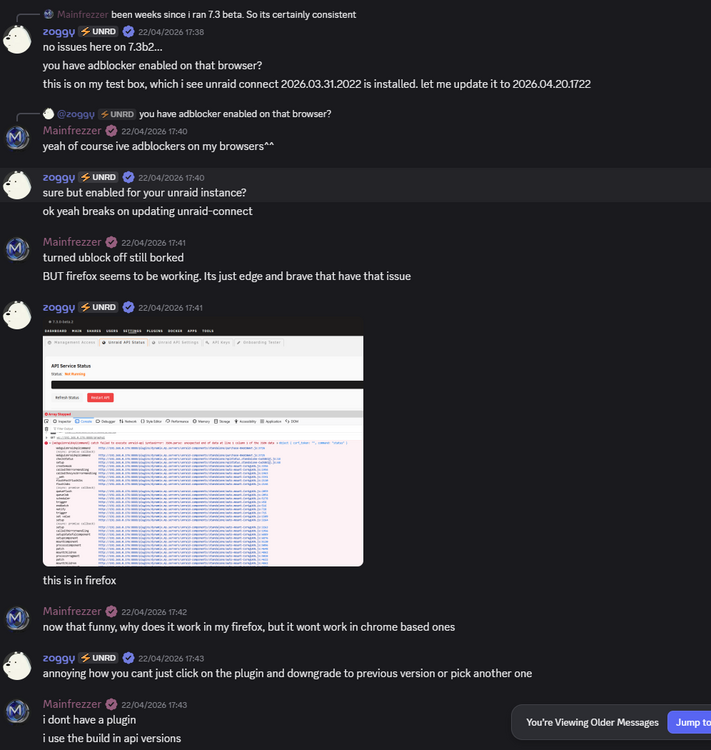
Theres some posts in the discord about it, been borked for a while and seems to be somewhat browser dependent but you do get different results for each person as it appears. Dont worry about it