





Mofarocker33
Members
-
Joined
-
Last visited
-
It worked as you described it. Thank you!
-
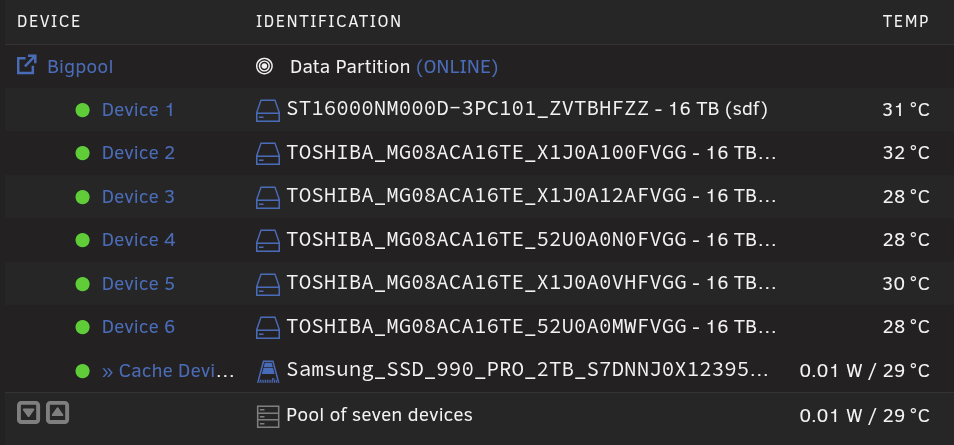
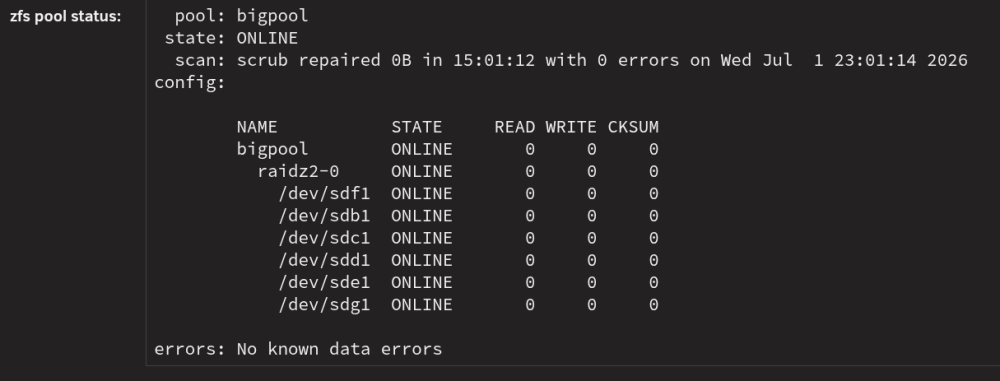
Hallo zusammen. Ich konnte in der GUI meine 2 TB Samsung nicht from Pool lösen daher habe ich es via Kommando Zeile gemacht und auch neu gestartet. In der Gui wird sie jedoch noch als bestand zum Pool angezeigt und kann sie auch dort nicht entfehrnen. In den Details oder auf der Konsole wird sie aber auch nicht mehr gelistet. Wie bekomme ich die nun frei? Danke im Voraus Gruß Mofa
-
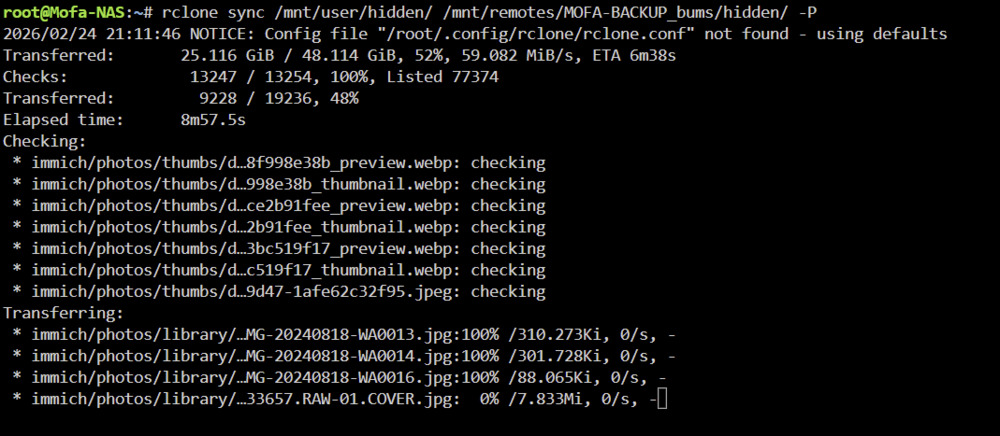
Hallo Unraiders, falls jemand wie ich neben, normalem rsync eine Möglichkeit sucht viele kleine Dateien zu Syncen auf ein Backup, dem sei der Tipp rclone hier mal aufgezeigt. rsync, kopiert Datei für Datei einzeln, was doch etwas nervig sein kann wenn es um wirklich viele kleine Daten geht. Hier in meinem Beispiel Immich. Ja ich habe trotz dessen noch ein App Backup, aber einmal im Monat mache ich von allem Flache Backups auf mein Backup Rechner. rclone benutzt sich sehr gleich zu rsync, jedoch nutzt es 4 Parallele Vorgänge entgegen rsync. rclone sync $Quelle $Ziel -PAnbei ein Screenshot wie es so ausgeführt auf ein gemountetes Samba Share dann arbeitet. Für mich ist es in dem fall schneller als rsync, ich nutze es aber nur in einem solchen fall. Bei vielen großen Dateien (Filme etc.) bleibe ich bei Rsync. Hier noch Doku zu Rclone Manual
-
Ich behaupte nach so einiger Laufzeit ist das ganze doch wesentlich besser geworden: L2ARC breakdown: 100.5M Hit ratio: 58.7 % 59.0M Miss ratio: 41.3 % 41.5M
-
Gucke gerade bei YT rum und mich an dieses erinnert. Vielleicht hat das was für dich? https://youtu.be/t6Wb8ATE-lg?si=BXsITH8MXN3R9S7P&t=418 LG
-
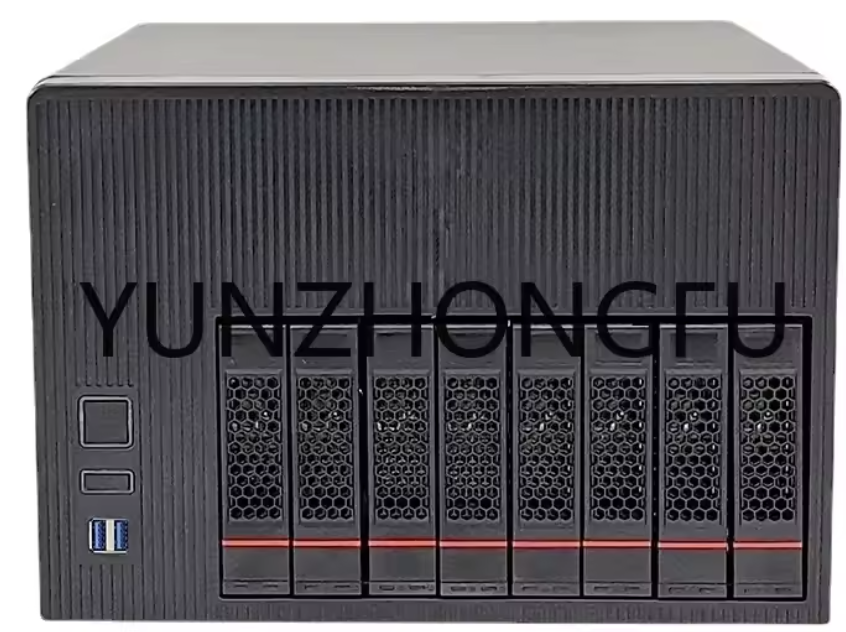
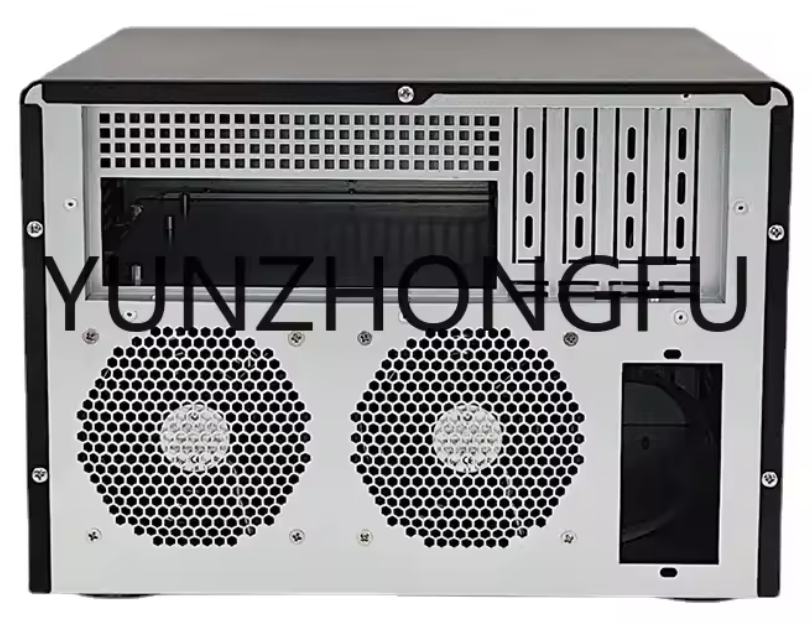
Gerade auf Aliexpress gefunden und mich an diesen Thread erinnert: https://de.aliexpress.com/item/1005006081213245.html?spm=a2g0o.productlist.main.5.3bb9T9MYT9MYRV&algo_pvid=4b00ff3d-32ce-41b5-abe7-0e932693a9f5&algo_exp_id=4b00ff3d-32ce-41b5-abe7-0e932693a9f5-4&pdp_ext_f=%7B%22order%22%3A%224%22%2C%22eval%22%3A%221%22%2C%22fromPage%22%3A%22search%22%7D&pdp_npi=6%40dis%21EUR%21143.41%21100.39%21%21%211149.12%21804.41%21%40210391a017638175997451566e4dcc%2112000038632337960%21sea%21DE%211644904776%21X%211%210%21n_tag%3A-29919%3Bd%3A2a836ed%3Bm03_new_user%3A-29895&curPageLogUid=rIpWG2VH5HhD&utparam-url=scene%3Asearch%7Cquery_from%3A%7Cx_object_id%3A1005006081213245%7C_p_origin_prod%3A
-
Habe einfach aus dem App Shop das Paket "Python for Unraid" installiert und es funktioniert nun. Aber die Stats sind so semi toll für eine 2TB Samsung pro - erst RAM dann l2arc: Total memory size: 125.6 GiB Min target size: 3.1 % 3.9 GiB Max target size: 25.0 % 31.4 GiB Target size (adaptive): 100.0 % 31.4 GiB Current size: 100.0 % 31.4 GiB Free memory size: 49.3 GiB Available memory size: 45.0 GiB ARC states hits of all accesses: Most frequently used (MFU): 72.9 % 2.6G Most recently used (MRU): 22.8 % 818.9M Most frequently used (MFU) ghost: < 0.1 % 1.0M Most recently used (MRU) ghost: < 0.1 % 754.6k Uncached: 0.0 % 0 ARC states breakdown (compressed + overhead): 29.3 GiB Anonymous data size: 0.3 % 86.2 MiB Anonymous metadata size: < 0.1 % 2.2 MiB MFU data target: 60.4 % 17.7 GiB MFU data size: 61.6 % 18.1 GiB MFU evictable data size: 57.2 % 16.8 GiB MFU ghost data size: 5.6 GiB MFU metadata target: 4.1 % 1.2 GiB MFU metadata size: 4.7 % 1.4 GiB MFU evictable metadata size: 3.0 % 892.2 MiB MFU ghost metadata size: 1.3 GiB MRU data target: 29.7 % 8.7 GiB MRU data size: 30.5 % 8.9 GiB MRU evictable data size: 28.5 % 8.4 GiB MRU ghost data size: 10.2 GiB MRU metadata target: 5.8 % 1.7 GiB MRU metadata size: 3.0 % 899.8 MiB MRU evictable metadata size: 0.9 % 267.0 MiB MRU ghost metadata size: 598.0 MiB Uncached data size: 0.0 % 0 Bytes Uncached metadata size: 0.0 % 0 Bytes ----- L2ARC size (adaptive): 1.4 TiB Compressed: 99.6 % 1.4 TiB Header size: 0.1 % 1.0 GiB MFU allocated size: 4.3 % 61.9 GiB MRU allocated size: 95.7 % 1.3 TiB Prefetch allocated size: < 0.1 % 87.4 MiB Data (buffer content) allocated size: 99.9 % 1.4 TiB Metadata (buffer content) allocated size: 0.1 % 930.3 MiB L2ARC breakdown: 122.2M Hit ratio: 31.5 % 38.5M Miss ratio: 68.5 % 83.7M L2ARC I/O: Reads: 4.5 TiB 38.5M Writes: 9.3 TiB 580.0kAber eine Hit rate von 31.5% kann ich jetzt nicht unbedingt einordnen wie gut oder schlecht die ist. Jemand einen verleich oder Meinung dazu? Oder schreibe ich einfach die SSD damit tot? Danke im voraus.
-
Ich habe von dem hier 2 im Einsatz, also einmal Unraid Keller und zweite Backup Unraid Dachboden. Der auf dem Dachboden hat mehr ältere Kleine Platten, daher Hot Swap Rahmen für HDD's in den 5,25 Schächten zusätzlich. https://www.fractal-design.com/de/products/cases/define/define-xl-r2/black/ Gruß Mofarocker33
-
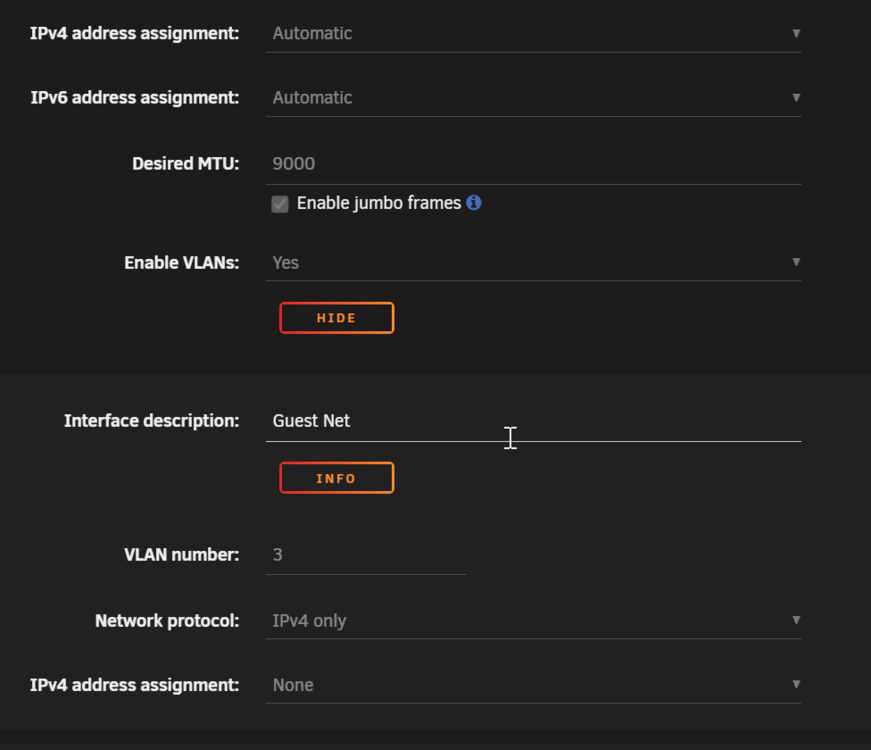
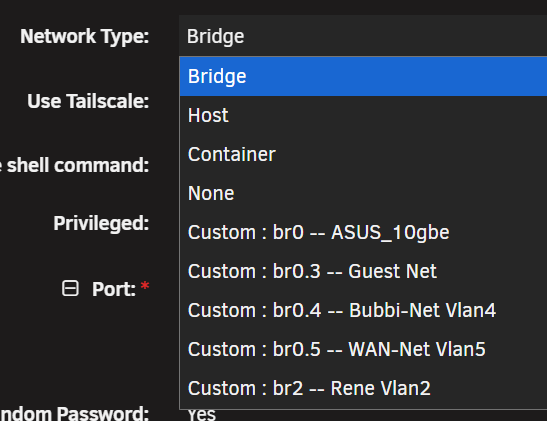
Ich verstehe deine Frage ehrlich gesagt nicht ganz. Du hast ein Netzwerk Adapter am Unraid und den dann Konfiguriert, dass er Vlans nutzt. Somit auf Vlan 0 (LAN) dein Server generell schonmal erreichbar, was du ja auch so wünscht. Wenn du dann das Vlan für die DMZ unter Network konfiguriert hast, kannst du sagen Adresse None (Bild1). Im Docker oder VM, gibst du dann als Netzwerk interface das Entsprechende Vlan an (Bild2). Bild Beispiele von bei mir: Dann sollte er doch genau tun, was du wünscht... Docker oder VM würde sich ja dann eine IP im Vlan vom Router aka PFsense holen.
-
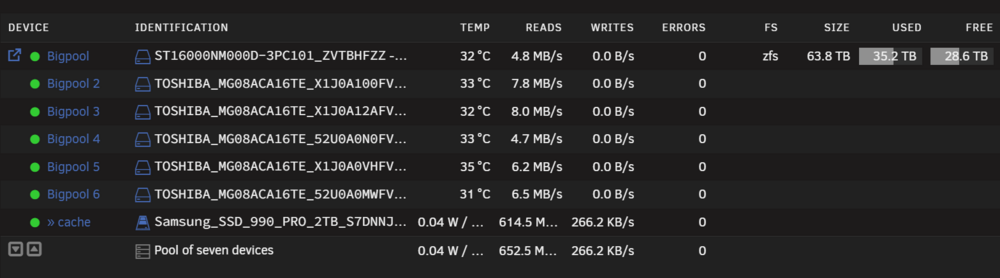
Hallo @All, ich habe nun seid einiger zeit mein Array in einen Pool geändert mit ZFS-2 und einem L2ARC, zudem habe ich die mögliche Größe im Ram verdoppelt zum Standard. Nun wollte ich mal sehen wie denn die Hit Rate für das l2arc aussieht, aber wie komme ich dran, die Standard Befehle mag die Shell nicht: root@Mofa-NAS:~# arcstat env: ‘python3’: No such file or directory root@Mofa-NAS:~# arc arc_summary arch archive_color arcstat root@Mofa-NAS:~# arc_a bash: arc_a: command not found root@Mofa-NAS:~# arc_summary env: ‘python3’: No such file or directory root@Mofa-NAS:~# arcstat env: ‘python3’: No such file or directory root@Mofa-NAS:~# arcstat bigpool env: ‘python3’: No such file or directory root@Mofa-NAS:~#Pool Übersicht, siehe Bild. Gruß Mofarocker33
-
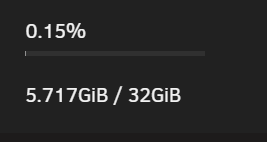
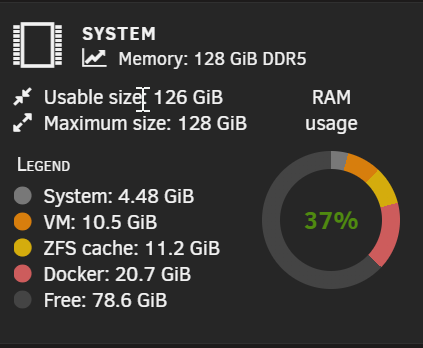
Yep, what you said is Totally Correct. With that Option i only Limit the Container to the defined Ammount of RAM (In Pic to see 32G). But i dont know why and where it hangs then. But this is your Thread for support, so i wont go on here. Much appreciate, for that fast answer! Kind Regards, Mofa
-
Hi there @ich777 , i have a Question about the Satisfactory Docker. I wanted or i may need to improove the RAM of that Game Docker, Now i have read along many things in Reddit how to Edit the Game Parameters, and how to make a Docker Container. So found some in the Github somethin, i want you to add in the Satisfactory docker. Yes yourDocker is Awesome and works out of The Box cool an Smooth, also with Add-Ons as a Dedicated Host on Unraid. (The other one, tested, but does not work with Add-Ons - in this Case "Extra Milestones" - the only one we use by now) But your Docker is, all Time Limited to use only 5,5Gb RAM ( I think its limited to 6Gig), causing Perfomance Lags and Sound issues on our growing Game. There is also a Satisfactory Server Container, on that i am able to configure the ammount of Ram it uses. Made by "wolveix" Then i startet to figure out, how he made that. It Turns out, not that Simple for me, to Change a Config file in AppData on the Game, it has to be changed on the Docker Side. So my Question is, could you implement, the Max Size Ram for the Docker? See Here So the docker-compose.yml shoult have a Max Limit, wich could be more cool to improove to be able to edit by a Variable on the Docker Template Config of Unraid? (...)restart: unless-stopped deploy: resources: limits: memory: 8G ## ->$RAMinGB reservations: memory: 4G Would be cool, may others will also benifit from it, with growing Servers. Thanks in advance. Cheers, Mofarocker33
-
Back in the Days, i was using DC++ (Luadch adcs:// AES256 connection) for Sharing bigger files. From the Benifit, that Everyone has to share an ammount of Files to Join, and also i told them to share the Files they Downloaded so everyone Benefits in their Download. YES that P2P - But it was all with me and direct Friends ~ less than 10 People. So the Security was okay for me. But since 2 Years there no Develepment on that stuff. How to make that Today. I mean i do not want to be the Single Point of Download, or to Pay for a Webserver, where they might use my Plex or kind a thing - also i dont wanna open it to the Outside. What is it that you use Today - or is Everone Switched to Cloud Storaga and sharing a Link to them? THX in having an open Discussion. I dont wont to end this up in File Sharing for >10 People - maybe others have that same Problem. To just share their Files with Others in a 24/7 way, but secure and maybe in a P2P kind of Style so it is not only your internet that is used... What is really annoying. Dont get me wrong very often it is just a Recorded TV Show to a Friend, causing his Wife or Daughter wanted to watch it not in time of Free2Air. Torrents or eMule and stuff, are also not a proper way. I dont want to share Everyone in the World. Thanks in Advance. Tha Mofa deng deng guy.
-
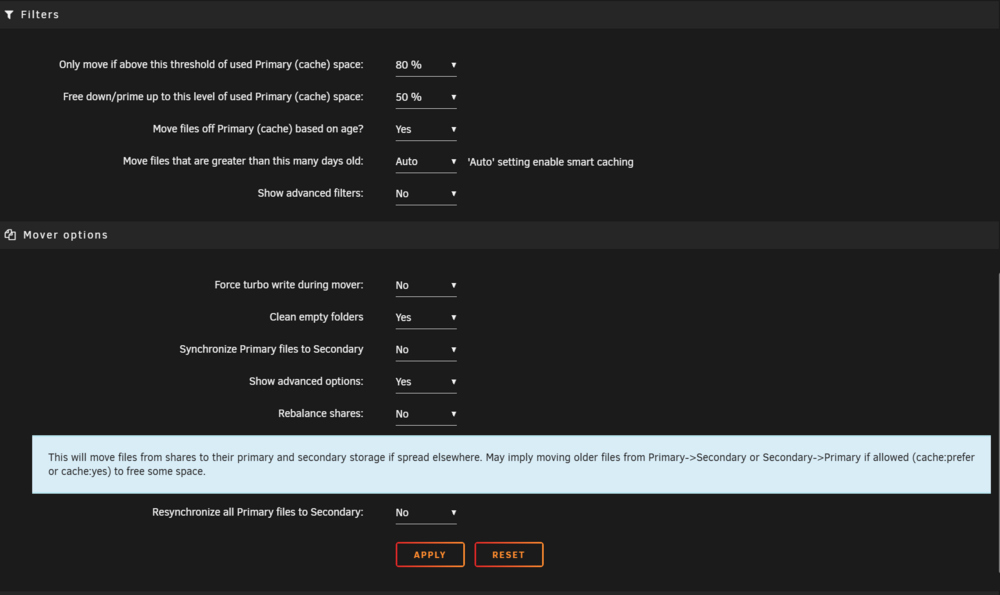
Hallo Alle, durch die Hilfe hier bin ich bei den Mover Einstellungen ja echt gut weiter gekommen um SSD Cache Effizienter zu nutzen. Jetzt bin ich aber auf eine Option gestoßen bei der ich mir uneinig bin sie zu aktivieren. "Rebalance Shares" Würde er dann oft aufgerufene Dateien vom Array auf den Cache ziehen? Das währe vielleicht auch mein Wunschdenken. Manchmal weckt man ja "versehentlich" vom Desktop eine oder alle - in meinem Fall 6 - Festplatten auf. Dass ich so die Wake-Ups reduzieren kann? Weiß jemand was es genau macht. Danke im Voraus. Frohes Neues @all Mit Feuerwerksgrütze der Mofa
-
so iam just gonna reboot ....



