





spl147
Members
-
Joined
-
Last visited
Everything posted by spl147
-
Is this fixed in 6.3.2? It was actually not broke it was a sys temp plugin issue, reinstalled it and all is good
-
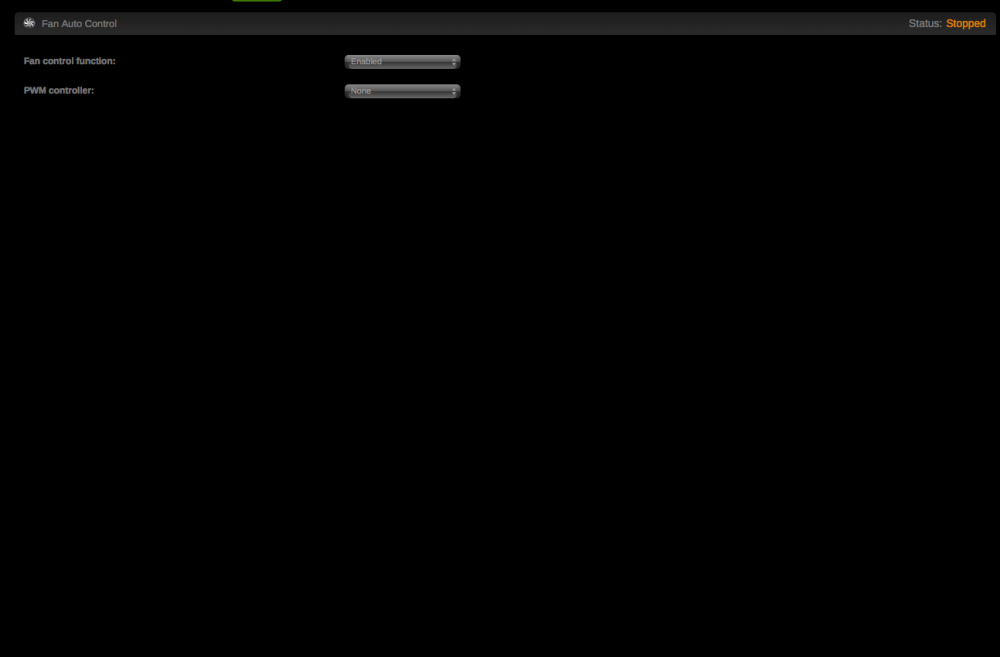
unRAID 6.3.1 again breaks the fan speed plugin, NO PWM controllers in the list....6.3.0 worked fine
-
Phusion based MKVToolNix
-
Sorry I was off for a while. The issue is with PHP7 and deprecated functions in the fan speed code. Need to replace these. sweet, do you have a ETA? Never ask a developer for an ETA! (If they give you one, you know you're talking to a new and inexperienced developer.) You get the best results by saying "Since you are such a great developer, I know I'll be very happy with it - whenever it's ready." i meant no disrespect, just was wondering if he has started to look into it is all..
-
Sorry I was off for a while. The issue is with PHP7 and deprecated functions in the fan speed code. Need to replace these. sweet, do you have a ETA?
-
really missing my fan speed control!! @bonienl is this being looked at yet?
-
noticed the other day the dynamix auto fan plugin stopped working. i have been using it since day 1. not sure when it quit. im on 6.3.0 RC5
-
I had this problem several days ago as well. I believe what actually fixed it for me was changing the Host port to something else. I just incremented it by 1 from whatever it was before. Had to increment it for each instance of MakeMKV I added. i forgot to map the host ports, all good now thanks
-
i installed this docker yesterday, when i goto the docker and click web gui it just opens to unraids main page
-
How do you limit the size for each time machine backup? under shares, afp security settings, timemachine volume size limit
-
i have a single 1tb drive used for timemachine backups, and 2 user shares for file backup, i want to set a 100gb limit per user share I have pretty much the same problem. 3 computers that I backup to a single hd mounted on an Airport. The only thing that keeps me from using my unRaid is the fact that I can't limit the size of the file. My MacPro would take over the whole share. Would be very nice to be able to install a 6TB HDD and allocate 1TB to each TM backup and the balance to my Media share since empty slots are in short supply. you can specify a size limit for time machine, but not for user shares (smb)
-
i have a single 1tb drive used for timemachine backups, and 2 user shares for file backup, i want to set a 100gb limit per user share
-
-
Ah, a simple size limit for the user share would be sooo much nicer, but i don't think samba supports quotas
-
ok, that seems complicated, LOL
-
Do you have a link for reference?
-
all my user shares are on a single disk, can you explain how to setup quotas for them? IE: 100gb per user share
-
is it possible to set a user share size limit(SMB)? like you can for the TimeMachine share?
-
i have not tried dynamix, waiting for 5.0.6 with the updated kernel and webgui
-
does that mean that 5.0.5 will not get to benifit from webGUI enhancements from here on? And will 5.0.6 fix this? Let me ask a question I am curious about. Is your system not capable of running 64bit? my system is capable of running 64bit, but 6.0 i way to immature to run on my 30tb production server, and i dont have a test server....
-
does that mean that 5.0.5 will not get to benifit from webGUI enhancements from here on? And will 5.0.6 fix this?
-
since the new webgui shows non array disks, can we get a mount/umount button as well?
-
sucessfully flashed the M1015 to P13 using the X7SPA-HF flashed to P11 first then rebooted and flashed to P13
-
http://lime-technology.com/forum/index.php?topic=6423.new;topicseen#new
-
Im running 3 m1015's flashed with p13 (p14 was released after I flashed them). I am running on 5.0Beta12. I can confirm from experiance that betas 13 & 14 do not work with LSI cards. thank you sir.....


