





scottygood
Members
-
Joined
-
Last visited
-
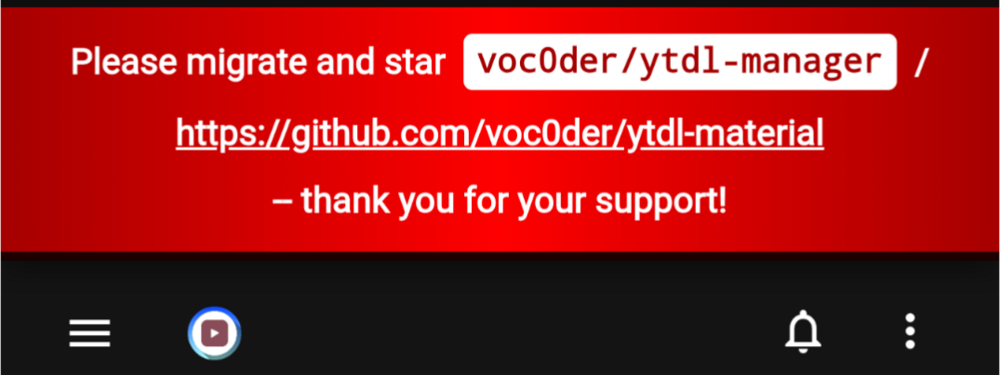
The YouTubeDL Material template installs fine, but I get this when I open the webui. Not really sure what I need to do now.
-
Getting the errors: No connection adapters were found for ' xxx xxx xxx xxx:32400/ The x's are the correct numbers for my Plex Server IP Using the CA docker for unraid. Filled out server info in the docker template.
-
From reading through the 3 pages of posts it sounds like Nextcloud is the only good option even though it's not that good. My Unraid docker of opencloud has all files and folders set to nobody and has RW permissions set, has no errors in the logs, oc_insecure set to true and I can't even see a webui. I get: This site can’t be reached https://[Docker-IP]:9200/ is unreachable.
-
I've got a "Job Running" prompt when I try to select a file or folder. Does anybody know how to kill the process? I currently have no files being moved. I'm hoping I don't need to stop the shares and dockers or reboot the system.
-
current log states: Error: SQLite database error attempt to write a readonly database 0: sql_schema_connector::sql_migration_persistence::initialize with namespaces=None at schema-engine/connectors/sql-schema-connector/src/sql_migration_persistence.rs:14 1: schema_core::state::ApplyMigrations at schema-engine/core/src/state.rs:201 Collector hot directory and tmp storage wiped! Document processor app listening on port 8888 Environment variables loaded from .env Prisma schema loaded from prisma/schema.prisma ✔ Generated Prisma Client (v5.3.1) to ./node_modules/@prisma/client in 224ms Start using Prisma Client in Node.js (See: https://pris.ly/d/client) ``` import { PrismaClient } from '@prisma/client' const prisma = new PrismaClient() ``` or start using Prisma Client at the edge (See: https://pris.ly/d/accelerate) ``` import { PrismaClient } from '@prisma/client/edge' const prisma = new PrismaClient() ``` See other ways of importing Prisma Client: http://pris.ly/d/importing-client Environment variables loaded from .env Prisma schema loaded from prisma/schema.prisma Datasource "db": SQLite database "anythingllm.db" at "file:../storage/anythingllm.db" 17 migrations found in prisma/migrations Does this look right? Is there supposed to be a WebUI? I don't have one of those. I ask because "The all-in-one AI app for any LLM with full RAG and AI Agent capabilities." sounds like a WebUI is included. I'm very new to all of this, I come from a Windows background. Been dabbling in a bit of this and that, enough to not Royally screw it all up.
-
I'm guessing the env.example file from here: https://github.com/Mintplex-Labs/anything-llm/blob/master/docker/.env.example is correct. Also, I navigated to "/mnt/user/appdata/anythingllm" in the unraid terminal and ran the command. root@GoodRaid:/mnt/user/appdata/anythingllm# touch anythingllm.db root@GoodRaid:/mnt/user/appdata/anythingllm# Is the result. Am I missing something else? Should l get more of an output? Do I need to do "docker pull mintplexlabs/anythingllm" to force an update or just delete the template and reinstall via CA?
-
That whole .env file issue, what are the contents of it? where can I find it? Also, I renamed an env.example file I found that seems to be what I need but then I run into this: Error: Schema engine error: SQLite database error unable to open database file: ../storage/anythingllm.db Error: Schema engine error: SQLite database error unable to open database file: ../storage/anythingllm.db Error: Schema engine error: SQLite database error unable to open database file: ../storage/anythingllm.db Collector hot directory and tmp storage wiped! Document processor app listening on port 8888 Environment variables loaded from .env Prisma schema loaded from prisma/schema.prisma ✔ Generated Prisma Client (v5.3.1) to ./node_modules/@prisma/client in 198ms Start using Prisma Client in Node.js (See: https://pris.ly/d/client) ``` import { PrismaClient } from '@prisma/client' const prisma = new PrismaClient() ``` or start using Prisma Client at the edge (See: https://pris.ly/d/accelerate) ``` import { PrismaClient } from '@prisma/client/edge' const prisma = new PrismaClient() ``` See other ways of importing Prisma Client: http://pris.ly/d/importing-client Environment variables loaded from .env Prisma schema loaded from prisma/schema.prisma Datasource "db": SQLite database "anythingllm.db" at "file:../storage/anythingllm.db" Collector hot directory and tmp storage wiped! Document processor app listening on port 8888 Environment variables loaded from .env Prisma schema loaded from prisma/schema.prisma ✔ Generated Prisma Client (v5.3.1) to ./node_modules/@prisma/client in 221ms Start using Prisma Client in Node.js (See: https://pris.ly/d/client) ``` import { PrismaClient } from '@prisma/client' const prisma = new PrismaClient() ``` or start using Prisma Client at the edge (See: https://pris.ly/d/accelerate) ``` import { PrismaClient } from '@prisma/client/edge' const prisma = new PrismaClient() ``` See other ways of importing Prisma Client: http://pris.ly/d/importing-client Environment variables loaded from .env Prisma schema loaded from prisma/schema.prisma Datasource "db": SQLite database "anythingllm.db" at "file:../storage/anythingllm.db" Collector hot directory and tmp storage wiped! Document processor app listening on port 8888 Environment variables loaded from .env Prisma schema loaded from prisma/schema.prisma ✔ Generated Prisma Client (v5.3.1) to ./node_modules/@prisma/client in 203ms Start using Prisma Client in Node.js (See: https://pris.ly/d/client) ``` import { PrismaClient } from '@prisma/client' const prisma = new PrismaClient() ``` or start using Prisma Client at the edge (See: https://pris.ly/d/accelerate) ``` import { PrismaClient } from '@prisma/client/edge' const prisma = new PrismaClient() ``` See other ways of importing Prisma Client: http://pris.ly/d/importing-client Environment variables loaded from .env Prisma schema loaded from prisma/schema.prisma Datasource "db": SQLite database "anythingllm.db" at "file:../storage/anythingllm.db" and no files in any of my appdata folders
-
how does one chmod the folder to gain access via samba?
-
scottygood joined the community
-
I only have one issue with Crafty and I'm not sure where to start looking to resolve it. When/If I need to restart the docker everything seems fine until I login to the dashboard. I'm always welcomed with: Welcome to Crafty Controller There are currently no servers. To get started, click create new server. but before I restarted the docker image my minecraft worlds were there and running just fine, it can take from 30 minutes to hours for the worlds to repopulate the dashboard. and Auto start minecraft servers seems to fail because of this.
