





landS
Members
-
Joined
-
Last visited
Everything posted by landS
-
@HardwareHarry, @Miss_Sissy, @dopeytree Running the Samsung Bar Plus on an internal 2.0 header very well may have helped. In each failure instance, I have been running on the rear of the motherboard, using a 3.x port. My computer cases are on an upper shelf of a closet. While the case has plenty of fresh air coming in the front and venting out the top, the rear I/O is subject to little air movement and gets very warm. Had I been running these on an internal header, they would have had much better airflow.
-
Update for any following: On 2024.10.12 I downloaded and installed 3901, which has since been quietly removed from Asus' website. 3901 allowed SlimSAS to be in SATA mode with CSM disabled, however under Graphics only Auto, PEG, and PCI show up On 2025.02.28 I downloaded and installed 4101. 4101 shows Graphics of Auto, CPU (the iGPU), PEG, and PCI when CSM is disabled... however 4101 appears to require CSM to be enabled, which removes CPU (the iGPU) from the Graphics list... My Sata drives are not visible to unraid on 4101 when SlimSAS - SATA Mode Enabled AND CSM is disabled. For now, It looks like I will need to remove the GPUs from the VFIO driver when/if i need to access the terminal directly.
-
Samsung Bar Plus (64Gb 3.1) have given me nothing but grief on 2 servers. I replaced 1 of them with the same flash drive after a year or so, but the experience has been the same. After the drive has been in use for awhile, reboots will either 1 - not recognize AT THE BIOS LEVEL the drive. The drive then needs to be moved to another USB port and cooled to room temperature, then reset in BIOS 2 - partially boot and throw various errors such as "unable to enumerate USB device" Allowing the drive to cool to room temperature AND switching the USB port used is the only thing that consistently works when this occurs. Fed up with this, I've been on the hunt for USB 2.0 drives. Today I ordered a handful of 32GB Sandisk Cruzer Blade 2.0 drives --- DIRECTLY from SanDisk! https://shop.sandisk.com/products/usb-flash-drives/sandisk-cruzer-blade-usb-2-0?sku=SDCZ50-032G-B35
-
Thanks JorgeB
-
Strange. Bios shows Auto, PEG, PCI. Switching from Auto to PEG or PCI, the motherboard's boot screen uses the 4060 Ti. Switching back to Auto and now the motherboard's boot screen uses the 4060 Ti. NOW any option uses 4060 Ti for initial Unraid boot screen then (I think when stub goes into effect) screen goes blank
-
Howdy WizKid941, When booting up, the motherboard’s initial boot / bios screen displays via the motherboard HDMI port. Bios is set to Auto. Once past the initial boot screen, when Unraid begins to boot up, Unraid’s terminal does not display via the motherboard HDMI port. The motherboard HDMI port signal goes to no signal. I’d like to solve this as there have been a few times over the years when I’ve NOT been able to access Unraid via a browser from another computer on the same network. Thanks for taking a peek!
-
Unraid is not displaying via my motherboard’s HDMI port, and I cannot figure out why. Can someone kindly take a look and offer some guidance? Diagnostics are attached. Thank you … My machine’s spec’s are as follows: i9-14900k, which has Intel® UHD Graphics 770 iGPU. ASUS Pro WS W680-ACE IPMI, without the IPMI card installed. GeForce RTX 4060 Ti, in it’s own IOMMU group and bound to the vfio-pci driver for a VM. GeForce RTX 3050 6GB, in it’s own IOMMU group and bound to the vfio-pci driver for a VM. tower-diagnostics-20250222-1424.zip
-
On a Supermicro X10SRA-F, I could only Install Windows 11 using Q35. Here, Pass-through devices (GPU, USB controller) using Q35 worked fine. I migrated to an Asus Pro WS W680-ACE. The Windows 11 VM would start, but NOTHING would allow pass-through to work. I created a new VM using the windows 11 template with everything the same, except for i440 instead of Q35. I changed the vdisk location from auto, to manual, and pointed to the original Q35 vdisk.img file. After starting the VM, all passthrough works! Just here sharing, to hopefully save another soul some grief.
-
[7.0.0] Update Failure, Assistance needed Howdy Folks, After updating to 7.0.0 I have the ‘Wrong Pool State, invalid expansion’ issue HOWEVER I cannot solve it as per the pinned post. On Main, I do not have an option to “Remove Pool” Under flash/config/pools/cache.cfg I can see my pool details On Main, if I try to create a new pool called “cache” I get a pool already exists with that name error. I’ve attached diagnostics. For the time being, I’ve downgraded to 6.12.13 successfully. tower-diagnostics-20250115-0938.zip
-
Assuming disks are 1 parity and 1 data, I'd personally only unshuck 1 to ensure that removing the disk doesn't cause damage. I've done this in the past to no I'll effect. You could also consider buying a 4tb referb disk for ~$30 and use that in the migration using unassigned devices pluggin to copy data over. I've migrated disks/unraid flash drive to new hardware a couple times now over the last 15 or so years. Generally it's a troublefree process.
-
spaceinvader one has a video earlier this year titlted eco power build. It is SMALL, power efficient, nearly silent, and has pleanty of power on tap. Plus it has 4 hot swap bays on the front for your disk drives. It's an excellent micro build, you likely just need to install your 2 current disk drives and boot from your current unraid usb drive on the new platform. I would NOT continue to use usb for the mounted drives, especially if you value your data. Edit: I'd recommend updating to the latest bios before moving over your data drives or unraid boot drive.
-
Howdy folks - I upgraded from (Supermicro X10SRA-F, E5-1650 v3, Nvidia 1060 Ti) to (ASUS Pro WS W680-ACE IPMI, i9-14900K, Nvidia 3050 6GB). Alas, UNRAID fails to boot with the (PCIe Card - ASM1062 Serial ATA for BD ODD) card attached, which I previously passed through for ODD. Now that I've added the ODD (a CD/DVD/Blu-Ray Rewriter) via XML (info below), the disk shows up under my computer, and I can open it to see contents. For example, DVD movies have 2 folders in them, Bluray have folders in them, etc. The issue is that programs on the computer are not recognizing the drive as a disk drive, and as such DVD movies and Bluray movies are not accessible. Does anyone see what may be wrong, or have a direction I can try? THANK YOU lsscsi gives me [5:0:0:0] cd/dvd HL-DT-ST BD-RE WH16NS40 1.02 /dev/sr0 And adding into the Windows 10 XML's <disk> section <disk type='block' device='cdrom'> <driver name='qemu' type='raw'/> <source dev='/dev/sr0'/> <target dev='hdg' bus='sata'/> <readonly/> </disk>
-
Howdy folks - my Windows 10 VM used to start very quickly. Now it is VERY slow. Can anyone help diagnose what the cause may be? Here is the VM log after it has started. -mon chardev=charmonitor,id=monitor,mode=control \ -rtc base=localtime \ -no-hpet \ -no-shutdown \ -boot strict=on \ -device '{"driver":"ich9-usb-ehci1","id":"usb","bus":"pci.0","addr":"0x7.0x7"}' \ -device '{"driver":"ich9-usb-uhci1","masterbus":"usb.0","firstport":0,"bus":"pci.0","multifunction":true,"addr":"0x7"}' \ -device '{"driver":"ich9-usb-uhci2","masterbus":"usb.0","firstport":2,"bus":"pci.0","addr":"0x7.0x1"}' \ -device '{"driver":"ich9-usb-uhci3","masterbus":"usb.0","firstport":4,"bus":"pci.0","addr":"0x7.0x2"}' \ -device '{"driver":"ahci","id":"sata0","bus":"pci.0","addr":"0x3"}' \ -device '{"driver":"virtio-serial-pci","id":"virtio-serial0","bus":"pci.0","addr":"0x4"}' \ -blockdev '{"driver":"file","filename":"/mnt/user/docker/Steam/vdisk1.img","node-name":"libvirt-2-storage","cache":{"direct":false,"no-flush":false},"auto-read-only":true,"discard":"unmap"}' \ -blockdev '{"node-name":"libvirt-2-format","read-only":false,"cache":{"direct":false,"no-flush":false},"driver":"raw","file":"libvirt-2-storage"}' \ -device '{"driver":"virtio-blk-pci","bus":"pci.0","addr":"0x5","drive":"libvirt-2-format","id":"virtio-disk2","bootindex":1,"write-cache":"on"}' \ -blockdev '{"driver":"file","filename":"/mnt/user/docker/ISO/virtio-win-0.1.262-2.iso","node-name":"libvirt-1-storage","auto-read-only":true,"discard":"unmap"}' \ -blockdev '{"node-name":"libvirt-1-format","read-only":true,"driver":"raw","file":"libvirt-1-storage"}' \ -device '{"driver":"ide-cd","bus":"sata0.1","drive":"libvirt-1-format","id":"sata0-0-1"}' \ -netdev tap,fd=36,id=hostnet0 \ -device '{"driver":"virtio-net","netdev":"hostnet0","id":"net0","mac":"52:54:00:f6:b7:ae","bus":"pci.0","addr":"0x2"}' \ -chardev pty,id=charserial0 \ -device '{"driver":"isa-serial","chardev":"charserial0","id":"serial0","index":0}' \ -chardev socket,id=charchannel0,fd=34,server=on,wait=off \ -device '{"driver":"virtserialport","bus":"virtio-serial0.0","nr":1,"chardev":"charchannel0","id":"channel0","name":"org.qemu.guest_agent.0"}' \ -chardev socket,id=chrtpm,path=/run/libvirt/qemu/swtpm/15-Steam-swtpm.sock \ -tpmdev emulator,id=tpm-tpm0,chardev=chrtpm \ -device '{"driver":"tpm-tis","tpmdev":"tpm-tpm0","id":"tpm0"}' \ -device '{"driver":"usb-tablet","id":"input0","bus":"usb.0","port":"1"}' \ -audiodev '{"id":"audio1","driver":"none"}' \ -vnc 0.0.0.0:0,websocket=5700,audiodev=audio1 \ -k en-us \ -device '{"driver":"qxl-vga","id":"video0","max_outputs":1,"ram_size":67108864,"vram_size":67108864,"vram64_size_mb":0,"vgamem_mb":16,"bus":"pci.0","addr":"0x1e"}' \ -device '{"driver":"vfio-pci","host":"0000:01:00.0","id":"hostdev0","bus":"pci.0","addr":"0x6"}' \ -device '{"driver":"vfio-pci","host":"0000:01:00.1","id":"hostdev1","bus":"pci.0","addr":"0x8"}' \ -device '{"driver":"vfio-pci","host":"0000:07:00.0","id":"hostdev2","bus":"pci.0","addr":"0x9"}' \ -sandbox on,obsolete=deny,elevateprivileges=deny,spawn=deny,resourcecontrol=deny \ -msg timestamp=on char device redirected to /dev/pts/0 (label charserial0) qxl_send_events: spice-server bug: guest stopped, ignoring 2024-11-08T12:36:07.116765Z qemu-system-x86_64: VFIO_MAP_DMA failed: Invalid argument 2024-11-08T12:36:07.122159Z qemu-system-x86_64: vfio_dma_map(0x14e783c37e00, 0x380000000000, 0x10000000, 0x14e768600000) = -2 (No such file or directory) 2024-11-08T12:36:07.122260Z qemu-system-x86_64: VFIO_MAP_DMA failed: Invalid argument 2024-11-08T12:36:07.122263Z qemu-system-x86_64: vfio_dma_map(0x14e783c37e00, 0x380010000000, 0x2000000, 0x14e766600000) = -22 (Invalid argument) 2024-11-08T12:36:07.288823Z qemu-system-x86_64: VFIO_MAP_DMA failed: Invalid argument 2024-11-08T12:36:07.288838Z qemu-system-x86_64: vfio_dma_map(0x14e783c37e00, 0x380000000000, 0x10000000, 0x14e768600000) = -22 (Invalid argument) 2024-11-08T12:36:07.288959Z qemu-system-x86_64: VFIO_MAP_DMA failed: Invalid argument 2024-11-08T12:36:07.288961Z qemu-system-x86_64: vfio_dma_map(0x14e783c37e00, 0x380010000000, 0x2000000, 0x14e766600000) = -22 (Invalid argument) 2024-11-08T12:36:07.291671Z qemu-system-x86_64: VFIO_MAP_DMA failed: Invalid argument 2024-11-08T12:36:07.291679Z qemu-system-x86_64: vfio_dma_map(0x14e783c37e00, 0x380012000000, 0x10000, 0x14f72c40d000) = -22 (Invalid argument) 2024-11-08T12:36:07.291861Z qemu-system-x86_64: VFIO_MAP_DMA failed: Invalid argument 2024-11-08T12:36:07.291864Z qemu-system-x86_64: vfio_dma_map(0x14e783c37e00, 0x38001201c000, 0x1000, 0x14f72f973000) = -22 (Invalid argument) 2024-11-08T12:36:07.301031Z qemu-system-x86_64: VFIO_MAP_DMA failed: Invalid argument 2024-11-08T12:36:07.301039Z qemu-system-x86_64: vfio_dma_map(0x14e783c37e00, 0x380000000000, 0x10000000, 0x14e768600000) = -22 (Invalid argument) 2024-11-08T12:36:07.301177Z qemu-system-x86_64: VFIO_MAP_DMA failed: Invalid argument 2024-11-08T12:36:07.301179Z qemu-system-x86_64: vfio_dma_map(0x14e783c37e00, 0x380010000000, 0x2000000, 0x14e766600000) = -22 (Invalid argument) 2024-11-08T12:36:07.301905Z qemu-system-x86_64: VFIO_MAP_DMA failed: Invalid argument 2024-11-08T12:36:07.301909Z qemu-system-x86_64: vfio_dma_map(0x14e783c37e00, 0x380012000000, 0x10000, 0x14f72c40d000) = -22 (Invalid argument) 2024-11-08T12:36:07.302107Z qemu-system-x86_64: VFIO_MAP_DMA failed: Invalid argument 2024-11-08T12:36:07.302110Z qemu-system-x86_64: vfio_dma_map(0x14e783c37e00, 0x38001201c000, 0x1000, 0x14f72f973000) = -22 (Invalid argument) 2024-11-08T12:36:07.359118Z qemu-system-x86_64: VFIO_MAP_DMA failed: Invalid argument 2024-11-08T12:36:07.359125Z qemu-system-x86_64: vfio_dma_map(0x14e783c37e00, 0x380000000000, 0x10000000, 0x14e768600000) = -22 (Invalid argument) 2024-11-08T12:36:07.359211Z qemu-system-x86_64: VFIO_MAP_DMA failed: Invalid argument 2024-11-08T12:36:07.359213Z qemu-system-x86_64: vfio_dma_map(0x14e783c37e00, 0x380010000000, 0x2000000, 0x14e766600000) = -22 (Invalid argument) 2024-11-08T12:36:07.362055Z qemu-system-x86_64: VFIO_MAP_DMA failed: Invalid argument 2024-11-08T12:36:07.362061Z qemu-system-x86_64: vfio_dma_map(0x14e783c37e00, 0x380012000000, 0x10000, 0x14f72c40d000) = -22 (Invalid argument) 2024-11-08T12:36:07.362187Z qemu-system-x86_64: VFIO_MAP_DMA failed: Invalid argument 2024-11-08T12:36:07.362190Z qemu-system-x86_64: vfio_dma_map(0x14e783c37e00, 0x38001201c000, 0x1000, 0x14f72f973000) = -22 (Invalid argument) 2024-11-08T12:36:10.965064Z qemu-system-x86_64: VFIO_MAP_DMA failed: Invalid argument 2024-11-08T12:36:10.965085Z qemu-system-x86_64: vfio_dma_map(0x14e783c37e00, 0x380000000000, 0x10000000, 0x14e768600000) = -22 (Invalid argument) 2024-11-08T12:36:10.965355Z qemu-system-x86_64: VFIO_MAP_DMA failed: Invalid argument 2024-11-08T12:36:10.965360Z qemu-system-x86_64: vfio_dma_map(0x14e783c37e00, 0x380010000000, 0x2000000, 0x14e766600000) = -22 (Invalid argument) 2024-11-08T12:36:10.967689Z qemu-system-x86_64: VFIO_MAP_DMA failed: Invalid argument 2024-11-08T12:36:10.967697Z qemu-system-x86_64: vfio_dma_map(0x14e783c37e00, 0x380012000000, 0x10000, 0x14f72c40d000) = -22 (Invalid argument) 2024-11-08T12:36:10.967889Z qemu-system-x86_64: VFIO_MAP_DMA failed: Invalid argument 2024-11-08T12:36:10.967891Z qemu-system-x86_64: vfio_dma_map(0x14e783c37e00, 0x38001201c000, 0x1000, 0x14f72f973000) = -22 (Invalid argument) 2024-11-08T12:36:10.976801Z qemu-system-x86_64: VFIO_MAP_DMA failed: Invalid argument 2024-11-08T12:36:10.976810Z qemu-system-x86_64: vfio_dma_map(0x14e783c37e00, 0x380000000000, 0x10000000, 0x14e768600000) = -22 (Invalid argument) 2024-11-08T12:36:10.976902Z qemu-system-x86_64: VFIO_MAP_DMA failed: Invalid argument 2024-11-08T12:36:10.976905Z qemu-system-x86_64: vfio_dma_map(0x14e783c37e00, 0x380010000000, 0x2000000, 0x14e766600000) = -22 (Invalid argument) 2024-11-08T12:36:10.983241Z qemu-system-x86_64: VFIO_MAP_DMA failed: Invalid argument 2024-11-08T12:36:10.983251Z qemu-system-x86_64: vfio_dma_map(0x14e783c37e00, 0x380012000000, 0x10000, 0x14f72c40d000) = -22 (Invalid argument) 2024-11-08T12:36:10.983422Z qemu-system-x86_64: VFIO_MAP_DMA failed: Invalid argument 2024-11-08T12:36:10.983425Z qemu-system-x86_64: vfio_dma_map(0x14e783c37e00, 0x38001201c000, 0x1000, 0x14f72f973000) = -22 (Invalid argument) 2024-11-08T12:36:12.975932Z qemu-system-x86_64: VFIO_MAP_DMA failed: Invalid argument 2024-11-08T12:36:12.975956Z qemu-system-x86_64: vfio_dma_map(0x14e783c37e00, 0x380000000000, 0x10000000, 0x14e768600000) = -22 (Invalid argument) 2024-11-08T12:36:12.976124Z qemu-system-x86_64: VFIO_MAP_DMA failed: Invalid argument 2024-11-08T12:36:12.976127Z qemu-system-x86_64: vfio_dma_map(0x14e783c37e00, 0x380010000000, 0x2000000, 0x14e766600000) = -22 (Invalid argument) 2024-11-08T12:36:13.239417Z qemu-system-x86_64: VFIO_MAP_DMA failed: Invalid argument 2024-11-08T12:36:13.239433Z qemu-system-x86_64: vfio_dma_map(0x14e783c37e00, 0x380012000000, 0x10000, 0x14f72c40d000) = -22 (Invalid argument) 2024-11-08T12:36:13.239637Z qemu-system-x86_64: VFIO_MAP_DMA failed: Invalid argument 2024-11-08T12:36:13.239640Z qemu-system-x86_64: vfio_dma_map(0x14e783c37e00, 0x38001201c000, 0x1000, 0x14f72f973000) = -22 (Invalid argument)
-
@methanoid Check out (my) first 2 responses to this post. I speant a lot of time and went through a lot of controllers to find a solution that worked (full speed read and write, full direct functions in vm, can update firmware, etc ) and would not cause bootloops in my rig. In short, I'm using an out of the box odd controller that I've blacklisted. A lot of controllers caused issues. A specific ASM1062 one did not. The 1 thing that will not work doing this in my rig is reboot unraid. I need to power off, then power on. @testdasi has a post in this chain with a dedicated link to folks that got full read write without a controller. This method did not provide full access to the drive in my rig.
-
I’ve been running 2 Windows 10 VMs with GPU passthrough since… 2016ish. It is time to upgrade the GPUs: 1060 3GB->3050 6GB fanless 1080 8GB ->4060 Ti 8GB semi-fanless The following process worked fine: Stop each VM Edit the VM – Change the GPU from the Nvidia part to VNC. Change the SoundCard to None. Save. Reboot UNRAID Power Down UNRAID Swap out the old GPU’s for the new models Power On UNRAID Under tools/system devices/check the boxes next to the 2 new GPUs (they are NOT checked for the 1060 or 1080) Reboot UNRAID Edit the VM – add 2nd GPU with the 3050/4060 respectively. Add the Soundcard to the Nvidia part. Save. Turn on VM Using VNC, download and install the latest NVIDIA drivers Reboot each VM
-
The following procedure consistently allows for VM Config Updates for Windows Images on my configuration. 1 - Backup VMs first in case you need to reset Stop all VMs and Dockers Copy the VM Files. The bottom of this post contains what I use in a User Script 2 - Download the latest Virtio ISO from settings/VM Manager Edit VM, then Save ___Change the virtio ISO to the latest ISO 3 - GPU Access Prep (using Nvidia 1060 as an example) Edit VM, then Save ___Add VNC as 1st GPU, ___Move Nvidia 1060 to 2nd GPU. Ensure sound card from video card is also passed in Start with VNC console Ensure VNC access is OK Update Nvidia Game Ready Driver (GRD) Set Monitors to Mirror (VNC will be a little fuzzy at 1920x1080) Ensure GPU passthrough is OK Restart VM, Ensure OK, Shutdown VM ___Note that GPU may not initialize until Windows is at the login screen, however VNC will work immediately 3 - Bump up RedHat virtio drivers (assuming the Virtio Driver is mounted to D:/) For each of the following go to the Device Manger, Right Click, Browse to D:/ drive (virtio), Scan A - disk drivers: CD virtio-win / viostor / w10 / amd64 B - network drivers: CD virtio-win / NetKVM / w10 / amd64 C - Storage Controllers: CD virtio / Install the latest Qemu Guest: CD virtio-win / guest-agent / gemu-ga-z86_64.msi Restart VM, Ensure OK, Shutdown VM 4 – Now lets update the Machine. Here assuming 1440fx-2.11 to i440fx-7.2 Can update i440fx to newer i440fx. Can update Q# to latest Q#. Cannot updated between i440fx to Q#. Edit VM, then Save ___Change Machine from i440fx-2.11 to i440fx-7.2 Start with VNC console Restart VM, Ensure OK, Shutdown VM 5 – Now let’s update the Bios. Can updated OVMF to OVMF-TPM Edit VM, then Save ___Change Bios from OVMF to OVMF-TPM Start with VNC console Restart VM, Ensure OK, Shutdown VM 6 – Now let’s update the VirtIO CDRom Bus. Can updated from IDE to SATA Edit VM, then Save ___Change VirtIO Drivers CDRom Bus from IDE to SATA Start with VNC console Restart VM, Ensure OK, Shutdown VM 7 - Now let’s update the Network Model. Can updated virtio to virtio-net Edit VM, then Save ___Change Network Model from virtio to virtio-net Start with VNC console Restart VM, Ensure OK, Shutdown VM #!/bin/bash backuplocation="/mnt/user/VM_BackupFolder/VM/" datestamp="_"`date '+%d_%b_%Y'` dir="$backuplocation"/vmsettings/"$datestamp" if [ ! -d $dir ] ; then echo "making dated folder $datestamp" mkdir -vp $dir else echo "$dir already exists" fi echo "vm xml files" rsync -a --no-o /etc/libvirt/qemu/*xml $dir/xml/ echo "nvram" rsync -a --no-o /etc/libvirt/qemu/nvram/* $dir/nvram/ echo "iso" rsync -a --no-o /mnt/user/docker/* $dir/docker/ chmod -R 777 $dir sleep 5 exit
-
Howdy @Djoss I just wanted to let you know that the Crashplan WebGui is indicating "CrashPlan wasn't able to upgrade but will reattempt in one hour" Checking for updates on Unraid's Docker Container tab indicates this is up to date. As always, thank you greatly for maintaining this wonderful container.
-
Did this work with your hardware mix?
-
I had a wicked time finding both a USB 3.1 controller and a SATA controller (for BD ODD) to pass through trouble free to a VM (on a Supermicro X10SRA-F). After about a dozen different controllers I landed on the following, which have been rock stable for the last 7 or so years: PCIe x1 ASM1061/ASM1062 Serial ATA for BD ODD - Startech PEXESAT322I original: PCIe x1 ASM1142 USB 3.1 - QNINE USB 3.1 PCIe Card Gen 2 (10Gbps), 2 Port PCI Express to USB 3.1 Type A Expansion Card (needs SATA power) replaced by: PCIe x4 ASM1142 USB 3.1 - Totovin 8541587506 (no external power needed)
-
My rig is located on a high shelf in our bedroom closet which is limited on depth. Swapping out Internal disk’s requires getting it down with a ladder with little maneuver space and this is too brutal on my permanently injured back and knee. …. I am swapping out my 40# Fractal Design’s R4 Silent (18.27" x 9.13" x 20.59") for a unit with front hot-swap bays. I’m also going from 8 4TB drives to 2 20TB drives. This rig has 2 GPU’s in it for 2 separate VMs, 1 Full Size ODD, and an ATX Mobo (X10SRA-F). …. While not 5.25 bays top to bottom, this may help someone out: 18# InWin IW-PE689 (18.1" x 7.9" x 16.9"). … Has 4 External 5.25 bays and 1 External 3.5 bay. Icy Dock MB155SP-B 5x3.5 (3x5.25” bay) with a Noctua NF-B9 Icy Dock MB741SP-B 1x2.5 (1x3.5” bay) SilverStone Technology EPDM Sound Dampening Foam
-
Thanks itimpi! I rather like the option for disk fault tolerance, and also think the backup is a good idea. I'll stick to 1 parity and 1 pre-cleared spare. I have a second unraid server with no exported network shares that I turn on quarterly and run 2 backup scripts: For write once, never change: rsync -r -v --progress --ignore-existing -s /mnt/disks/TOWER_WriteOnce/WriteOnce/ /mnt/user/Media/WriteOnce For write many: rsync -av --progress --delete-before /mnt/disks/TOWER_WriteMany/WriteMany /mnt/user/WriteMany In addition, I run the Crashplan Docker on folders containing important data.
-
Strange question for you goodly folks. Is there any benefit to using 2 Parity Disks with 1 Data Disk? My array is comprised of 5 data disks and 2 parity drives - all 4 TB with an average power on time of around 7 years. I am replacing these with 3 20 TB disks: 2 Seagate IronWolf Pro CMR & 1 WD Red Pro CMR If no benefit to using 2 Parity Disks with 1 Data Disk, I will keep 1 of the disks as a pre-cleared hot-spare. Thanks!
-
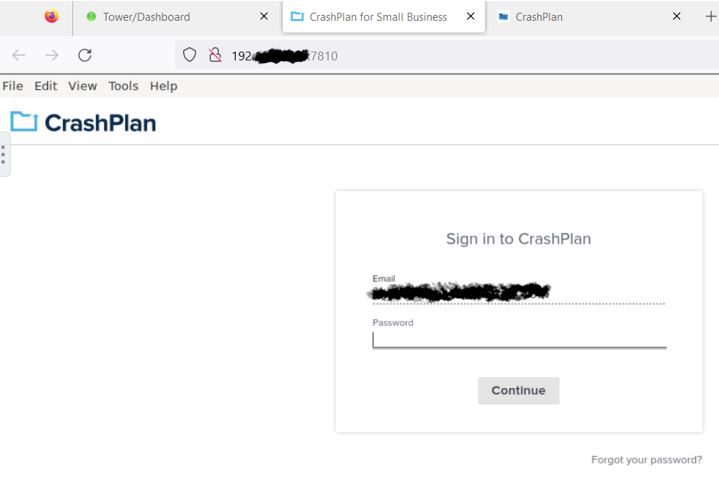
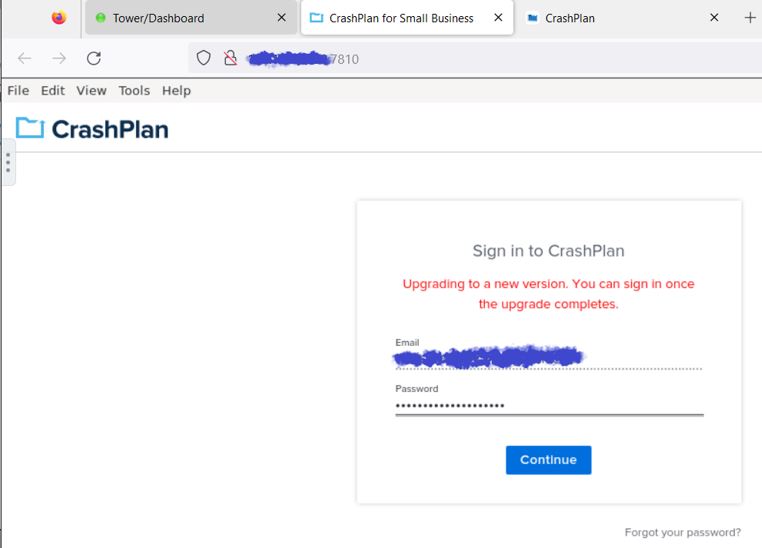
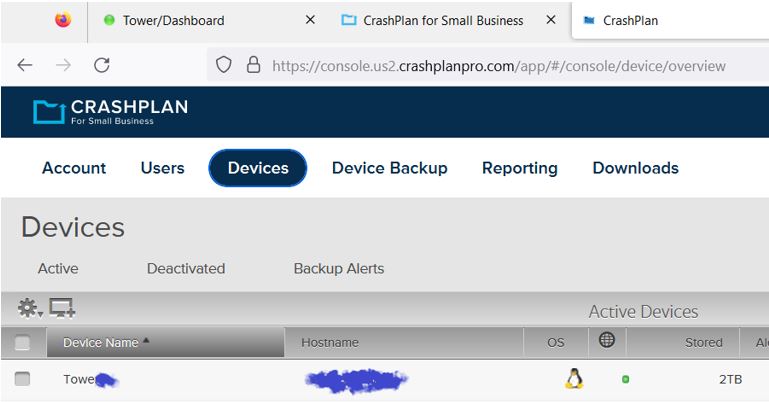
Alas, this appears to be a troublesome beast. I updated from v6.12.1 to 6.12.2. In the Crashplan Docker’s WebUi it shows in the left hand popout: Crashplan v11.1.1 & Docker Image v23.06.2 Image 1 is what the Crashplan WebUi looks like when I start the docker. Image 2 is what the Crashplan WebUi looks like after I insert the password and click Continue. This is where the message pops up. If I close the WebUi and open it up the problem persists. Image 3 is what Crashplan’s Website looks like. The only item of note here is that the computer shows as online.
-
Thanks for the quick turn-around Djoss. Alas no, Docker's WebGui Still shows the "upgrading to new version" message after entering login credentials into Web Gui's Interface. Edit after 3 hours: Docker's WebGui still throws the "upgrading to new version" issue Docker's WebGui shows version 11.1.1.2 CP's Website Portal indicates Computer is Online & Backup is 100% CP's Website Portal shows version 11.1.1.2
-
Howdy folks, Since updating to 6.12 from 6.11 I've been having the same issue as @Gico: I can't login the web-ui saying Crashplan is "upgrading to a new version"



