sparklyballs
Community Developer
-
Joined
-
Last visited
Everything posted by sparklyballs
-
seems like you're running out of memory and don't have zenstates (dunno how to install it) installed .. but that's just reading the log messages..............
-
if the password is less than 4 characters it defaults to no password as per the docker logs on 1st startup use mysql -uroot i strongly suggest setting a password you can't do it by changing the variable in an existing container use the mysqladmin tool as per the readme and the logs https://github.com/linuxserver/docker-mariadb#setting-up-the-application i also suggest you read the logs and the readme for any container as a matter of course and save yourself a lot of needless troubles
-
nextcloud haven't renewed their certificate for the download sub-domain
-
think of it this way mount point or docker volumes are a union between the internal path of a docker and a path on the host if you give the same name to the container side of the mount, and bind the same host path to two different containers, you can use the same container side path in the config ui of any app and as long as the permissions for each app to access the path(s) it works the same it would were it natively running on the host
-
no need to reboot the container as there's a cronjob that checks for renewal of the certs
-
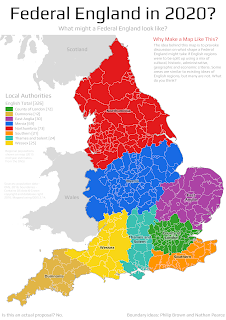
i live in the red bit
-
basically the blue area is the equivalent of ohio and best avoided if at all possible
-
it's telling you which config option is wrong and even what line of the file it's something specific to your setup and not a fault of the container (it's your letsencrypt config file for nextcloud that is wrong on line 30)
-
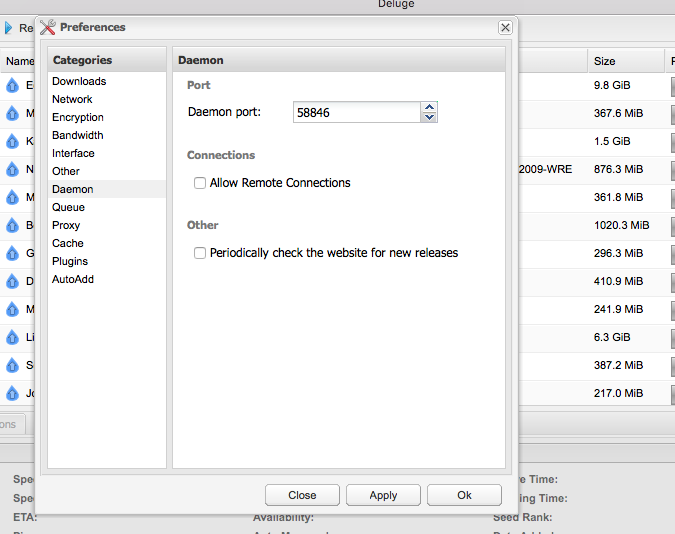
make a user for deluge as per the Add User to the authentication file section here https://dev.deluge-torrent.org/wiki/UserGuide/ThinClient#AddUsertotheauthenticationfile the file being in /config/auth set remote connections on in deluge via the webui then restart the deluge docker (screenie shows it off which is wrong, lol) then in couch use 58846 and the credentials to match the deluge user
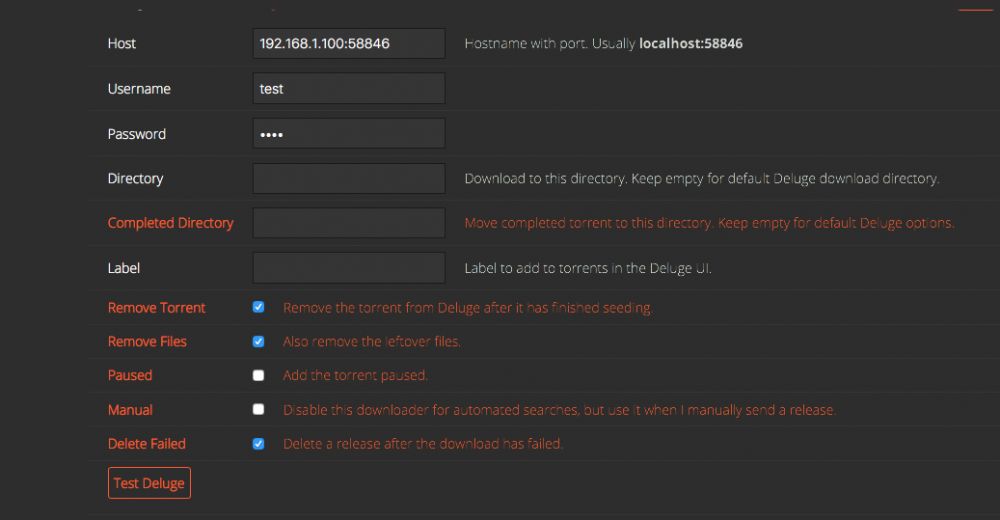
-
lol , that's what you get for using alphas and it's gonna just get worse as alpha of kodi means the database schema could (and most likely will) change several times before release.
-
it's still alpha and as such that's a no
-
we don't recommend or support changing the container side ports if you need a different port change the host port side only
-
check your settings on the host regards using cache for any shares involved
-
https://github.com/Novik/ruTorrent/wiki/Config#authentication
-
it doesn't pull anything at runtime
-
that sounds like an unraid problem to me
-
it works as it should given the limitations of the actual webui itself https://github.com/Novik/ruTorrent/wiki#some-non-obvious-points 2nd point there and it is mentioned here in the github repo linked in the OP (this is a quick link to the relevant section) https://github.com/linuxserver/docker-rutorrent#setting-up-the-application
-
our image is built using the latest beta or release available at the time of build and we build our images friday nights around 11pm uk time we do not build canary releases and the latest beta release was issued since our last build last friday night (uk time)
-
don't use windows lol but seriously though read the readme https://github.com/linuxserver/docker-qbittorrent#usage linked to in the OP and set umask accordingly http://man7.org/linux/man-pages/man2/umask.2.html
-
these questions are somewhat outside of what we support and probably best suited to asking in the unassigned devices support thread
-
that's something you need to sort on the host and is not anything to do with our image specifically
-
that is more likely a local issue with your browser clear browser cache etc
-
if you change a port change the host side only because nginx in the rutorrent container doesn't know you've changed the port and it listens on port 80 still but if you change the host side only to say 8003 it will be mapped to port 80 in the container
-
i would treat it as a permanent thing until someone says otherwise as i'm not aware of it causing any issues and you don't need to make a folder or touch a file or anything just having the ENV alleviates the problem
-
before and after