





t3
Members
-
Joined
-
Last visited
Everything posted by t3
-
Simplicity AND reliability... Thank you, dlandon! USB Manger once crashed silently on me; in doing so, it removed the BT dongle which I'm passing to my Home Assistant VM, which caused my fridge temperature control to fail, and when I finally got home to correct the issue the thing was already spilling water... such things can happen if a "boring" USB passthrough tool fails 😂 PS: I only switched from your plugin bc of the warning in CA (because, how knows what this means); and immediately switched back after this event...
-
Thanks from me also ... this saved me: In my case a had to execute the sfdisk command on both of my former NVME cache pool disks, so it was sfdisk /dev/nvme0n1 and sfdisk /dev/nvme1n1 with the rest being the same: type '2048', found a BTRFS partition signature, choose 'N' to keep it, and 'write' I tried to convert the RAID1 cache pool into something where I would be able to remove a drive, so did balance > convert to single, stopped the array, removed one disk from the two-disk pool and started with "Yes I want to do this".... et voila: pooof... both drives were unmountable. I basically misinterpreted "single" as something like the regular array of unrelated disks, where it would be possible to remove a disk like it would be possible with the array. But as I have now learned, "single" means JBOD, and a pool stays a pool, where every device needs to be kept, at least until some extra footwork in the console is also accomplished. PS: Maybe it would be a good idea to put something more alarming here, instead of the "Yes, I want do do this" checkbox, when fiddling with changes within pools – since the concept (and consequences) are very different from what one may be familiar with, when doing things like removing drives within the regular array...
-
A few thoughts regarding Windows clients: According to the SAMBA docs this will cause the Server to sort file lists alphabetically before sending them to the client; but there is no explanation on what "alphabetically" actually means. Windows clients do use a special natural sort algorithm (which will ie sort "file 2" in front of "file 10", amongst other things like case insensitive sorting)... so, what if SAMBA does not replicate this behavior exactly? Apart from that, alphabetical sorting might be the default in the Windows Explorer, but it will also remembers different sorting options on a per-folder basis; so a particular pre-sorting of folder contents on the server might be conflicting. Last but not least the Explorer will _always_ sort the file list on top of what ever order it receives it (and just sorting the list should be super-fast anyway, if there are not hundreds of thousands of files). If this is all true, implementing that as default setting, may just cause additional load on the Server for more or less nothing? At least from how I understand these things work...
-
I do (also) have stability problems (with any of the versions after 6.12.3)... the server is just getting unresponsive after some time (sometimes half an hour, sometimes a few hours; seems to happen sooner if the web interface is open on another machine). Does not longer respond to pings (no screen output due to GPU passthrough). Docker is disabled (always), have tried the Realtek driver plugin, but that did not help.... kvmhost-diagnostics-20240110-2319.zip
-
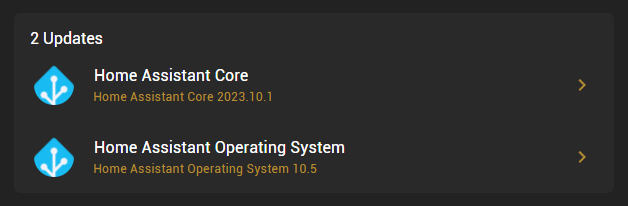
if you are running the image from their page (which would be my 1st guess), then there is an upgrade option right in the settings, called "Home Assistant Operating System" (that's it already). the other option is "Home Assistant Core" which just means the main HA application, if you don't run their specialized image, you may want to try and make a backup of your settings, and use theirs, from here: https://www.home-assistant.io/installation/linux hope it helps...
-
orphan post stub i just noticed that there was an update already ~ a month ago, that apparently did fail on my machine, thus my previous question regarding an update is now obsolete...
-
Not an advice, just some thoughts - since I'm currently (also) setting up a system dedicated to VMs only; I'm using an old Thumbdrive as only array drive, just to be able to fire up all the other Unraid stuff (KVM & Dockers of course). 2 NVMEs in a single BTRFS pool, since I like to have redundancy, and a BTRFS mirror seems to be more straight forward (and the Unraid array is not meant to provide trivial mirroring anyway). My concern ist the Fuse layer, which ist imo still in effect, as long as drives are somehow managed by Unraid (like with Pools). My guess: It might be best (in terms of performance) to just set KVM storage up as "unassigned device(s)". Maybe someone can shed light on how pooled drives are affected by Fuse when most (or any) IO is going to VM disk images...
-
Worked for me too! Using some "no-name" 4GB stick & W7x64 (drive name was the generic "removable device")
-
thanks a ton for that - just in time (for me) & works perfectly! a note for users with tight FW policies: this requires outgoing connections from the unraid box on tcp port 5223 (XMPPS), but that's already all it needs
-
a quick heads up for... ASRock C2550D4I and ASRock E3C224D4I-14S - also working w/o probs.
-
... as far as my files were affected, i can confirm it works now; tested with sync triggered from "both" ends (web and local) and all were showing up correctly on either side - thanks a lot!
-
thanks for hinting this; totally missed it, since there is no context menu/button/indication whatsoever that one can edit the names by simply double clicking them...
-
oh, and btw, it would be great if it was possible to set up a meaningful name for the dropbox instance prior linking...
-
i had some success "setting up" selective sync by copying a file from windows install over to the config folder of the docker; after installing and linking the docker, the dropbox config is created here: appdata/Dropbox/config/instance1 and contains a file named unlink.db since size and type and name suggested it might contain just everything that should not be synced, i just copied it from my windows box over to the docker config, and as far i can tell it works... of course only suitable if that is not going to change regularly. unfortunately there are problems with this docker with files that contain extended characters (i.e. german umlauts)... seems like the charset setting is missing or wrong?
-
... thats the way any software goes btw, i wasn't completely precise - as far ipmitool can tell, the sensor in question simply doesn't support these particular "na" threshold values (means it also isn't possible to set them to something sane); i.e. true for most voltages on this board...
-
btw, thanks for pointing me to a way to correct threshold values using ipmitool. + found another small bug: my asrock avoton board has serveral values without lnc/unc values set by default (ipmitool returns "na") - this causes readings inside lc/uc ranges to be in orange/warning state instead green/ok...
-
PS: the warning that occurred when the mgmt if was offline was: Get SEL Info command failed
-
about notifications: yes, i was using a remote connection - 'am not doing this anymore 1st there was a problem when direct readings did fail (not because auf the plugin), but after updating the bmc firmware it works. about the off value... ipmitool reading for that: Vcore1,1.810,Volts,Upper Non-Recoverable,7.0,System Board,Voltage,,,,1.640,1.560,1.490,0.540,0.570,0.600,0.000,2.550 vs. display output (CTRL-F5 or even a reboot doesn't alter it):

-
well, there will always be doubt ... since no operation, even done internally in the box, can guarantee that input and output is identical; my concern for example would be what happens if a sync from the main box to the failover/backup box. of course there is only a 0.000000001% chance for corruption to happen during that process, but when handling terabytes of data this must be a concern. a "boring" extra hash file per folder has actually some advantages in e.g. this case; i understand that any form of (ideally end-to-end) integrity checking wihtout proper support from underlying file systems and transports is more or less impossible to implement, so, anyway, thanks for the effort with this - will definitely look into possible use cases...
-
sry if this was already asked (haven't seen it though)... i guess these extra attributes are lost in most cases when files are copied/moved around/backed up, by/from whatever tool and/or source, right? for example, if a file is copied from a client machine, which even may put it into the cache (if used, so then mover later places it into the fnial location)... is the hash kept or rebuilt? i know that in this case for example squid's checksum tool will also "fail", but imo every time a file that wasn't altered is just re-hashed only because it is copied or moved, any attempt to provide accurate integrity info is broken (at least if the underlying file system does not guarantee that the destination file 100% matches the input). maybe you can give a short breakdown under which circumstances the hash/integrity info is guaranteed to stay with the file (as i guess this would be the shorter list in comparison with the cases where it gets lost)...
-
first off thanks for the plugin... i'm just rebuilding my unraid servers, moving to recent hardware, and ipmi is such an advantage in managing the boxes as is your plugin to get additional monitoring. there was one (real) issue i ran into recently: if - for whatever reason - the connection to to the mgmt interface is lost, ipmi tool starts to do notifications every couple seconds... so, if one also has email notifications set up (or in my case also pushover) this creates a flood of emails and pings if one is not able to correct the problem immediately. in my case my pebble was ring-ring-ringing until i shut down pushover, and i got a few hundred emails until i was able to get home and correct the problem (a port in my switch went off). btw, also then simply reconnecting the lan if didn't stop notifications, but i had to stop and restart the plugin. don't know if this would also happen under other circumstances, but it would probably be a good idea to limit notifications (of the same kind) in some way (i.e. one per hour or so). another thing: after i had updated asrock board bmc firmware, some sensor definitions are apparently wrong (this of course has nothing to do with the plugin), i.e. Vin (1.8V for my xeon e3) is labeled as Vcore, and thus has limits set totally off (since Vcore should be around 1 volt). the board console itself now mistakenly tags this value as "upper non recover", whereas your plugin is showing the same value in green (the limits are 0.57, 0.6, 1.49, 1.56, 1.64). although i'm ok with this (since the value is ok), this might point out a bug, when values are above (or below) the outermost limits? and 1 last one: i currently run the dark unraid theme, but have noticed that, when using the light theme, in particular a yellow value is nearly impossible to read, and even the greens have rather low contrast. thanks again, hope to have helped...

