BigDaddyDingDong
Members
-
Joined
-
Last visited
Everything posted by BigDaddyDingDong
-
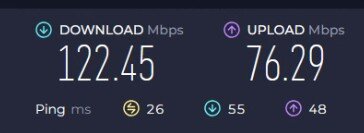
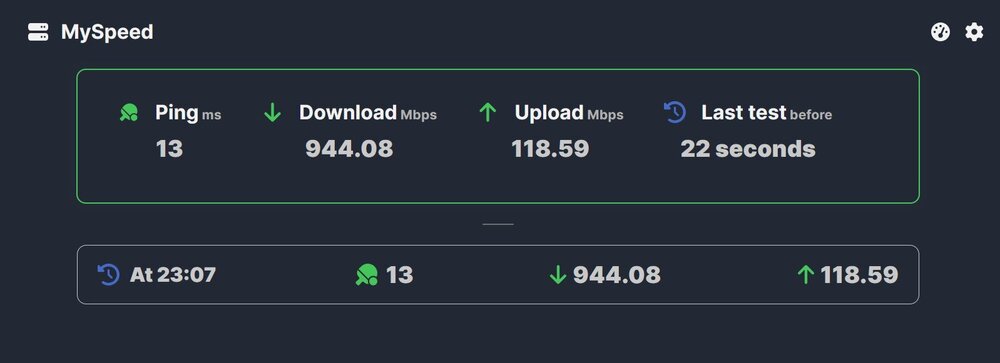
I don't get it. One is the VM speeds and the other is the docker "myspeed" running on the same Unraid server. They're sharing the same ethernet line.
-
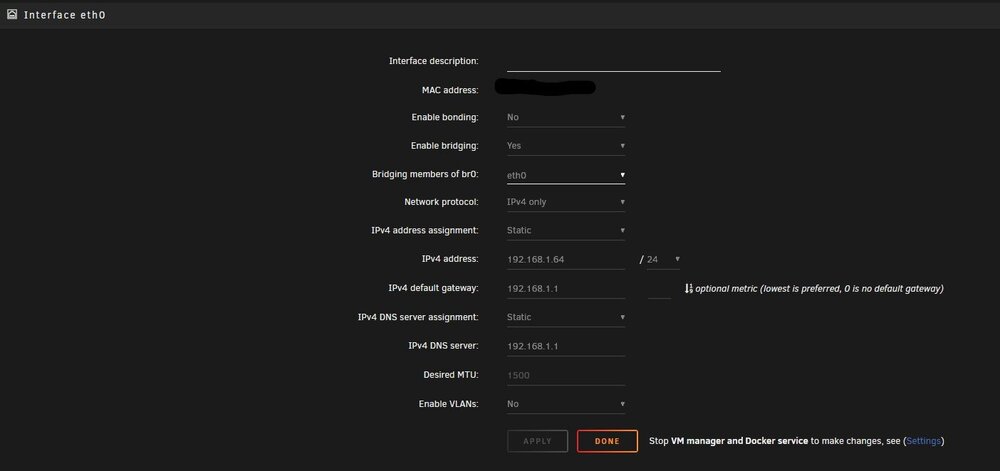
My VM is running slow as hell. My daily computer is getting 950 mb/s download and 115 mb/s upload while my VM is struggling to get 115 mb/s download and 100 mb/s upload. I've attached my network settings and my VM XML script. Any help would be appreciated. My VM is so laggy it's unbearable! VM XML.txt
-
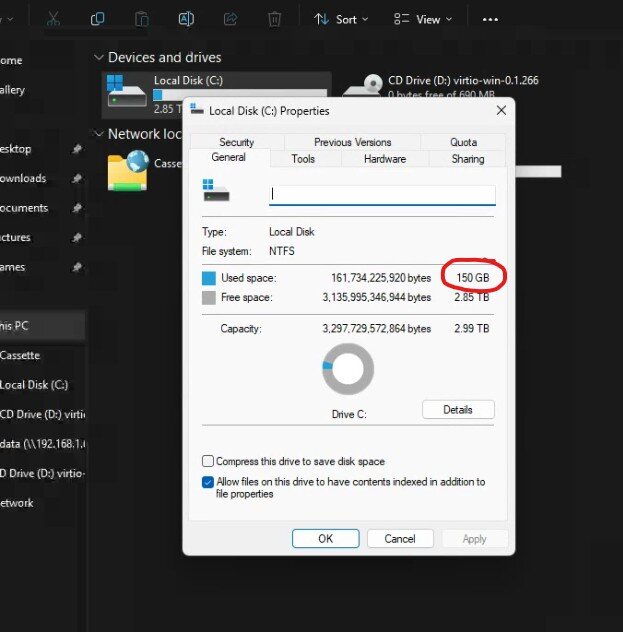
@JorgeB I think I understand what you're saying. So the 3TB VM IMG file isn't consuming 3TB as shown in the file directory. It's only using the 150GB as shown in my photo attached and the 3TB is just what's available for the VM. Am I understanding correctly? And of course I have some files from the cache moving to the array as usual.

-
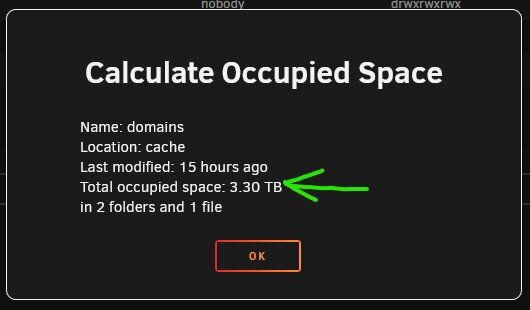
@JorgeB What do you mean? I attached the screenshots of the actual used vs what the GUI was reporting. I have a 3TB VM saved on the cache but it only reports 223GB of cache space used on the "main" section of the GUI.
-
So, I used 7.0.0 beta and the RC and didn't see this issue. Now that the official 7.0.0 is out and I've upgraded, I see incorrect data being generated for my cache and array. Not just a little off, but way off. Why isn't the data syncing or refreshing correctly?

-
That did the trick! thank you so much!
-
I get redirected here and if I click any of the options nothing happens.
-
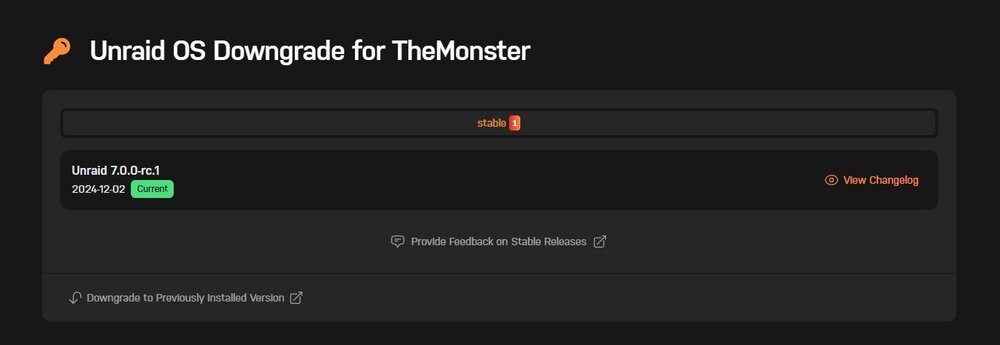
My server keeps randomly crashing since I upgraded to 7.0.0-rc.1. Is there a way to downgrade to a stable version or am I stuck until a stable 7.0.0 version is released?

-
Thank you for explaining this
-
I know this topic has probably been beaten to death, but how do I know which cores/threads are right for my gaming VM vs dockers? I ran the script less /proc/cpuinfo But what do I do with this information? What am I looking for to determine which core is right for my gaming VM vs quick sync for my media dockers?

-
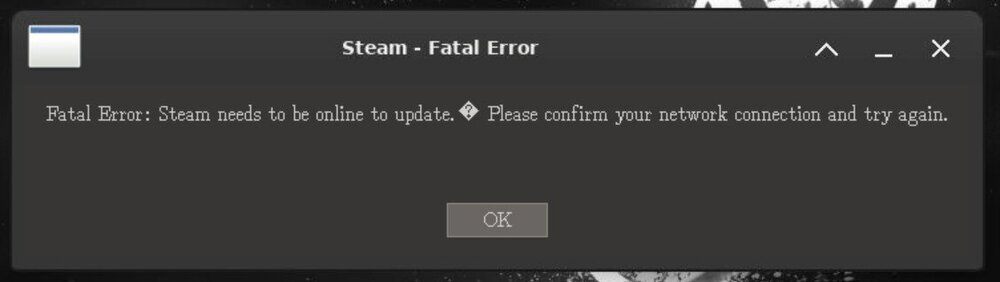
I continue to get "Steam - Fatal Error". I followed the GitHub guide which appears to be the same guide at the beginning of this thread. I'd appreciate any help as I think this Docker is an amazing idea!
-
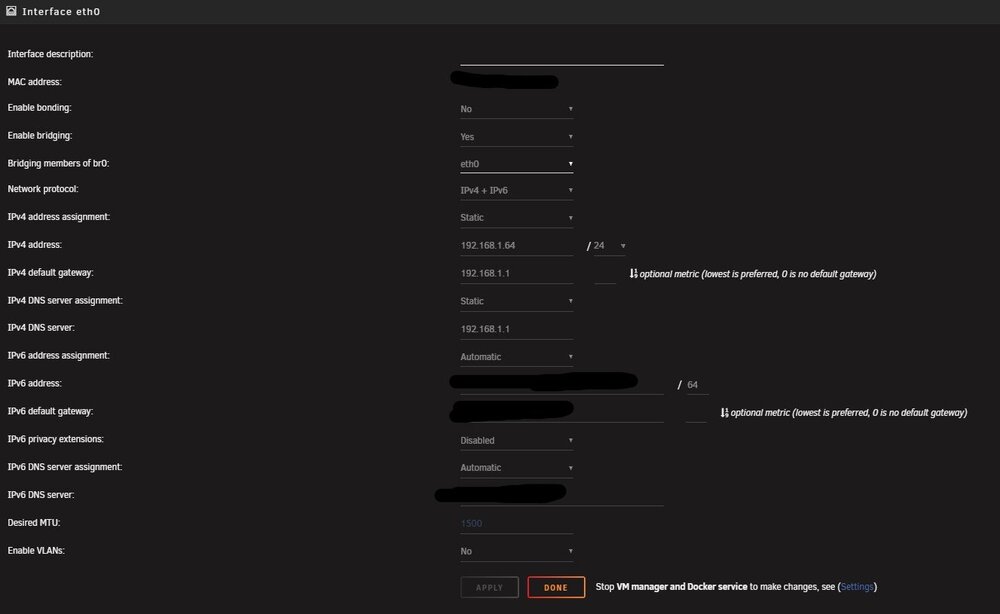
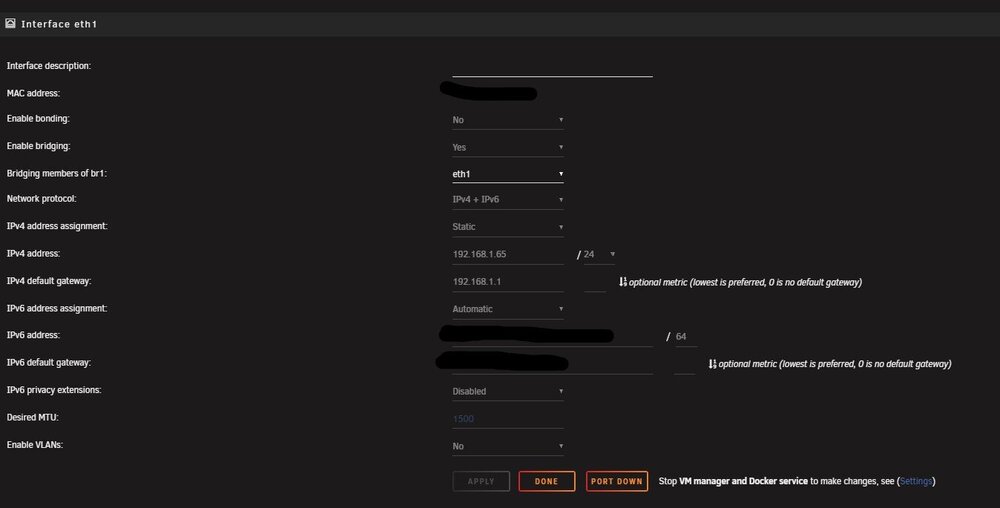
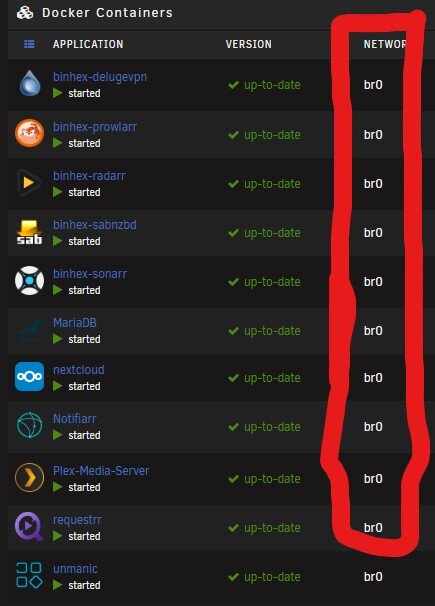
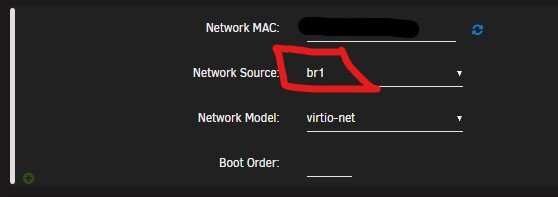
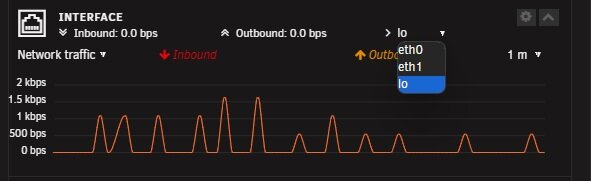
Update if anyone cares: I couldn't isolate the IOMMU group for the new NIC. Instead, I had to go to the network settings and create two different eth0 & eth1. I assigned all plugins and dockers to br0 and the VM to br1. I tested everything and all is separated. only kicker is that unraid has 2 different IP addresses since I couldn't passthrough the IOMMU. It doesn't seem to be impacting anything so I don't give a fuuuuuu... The one below this comment is the VM. I change the 0 to a 1 in the XML so I wouldn't have re-do the info for graphics card.
-
I'll give it a try this weekend. Thanks.
-
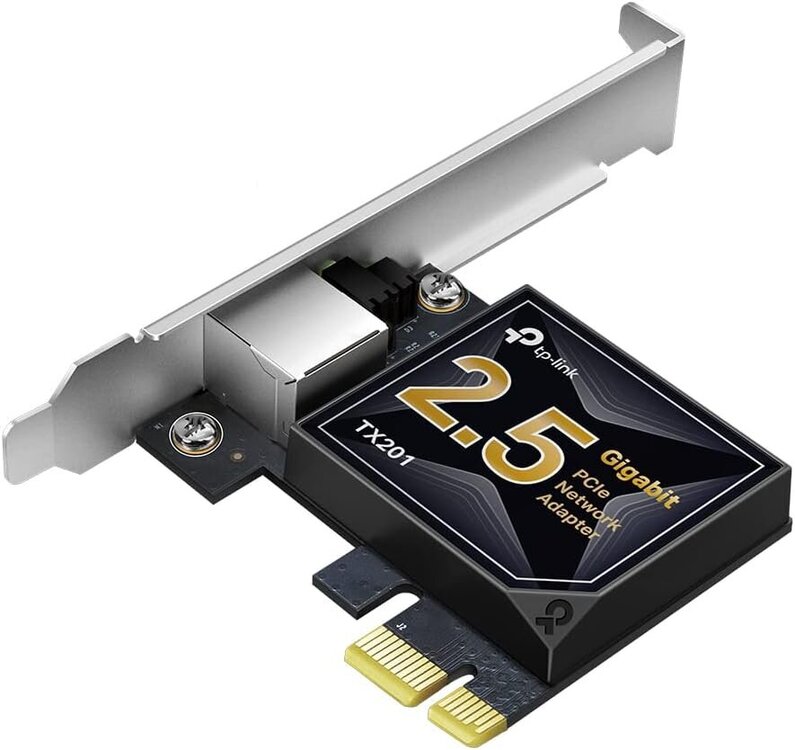
I'm going to drop a 2.5 gbps NIC to be isolated for just my VM. Where can I find more info on setting this up? Is this as simple as seetings/Network Settings/ and ensuring it's only assigned to the VM or do I need to go into Tools/System Devices and bind the selected VFIO at boot?
-
You're dealing with some funky GPU's on that build... Why didn't you get your hands on something more standard like a Quadro P2000 or P4000? a Radeon isn't going to do you much good for transcoding. That 3700x isn't going to cut the mustard either. AMD's transcoding capabilities are garbage. I have AMD in all my builds but honestly they're really dragging ass on the transcoding side. Intel & Nvidia are crushing them there.
-
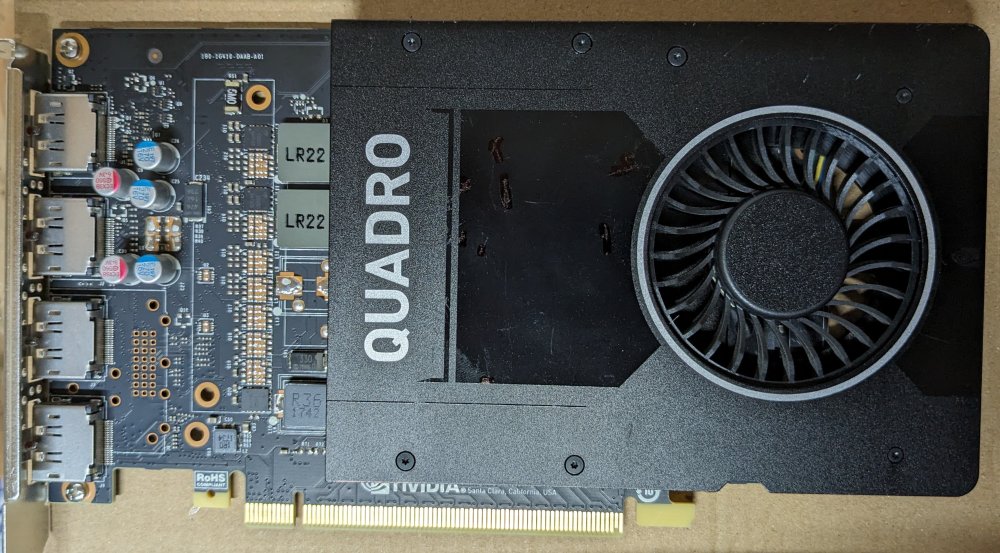
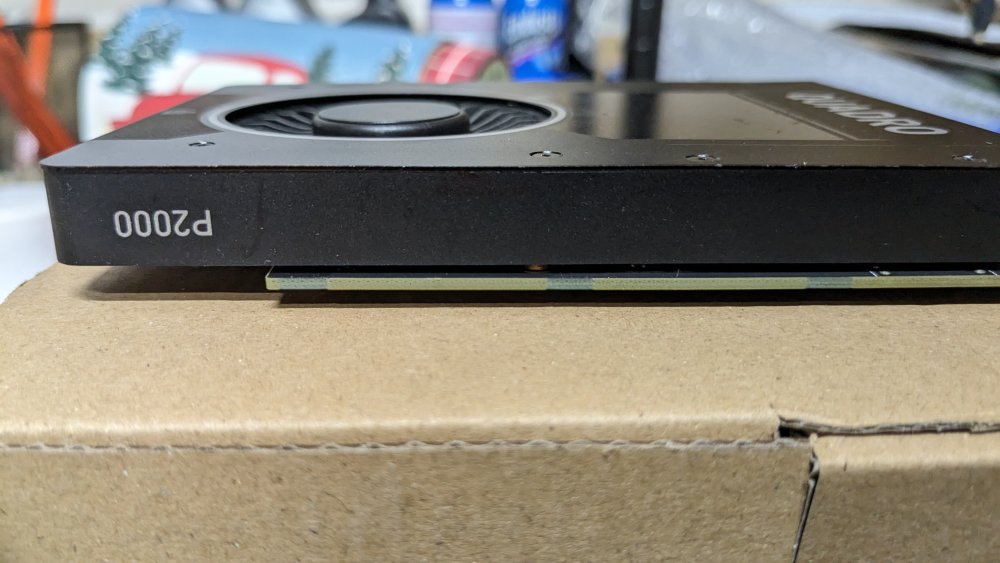
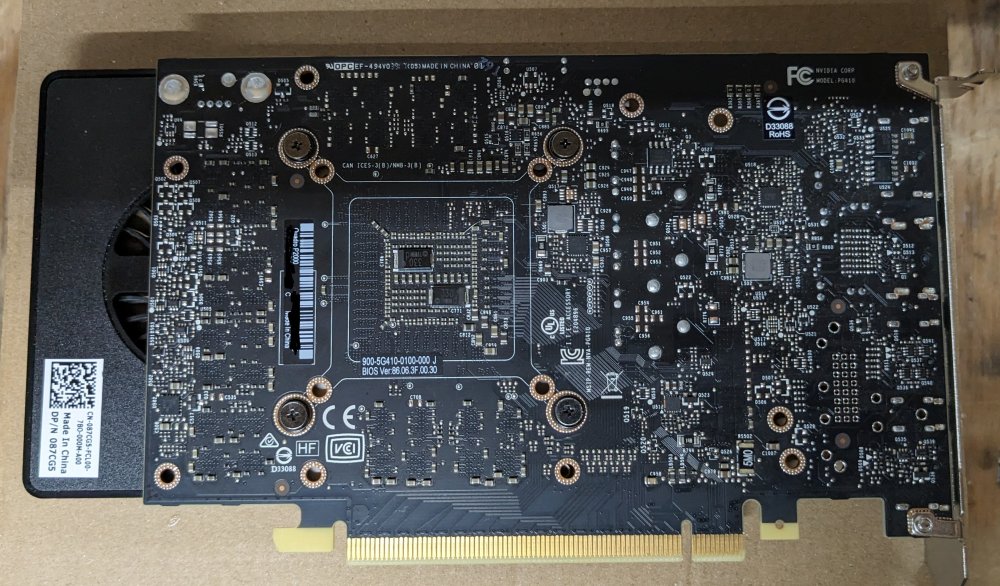
Works great, had stability issues with running this P2000 and my RTX 4070 Super on the same system. Really wish I had a use for this but I have to multipurpose my RTX. Looking to get at least $100.
-
I have a RTX 3070 Super passed through to my VM and a Quadro P2000 for Unmanic. Whenever I fire up Unmanic it either wants to grab the RTX or it causes issues with the VM when running to the point where I have to re-install the video driver or my gameplay is buggy and stuttering... This sucks!!! I might end up just pulled the Quadro and switching the RTX out of VFIO so I can flip flop when needed... The Quadro is so handy for Unmanic though 😭
-
nah, I got the most recent driver. I think the 4070 S using the new PCIe 5.0 socket needs higher wattage than what my EVGA 1000W can support. Has anyone on here had issues with using PCIe 4.0 power plugs on a PCIe 5.0 splitter?
-
Says I'm using 769w out of 1000w
-
No Help???
-
This is what was provided once I put put in that command # dmidecode 3.4 Getting SMBIOS data from sysfs. SMBIOS 3.5.0 present. Handle 0x0012, DMI type 16, 23 bytes Physical Memory Array Location: System Board Or Motherboard Use: System Memory Error Correction Type: None Maximum Capacity: 128 GB Error Information Handle: 0x0011 Number Of Devices: 4 Handle 0x0015, DMI type 17, 92 bytes Memory Device Array Handle: 0x0012 Error Information Handle: 0x0014 Total Width: 64 bits Data Width: 64 bits Size: 32 GB Form Factor: DIMM Set: None Locator: DIMM 0 Bank Locator: P0 CHANNEL A Type: DDR5 Type Detail: Synchronous Unbuffered (Unregistered) Speed: 4800 MT/s Manufacturer: Team Group Inc Serial Number: Asset Tag: Not Specified Part Number: UD5-5200 Rank: 2 Configured Memory Speed: 3600 MT/s Minimum Voltage: 1.1 V Maximum Voltage: 1.1 V Configured Voltage: 1.1 V Memory Technology: DRAM Memory Operating Mode Capability: Volatile memory Firmware Version: Unknown Module Manufacturer ID: Bank 5, Hex 0xEF Module Product ID: Unknown Memory Subsystem Controller Manufacturer ID: Unknown Memory Subsystem Controller Product ID: Unknown Non-Volatile Size: None Volatile Size: 32 GB Cache Size: None Logical Size: None Handle 0x0018, DMI type 17, 92 bytes Memory Device Array Handle: 0x0012 Error Information Handle: 0x0017 Total Width: 64 bits Data Width: 64 bits Size: 32 GB Form Factor: DIMM Set: None Locator: DIMM 1 Bank Locator: P0 CHANNEL A Type: DDR5 Type Detail: Synchronous Unbuffered (Unregistered) Speed: 4800 MT/s Manufacturer: Team Group Inc Serial Number: Asset Tag: Not Specified Part Number: UD5-5200 Rank: 2 Configured Memory Speed: 3600 MT/s Minimum Voltage: 1.1 V Maximum Voltage: 1.1 V Configured Voltage: 1.1 V Memory Technology: DRAM Memory Operating Mode Capability: Volatile memory Firmware Version: Unknown Module Manufacturer ID: Bank 5, Hex 0xEF Module Product ID: Unknown Memory Subsystem Controller Manufacturer ID: Unknown Memory Subsystem Controller Product ID: Unknown Non-Volatile Size: None Volatile Size: 32 GB Cache Size: None Logical Size: None Handle 0x001B, DMI type 17, 92 bytes Memory Device Array Handle: 0x0012 Error Information Handle: 0x001A Total Width: 64 bits Data Width: 64 bits Size: 32 GB Form Factor: DIMM Set: None Locator: DIMM 0 Bank Locator: P0 CHANNEL B Type: DDR5 Type Detail: Synchronous Unbuffered (Unregistered) Speed: 4800 MT/s Manufacturer: Team Group Inc Serial Number: Asset Tag: Not Specified Part Number: UD5-5200 Rank: 2 Configured Memory Speed: 3600 MT/s Minimum Voltage: 1.1 V Maximum Voltage: 1.1 V Configured Voltage: 1.1 V Memory Technology: DRAM Memory Operating Mode Capability: Volatile memory Firmware Version: Unknown Module Manufacturer ID: Bank 5, Hex 0xEF Module Product ID: Unknown Memory Subsystem Controller Manufacturer ID: Unknown Memory Subsystem Controller Product ID: Unknown Non-Volatile Size: None Volatile Size: 32 GB Cache Size: None Logical Size: None Handle 0x001E, DMI type 17, 92 bytes Memory Device Array Handle: 0x0012 Error Information Handle: 0x001D Total Width: 64 bits Data Width: 64 bits Size: 32 GB Form Factor: DIMM Set: None Locator: DIMM 1 Bank Locator: P0 CHANNEL B Type: DDR5 Type Detail: Synchronous Unbuffered (Unregistered) Speed: 4800 MT/s Manufacturer: Team Group Inc Serial Number: Asset Tag: Not Specified Part Number: UD5-5200 Rank: 2 Configured Memory Speed: 3600 MT/s Minimum Voltage: 1.1 V Maximum Voltage: 1.1 V Configured Voltage: 1.1 V Memory Technology: DRAM Memory Operating Mode Capability: Volatile memory Firmware Version: Unknown Module Manufacturer ID: Bank 5, Hex 0xEF Module Product ID: Unknown Memory Subsystem Controller Manufacturer ID: Unknown Memory Subsystem Controller Product ID: Unknown Non-Volatile Size: None Volatile Size: 32 GB Cache Size: None Logical Size: None
-
After running for a few hours the ram slowly filled up again. I did some research and this is a normal feature for Linux to use up all your RAM as "Dirty Cache".
-
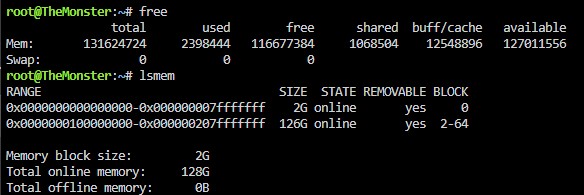
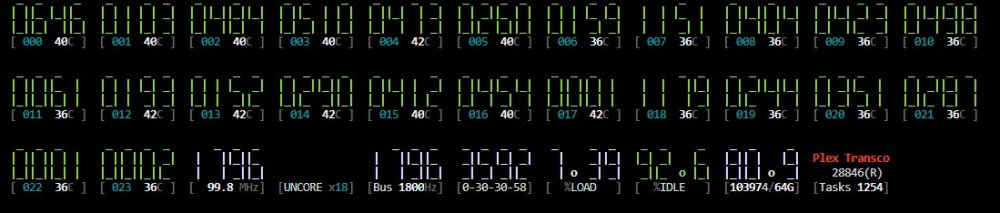
I ran both commands and this is what I got. I ran a memtest and disabled CPU C-State and now everything is where it should be... 🤦♂️
-
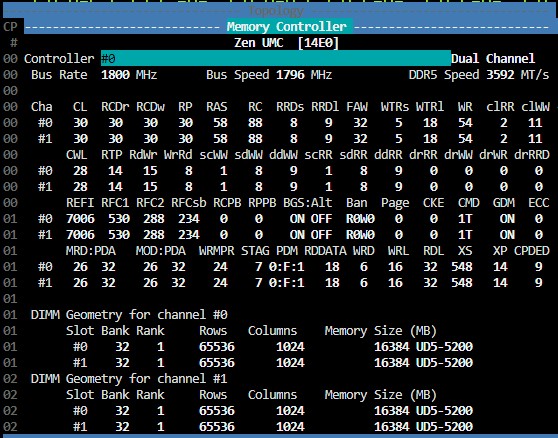
Sorry, thought that was it but I was mistaken. here it is. Once I get a chance to shut down the server I'm going to enable AMD Expo mode as well.
-
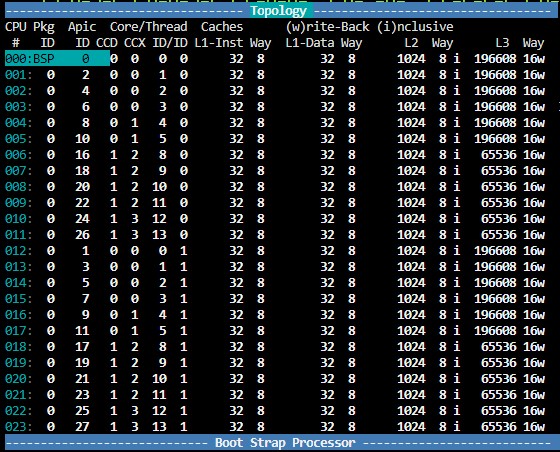
Is this what you were wanting?