





Vulkandr
Members
-
Joined
-
Last visited
Everything posted by Vulkandr
-
Well since I have the time to prepare for the potential inevitable failure, what drive would you recommend? A Kingston USB 2.0 I had sitting around unused was blacklisted so I couldn't use that, I also have an unopened SanDisk Cruzer Blade 8GB USB 2.0 which i was considering using when this Samsung Bar Plus 64gb dies.
-
So a couple of months ago as far as I could tell my usb drive died because unraid wouldnt boot in giving an error, so I purchased a new one and put a backup of my server onto it and transferred over the key. Now today my server refused to boot up again, so I assumed it was another dead boot drive. I did try switching usb ports, etc. I was a bit frustrated but I was gonna get another usb drive and just do the backup. I had an idea, I figured i would check the drive, because I couldn't believe that it was already dead. I did every test imaginable on the drive and it all came through just fine, I also checked the authenticity of the drive using samsung magician, came back clean. so i took a risk and tried to flash my unraid backup onto the same drive, since as far as I know, your key is tied to the guid of the drive, so a fresh reinstall shouldnt harm anything. Well to my surprise, it wanted to do a key transfer and was showing a new guid, I took the plunge and did a key transfer. The drive is now currently working just fine in the server, multiple restarts later. Arn't guid's tied to the hardware? How could it possibly change? I also noticed my bios settings had been reset, could this have something to do with a dead cmos battery? How in the world would that affect the guid of the drive though? I plan on replacing the cmos battery when I get a new one, but I still figured I would make a post here if anyone has any ideas. Thanks
-
When i did a fresh install with the binhex version, everything ran perfect including web and app, same with a windows version. the second I use my own database on unraid or windows, it's just borked on web/app. tvs and phones are fine. I've tried replacing every single folder in the database but the metadata, I'm at a loss on how to fix this. Edit: I have no clue why this worked, but in the transcoder section of plex, I set Trascoder Quality: Automatic (these two only seem to matter that you changed them to something they weren't before) Background transcoding x264 preset: Faster (these two only seem to matter that you changed them to something they weren't before) Use hardware-accelerated video encoding: Disabled(Unchecked) Do all 3 at the same time. As a result of that change, both web and app transcoding works again. This might have also been also in conjunction with removing every file from the database that wasnt related to keeping my metadata and layouts. It didn't work with that alone, but transcoding started working after making those changes and removing the files together. Try making the in menu changes to see if thats enough for you, I can't say for certain if the file removals did anything. I even tried replicating it and turning on hardware accelerated video encoding broke it again, however turning it back off didn't fix the issue, til I changed the other 2 settings to something else at the same time. Once after many transcode successes I'll get an error, but the next try will work again. It seems to continue working after a restart too, so i'll call that fixed on my end. I won't mark this solved until a couple days from now to make sure this issue doesn't come back.
-
ok so i tried running it on my local machine running windows 11, if i kept my old database, it gave me the same problem, even on my 4090. However, when i did a fresh database, from local video files or from the unraid server, it transcoded just fine, so its something within my database, its not because of unraid or nvidia driver. now the question is, is this something salvageable, or am i boned lol. I will experiment with my secondary docker when I have more time, might not be til next weekend. EDIT: Also tested a fresh docker in unraid, transcoding also works, this is 100% something with my database.
-
So only browser and plex app give me problems with transcode and only if the transcode is going down in bitrate, going up in bitrate seems to cause no problems. Roku, Chromecast, WebOS, HTPC app all run just flawlessly transcoding. I'm guess this has something to do with either unraid or docker versions of plex. I'm gonna try hosting my plex server on my main pc temporarily to see if it resolves the issue.
-
Unfortunately it did not help, I already had the feature off, turned it on for the hell of it, didnt help either. I also tried turning off HDR on my monitor, didn't help either. Did some more testing and I can't find a rhyme or reason behind what plays and what doesn't, everytime I think i see a pattern, something throws that out the window. Some things transcode just fine, some don't. some are avi, mp4, mkv. hdr or not hdr, they can be h264/h265/hevc/avi, doesn't matter, completely random. Most won't transcode without failed attempts. Ended up doing some googling, It sounds exactly like this, unfortunately rolling back the nvidia driver didn't help either. Setting the quality ahead of time in the settings seemed to work though. at this point I'm kind of out of ideas.
-
Ok looks like I jumped the gun a little bit. after transferring over to a new docker and moving everything over, looks like the issue isnt the gpu. its something to do with pc browser/plex app and hdr tonemapping crashing streams. all tvs ive tested hardware transcoding hdr tonemapping, it works just fine, including the plex htpc app. realistically this isnt a big issue, as no one uses the plex app but me and i just use it to test files and watch things, but i dont transcode using it. Still odd though. from what i can tell, I can get it to transcode after a failed attempt or 2. most of the time it will keep transcoding no issue. so this might have been an issue before, i just never noticed it because i dont transcode on my pc. I'm not too miffed about transferring over, as now I have a backup docker of plex if something happens to the current one, but its strange that hdr tonemapping is causing this issue.
-
I figured that might be something i might have to do... starting over would be... not fun. Theres A LOT of work put into this database. Ill come back with results on a new docker.
-
So i recently upgraded the gpu in my server from a 1070ti to a 1080, minor change I know, but there was issues with the 1070ti. Well for some reason plex is refusing to transcode with the gpu. Everything worked fine with the 1070ti before being pulled. I was almost afraid something was wrong with the newer gpu, but its not the gpu. I changed the gpuid in the docker, jellyfin and tdarr both use the gpu just fine for transcoding, but I can't make plex use it properly. It shows up in the transcoding section of the settings area and is selected, cpu can transcode just fine, but when using the gpu, it will often fail immediately with an error and if it doesn't it will close the video stream within a minute without any error. Gpu statistics shows plex is using the gpu when it does transcode. I'm really at a loss on how to fix this. Any help would be greatly appreciated. I have the latest nvidia driver installed, I had stable previously, I tried updated to see if it would resolve the issue. The docker I use for plex is plexinc/pms-docker, the official one from plex. This seems like an issue with plex itself, as jellyfin and tdarr seem to utilize the gpu just fine.
-
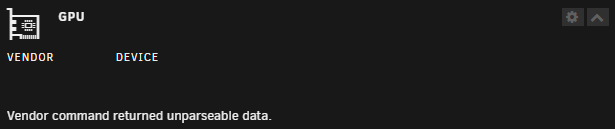
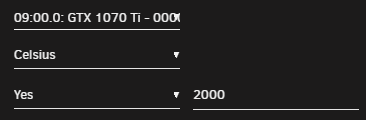
First time installing the plugin, as others on this page of the support thread have mentioned, I get a "Vendor command returned unparseable data" error message. I have a Nvidia 1070ti with the latest gpu driver installed. The gpu is attached to plex for transcoding, not sure if that could affect things. It is not attached to a VM. I do have it selected in the settings. Edit: After a few restarts of the system it started working.
-
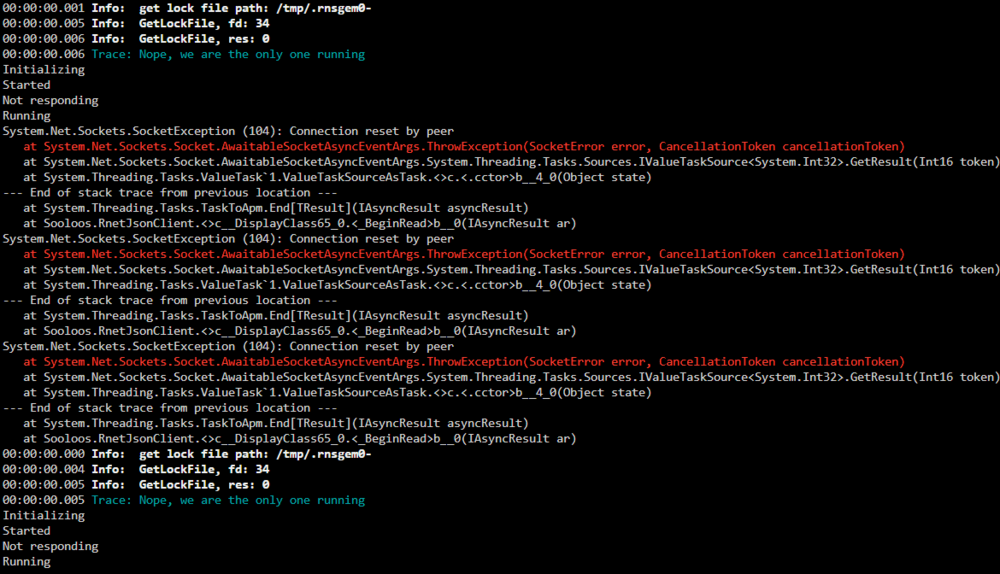
This appears to be an ongoing issue, it's been going on for a couple of months now. It'l interrupt the music session, roon client will say "looking for roon server" and then after a couple of seconds, sometimes up to a minute, itl refind the server, because the docker has restarted on its own. I then have to press play again to resume my listening sessions. There doesn't seem to be any rhyme or reason behind it, it happens randomly throughout the day, high/low disk usage, high/low internet usage, nothing seems to affect when it happens.
-
I was having issues with librespeed not working when i went to the address on my unraid server, so i figured I'd just uninstall and reinstall it since it was dead simple to set up. To my surprise the docker is gone from the apps area in unraid. any reason why? It shows up in dockerhub, but it doesnt have a template for unraid.
-
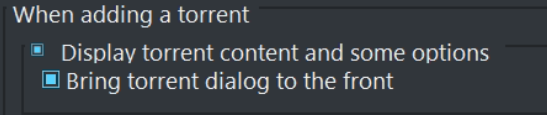
is there a way to get "Display torrent content and some options" under "when adding a torrent" like the windows version of qbittorrent? What it looks like and the option inside the windows version for context. \/\/
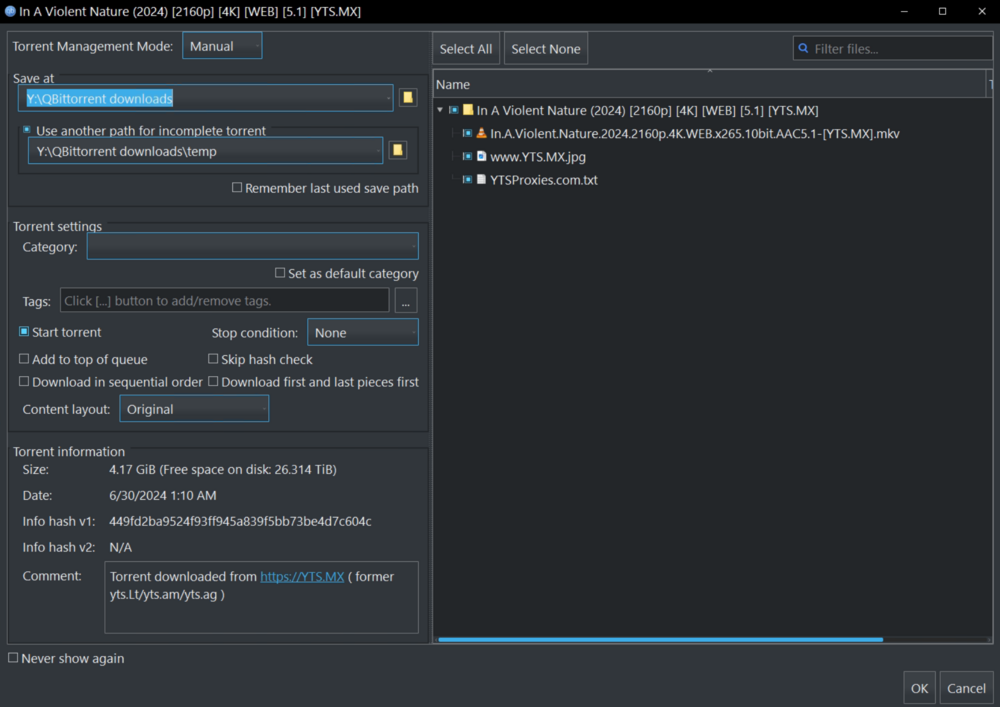
-
Sorry if this has been answered but couldnt find it, What is the danger in "skip stopping of container"? since it's just copying the data what danger does it pose? or is it simply not recommended because it may not be able to touch some files that are changing when docker is up?
-
That was exactly the issue, thank you for all the work you do.
-
Yes, the server has been completely offline many times for several hours, none of the config file changes seem to affect the server, they do stay saved in the file though, so they are not being overwritten. I tried changing server name, password, game settings, all stay at default in the server itself. i tried also changing the default settings ini with no luck.
-
appdata/palworld/Pal/Saved/Config/LinuxServer/PalWorldSettings.ini The plugin terminal version you made is a bit over my head. trying to use the the web page version from itzg i just fill out the proper fields with the rcon port and such, but it never shows online. I noticed in the ini, rcon is disabled by default, so because I cant get the settings to stick, that might be preventing rcon access. Realistically I would just prefer changing the ini, it does all I need.
-
Is there a way to have the server listen to the config file (PalWorldSetting.ini) or is there another file to edit to change settings? I see RCON is an option, but I can't seem to get it to recognize my server and its a bit over my head, a simple config file edit would be much easier. I guess to make it clearer what my issue is. I edit the config file that the description says to change, but none of the changes are reflected within the server. I restart it, the changes save, they just never actually reflect the server settings.
-
It begins when you start a vm with gpu passthrough, it does not stop til you delete libvert before the array starts, once the array starts the problem persists even after a restart. it's not a complete lock up, it just breaks network access(including local net) as soon as you try to access any area of the ui that involves vm like the dashboard, and on the native machine when using the gui, it doesnt let you into any area that has any relevance to vm, but you can still enter areas like Main or apps page even after trying to access these areas. It also prevents a shutdown of the array, which prevents a restart. you are forced to do a hard reset to get things running again. My guess is the array gets stuck on trying to shut down the VM or the domain folder share.
-
looks like someone ran across the same issue on my original post when i couldnt figure out how to get unraid working again. So this isn't an isolated problem to just me, but may be indicative of a bigger issue.
-
I did not find a solution unfortunately. all the things I would have used the gpu for can be done in docker, so i just opted for that route. however dockurr/ made a docker windows, that you are apperantly capable of passing the gpu through with some tinkering, i just havent had the time to test it. its still early days and hes still adding some basic functionality like drive passthrough, but that may be the way forward as other dockers using the gpu seem to be fine. This seems to also be an issue for all vms, linux did it to me too.
-
So I'm pretty new to Unraid, only bought a license after my 30 day trial about a week ago. I was initially testing the system on a ryzen 3600x/rx480. When I was ready to move my stuff over from my windows machine, I took the hardware with it, a ryzen 5950x/1070ti, the motherboard stayed the same from the 3600x/1070ti system. When I was on the 3600x/rx480, I could get gpu passthrough to work on my VM, however with the 1070ti, I am unable to do passthrough. As when i select either the gpu and/or the gpu sound and i run the VM, it completely locks up UNRAID and prevents a clean shutdown or spindown of the array. dockers continue to run, I can access sections that don't include anything to do with the VM, so main is accessible, but the dashboard is not, settings accessible, but the vm settings arnt. If i enter these through remote, it cuts the connection and it can't be reestablished until the system is rebooted, the gui running off of the system is still accessible, but those section never load. When this happens I have to then hard shutdown the system and delete the libvert image in VM settings before the array starts on next boot. If I'm not fast enough the array will start and it will lock up again, the vm doesnt even have to be on. this happens with windows 10 and ubuntu. ubuntu was never even installed on the previous system, so its completely fresh, it doesn't even get a chance to install. I have the gpu working in plex for encoding, so I know unraid is capable of using it. This also happened before setting up plex gpu usage, so I don't think its related. Is there some proper steps to take to fix this? Preferably I would like to fix the the gpu passthrough but without causing the issue again, as I'm not confident hard shutting down the system without the array going down properly, I would rather not risk my data more than I need to. Remember I'm new, so if its outside of the gui, or a bit more complicated, please tell me how to do it as I probably don't know how. I'm including the diagnostics zip, I have the 'Anonymize' setting enabled, so some info may be missing. Thanks for any help rendered EDIT: I figured out nvenc handbrake docker. pooplexserver-diagnostics-20240103-0206.zip
-
Is there a way to automate a daily/weekly/monthly backup of the vdisk vm file that holds all the vm files, so that if something were to happen to that file/os install, there would be a backup somewhere?
-
I got a bit impatient and started looking in the vm settings in settings and deleted something, im bad with name recollection, it had something to do with isos and virt, that seems to have resolved the issue after a restart. I am successfully inside of my VM again and Unraid is running properly. sorry for the trouble, thanks for attempting to help.
-
pooplexserver-diagnostics-20231227-1845.zip I was able to disable the VMs through the settings by loading up in safe mode, I'm not sure how to edit the config, not sure how to access the /boot/ in krusader and I'm not aware of a way to edit files from the array directory.


