





Darkestnoir
Members
-
Joined
-
Last visited
-
Hey, i got an old Mellanox ConnectX-3, but the actual mstflint version does not support it. Can you release a plugin with a old mstflint version, 4.25 should still support it?
-
Hey, thanks for updating this plugin @VladoPortos, but i got some issues: i installed the latest version from the store, but i can't switch the "autostart" toggle at folders and also the "autostart" toggle for single containers does not get saved (gone after site refresh). Another issue, i can't even get the full window f.e. to even see the toggle "autostart" for a single container, when in the folder are more than 6 containers, so that i have to extend the folder view to select it. Not sure if this is a new issue or not, i am on Unraid 7.0.1 with FW2 2025.04.13.
-
ChatGPT wrote me a example: #!/bin/bash # Check if the required arguments are provided if [ $# -ne 3 ]; then echo "Usage: $0 /path/to/input.tar.zst /path/to/output.enc password" exit 1 fi # Input file, destination file, and password INPUT_FILE="$1" OUTPUT_FILE="$2" PASSWORD="$3" # Ensure the input file exists if [ ! -f "$INPUT_FILE" ]; then echo "Error: Input file '$INPUT_FILE' does not exist." exit 1 fi # Encrypt the file using OpenSSL echo "Encrypting '$INPUT_FILE' into '$OUTPUT_FILE'..." openssl enc -aes-256-cbc -salt -in "$INPUT_FILE" -out "$OUTPUT_FILE" -pass pass:"$PASSWORD" # Check if encryption succeeded if [ $? -eq 0 ]; then echo "Encryption successful. Encrypted file: '$OUTPUT_FILE'" echo "Deleting original file '$INPUT_FILE'..." rm -f "$INPUT_FILE" if [ $? -eq 0 ]; then echo "Original file deleted successfully." else echo "Error: Failed to delete the original file." exit 1 fi else echo "Error: Encryption failed." exit 1 fi But not sure if i have to set the script as "Post-container-backup script" or "Post-backup script" and how i can use the correct input and output path. Unfortunately, i am not very good at this 😅
-
Okay, do you have an examples for that, which tool can i use? A simple 7zip archive with password would be sufficient i think.
-
Just wonder why it worked for so long, but now not anymore. Also is there any encryption planned?
-
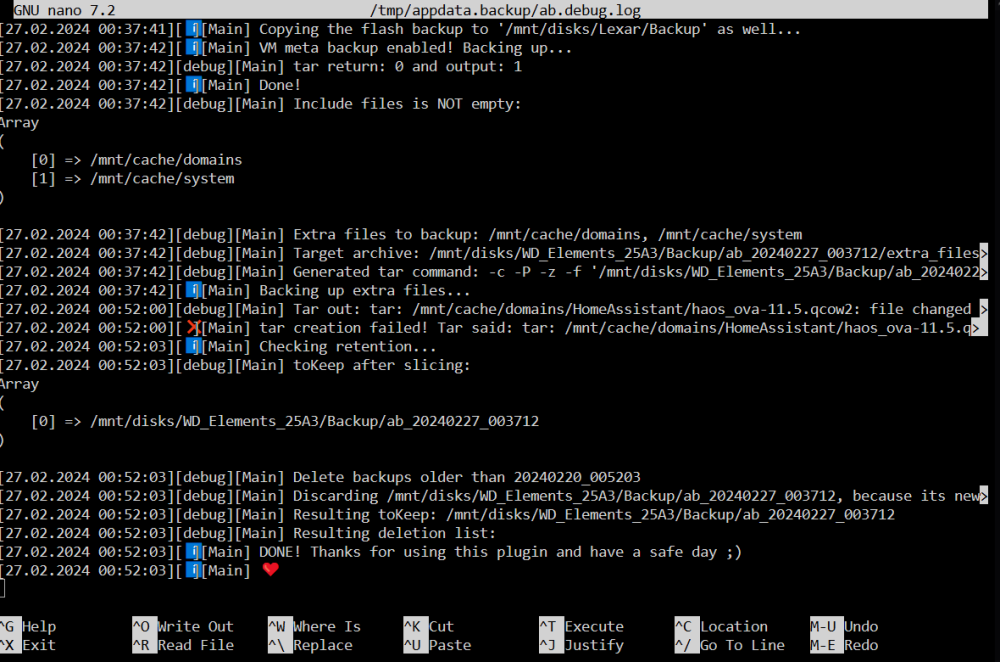
Hey, today i got a error at the backup, the debug log ID is: f6f359d8-f506-4265-bf16-654ea99ddd0b It worked for months without issues, but today i added another folder to the extra folders list, its nothing special, just backup folder from another system, nothing is executed from there. I tried to delete it from the list again, any change. My extra folders: /mnt/user/domains /mnt/user/system /mnt/user/cloud /mnt/user/backup The error suggest that it has problems to backup stuff in here: /mnt/user/system/docker/installed/zfs/graph /mnt/user/system/docker/installed/containers Not sure if i should exclude this, but it worked before without doing it 😅 Another thing i noticed that the link in the email notification leads to the wrong DNS. Is there a way to change it?
-
No, because i did a compose down and up, but before i couldn't do this because the UI was unresponsive in the docker tab (yeah i know i can do it via the console, but its annoying 😅). Not sure why my UI was bugged this time, maybe it has something to do with auto updates from watchtower. But the update issue via the UI is still a thing, i am surprised that there is no fix for that.
-
Ty, with this i just did a compose down and up and now everything is fine again.
-
Today i wanted to add a docker container to my server, but my whole docker tab is again not working/responsive (with the Unraid logo wobbling over the screen). It ran for two month without issues, but now its f* again. Not sure where to start to fix this, probably it was caused by the last plugin update of the compose manager. I still hope the update thing also get fixed someday.
-
Hey, i got a Eaton Ellipse ECO 800, but ~once a day it goes on battery for a second and switch immediately back to wall power. Not sure why it does it, but the notification/email everyday from the plugin is a little bit annoying. A configurable delay in seconds would be nice 😅 Edit: Reason for the battery kicking in is a "faulty?" Tasmota power plug which sometimes crashes and disconnect the power for a short time, funny that my server not cared before i had the UPS
-
Ah okay thanks 😅
-
A "small" feature request: Optional Zstandard compression. Because its the "best" compression algorithm at the time, when you compare time needed to compression ration.
-
+1 I am coming from Proxmox and this feature is really needed!
-
This would also be the way i would fix it, i am happy to see it in the next release ☺️ Ah, i totally forgot this, ty for the hint. Oh, i overlooked this ty. Okay, i found the VM Backup plugin, its a little bit old, but maybe it works just fine for it. Edit: Hm seems not to work correctly unfortunately. I can see it their neither: That would be great, because FF is my main browser ^^
-
It would be nice, if i can also set permissions to make a file executable (chmod *+x). Also why i can't edit .sh files, but when i remove the file extension it works? Edit: Okay i have to manual edit the /boot/config/editor.cfg. Would be nice if this file has already the most file extensions in it, or a easier GUI configuration menu. Edit2: It also would be nice if the editor could check if the file is correctly formatted. F.e. i had created a bash script in Windows with the wrong line endings (LE instead of LF), so the script didn't work correctly. I couldn't see the difference within the editor, only nano showed that is something wrong. After i converted them, they look the same in the editor of this plugin, but now they work.

