





icarus69
Members
-
Joined
-
Last visited
Everything posted by icarus69
-
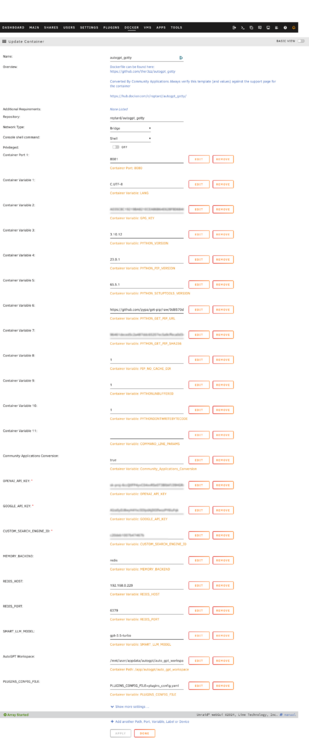
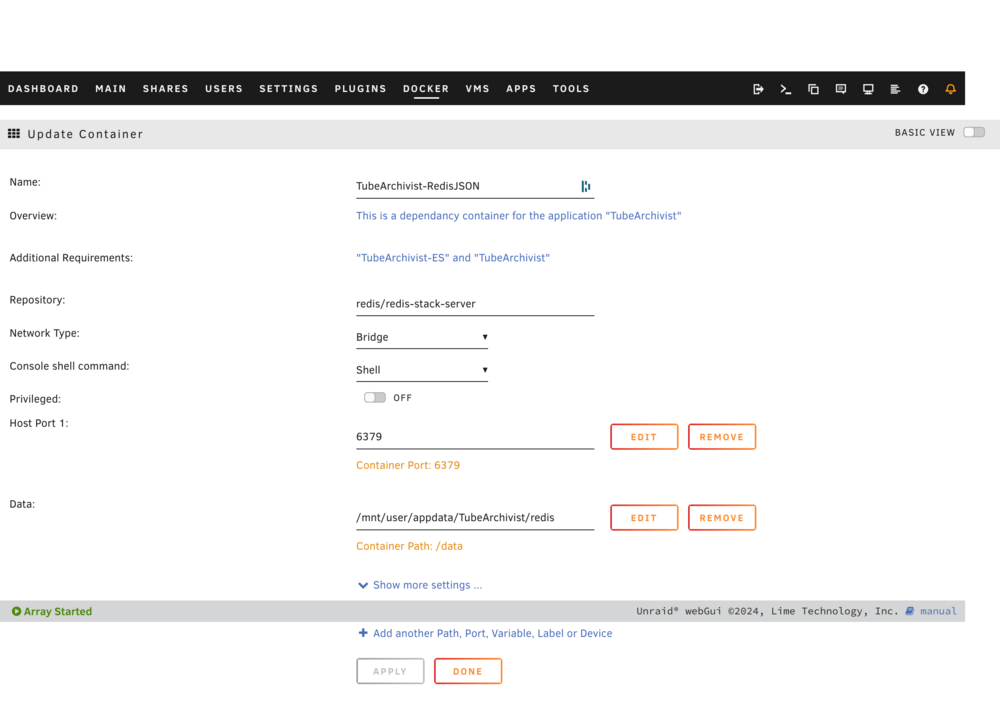
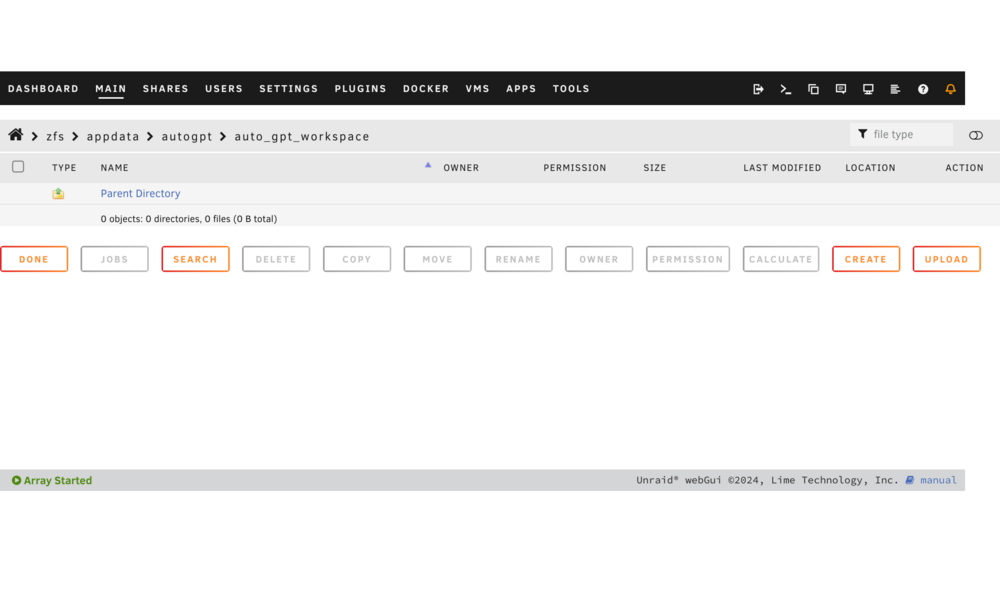
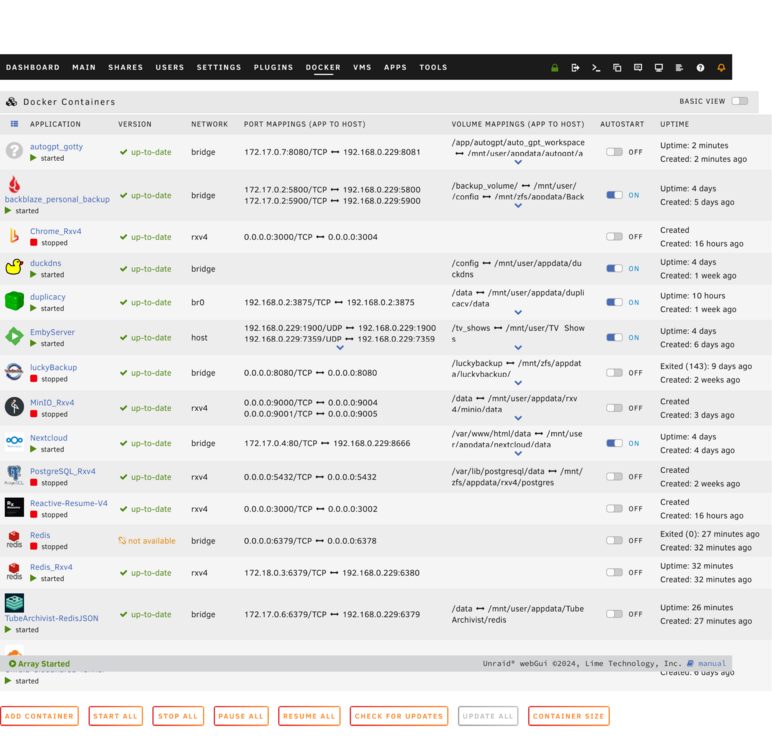
@Reptar @Nano @Asmithcompute @Bluedevil678 hey all - wondering if one of you could help with my setup? I followed along all the advice in this thread as closely as possible, but I'm getting the errors you can see in the .txt file I'm attaching. Also see screenshots of my configuration as well as my diagnostics. Any help massively appreciated! I'm really just trying to use it for basic purposes and out of curiosity/learning experience. Thanks in advance. autgpt docker console.txt nas-diagnostics-20240504-1502.zip
-
Ah okay I just got it to work, all good. However, this has made me realised I have been misunderstanding what is meant by "sync" in this context. I actually only wanted to be able to use the Music Nextcloud folder as if it was a simple network share - essentially streaming the folder to my MacBook, without it actually taking up any space on my MacBook. Is there any way of doing this?
-
I just followed along with SpaceInvaderOne's tutorial on setting up a share from Unraid to be read within Nextcloud. And I can now see my Music folder from Unraid in Nextcloud. I have the Nextcloud desktop client installed on my MacBook. Next, I want to be able to access this Music folder from my MacOS Finder window. For some reason though, these are the only files I can see in the Nextcloud location. Am I missing something? Any help very much appreciated.
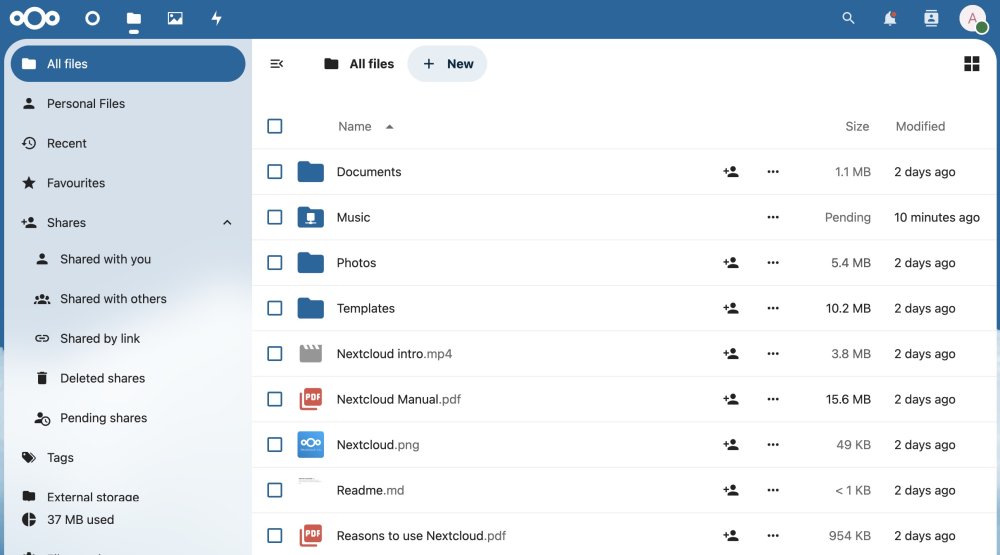
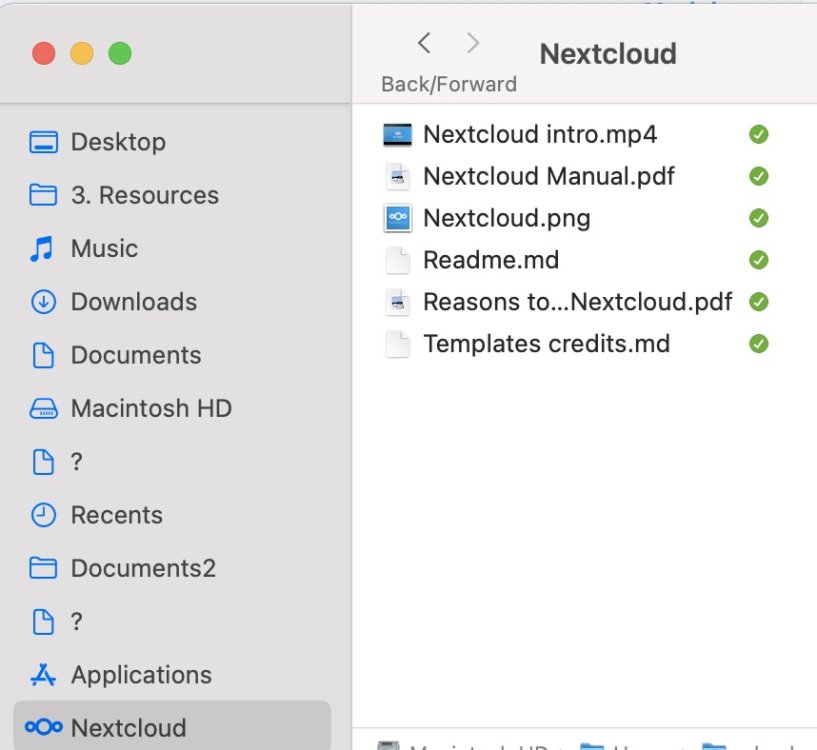
-
Ok gotcha. The OP talks only about allocating more RAM for ZFS. Would you ever recommend allocating more RAM for Docker? How much RAM does Unraid allocate for Docker by default? And would it be the same process i.e. create a docker.conf file and specify RAM allocation?
-
How does this relate to running VMs? Because I know that when setting up a VM you can allocate a specified amount of RAM to it. Does this bypass the RAM allocation rules we're talking about here? Also, I have 64GB RAM currently, and would like to start by doubling how much RAM is allocated, so from 1/8 to 2/8. What should I put in the zfs.conf file?
-
That seemed to half work! The D: drive is now visible in the container UI. However, only one of the folders from my Unraid system is visible within it - my Music folder. Also rather strangely, after running the command you shared, a D: drive became visible as mentioned. But looking in the directory in Unraid, there is no d: drive. When I try and "create" a folder called "d:" next to the c: and z: folders, Unraid gives me an error saying that it already exists. I'm not sure how/why this is the case. Any suggestions?
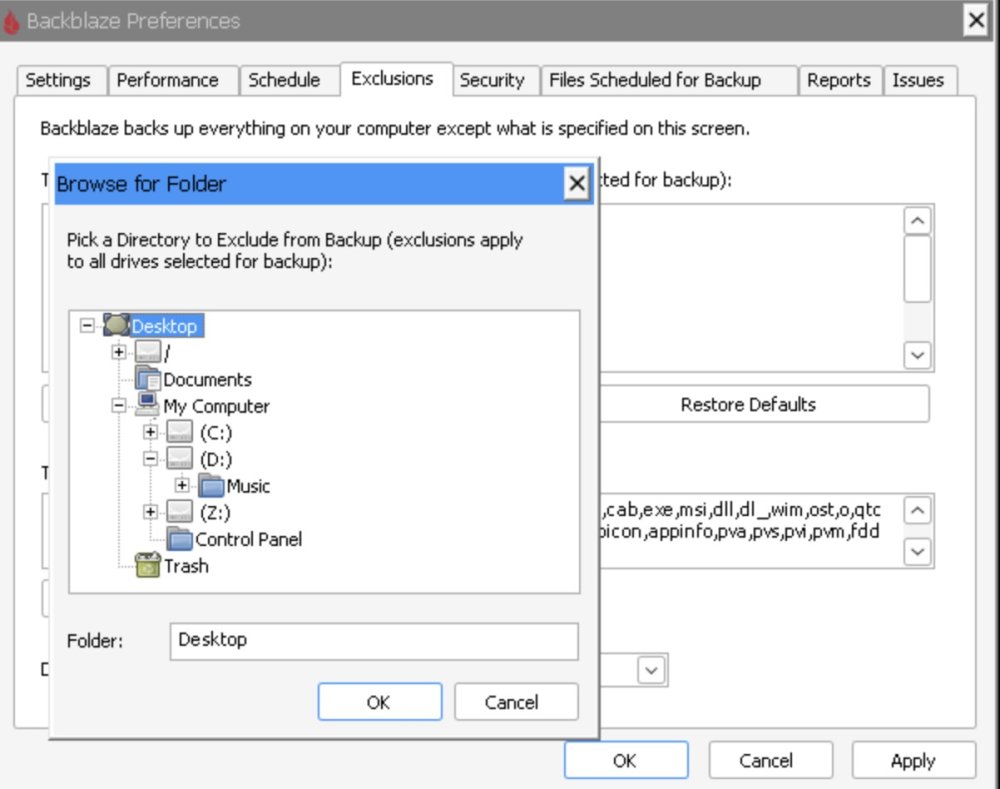
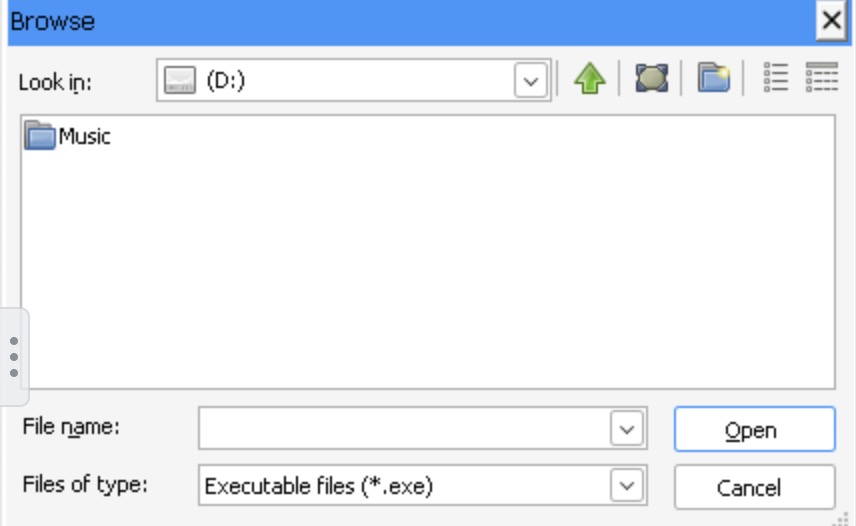
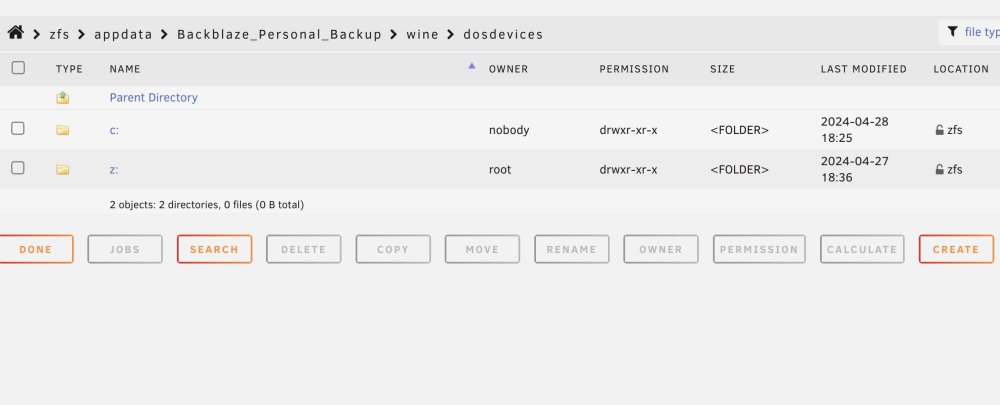
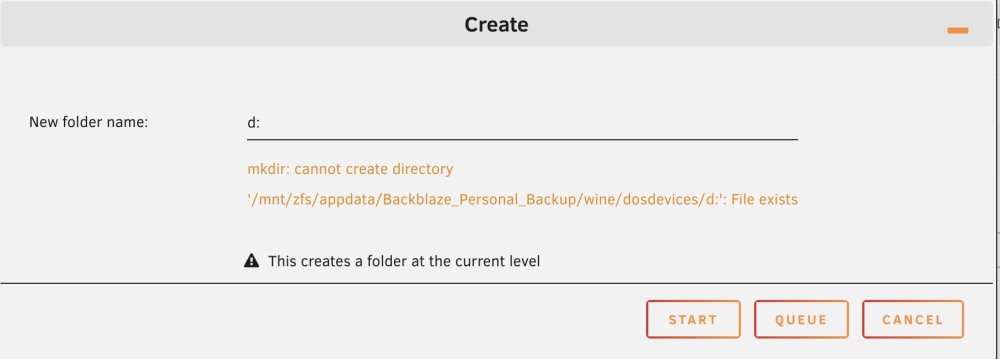
-
I'm also want to have my zfs system utilise more RAM. I'm curious about what the default setting for RAM allocation is before you added this conf file though. Do you have any idea of what it might be? And how has your experience been since making this change?
-
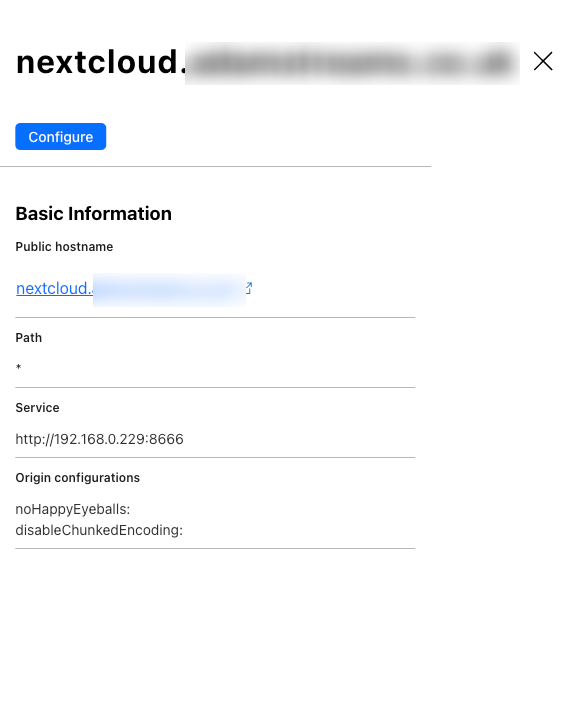
Actually I'm still confused about quite a few things. Forgive me as I'm new. I still don't quite understand how/why Nextcloud is configured as HTTP in Cloudflare, but then appears as HTTPS in the URL. Also, I don't understand why the Nextcloud errors page says "Accessing site insecurely via HTTP", when the URL says HTTPS. Remember, I was unable to access the Nextcloud console when settings HTTPS in Cloudflare. I also just generally don't know what to do about the other errors. I originally followed along with SpaceInvaderOne's Nextcloud + reverse proxy tutorial. Despite following along perfectly (including his troubleshooting suggestions at the end), I was unable to get it working, and I couldn't find any relevant help. So then I decided instead to ditch the reverse proxy method and instead follow his Cloudflare tunnel tutorial and connect to Nextcloud that way. This worked (though I have some questions about configuration that I'll save for another post). Possibly as a result of attempting these two methods, I now have two nextcloud folders in my Unraid server: /user/nextcloud/ and /user/appdata/nextcloud/. Is it safe for me to delete the /user/nextcloud/ folder? This was the share folder that SpaceIndaverOne instructs you to create as part of the reverse proxy tutorial. But I don't see the same instruction to make one in the Cloudflare tunnel tutorial. So naturally (as a beginner) I'm assuming this means I don't need the /user/nextcloud/ share folder anymore? Or am I missing something about the role that share serves? Lastly, am I getting played by AI? I've been using Claude AI to try and resolve some of the issues I have, but feel I've reached a dead-end. I'm wondering if I'm being given wrong advice by the chatbot. Here's the chatbot convo.
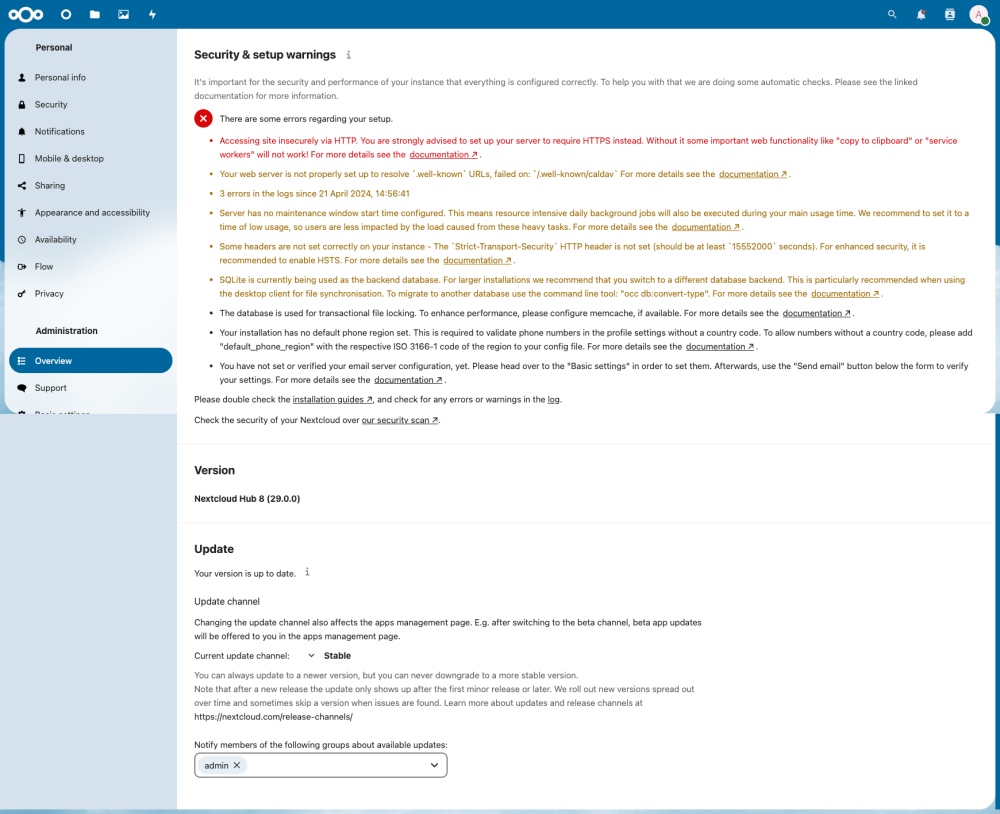
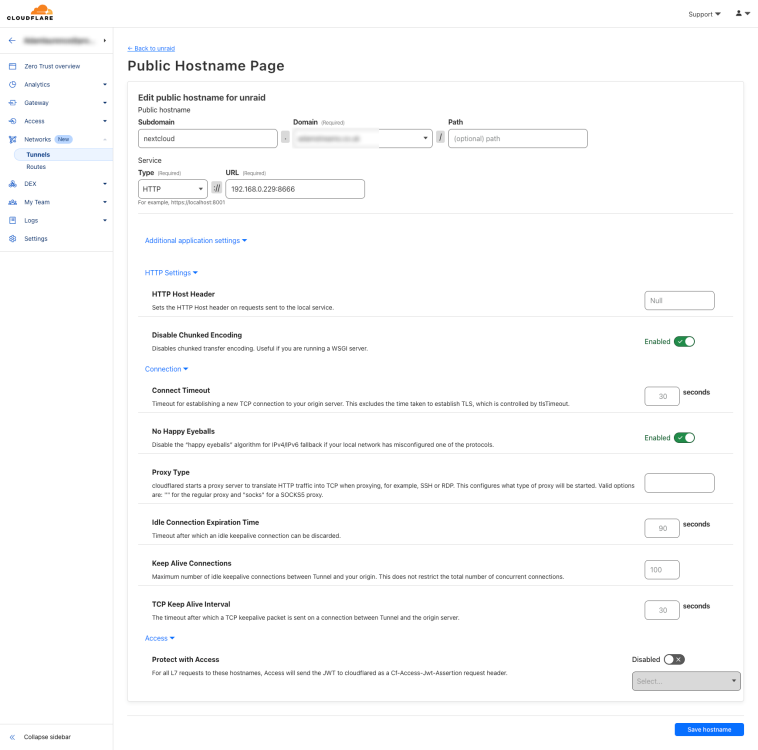

-
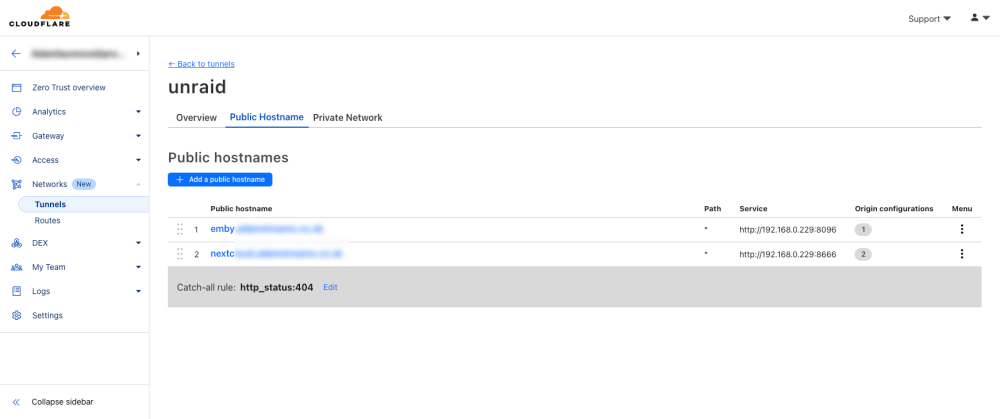
Trying your suggestions: 1. Switching the tunnel from HTTP to HTTPS results in the URL: 2. Enabling "No TLS Verify" while using HTTPS results in the same error. 3. Keeping "No TLS Verify" but switching HTTPS back to HTTP... works! Though something to note - clicking on the generated URL that takes me to Emby, despite the "Type" being "http://" in the Couldflare Tunnel page, becomes "https://" when loading the Emby web page..? Is this ok? Why does this happen? Also, what does the "Catch-all rule: http_status:404" mean? I don't know a lot about this stuff, but should I consider the task of fixing this done now? I don't want to have achieved this via any unrecommended means.
-
Riddle me this. Followed the SpaceInvaderOne cloudflared tunnel video to the letter. Copied the URL it created (when you create a public hostname for a service - in my case, for Emby, which I have decided to set up first before trying Nextcloud) into my browser, and I get: "This site can’t be reached emby.mydomain.co.uk’s DNS address could not be found. Diagnosing the problem. DNS_PROBE_POSSIBLE" Here are some screenshots of my setup But when I go and click on the Emby WebGUI button in my Unraid console, it connects to Emby, showing [http://]192.168.0.229:8096/web/index.html#!/home in the URL. I have no idea what I'm doing wrong, missed out (at least based on the video, I followed that along perfectly) or am not considering. Unfortunately I am banging my head against a wall with this, despite it apparently being easier than reverse proxies. nas-diagnostics-20240427-1836.zip
-
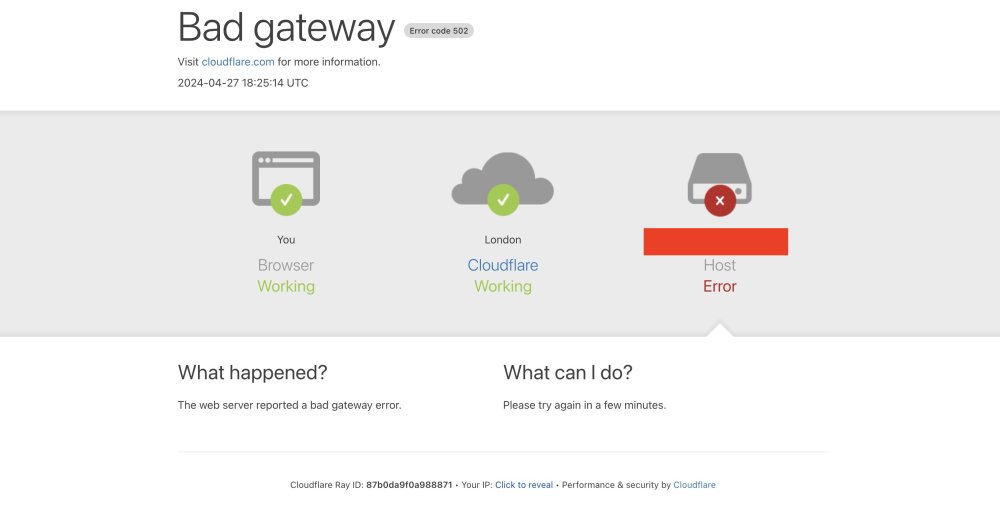
I followed along with SpaceInvaderOne's tutorial on setting up Nextcloud, and I'm pretty sure I copied along perfectly. But I'm still getting a 502 Bad Gateway error when entering "nextcloud.[mydomain.co.uk]" into my browser. Can someone take a look at these screenshots and spot any mistakes I've made? I'm stumped. P.S. You will notice I have two nextcloud.subdomain.conf files (nextcloud.subdomain.conf AND nextcloud.subdomain.conf.sample). Do I need to delete the sample version? nas-diagnostics-20240424-2226.zip
-
@Eurotimmywonder if this feature could be added? It's a real pain trying to guess the correct length of the page in order to export as an A4 size PDF.
-
I have recently built my own Unraid server, where I am storing my music library (currently as a mirror of the local files on my MacBook Pro). This Unraid backup is itself backed up to BackBlaze B2, and I also am using ZFS. My plan is to: Make my Unraid server the source location of my music library, and delete the current music library off of my MacBook, freeing up local space while still being able to access my library as a mounted volume with SMB and play back using Swinsian on my Mac, or via something like Plex on other devices. This means I need a good method of having my current music player (Swinsian) point to the Unraid server as the new location of the music library, while retaining all the current playlists I have set up in Swinsian. My concern is that by changing the location, and therefore having copies of tracks become the new default location, Swinsian won't regard them as the same tracks as the ones it currently has (my local files) in all my playlists. How to ensure the changeover doesn't affect this? Similarly, I DJ and use Rekordbox. I am going to follow this promising guide and tool from u/MixMasterG in order to locate my Rekordbox tracks following the change in location from local storage to Unraid server. If anyone has any experience running their Rekordbox based on a remote, mounted shared folder, I'd be keen to hear any tips or general advice Have a good workflow for the following actions: How I download and sort music: music from private tracker torrent sites I'm a member of, or Soulseek > some light file name and metadata modifying > sorting these newly downloaded files into folders in my music library (stored on the Unraid server), maybe having some kind of automatic folder sort for "newly downloaded" or "not listened to yet", or something similar if anyone else has any good systems worth sharing. I've heard of a way of setting up automatic downloads of torrent files from trackers that meet certain filtered criteria? No experience with that kind of stuff, would be keen to learn. If there are any other actions, tools, programs, workflows etc that people have experience of and suggest I look at, that would be cool too. I'm new to the server game and looking to create a complete workflow/music management system. EDIT: For clarity r.e. what I want to do with my Swinsian music library: 1. I currently have Swinsian set up to watch a local music folder on my MacBook, which contains my music library. 2. I want to migrate to the mirrored copy of this library, stored on my Unraid server, so that I can delete the local files and free up space on my laptop. 3. If I go and tell Swinsian to stop watching the local folder, and start watching the mounted server folder, and remove the local files from my Swinsian library, surely that's going to result in, well, my current Swinsian library being destroyed, with all the tracks I have set up in all the playlists I've gone disappearing, even though all the files still 100% exist, just remotely in a different location. So what I want to do is ensure a seamless transition to the server, maintaining the library as I have it now, just switching to having the files stored off the laptop.
-
I'm aware of this and this works for my specific use-case. The aim is to create an exact mirror. Then, when I have the time, end the rsync mirror, keeping the server-side music library intact and fully deleting the MacBook (source) library to free up space. Then, create a backup of the server music library, and then finally mount the server music library back to my MacBook as a volume - enabling me to stream my library without needing it to sit on my Mac's SSD. FYI I not only currently have a backup of the Unraid music library backup going to BackBlaze B2, but I also have a remote Time Machine backup running for my MacBook.
-
Just set up Rsync with the help of Claude.ai. Wonder if you could take a look at the Rsync command it helped me come up with and give your take on if it's the best approach for my use-case, and also if you spot any inaccuracies with Claude's output? As a reminder, I'm trying to set up a sync from my MacBook to my Unraid server. A mirrored sync of my music library: "Based on the previous examples and discussions, here's the rsync command you were using: ``` rsync -avh --delete "/Users/user/Music/All My Music/" "/Volumes/Music/All My Music/" --log-file="/Users/user/Documents/rsync_error_log.txt" --log-format="%t %p %i %C" --itemize-changes 2>&1 | grep -E "rsync error|rsync:" ``` Breakdown of the command: - `rsync`: The main command to run rsync. - `-avh`: The options: - `-a`: Archive mode, preserves permissions, ownership, timestamps, etc. - `-v`: Verbose output, provides detailed information about the synchronization process. - `-h`: Human-readable output, displays sizes in a more readable format. - `--delete`: Deletes files and directories on the destination that do not exist on the source. - `"/Users/user/Music/All My Music/"`: The source directory on your Mac. - `"/Volumes/Music/All My Music/"`: The destination directory on the mounted Unraid share. - `--log-file="/Users/user/Documents/rsync_error_log.txt"`: Specifies the file path for the log file. - `--log-format="%t %p %i %C"`: Defines a custom log format that includes the timestamp, file path, item type and status, and any additional information or error messages. - `--itemize-changes`: Outputs a detailed list of the changes made to each file and directory during the synchronization process. - `2>&1`: Redirects the standard error stream (stderr) to the standard output stream (stdout), combining both normal output and error messages into a single stream. - `| grep -E "rsync error|rsync:"`: Pipes the combined output through the `grep` command, which filters the output to only include lines that contain either "rsync error" or "rsync:". This helps focus the log on error messages and relevant information. This command synchronizes the "All My Music" directory from your Mac to the corresponding directory on the mounted Unraid share, deleting any files or directories on the destination that do not exist on the source. It logs the synchronization process, including detailed information about each file and directory, and filters the log output to only include error messages and relevant information."
-
Yep I'm sharing via SMB. And thanks for clarifying that, I've logged out of root and re-connected using a user with read/write permissions to the shares. Something else I'm realising is that either: a) I don't know how to set up a mirrored sync in SyncMate, whereby the connected Unraid server folder mirrors the local MacBook folder, adding and deleting files and folders from the server when they are added or deleted from the MacBook. b) This isn't possible in SyncMate? The direction of the sync is currently configured as Macbook → Server, rather than Macbook ← Server or Macbook ⇔ Server. Should I have it configured differently? I'm noticing that folders which I have removed from the local storage are still present in the server directory.
-
I am trying to sync my local music library from my Mac to my Unraid server, using SyncMate. Looking in the Unraid console, it actually seems to have transferred the files over, as I can now see around 500Gb of data is now in my Music folder in Unraid. However, whenever I run the sync process I get a near-endless stream or error codes, that all look the same, for example: *"Domain Code=513 "You don’t have permission to save the file “Disc 5” in the folder “Various Artists - FWD\_\_ & Rinse Live At The End (Fri 17th Aug 2007) \_2007\_”." UserInfo={NSFilePath=/Volumes/Music/All My Music/Various Artists - FWD\_\_ & Rinse Live At The End (Fri 17th Aug 2007) \_2007\_/Disc 5, NSUnderlyingError=0x600001cecb40 {Error Domain=NSPOSIXErrorDomain Code=13 "Permission denied"}}* *2024-04-18 14:45:15.074 SyncMateService\[10757:630182\] Error open file /Volumes/Music/All My Music/Various Artists - FWD\_\_ & Rinse Live At The End (Fri 17th Aug 2007) \_2007\_/Disc 5/.SyncMateTemp.10 - Track10.flac (No such file or directory)* *2024-04-18 14:45:15.075 SyncMateService\[10757:630182\] Copying local file /Users/adamlaurence/Music/All My Music/Various Artists - FWD\_\_ & Rinse Live At The End (Fri 17th Aug 2007) \_2007\_/Disc 5/01 - Track01.flac, to remote /All My Music/Various Artists - FWD\_\_ & Rinse Live At The End (Fri 17th Aug 2007) \_2007\_/Disc 5/01 - Track01.flac* *2024-04-18 14:45:15.563 SyncMateService\[10757:630182\] Create folder /Volumes/Music/All My Music/Various Artists - FWD\_\_ & Rinse Live At The End (Fri 17th Aug 2007) \_2007\_/Disc 5 failed with error: Error Domain=NSCocoaErrorDomain Code=513 "You don’t have permission to save the file “Disc 5” in the folder “Various Artists - FWD\_\_ & Rinse Live At The End (Fri 17th Aug 2007) \_2007\_”." UserInfo={NSFilePath=/Volumes/Music/All My Music/Various Artists - FWD\_\_ & Rinse Live At The End (Fri 17th Aug 2007) \_2007\_/Disc 5, NSUnderlyingError=0x600001ce23d0 {Error Domain=NSPOSIXErrorDomain Code=13 "Permission denied"}}* *2024-04-18 14:45:16.053 SyncMateService\[10757:630182\] Create folder /Volumes/Music/All My Music/Various Artists - FWD\_\_ & Rinse Live At The End (Fri 17th Aug 2007) \_2007\_/Disc 5 failed with error: Error Domain=NSCocoaErrorDomain Code=513 "You don’t have permission to save the file “Disc 5” in the folder “Various Artists - FWD\_\_ & Rinse Live At The End (Fri 17th Aug 2007) \_2007\_”." UserInfo={NSFilePath=/Volumes/Music/All My Music/Various Artists - FWD\_\_ & Rinse Live At The End (Fri 17th Aug 2007) \_2007\_/Disc 5, NSUnderlyingError=0x600001ce1f80 {Error Domain=NSPOSIXErrorDomain Code=13 "Permission denied"}}*" There are a couple of reasons I don't understand these errors or how to resolve them: 1. I'm connected to my Unraid server as the root user - I entered the root credentials when connecting. 2. It obviously seems to be syncing the files - however I obviously can't be sure *all* of the files are syncing, and there are too many for me to go through the entire directory in Unraid and verify this. 3. Am a beginner to this. **Any suggestions?** nas-diagnostics-20240419-0038.zip
-
Fairly new to Unraid and networking stuff. Recently set up my Unraid server and now want to configure a Duplicacy backup. I've read it's good practice to make several smaller separate Duplicacy backups for different areas of my system (e.g appdata; docker; music and other media; etc), so it's easier to retrieve those individual sections should I need to. In terms of a basic setup guide, could someone let me know how to do this? I have watched this tutorial, but: 1. I don't have a separate location for cache on a different disk or anything, I'm using a zfs pool for everything/default location. 2. In the tutorial, I'm not sure if they are going with a general backup solution, or a more separated multiple Duplicacy backup solution that I mentioned at the beginning. 3. I'm getting easily confused at share mapping and how to configure shares and backup settings in Unraid in general, and the tutorial doesn't break that down well enough for me. Any help/links to more comprehensive guides appreciated.
-
Were you able to get yours up and running? I'm having issues accessing the D:\ drive within the container. Any suggestions? Have attached a convo I had with Claude AI after feeding it the github installation instructions. It shows how I've installed it, as well as the exact issue I'm currently facing, and the end of the convo. Also @TedStrikerif you're able to have a look? Appreciate any help Claude AI Backblaze Personal Setup.pdfClaude AI Backblaze Personal Setup.pdf Claude AI Backblaze Personal Setup-compressed.pdf
-
Wonder if you've seen this, and suggest I try it out? Or avoid?
-
I've recently set up my first Unraid server. I want to back the whole thing up using a third-party service. I've only heard of Backblaze, but don't actually know anything about it. Can someone recommend a service like that to go with? Something that ideally has very clear installation instructions available somewhere. And also ideally free or low-cost.
-
Thanks, that worked. Another question I have: because I've listed a lot of different experiences, and because the Experience section is tied to page #1, when exporting the PDF, page #1 is incredibly long. Is there a way of setting the default page size as A4, so that the page-splitting occurs more normally?
-
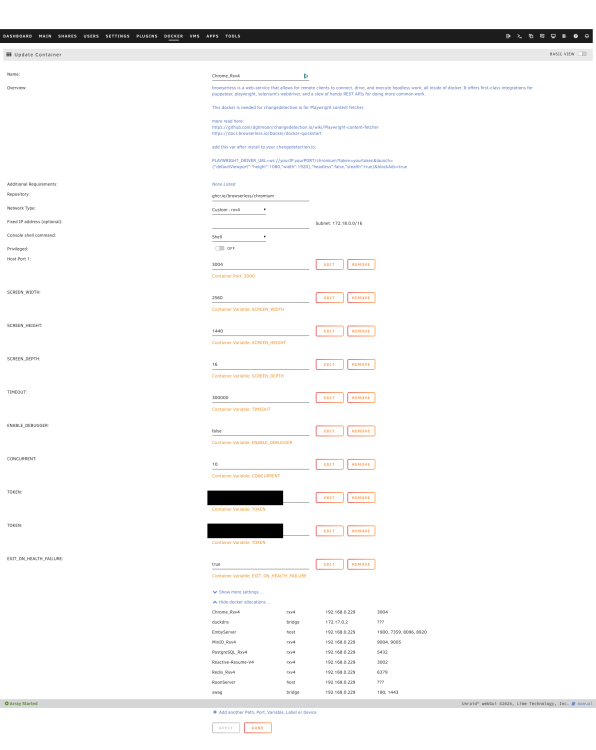
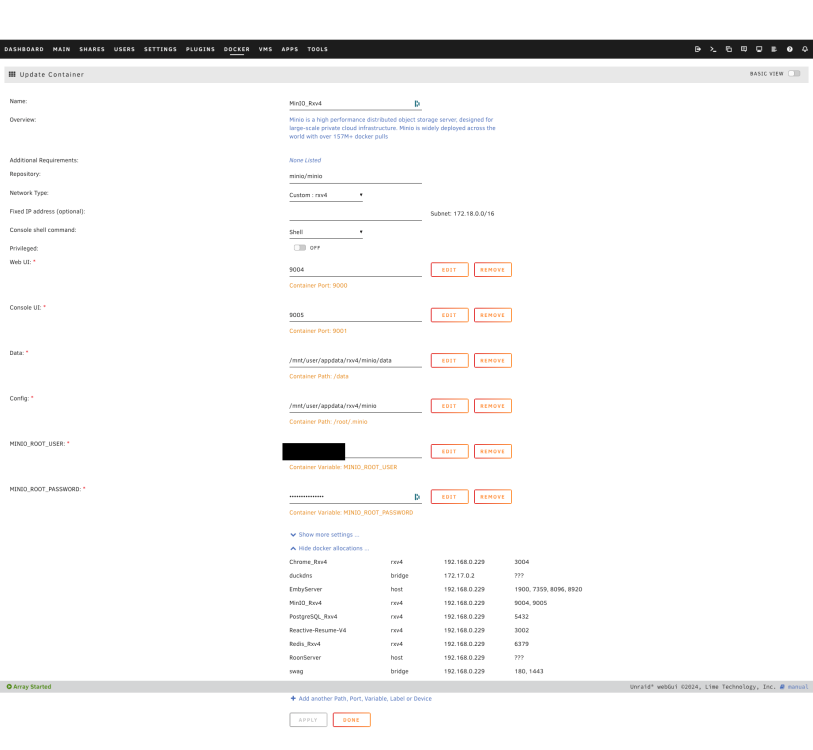
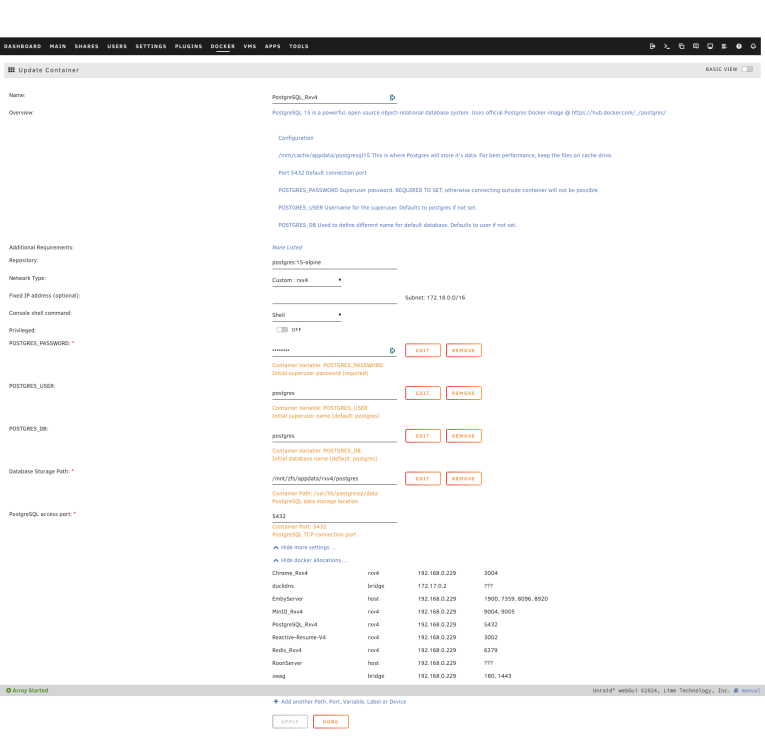
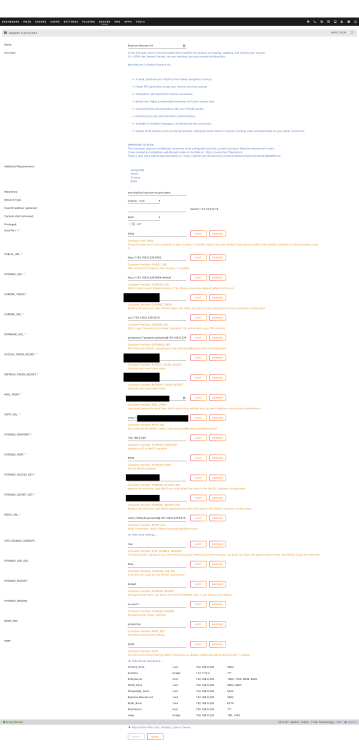
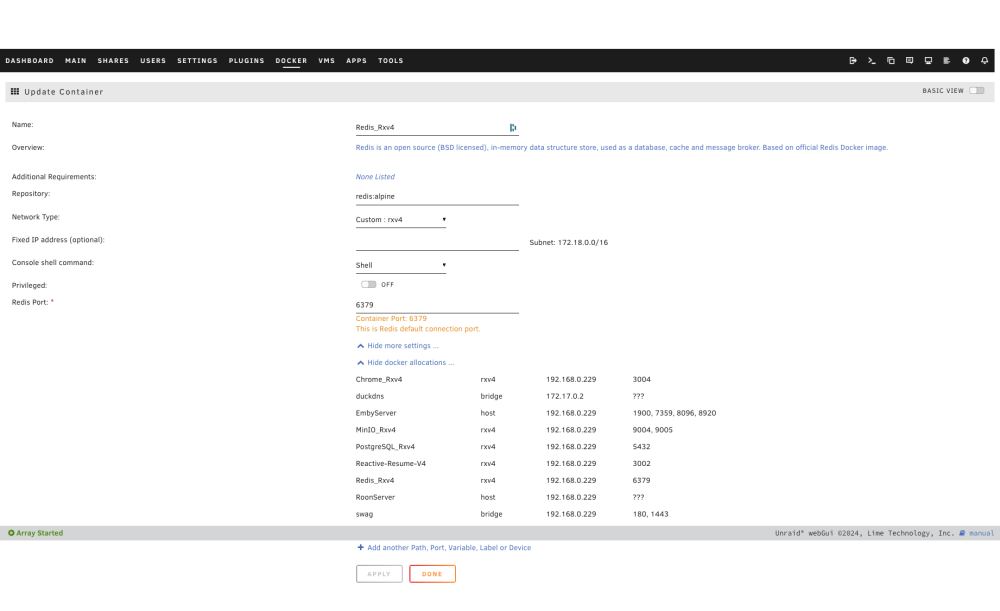
Total Unraid + tinkering n00b here. I followed @Eurotimmy's guide and got it mostly working, I just have a few issues/questions. 1. Entering my email in the settings, it doesn't send me a verification link. I've tried the Gmail email address I added in when folllowing along with the YouTube tutorial, as well as trying a separate email, and no verification link. 2. Export as PDF doesn't work. Download JSON works, but Export as PDF results in an about:blank page. 3. How does one delete entries under sections? I added a work experience entry under the Experience section, but now want to delete it. There doesn't seem to be any option to delete that specific experience without deleting the entire Experience section?? Screenshots attached for reference. Would really appreciate if anyone was able to have a peek at all this and see if they can spot what I'm doing wrong! nas-diagnostics-20240409-1441.zip
-
Thanks. Whatever the difference between bits and bytes, though, changing to a Cat6 cable incresed the speeds recorded by OpenSpeedTest significantly, so I'm assuming that was the issue.
-
Turns out my cable wasn't Cat6! Just plugged one in and am now getting 779.49Mbps down, 692.15Mbps up, 3ms Ping. Whoops. For your reference (in case there are any other issues going on), I have attached my diagnoistics zip. Thanks nas-diagnostics-20240408-1536.zip


